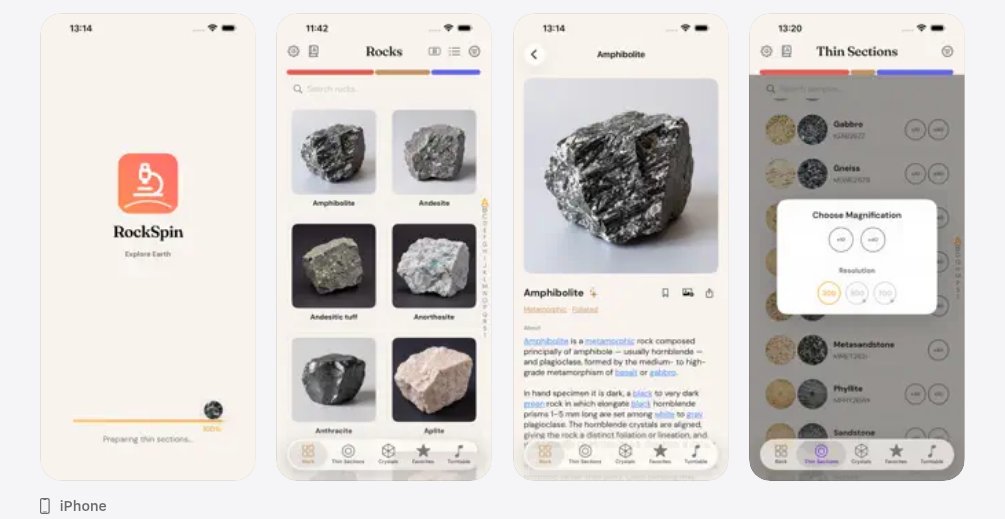
RockSpin 1.1.0 is on the App Store — a pocket polarizing microscope for thin sections.
New: Crystal Specimen tab, Stories, AI Assistant (Pro).
Rotate 360°. Compare PPL / XPL. Free 300px viewing.
https://t.co/PSuCRvxePm
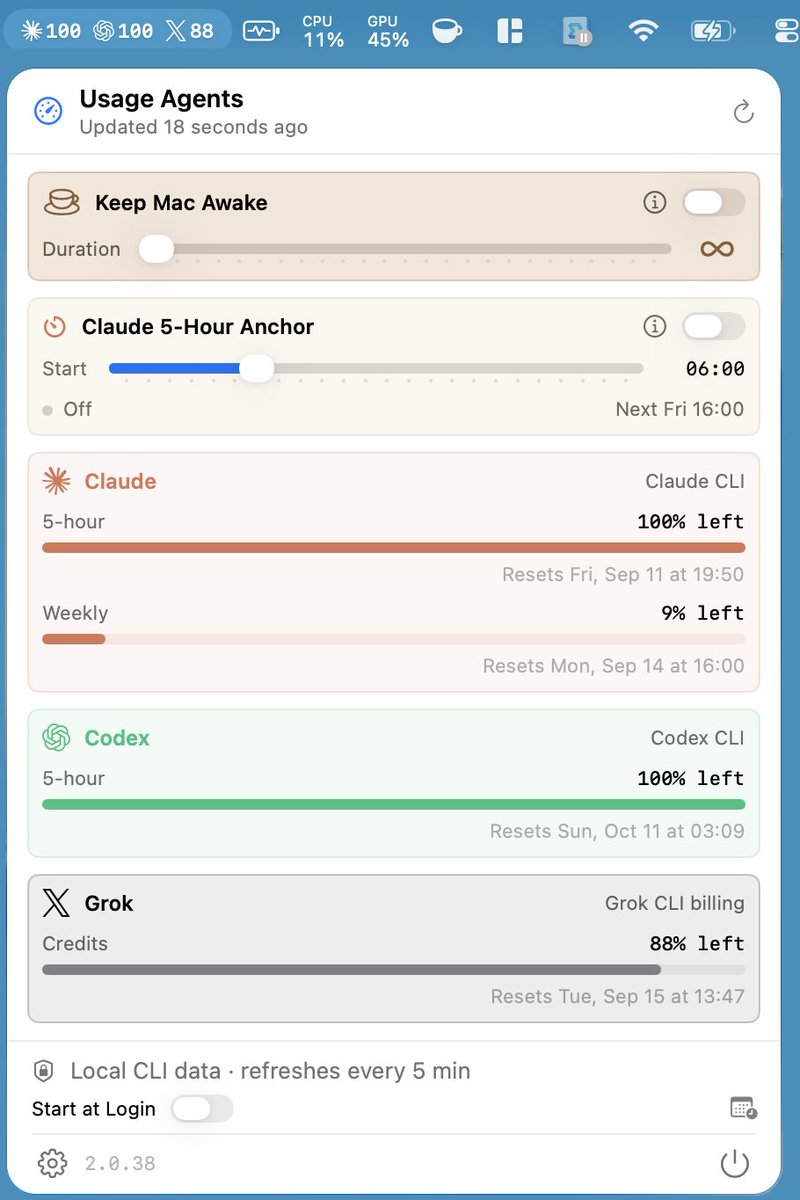
I built Usage because I kept losing Claude, Codex, and Grok quotas mid-session.
Indie Mac constraint I wouldn’t bend: one compact menu-bar strip, remaining %, five-minute refresh — no Usage cloud account, and credentials stay with the local CLIs.
@ivandjrueda@ahramkim1128 A local Markdown paper library works best when headings and page cues survive ingest — OCR only the scanned pages, leave born-digital text alone. On-device PDF/image → Markdown on macOS keeps that corpus private: https://t.co/kjQQZdv1Qs
@manailleurs@victormustar@julien_c For folder→Obsidian pipelines, the usual pain is tables/formulas and keeping page anchors through OCR. Local PDF/image OCR → clean Markdown on macOS helps before you drop notes into the vault — https://t.co/kjQQZduu0U
@ArcanusOrdo@grok At that scale, make a page-indexed TOC plus bridge note showing where each source ends and the next paper begins. Preserve page numbers and headings so the gap stays auditable. Markdown Ready handles local PDF→Markdown + OCR on Mac for research/RAG prep: https://t.co/kjQQZdv1Qs
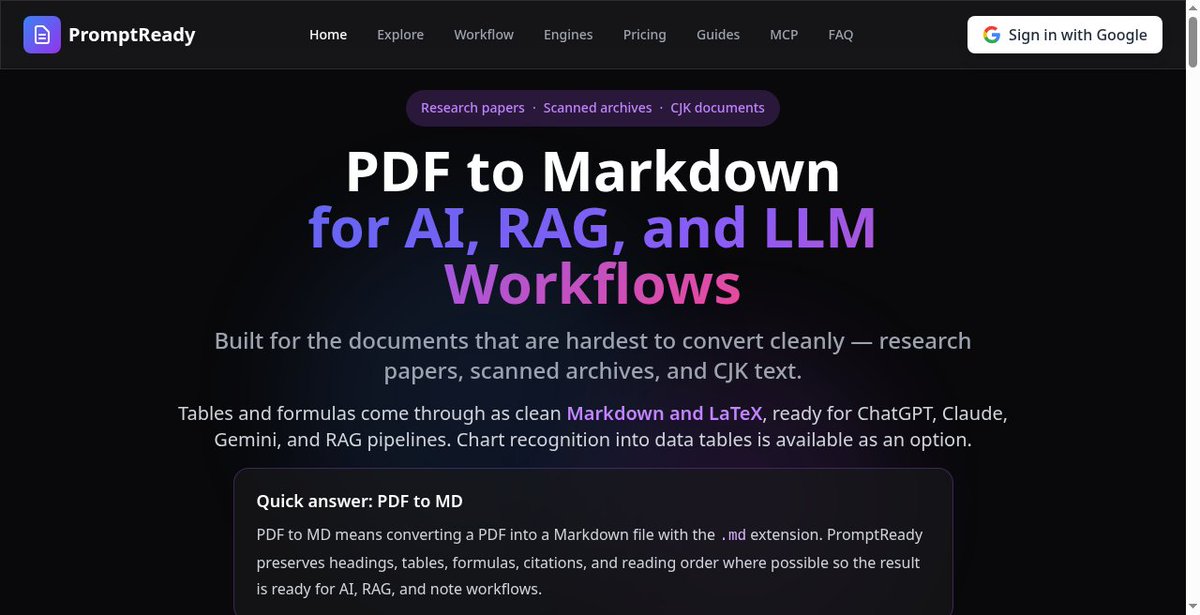
PDF papers are noisy for RAG.
PromptReady (web) converts research PDFs, scans, and CJK docs into clean Markdown + LaTeX — headings, tables, formulas kept.
100 free credits. No subscription.
https://t.co/s2nQZ3kMne
@sitinme For scanned PDFs, OCR only pages with low text density, then preserve headings and tables before chunking—otherwise RAG loses the document’s structure. I’m building a local Mac PDF/image OCR → Markdown workflow at https://t.co/kjQQZduu0U
An Edaily piece interviews Korean research-ethics experts on why disclosure, responsibility, and education matter more than detection alone. Worth reading if you work with or supervise AI-assisted research writing.
https://t.co/mEobCzzvQc
Who actually wrote this paper?
Generative AI now reaches topics, hypotheses, analysis, code, discussion, and conclusions. Detection is messy; old plagiarism-first ethics rules don’t cleanly answer authorship.
@MorelMatth66161 A practical edge case is scanned papers: OCR them first, preserve page markers and headings in the Markdown, then index—otherwise citations can look precise while pointing to broken text. Markdown Ready turns local Mac PDFs/images into searchable Markdown: https://t.co/kjQQZdv1Qs
@volsokotun Deterministic extraction still wins when output must be auditable. For mixed PDFs, keep clean text and OCR only image-heavy pages; Markdown keeps the evidence searchable for later RAG. Markdown Ready does this locally on Mac: https://t.co/kjQQZduu0U
@isaac_flath That table-likely flag is a useful guardrail: keep fast text extraction for ordinary pages, then send only the bounded table/image regions through heavier parsing. Markdown Ready offers a local Mac PDF/image → Markdown workflow for LLM prep: https://t.co/kjQQZdv1Qs
@aiopshq Structure matters more than file size: preserve headings, tables, page breaks, and source-page markers; OCR only image-only pages so scanned PDFs become searchable, reliable Markdown for retrieval. Markdown Ready does this locally on Mac: https://t.co/kjQQZduu0U
@howtopam Exactly—an OCR text layer makes scans searchable without losing the original page image. Local OCR can also turn them into clean, RAG-ready Markdown while keeping documents on-device. Markdown Ready: https://t.co/kjQQZduu0U
In our time, AI feels less optional and more like part of the research and work environment we can’t really step away from.
Stanford’s Paper2Agent turns research papers into conversational agents you can run with natural language.
Instead of only summarizing a paper, it analyzes the paper, code, and tutorials, then builds verified tools as an MCP server—so methods can be re-run and applied to new data with much less setup.