That jump needs a landing.
Smart Shape Box will let you resize a platform while its artwork repeats. See where Box could fit in this platformer idea.
Coming soon to hyperPad. #LevelDesign
A hill to glide over. A road to race. Smart Shape gives your game world new ways to take shape on iPad. Coming soon to hyperPad.
See the game ideas and the shapes beneath them: https://t.co/ioSyKMbEGv
Keep walking. Add a crouch posture. Let the upper body perform another action.
This preview shows live rig actions working together in hyperPad.
Art Studio + Bones is coming to all users.
We're 5 days into the Haunted Challenge.
What are you making?
Share a screenshot or work in progress with the community!
If you haven't started yet, you still have until the 31st to make an amazing game.
Give your character a walk of its own.
Pose connected bones and build movement on Art Studio’s timeline, inside hyperPad.
Coming to all users.
#GameDev#2DAnimation
@clemmygames Solo dev Sleepy Turtledove Gaming made this sea-themed endless runner game (iOS) on iPad!
With multiple levels and different challenges, there are bonus mini games embedded into the game.
https://t.co/OTegzG0jbE
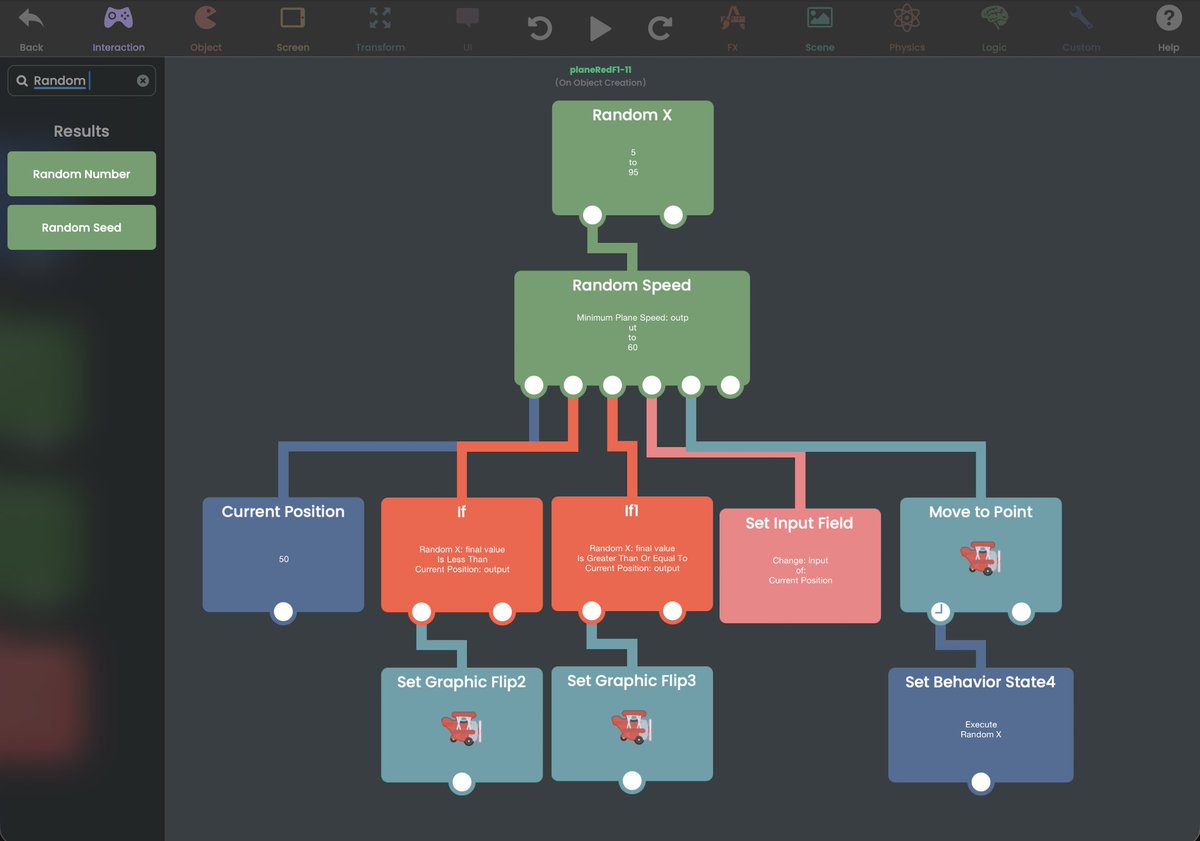
You’re working with random values, conditions, branching, Object state, movement, and execution flow.
hyperPad lets you connect those ideas visually on iPad.
That’s what visual game development looks like.
Your game logic can be visual.
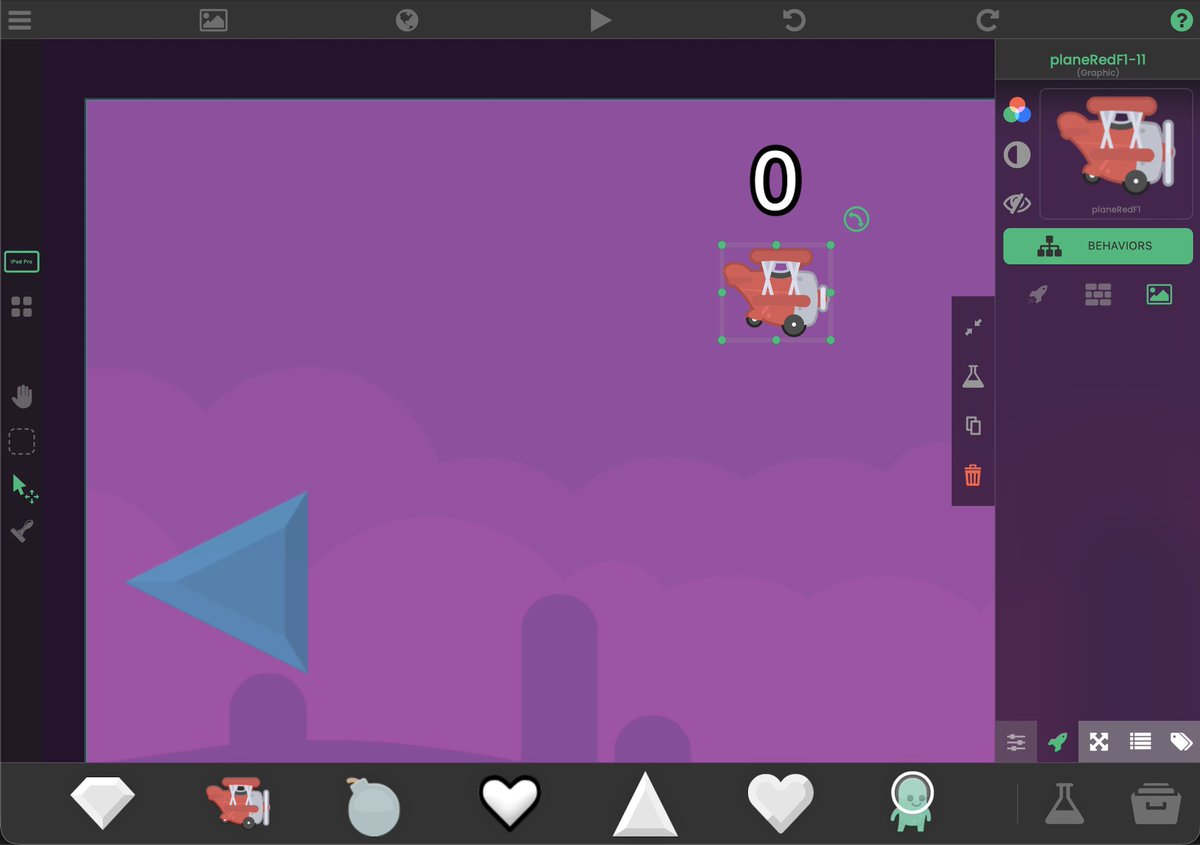
This plane chooses a random destination, checks where it is, decides which way to face, moves there, then runs the flow again.
Here’s what the Behavior Tree is doing.
You can build game logic visually.
This plane picks a random X position, checks where it is, flips to face the right direction, moves to the new point, then runs the flow again.
Random values, conditions, movement, and state. Built with Behaviors in hyperPad.
#visualcode#ipad
The target position feeds into Move to Point.
When the movement finishes, the Behavior Tree can execute the movement logic again.
Your flow becomes: choose → compare → move → repeat
You can build game logic visually.
This plane picks a random X position, checks where it is, flips to face the right direction, moves to the new point, then runs the flow again.
Random values, conditions, movement, and state. Built with Behaviors in hyperPad.
#visualcode#ipad
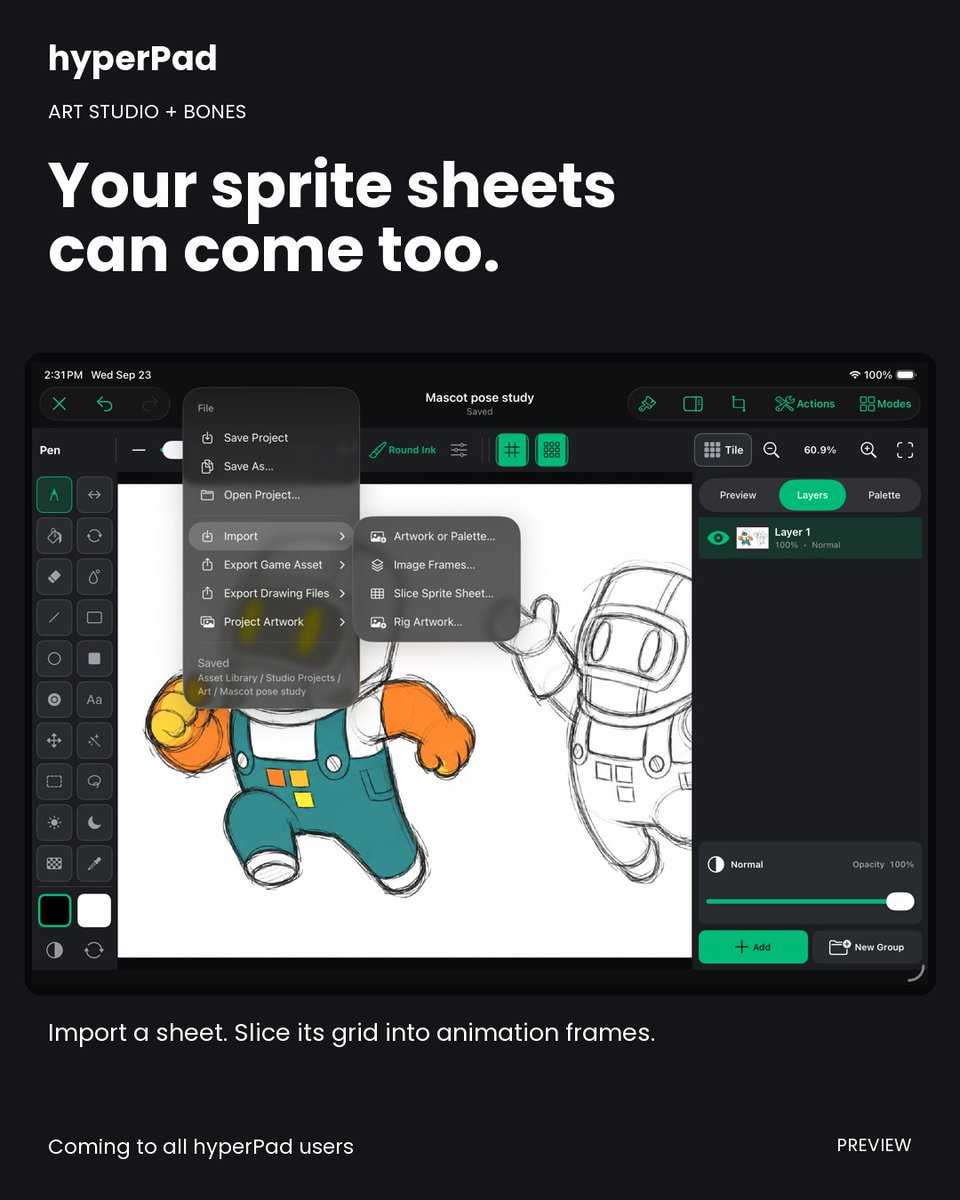
Already have an animated sprite sheet?
Import it into Art Studio and slice its grid into frames. Your existing artwork can come with you. Coming to all hyperPad users.
#GameArt#hyperPad
🎃 The hyperPad Oct Challenge starts today.
Oct 1–10
Theme: HAUNTED
Make a playable hyperPad project and Publish it to the Hub with #2026HAUNTEDJAM.
You have 10 days. Show us what you make.
#hyperPadHaunted
🎃 The hyperPad Oct Challenge starts today.
Oct 1–10
Theme: HAUNTED
Make a playable hyperPad project and Publish it to the Hub with #2026HAUNTEDJAM.
You have 10 days. Show us what you make.
#hyperPadHaunted
🎃 Haunted Game Jam deadline extended.
You now have until October 31 to finish and submit your hyperPad game.
More time to build the mechanic and polish the scares of a truly haunting game. 👻
🗓 New deadline: October 31
#GameJam#iPadGameDev
🎃 The hyperPad Oct Challenge starts today.
Oct 1–10
Theme: HAUNTED
Make a playable hyperPad project and Publish it to the Hub with #2026HAUNTEDJAM.
You have 10 days. Show us what you make.
#hyperPadHaunted
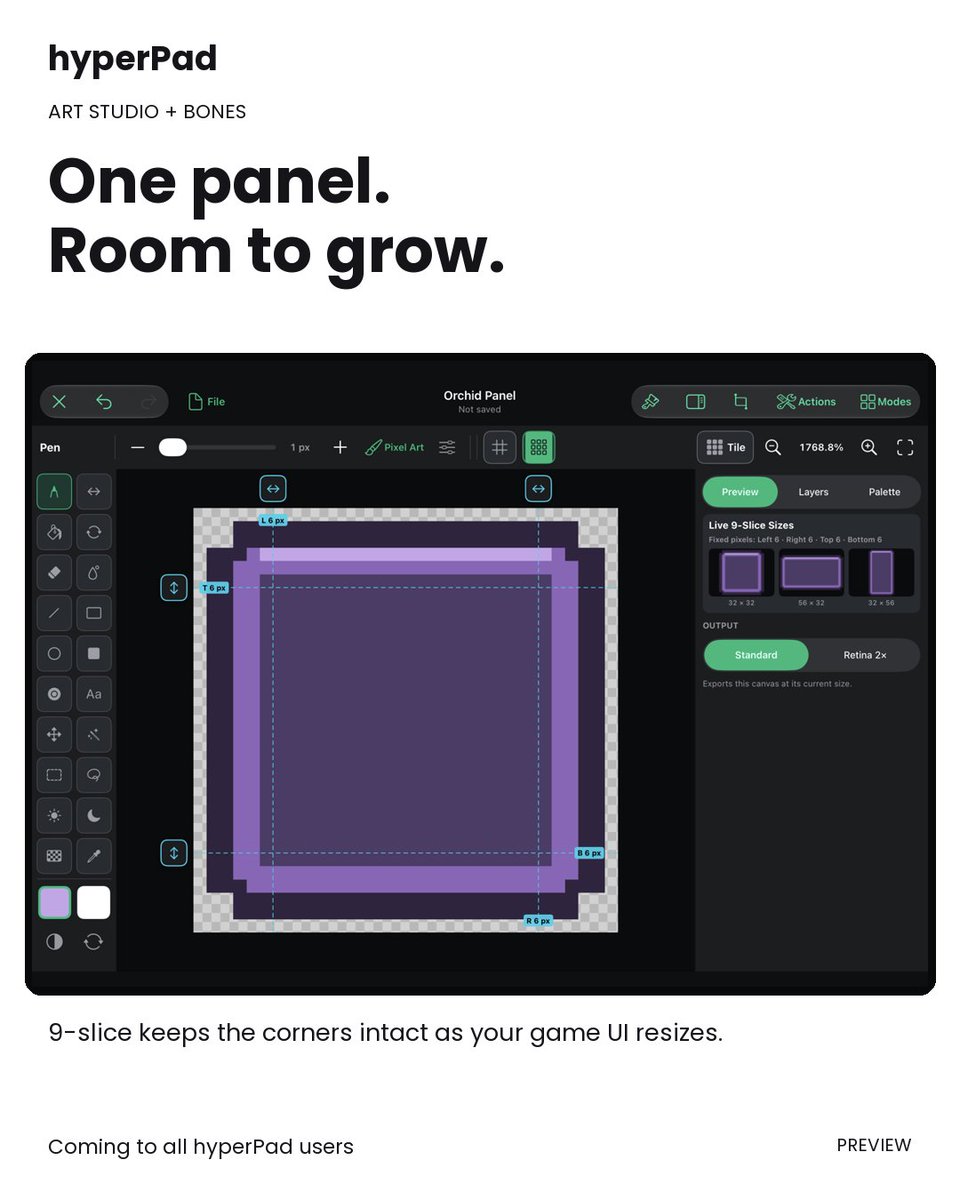
One panel, different sizes.
Art Studio’s 9-slice tool keeps the corners intact while your game UI stretches. Think dialogue boxes, buttons, and inventory panels.
Coming to all hyperPad users.
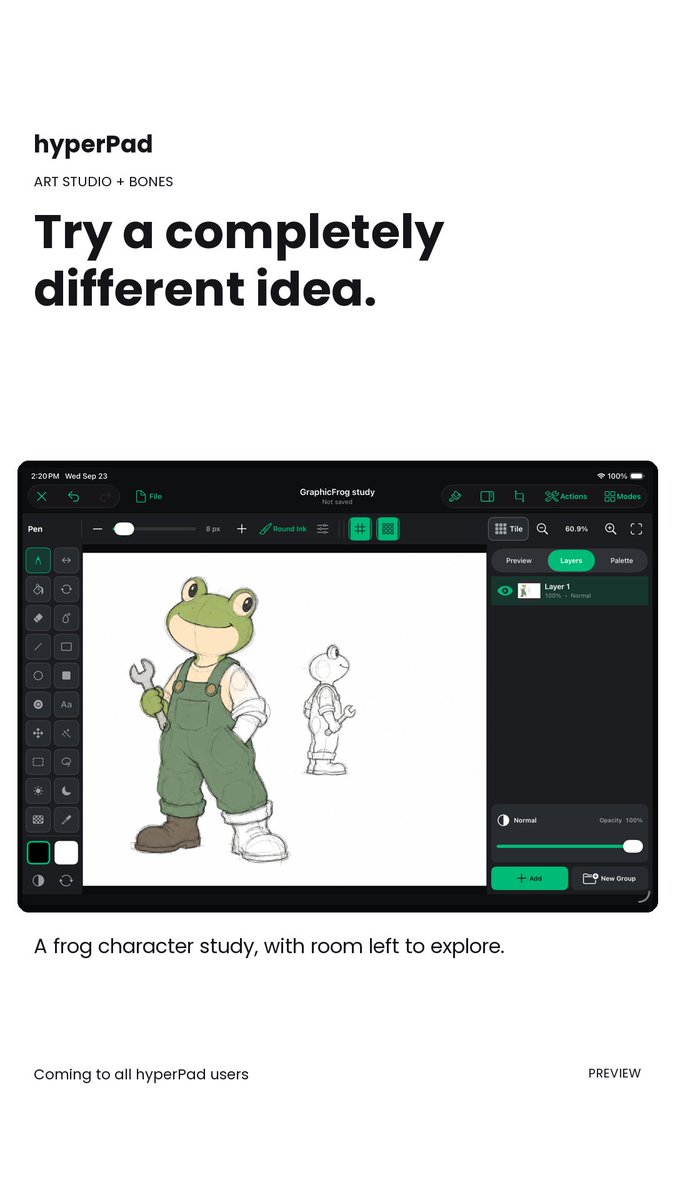
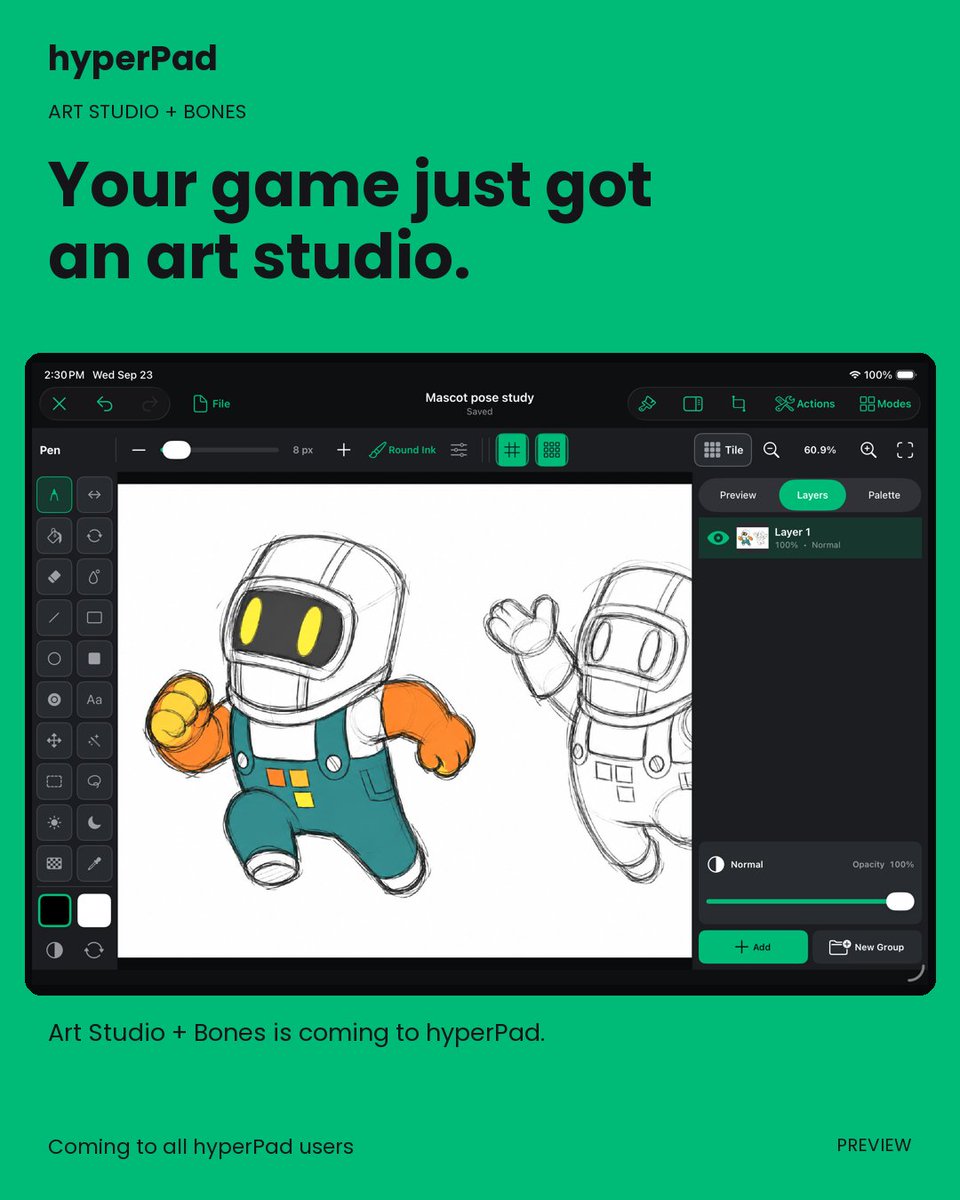
Your game art can start as a rough sketch.
Art Studio brings drawing and pixel art tools into hyperPad, right where you build your game.
Coming to all users. What character would you try first?
Give that robot a blink. Draw frames, choose their timing, and preview the result with Art Studio’s Keyframe Animation tool.
Coming to all hyperPad users.
#PixelArt#hyperPad