Some nights... When I can't sleep.. I stay up and ponder life's greatest unanswered questions... Like: How long it would take a giraffe to throw up. So I did so
GeoLibre v1.6.0 is here!
GeoLibre is a free and open-source, lightweight, cloud-native GIS platform for visualizing, exploring, and analyzing geospatial data. It runs everywhere you do, in the web browser, on the desktop, on mobile, and inside Jupyter notebooks, all while keeping your data local and private.
This release brings multi-map layouts, advanced cartographic symbology and labeling, and a one-click way to install external plugins from a zip.
What's new in v1.6.0
- Multi-map grid: Split the workspace into a grid of synchronized map views to compare basemaps, layers, or time steps side by side.
- Advanced symbology: Style features with a rule-based renderer, proportional symbols, fill patterns, and a built-in marker library.
- Label engine: Label vector features by any attribute, with full placement and styling control.
- Install plugins from a zip: Add external plugins from an uploaded zip on both desktop and web.
- New vector analysis: Movement, space-time, and cell-coverage tools under Processing.
- Faster sample data: Ready-to-load example datasets from a dropdown in every Add Data panel.
- Place search in the layer panel: Geocode and fly to a location without leaving the Layers panel.
Try it out
- Live demo: https://t.co/hOVekblXMc
- GitHub: https://t.co/VXq8c1o2Nd
- Documentation: https://t.co/7VA2AQoCUc
- Release notes: https://t.co/e39LunOEWW
#GIS #GeospatialData #OpenSource #RemoteSensing #DataVisualization #MapLibre #Python #Cartography
How to turn Hermes Agent into your Chief of Staff:
----
JOB 1: BRANDED ARTIFACTS ON DEMAND
Point the agent at a design file and every visual it makes comes out on brand. Carousels, one-pagers, case studies, ad concepts.
Last week I needed the team to change how they handle blockers. Instead of an all-hands, Hermes built a branded one-pager with the new rule, the permissions, and the examples. A branded artifact sticks in a way a wall of Slack text never does.
----
JOB 2: RUN IT INSIDE SLACK
Keep the agent where the work already happens.
Threaded replies keep a messy back and forth organized. You split threads into separate windows and follow three workstreams at once. Knowledge moves between people faster, so the work does too.
----
JOB 3: AN AGENT YOU WORK IN
Run several threads at once, each one a workstream that moves while you're doing something else.
Someone wanted our media kit this week. I dragged in a two-year-old version, told Hermes to pull current numbers off every platform and rebuild it on our design file. It came back for one approval. Your job shrinks down to approving instead of doing.
----
JOB 4: WIRE IT INTO LINEAR
An agent with no record of its work stalls. So give the project a spine.
Hermes opens Linear tickets as work happens, then routes them back to me to review. Pick a tool with a clean API, have the agent write its work into tickets, and review the tickets instead of doing the work yourself.
----
JOB 5: USE A /GOAL COMMAND
Define what done looks like, then let the agent grind toward it.
One definition of done, several engines pushing toward it. I keep one screen running builds and a main screen where I keep moving. When I asked, Hermes put me at roughly 1.8x faster on the kind of work I do.
----
JOB 6: GIVE IT MEMORY WITH OBSIDIAN
Built-in memory isn't good enough to run a business on. So bolt better memory onto it.
We use Obsidian as the store. Every day, the decisions we make get logged. It starts to feel like working with a senior operator who gets a little sharper every day. Without it, the agent wakes up cold every morning and you re-explain everything.
----
JOB 7: CONNECT YOUR APIS
A general chatbot guesses. An agent wired into your real tools reasons against your actual business.
Call and CRM first: Granola, Gong, HubSpot. Then content: the X API and the YouTube API. I send Hermes a link and ask how it helps what we're working on right now. It already knows our goals, so it tells me whether the idea is genuinely differentiated.
----
JOB 8: BUILD A CONTENT INGESTOR
Once the APIs are in, build a content machine on top of them.
Point it at everything you publish and have it pull what's performing, what the market is making, and what you've been talking about in meetings. Idea generation stops being a blank page. This piece started exactly that way.
----
JOB 9: LET IT DRAFT YOUR EMAILS
Email is where you choose how much you trust the thing.
Mode one: it drafts, you approve, you send. Mode two: it sends on its own and gets better through the loop. We run revenue agents at the send level for sponsorship replies and booking calls. Start in draft mode, watch it, move it to send once it earns the trust.
----
JOB 10: STACK SPECIALIST AGENTS UNDERNEATH IT
The biggest jump is when you stop running one agent and start running a team of them.
One owns cold outbound. One spins up ad creatives at scale. Hermes sits on top and manages them, so you brief one agent and it coordinates the rest. One person operates like a department, because the manager agent does the coordinating.
----
JOB 11: USE OAUTH, NOT TOKENS
This one saves you the most money.
Metered API tokens get expensive fast. Mine climbed into the thousands a month. Run on subscription access instead. OpenAI's OAuth and Claude through the CLI puts you around two hundred a month. Same work, a fraction of the cost.
----
JOB 12: GO MULTI-DEVICE WITH TAILSCALE
This is the difference between an agent that runs and an agent that strands you.
Put every machine on one private network with Tailscale, then command them from your phone. This morning my desktop acted up while I was working out and I fixed it from the gym. Without this, one frozen process at home means you're stuck until you're back at the keyboard.
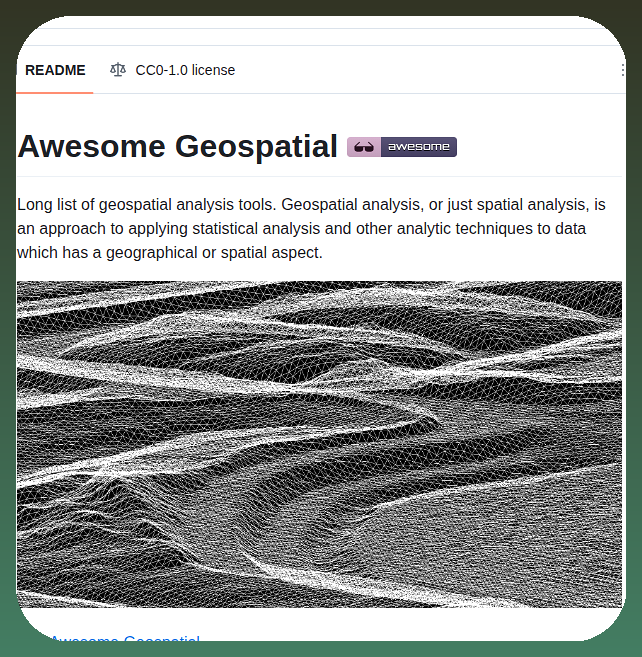
Playing with Hermes Agent at Starbucks yesterday - I wanted to look at USGS S1M DEM data for the Tetons. Here's what Hermes and Kimi-K2.7 generated.
Amazing terrain relief at 1m resolution.
https://t.co/Wxk9jimHHj
AI agents like Hermes can ad hoc generate just about any GIS tool desired.
@USGS #GIS @Teknium
Introducing geolibre-rust: 700+ geospatial tools running entirely in your browser, no server, no Python, no install.
I am excited to share geolibre-rust, a pure-Rust geospatial toolkit for GeoLibre that compiles to WebAssembly. It builds on opengeos/whitebox-wasm (the WASM-ready fork of whitebox_next_gen) and ships as a superset: everything that package offers, plus new GeoLibre-authored tools.
What makes it different:
- 738 tools in the browser. Slope, aspect, hydrology, terrain analysis, LiDAR, vector, raster math, and more, all running client-side over an in-memory filesystem.
- No backend required. No server, no Python sidecar, no GDAL, no native install. Inputs and outputs are passed as byte arrays, and raster results come back as Cloud Optimized GeoTIFFs.
- Two layers in one npm package (geolibre-wasm): a typed browser library for GeoTIFF/COG read and write, projections, vector, and LiDAR, plus a WASI tool runner that executes the full tool suite.
- New pure-Rust tools. We ported the DEM depression and mount delineation algorithms from opengeos/lidar to pure Rust, so they run in WASM with no RichDEM, SciPy, or scikit-image dependency.
There is also an interactive demo page: pick any of the 700+ tools, fill in an auto-generated parameter form, and run it on a sample DEM or your own GeoTIFF, right in the browser.
This is part of the broader GeoLibre effort to build a fast, open, and dependency-light geospatial stack that works anywhere the web does.
GitHub: https://t.co/fWfT5ZsF8S
Live demo: https://t.co/lrgNPv9b3x
Feedback and contributions are welcome.
#OpenSource #Geospatial #Rust #WebAssembly #GIS #RemoteSensing #GeoLibre #WhiteboxTools
Obsidian + Claude Code = 24/7 personal operating system.
Works while you sleep.
The people who build this tonight will never work the same way again.
Watch it and Bookmark it now.
stop asking Claude one question and thinking you understand the topic. you don't.
Stanford proved a better way. it's called STORM. peer reviewed. 25% more organized output. open source.
the trick: don't ask one question. ask five. from five different experts.
>the practitioner: what do they know that academics miss?
>the skeptic: what's the strongest counterargument?
>the economist: who profits from the current narrative?
>the historian: what pattern has played out before?
>the academic: what does the evidence actually say?
4 prompts. 5 minutes. no software. no GitHub. just paste into Claude.
single prompts give you what everyone already knows.
STORM gives you what nobody else found.
this article has all 4 prompts ready to copy. pick your hardest topic. paste prompt 1. you'll know more in 5 minutes than people who spent days reading.
Hermes won. They just dropped their desktop app and it's excellent
It's now the best way to use AI agents on your computer
In this video I cover how to set it up, how to use it, and go through EVERY feature in the app
Bye bye Telegram
The top Hermes integrations to give your agent superpowers:
1. Obsidian
It works as a Karpathy-style second brain, but one that talks back.
Every note, page, and backlink in the vault becomes live context. The agent doesn't just store knowledge, it reasons over it across everything that's been written and saved.
2. Playwright
It gives Hermes a real browser instead of a read-only window to the web.
It clicks, fills forms, and navigates pages the way a person would, then runs UI tests across Chromium, Firefox, and WebKit. This lets you turn Hermes from something that reads the web into something that can act on it.
3. InsForge
It puts a full agentic backend behind one semantic layer.
Auth, database, storage, and edge functions are all accessible without wiring five services together. The agent reasons about backend primitives directly instead of juggling disconnected APIs.
GitHub: https://t.co/jW3qHLCmS3
(don't forget to star 🌟)
4. GitHub
It connects code, issues, and pull requests, turning Hermes into an engineering teammate that can actually read the repo.
5. Bright Data
It hands agents web access that does not get blocked.
It pulls live search results, full pages, and clean structured data from places like X, LinkedIn, and Reddit, handling the proxies, CAPTCHAs, and rendering underneath so the agent just gets usable data back.
GitHub: https://t.co/w9C83iyoYn
(don't forget to star 🌟)
6. Sequential thinking
It upgrades how Hermes reasons rather than what it connects to.
Most integrations give the agent new senses. This one gives it a better mindset. It forces Hermes to break a hard problem into ordered steps and revise its own plan as it goes, instead of committing to the first answer that looks right.
7. Google workspace
It connects Gmail, Calendar, Drive, Docs, and Sheets in one place.
The agent that can't check the inbox, read the calendar, or write to a shared doc is basically decorative. This should probably be the first integration anyone enables.
8. Zapier
It acts as the layer that connects Hermes to everything else in the world.
This single connector reaches thousands of downstream apps. Hermes can fire off a workflow, update a record, or move data between tools without anyone writing the glue code.
9. Stripe
It surfaces revenue, refunds, subscription changes, and failed charges through a single question instead of clicking through dashboards.
It turns Stripe from a payment processor into a queryable business intelligence layer.
10. Slack
It handles channel-based automation inside Slack.
Hermes can live inside specific channels with its own workflow in each. Support tickets from email get scanned, categorized, and dropped into the right channel every morning without anyone lifting a finger. It can also read on-call threads and post status updates so the team stops switching tabs to stay in sync.
11. Graphiti
It builds real-time knowledge graphs of structured relationships from conversations and documents.
Instead of flat vector similarity, the agent traverses typed connections between entities. That is the difference between finding similar text and understanding how things actually relate.
GitHub: https://t.co/aFsgR0kYb2
(don't forget to star 🌟)
12. Figma
It gives the agent design context it can actually read.
Hermes can pull a frame, read the tokens and layout, and turn it into code that respects the system down to the spacing. With FigJam it goes the other way too, generating architecture diagrams and ERDs straight from a prompt. It is underrated for anyone who lives between design and engineering.
To dive deeper into Hermes, my co-founder wrote a full deep dive covering the Hermes agent's architecture, memory system, self-evolving skills, GEPA optimization, and how to set up multiple specialized agents.
Read it below.