CODESPACE - Day 2 ✅
Today , I continued working on my project and explored how to manage sandbox environments using Kubernetes.
Today's progress:
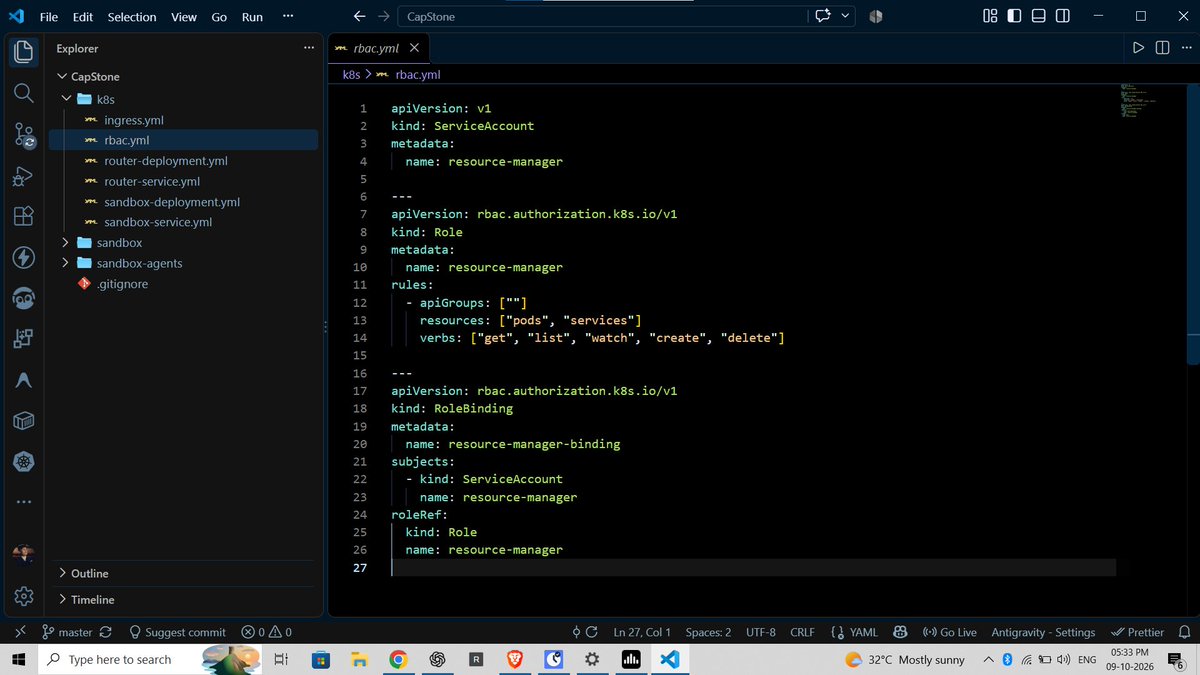
• Kubernetes RBAC : Configured a ServiceAccount, Role, and RoleBinding to manage access to Kubernetes resources.
• Dynamic Pod Creation : Worked on creating sandbox Pods programmatically using the Kubernetes Node.js client.
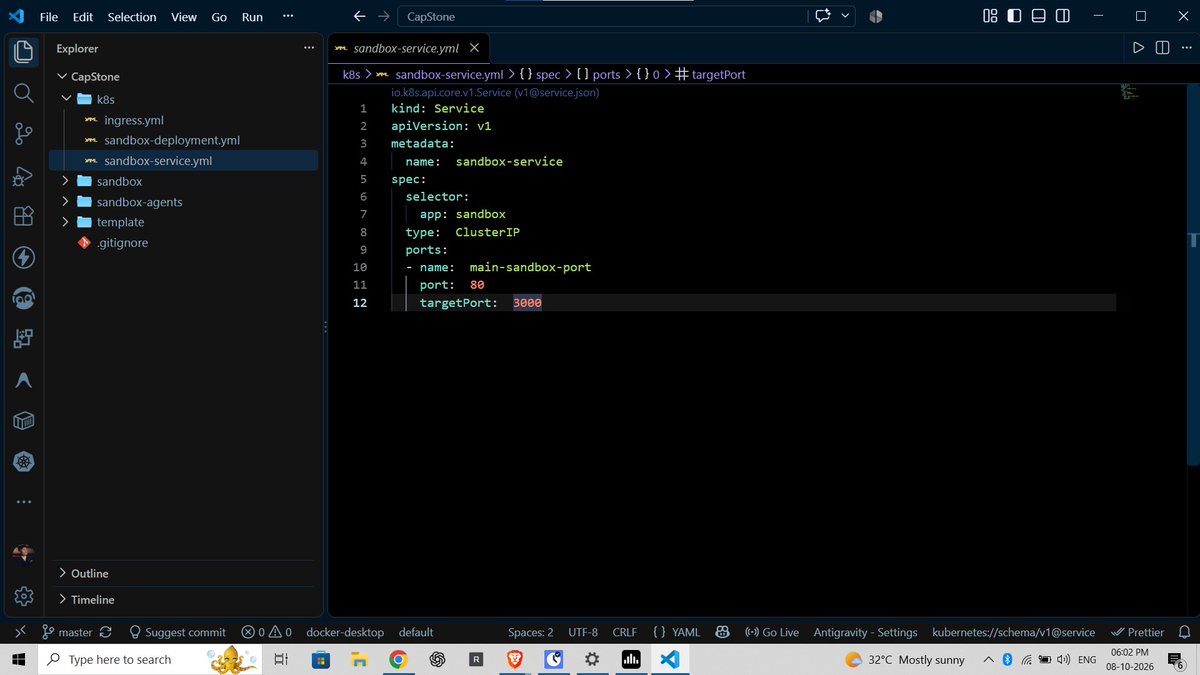
• Service Management : Implemented dynamic ClusterIP Service creation to expose individual sandbox environments internally.
• Reverse Proxy : Set up proxy middleware using Express.js to route requests to the appropriate sandbox.
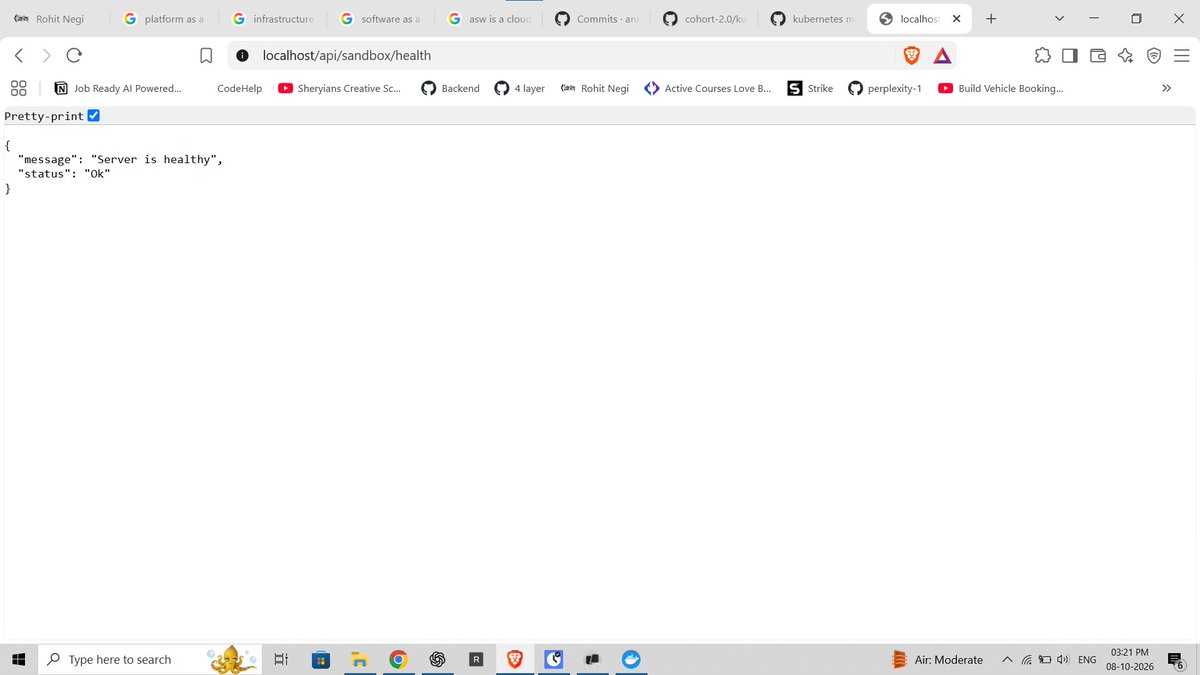
• Health Checks : Added liveness and readiness endpoints to monitor service health.
• Docker : Configure container images using Node.js Alpine and set up the development environment.
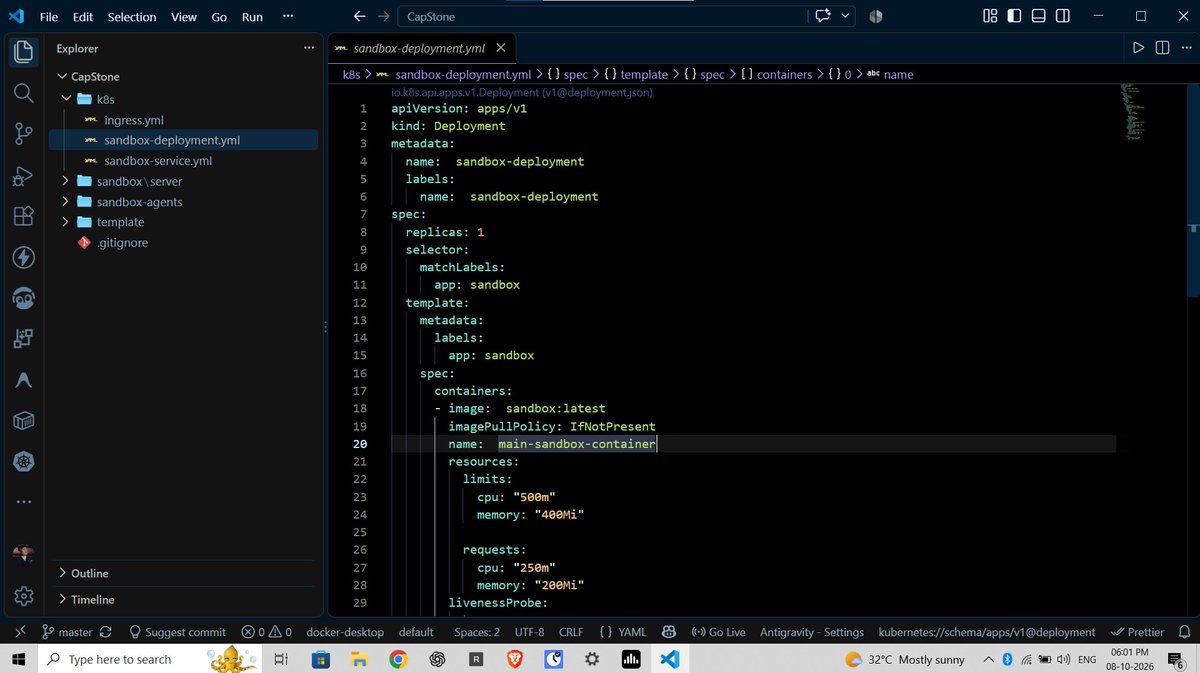
• Resource Management : Defined CPU and memory requests and limits for sandbox containers.
• Key learning : How backend code can interact with the Kubernetes API to create resources dynamically and route requests between services.
Still learning, building, and improving one step at a time.
#Kubernetes #Docker #NodeJS #Microservices #DevOps #BackendDevelopment #BuildInPublic
@sheryians_@ankurdotio@harshvsharmaa
CODESPACE - Day 1 ✅
• Project Setup & Containerized Backend.
Today, I started building my new project CODESPACE.
What I worked on today :
• Initialized the CODESPACE project and started structuring the backend architecture.
• Containerized the Sandbox backend using Docker.
• Configured the Docker image with Node.js 20 Alpine for a lightweight runtime.
• Set up the Dockerfile with dependency installation and application startup.
• Created an Express.js server running on port 3000.
• Started integrating Kubernetes for container orchestration.
• Created a Kubernetes Deployment for the Sandbox application.
• Configured replicas and pod selectors for managing application instances.
• Added Kubernetes resource requests and limits for CPU and memory.
• Configured a liveness probe for container health monitoring.
• Created a Kubernetes ClusterIP Service to expose the application internally.
• Configured NGINX Ingress for routing /api/sandbox requests to the Sandbox service.
• Connected the flow: Client → Ingress → Service → Pod → Express Server.
• Learned more about how Docker, Kubernetes, Services, and Ingress work together in a real application.
Today's focus :
Containerization → Deployment → Networking → Routing → Health Checks
#Docker #Kubernetes #NodeJS #ExpressJS #DevOps #BackendDevelopment #SoftwareDevelopment #BuildInPublic
@sheryians_@ankurdotio@harshvsharmaa
👋 Hey @X, I’m looking to connect with people across the tech community.
I’m currently learning, building, and growing in tech, and I’d love to connect with people from different fields:
💻 Software Development
🤖 AI / ML
☁️ Cloud & DevOps
🔐 Cybersecurity
🎨 UI/UX
🚀 Startups & Product
🧠 DSA & Competitive Programming
Whether you’re a student, fresher, developer, engineer, or experienced professional , let’s connect, exchange knowledge, share our journeys, and grow together. 🤝
If you’re building something or learning something new, drop a “Hi” and let’s connect! 👇
#TechTwitter #BuildInPublic #Developers #SoftwareEngineering #WebDevelopment #AI #DevOps #CloudComputing #UIDesign #Startups #DSA #Coding
@i_mika_el@X That’s a fair point! 😄 I want to connect with people across tech initially, but I’ll definitely try more niche-specific posts going forward. Thanks for the suggestion! 🙌”
Today, I went a step deeper into Kubernetes and worked on deploying, managing and debugging an application.
• Docker + Kubernetes : Built the backend Docker image and used Kubernetes YAML files to deploy the application.
• Deployment with kubectl : Applied Deployment, Service and Ingress configurations using kubectl.
• Monitoring Resources : Used commands like kubectl get pods, kubectl get services and kubectl get ingress to verify everything.
• Application Access : Learned how to access the application through Ingress, host configuration and NodePort.
• Updating the App : Understood how to rebuild the Docker image and restart the Deployment after changes.
• Debugging : Explored errors like ImagePullBackOff, CrashLoopBackOff, 503, 404, Pending Pods and ECONNREFUSED.
• HPA : Learned how Kubernetes can automatically scale pods based on CPU usage using metrics-server.
• Secrets : Learned how to manage sensitive data like passwords, API keys and JWT secrets, and understood that Base64 is encoding, not encryption.
• Hey CLI : Installed and explored Hey CLI as part of the development workflow.
• Watch CLI : Explored Watch CLI to continuously monitor command output and observe changes in real time.
💡 Biggest takeaway:
Today Kubernetes felt much more practical - from deployment and networking to debugging, monitoring and autoscaling.
Docker → Kubernetes → Deploy → Access → Debug → Monitor → Scale 🔥
#Kubernetes #Docker #DevOps #BuildInPublic #LearningJourney
@sheryians_@harshvsharmaa