👀 AWS Lambda has updated their web console - it is now based on the open source version of Visual Studio Code.
Personally I don't do any deep work in the console, but I guess this is nice for people who do. Editing functions up to 50 MB is nice though.
https://t.co/SJkDQRa0Ip
AWS Lambda console now features a new code editor based on Code-OSS (VS Code - Open Source)
Today, AWS Lambda announces the launch of a new code editing experience in the Lambda console ... https://t.co/hw9BKiGtjB
Lambda's console is all new and shiny! Now using the VS Code OSS editor. so feels similar to your IDE. Now view larger package sizes! Test invokes are much simpler, view your results side-by-side with your code for quick iteration. https://t.co/GcIwqn6t6w #serverless
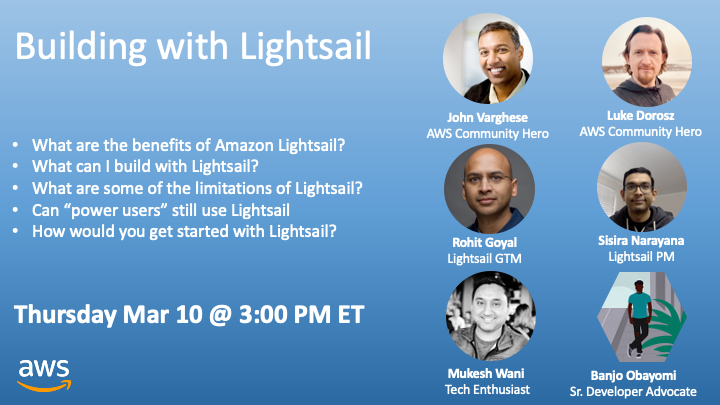
Will be hosting a Twitter Space on Building with Lightsail featuring @rgoyal3@iamsisira@mukeshwani@jvusa@mrdoro
📆 Starts March 10th at 3:00PM ET
⏰ Set a reminder
https://t.co/AWcfA1h0ot
@ReSistaKay@awscloud Hi! Thanks for bringing it to our attention. If it's not too much trouble, can you please post a screenshot where you were seeing the issue? Thanks again
@vjpudelski Hi Victor, sorry for your experience. Can you please give a little more details? Was it the first time account registration experience or was it a usual account login? Thank you!
@stevewyshy Hi Steve, sorry for the experience. Are you trying to create records for your Lightsail instance from Route 53? Or using the Lightsail DNS? Can you please share more details..
@fcernafukuzaki Do you need GPU support? Or just CPU. We also have a Lightsail container offering where you can just run the docker images directly. No need to install docker or manage instance.