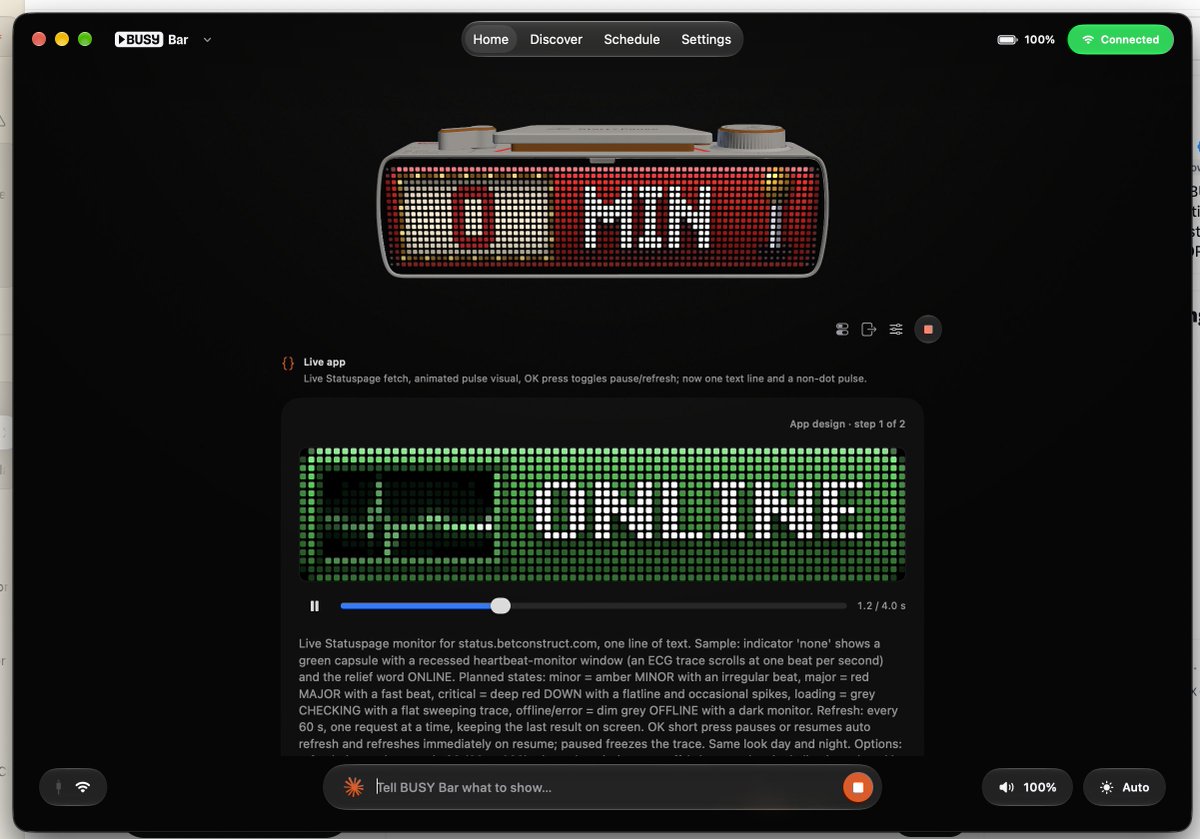
A new version of iBusyBar for @BusyFocusApp is now live with several great features!
- JS apps support (v.1.3.1)
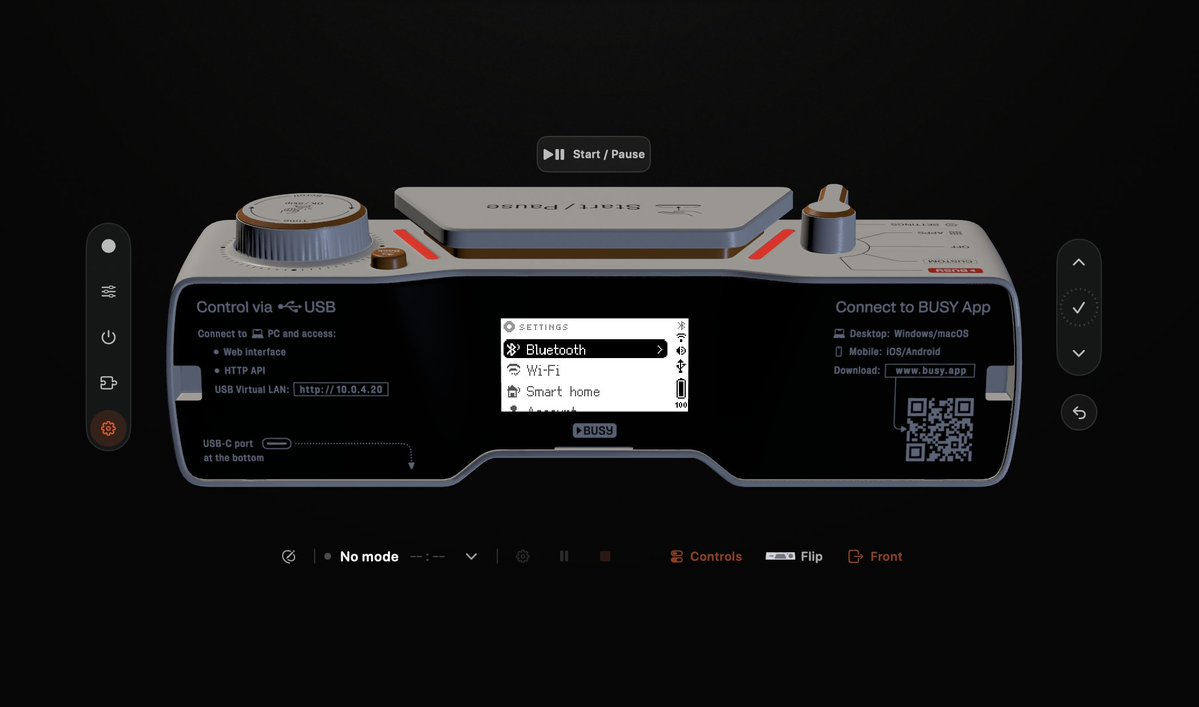
- Easier device controls
- Rear display is now visible as well
Would love to see what you make with it. Send me your tiny creations (and any bugs you find).
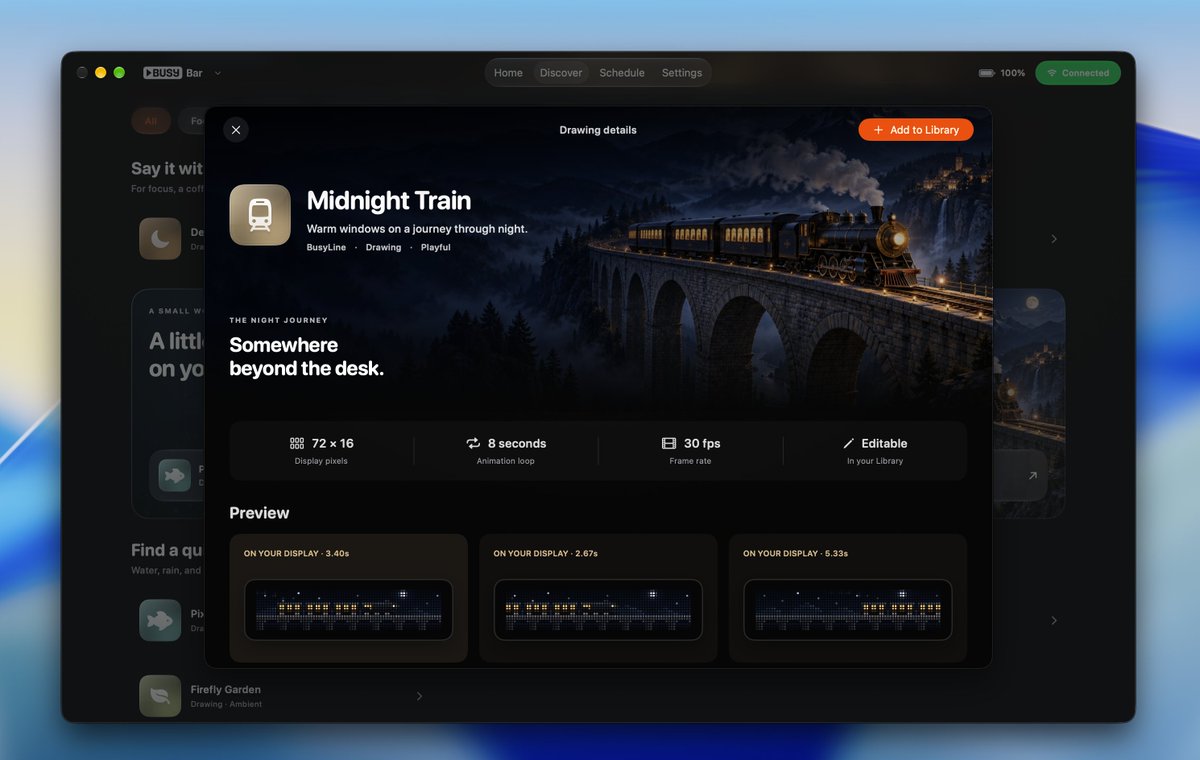
Discover is fully functional Scene Store, you can already submit your drawings and after review I will publish them.
iBusyBar is finally out 🎉
If you’ve seen my little teasers, this is a Mac app for @BusyFocusApp I’ve been working on, fully native.
Control your bar, make pixel art and animations, and build tiny apps for its screen. Uses Claude or Codex to generate scenes or apps, and I spent a lot of time perfecting those generated animations...
Draw something yourself, grab a scene from Discover, or describe an idea using Claude Code / Codex.
Preview it, tweak it, then put it on your bar! The tiny screen is yours.
If you have one, give it a try: https://t.co/cmGramNz4O
Small detail, but one I spent way too much time on: the BusyBar 3D model smoothly transforms between views.
Most users probably won’t toggle it often, but what’s the point of building software you don’t enjoy using?
B2B support-to-eng board pipeline: tickets get sized from S to XXL (scope, unknowns, blast radius, dependencies) then decomposed into typed board tasks (per team) with estimates, owners, and blockers. I want Jev for the sizing decision, completeness score of the split, and routing of low-confidence tickets to a human.
almost done with the app.. one decision left and I cannot decide, show the wire version of the BusyBar device or the textured one..
Both look great in their own way and both capture the device's design from a different aspects. It's the same exact functionality, but different representation and it changes how the app feels as well.
Small detail, but one I spent way too much time on: the BusyBar 3D model smoothly transforms between views.
Most users probably won’t toggle it often, but what’s the point of building software you don’t enjoy using?
the display on the 3D model stays in sync with the real BusyBar the entire time. Even while the device is rotating or transforming between views, what you see on screen reflects what’s actually happening on the physical device.
Small detail, but one I spent way too much time on: the BusyBar 3D model smoothly transforms between views.
Most users probably won’t toggle it often, but what’s the point of building software you don’t enjoy using?
And it doesn’t stop at switching views. In Control view you can freely play with the device, rotate it, change the FOV, inspect it from different angles.
There is basically zero practical reason for any of this... but it’s so damn satisfying to play with 🙃
The AI integration also comes with custom MCP tools that validate generated scenes, plus a visual critic that reviews the result and catches things that don’t look right.
Something cool is coming for BusyBar 🤖
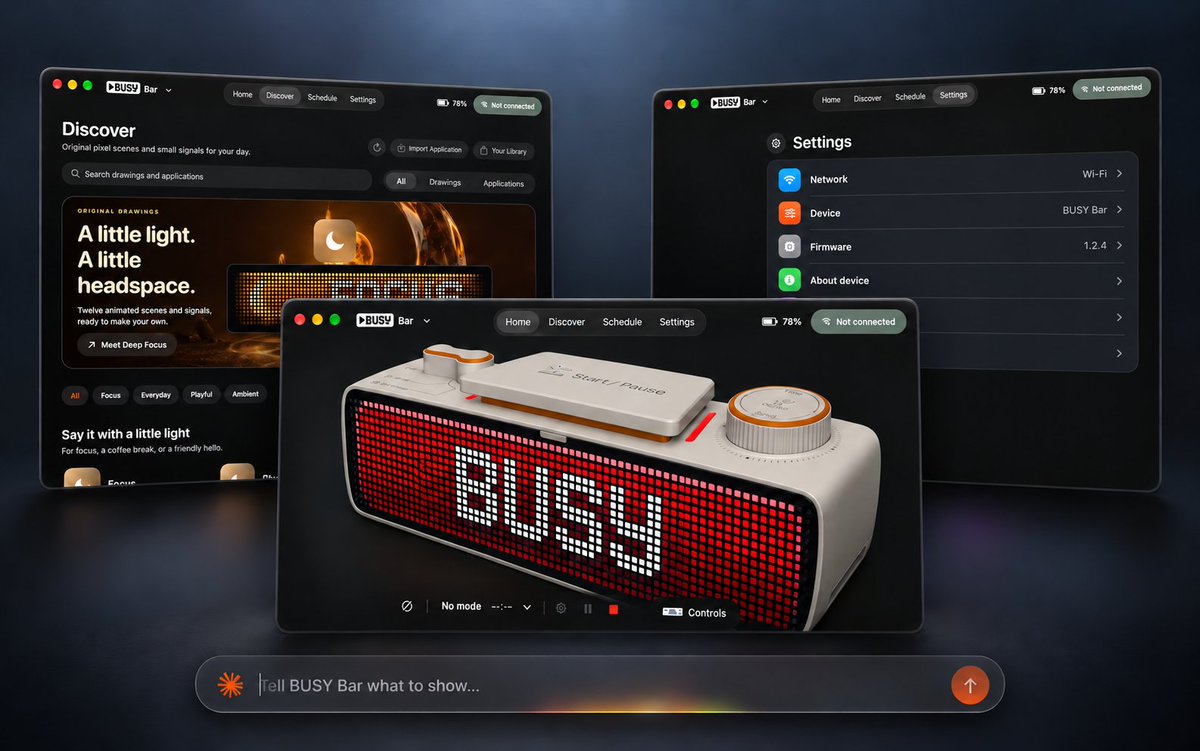
A fully native macOS app with automation, schedules, custom apps and scenes, cloud + direct API, native animations, and Claude/Codex built in to create scenes and apps.
Huge thanks to the @BusyFocusApp team for all the help and support.
I’ve spent an unreasonable amount of time polishing the UI and the 3D model, down to making the virtual BusyBar reflect the exact device sitting in front of you.
The custom animation and scene builder is one of those things you really appreciate once you start playing with it.