For visionOS developers: We released this WWDC23 session on how to make apps that integrate with spatial Personas using SharePlay (the framework that powers multiplayer experiences over FaceTime):
https://t.co/w4fzcRXA2B
Want to help build FaceTime on the Vision Pro? My team is hiring software engineers in Bay Area & Seattle: https://t.co/rpba3FJGpu
DM's open if you have questions.
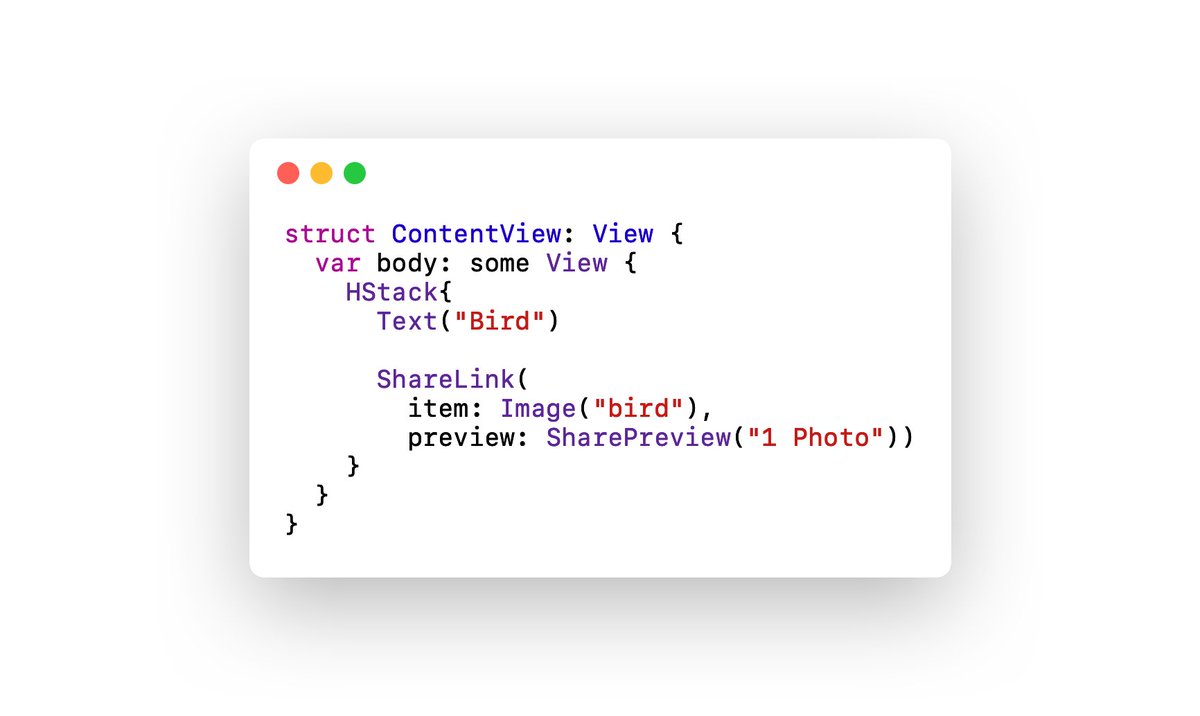
@mikaela__caron@Justetz@priyashah_ The shockwave animation is system UI so there won’t be a way to customize that. However, your app can specify a preview image+title as part of the SharePreview that will then be shown here. The “fly up” animation that happens to start the SharePlay is also part of the system UI!
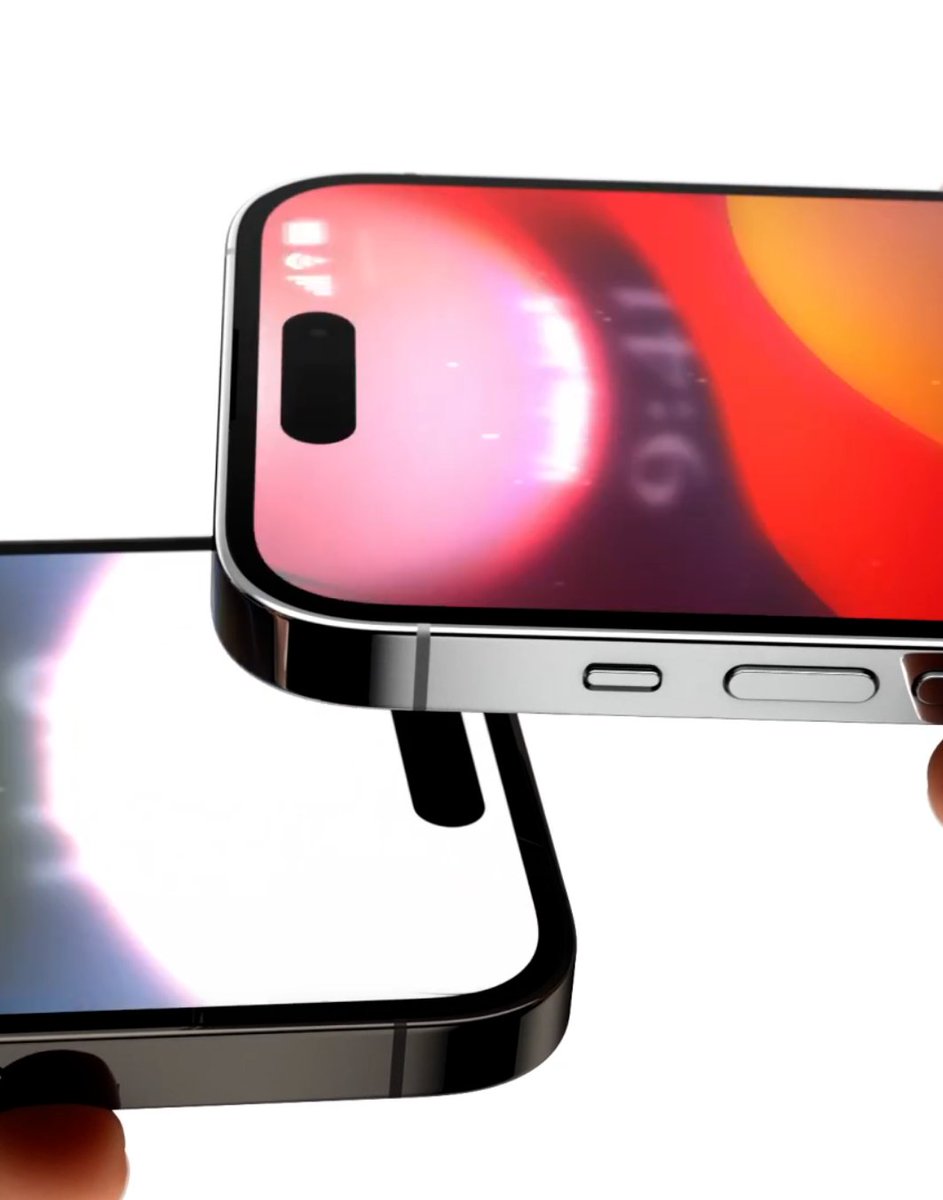
In case you missed it, @Justetz and @priyashah_ did a great refresher on how to add SharePlay support to your app. And new in iOS 17, you’ll be able to easily start SharePlay with those nearby just by bringing your phones together. Check out the demo here! https://t.co/svikTQfBR2
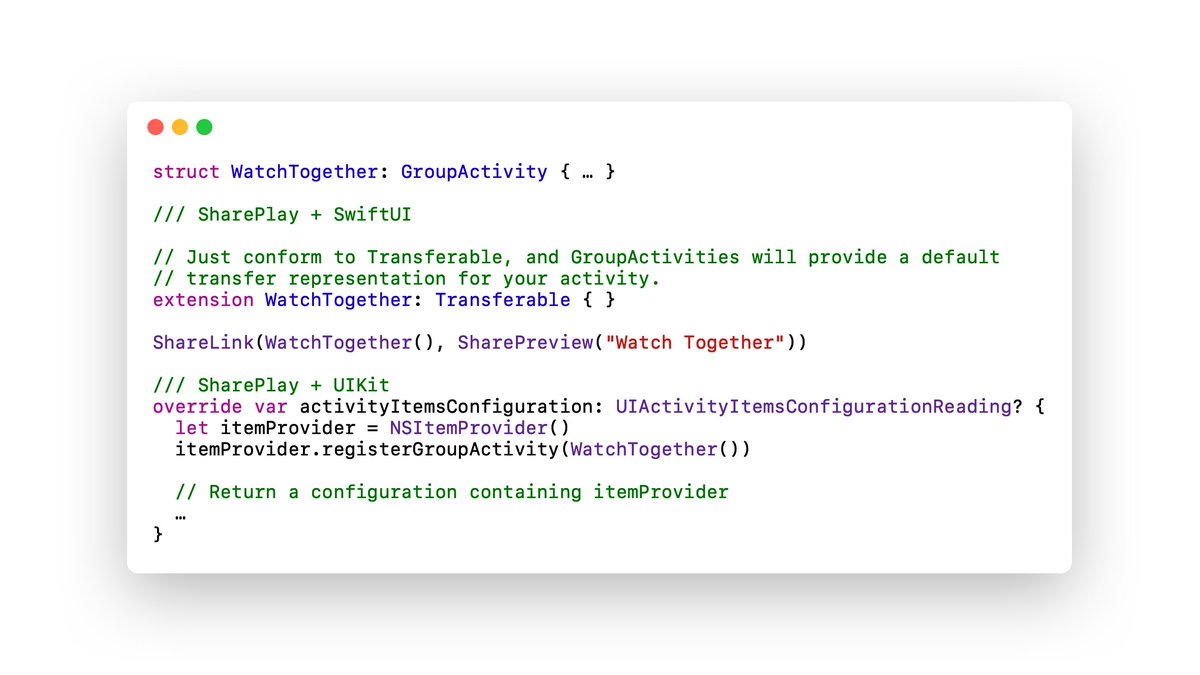
@bengottlieb@Justetz@priyashah_ To support starting SharePlay using this gesture, just share your GroupActivity using one of the above methods. New in iOS 17, we support Transferable + GroupActivity to allow you to share your activities via ShareLink in SwiftUI!
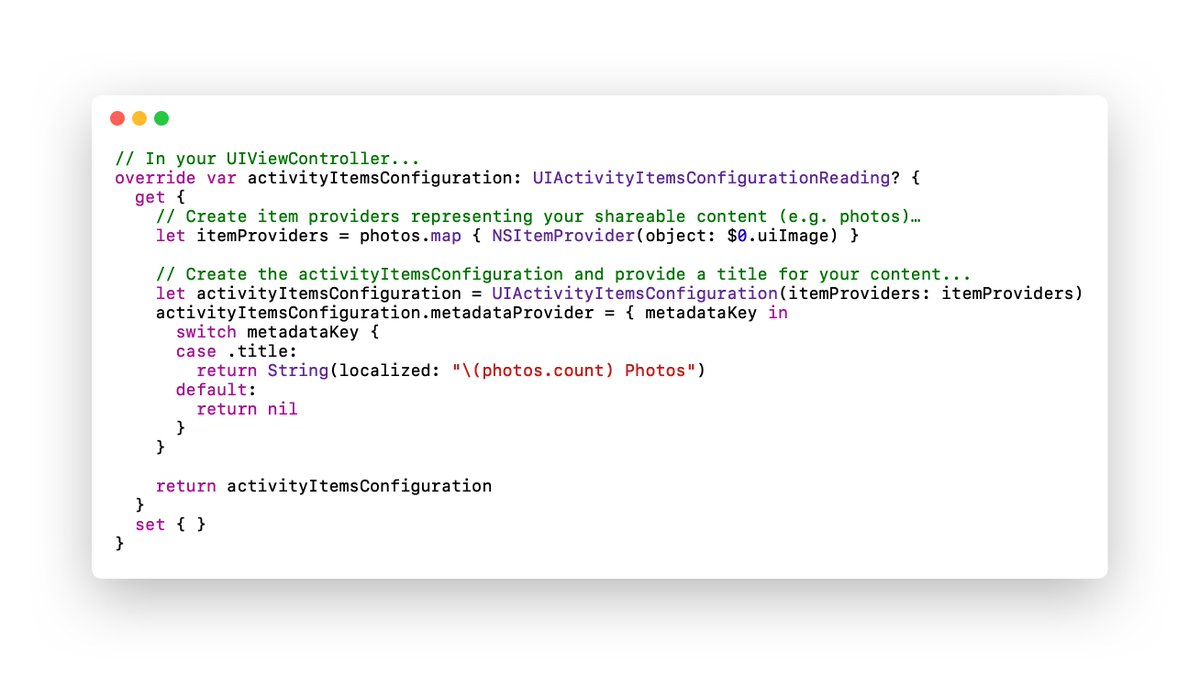
@bengottlieb@Justetz@priyashah_ If your app uses mostly UIKit, you can override the activityItemsConfiguration on your view controller. The system will automatically inspect your front most view controllers and collect the shareable items in a similar way when people bring their phones together.
@bengottlieb@Justetz@priyashah_ If your app uses SwiftUI, it's as easy as using ShareLink! Just by having the ShareLink / share button somewhere in your view hierarchy, the system will be able to automatically find shareable content on screen when people bring their phones together.
@bengottlieb@Justetz@priyashah_ To support starting SharePlay using this gesture, just share your GroupActivity using one of the above methods. New in iOS 17, we support Transferable + GroupActivity to allow you to share your activities via ShareLink in SwiftUI!
@bengottlieb@Justetz@priyashah_ If your app uses mostly UIKit, you can override the activityItemsConfiguration on your view controller. The system will automatically inspect your front most view controllers and collect the shareable items in a similar way when people bring their phones together.
And finally, we’ve talked before about using SharePlay as a portal to your friends & loved ones, but SharePlay on the Vision Pro takes that to a whole new level. I can’t wait to see all the incredible shared experiences developers come up with here! https://t.co/WXo7j7CFj1
Coming later this week, a new way to share attachments using SharePlay, opening the door to even more types of shared experiences. The team built some really amazing tech here: sharing a photo appears on other people’s devices near instantly 🤯. https://t.co/RJJId6MUy2
Honored to have helped bring this experience to life! Can’t wait for everyone to get to try it out. It’s going to be your new favorite way to share content with those nearby. Seeing that animation in person, synced between devices, makes the experience feel so magical 🤩.
Easier Sharing with AirDrop and NameDrop
AirDrop gets new ways to share. NameDrop allows users to easily share contact information by simply bringing their iPhones together, or by bringing an iPhone and Apple Watch together.
#iOS17