@jamesqquick Absolutely! Best default is:
- validate on-blur for the first pass (no distractions)
- if there's an error, validate on-input (instant feedback as you correct)
Need to validate an email field? Just use <input type="email" />.
An url field? Use <input type="url" />.
The value will be automatically validated as being a valid email or url.
No need to come with your own regexes.
Some good reminders about HTML5 built-in form validation features.
https://t.co/fpEKAuzOBK
Informel relies on those (checkValidity(), setCustomValidity() etc...) and augments them in order to show errors when it's appropriate.
https://t.co/lEXFcuZT8J
@stevekrouse@ValDotTown Couple that with informel, which adds front end validation, automatically sends form data as ajax and works with vanilla html forms and it's 🤌
https://t.co/I29peRh7sx
https://t.co/iU7Y4gSrAp
@laurieontech Suggesting informel 👀
It's framework agnostic: works in React but also in any other framework or vanilla js.
No need to look for a new forms library if you change your stack!
https://t.co/iU7Y4gSrAp
informel tip #6
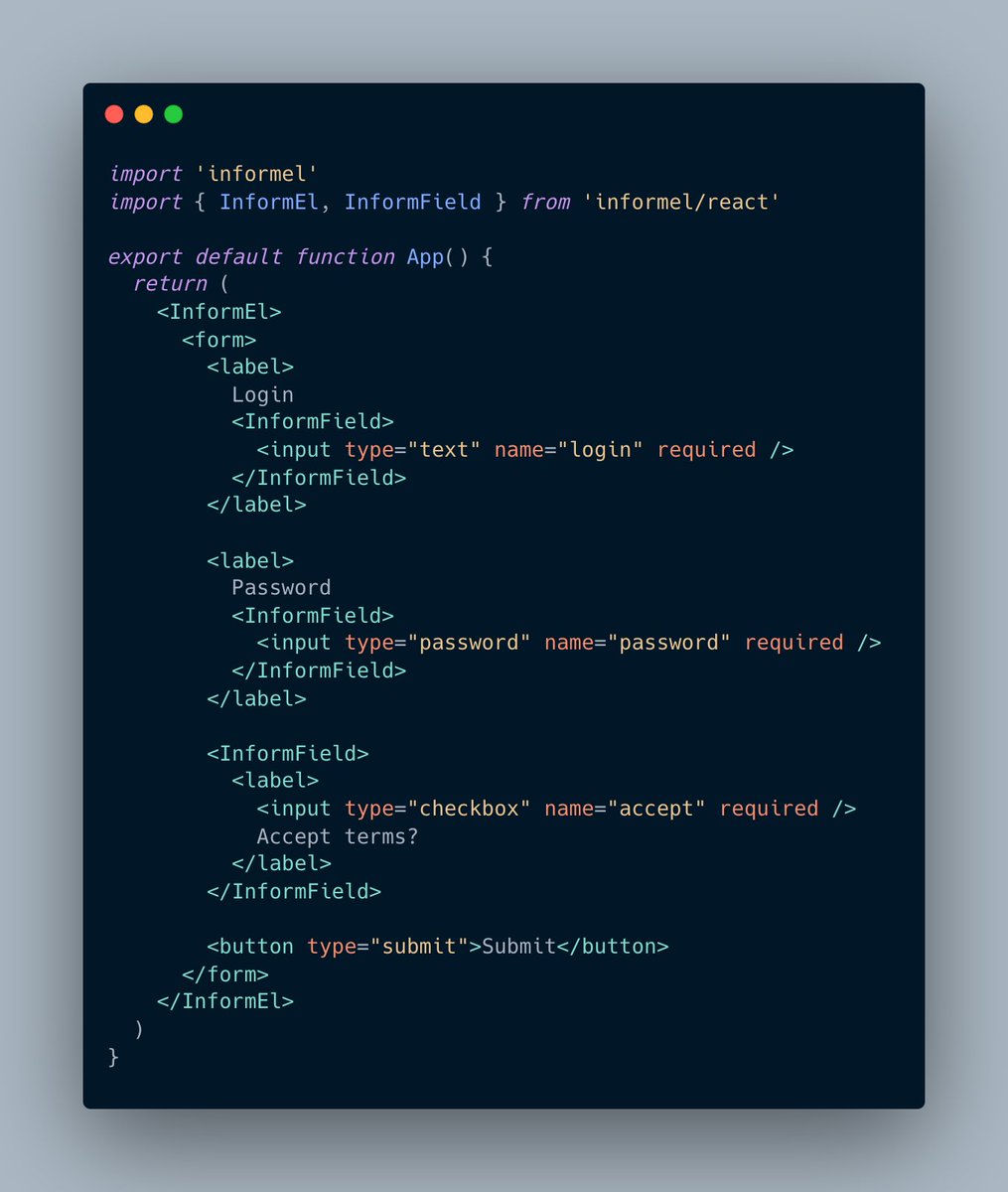
You don't need much to add validation to your forms:
- Wrap the <form> element with <inform-el>
- And wrap your fields with <inform-fields>
And that's it! Validation errors will be shown!
informel doesn't change your forms, it just enhances them!
@reactjs👇
@kentcdodds@nickemccurdy Suggesting informel as well 👀
It's framework agnostic: works in React but also in any other framework or vanilla js.
No need to look for a new forms library if you change your stack!
https://t.co/iU7Y4gSrAp
@DavidKPiano This is what informel relies on under the hood and it was created to enhance it. For example, getting form values that way doesn't work well with checkboxes. Or required fields are marked invalid on load before any interaction.
Informel makes those features what they should be.
Form libraries should make things simpler but still leave you in control. They shouldn't take your <input> away from you in favor of some custom <Input/> component.
#usetheplatform
@asidorenko_ 💯. informel was built with that simplicity in mind. That form remains the same, just wrapped within <InformEl>, which brings more features: custom errors, getting the values, dirty state etc...
@asidorenko_ This works... until you have a checkbox 🙂. You'll have to handle the specificity of different element types and repeat this logic for every form.
With informel you can just wrap the form with <InformEl> and listen to onInformSubmit. You'll get the values directly as an object!
@feelbettermyluv Ah I see, they do backend validation as well and wire the errors back to the front-end. We only support front-end validation for now. That's a nice implementation, though, we might consider something like this for a future version.
@philkellr@gommo It works also well with React: https://t.co/ekoCsdDcjo
Tailwind as well, you are still fully in control of the styles, so Tailwind works just as it normally would.
Same thing for @reactjs use the `<InformEl>` and `<InformField>` component.
Common mistake: don't forget `import "informel"`. It is still needed once at the root of the app for registering the web components.
https://t.co/a1QHaWd46M
@feelbettermyluv Technically it should work with SSR since the web component just wraps the form and it should kick in during hydration.
We have a specific version in the docs for Remix: https://t.co/VlWWZixWi5
@philkellr@gommo Informel adds the validation part, and it relies on the native HTML attributes (required, min/max length, pattern etc...) 🙂
https://t.co/aTEK4dJGm7
informel tip #6
You don't need much to add validation to your forms:
- Wrap the <form> element with <inform-el>
- And wrap your fields with <inform-fields>
And that's it! Validation errors will be shown!
informel doesn't change your forms, it just enhances them!
@reactjs👇