Web scraping will never be the same.
(100% open-source visual search at scale)
PixelRAG is a retrieval system that skips HTML parsing completely.
Instead of scraping a page into text and embedding chunks, it screenshots the page and retrieves the image. A vision-language model reads the answer straight off the pixels.
Why that matters: parsing is where web RAG quietly loses information.
- A single HTML-to-text parser can drop 40%+ of a page.
- Tables, charts, and layout get flattened or thrown out.
- Swapping parsers alone can move accuracy ~10 points on the same docs.
PixelRAG indexes the page a person actually sees. The team built a visual index of all of Wikipedia, 30M+ screenshots, and it still beats the strongest text RAG baseline by 18.1% on text-only QA.
The repo also ships a Claude Code plugin that gives Claude eyes.
It lets Claude screenshot any URL and read the rendered page instead of scraping the DOM. So you can hand it a live page, an arXiv paper, or your local site and ask what it actually looks like.
One setup script. No MCP server, no backend.
How the pipeline works:
- Renders each document (web, PDF, image) to image tiles.
- Embeds them with Qwen3-VL-Embedding, LoRA fine-tuned on screenshots.
- Builds a FAISS index and serves a search API.
A stronger reader model lifts accuracy with no re-indexing, since the index is just pixels.
Everything is open-source under Apache-2.0.
GitHub repo: https://t.co/qun9TjAdmw
Talking about RAG, I recently wrote an article on a new approach that makes retrieval much more efficient by cutting corpus size by 40x, reducing tokens per query by 3x, and improving vector search relevance by 2.3x.
The article is quoted below.
10 GITHUB REPOS THAT SHOULD BE ILLEGAL TO HAVE.
all free. all open-source. bookmark this for later.
1️⃣ recordly — the free screen studio.
open-source screen studio. auto-zoom, smooth cursor, webcam overlay, styled backgrounds, polished demos without an editor. (AGPL-3.0)
🔗: https://t.co/tTuHC644ah
2️⃣ stirling-pdf — your entire pdf toolkit
self-hosted. merge, split, sign, redact, OCR, convert, compress, 50+ tools, runs locally, nothing leaves your machine. (MIT)
🔗: https://t.co/9E4Jh3N8KS
3️⃣ photogimp — turns GIMP into photoshop. photoshop shortcuts, layout, and splash screen patched right on top of GIMP 3+.
🔗:https://t.co/6HUSyxLxqI
4️⃣ open notebook — self-hosted notebooklm.
drop in pdfs, urls, youtube links — chat with them, summarize, even generate podcasts. bring your own model (18+ providers). (MIT)
🔗: https://t.co/LKf9nDFrrR
5️⃣odysseus — pewdiepie's self-hosted AI workspace.
chat, agents, deep research, docs, email, memory — local-first, your hardware, your data. (MIT)
🔗: https://t.co/hyi9PbcL0M
6️⃣freedomain — free domain names for everyone.
register a domain, point it at cloudflare or any DNS, ship your site without paying for the name. (AGPL-3.0)
🔗: https://t.co/TAVxK1wuZp
7️⃣ hyperframes — write HTML, render video.
heygen's engine that turns html/css + animations into deterministic mp4s. built for AI agents. (Apache-2.0)
🔗:https://t.co/IOSYW0jVZc
8️⃣ web-to-app — turn any website into an android app, on-device.
configurable webview, apk signing, even node/php/python runtimes — no remote build.
🔗: https://t.co/M1R5PGFLKS
9️⃣ reclip — self-hosted video + audio downloader.
paste a link from youtube, tiktok, x, ig — 1000+ sites — grab it as mp4 or mp3. powered by yt-dlp.
🔗: https://t.co/tWyOxIGEKQ
🔟 excalidraw — the infinite whiteboard that replaces miro, figjam and lucidchart. hand-drawn diagrams, wireframes, real-time collab, end-to-end encrypted. 120k+ stars for a reason. (MIT)
🔗: https://t.co/FMX3oCY1ny
most people pay monthly for tools that already exist for free. you don't have to.
Why didn’t somebody tell me before that our devices need enough free space to install software like Adobe Photoshop etc. 😩
Sure, you *can* set minimum disk space requirements in Intune…
…but in the real world, nobody actually does.
And most people don’t realize you need **roughly 3× the size of the .intunewin file** for the install to even have a chance.
Right now:
• 0 devices <1 GB free (emergency)
• 1 device <5 GB free (at risk)
• 7 devices <20 GB free (watch)
Lowest free space: 3.4 GB
Disk Health Rate: 94%
WinGet log bloat + Win11 24H2 is quietly killing installs across the fleet.
The FREE Intune Dashboard shows you exactly which ones are about to fail — before Photoshop (or anything big) bombs.
@MSIntune #Intune
𝗔𝘂𝘁𝗼𝗺𝗮𝘁𝗶𝗼𝗻 𝗼𝗳 𝗦𝗲𝗰𝘂𝗿𝗲 𝗕𝗼𝗼𝘁 𝗖𝗲𝗿𝘁𝗶𝗳𝗶𝗰𝗮𝘁𝗲 𝗥𝗼𝗹𝗹𝗼𝘂𝘁
𝗪𝗵𝗮𝘁 𝗶𝘀 𝗶𝗻𝗰𝗹𝘂𝗱𝗲𝗱:
▪️ Fileshare creation
▪️ GPO deployment of a task to collect state of your devices
▪️ Aggregation script to present data in HTML
▪️ Orchestration script for continuous rollout
I know I shared this already, but this is definitely worth it.
https://t.co/FA60CvINui
Thank you @Microsoft, this is what we needed.
#SecureBoot #ActiveDirectory #Windows
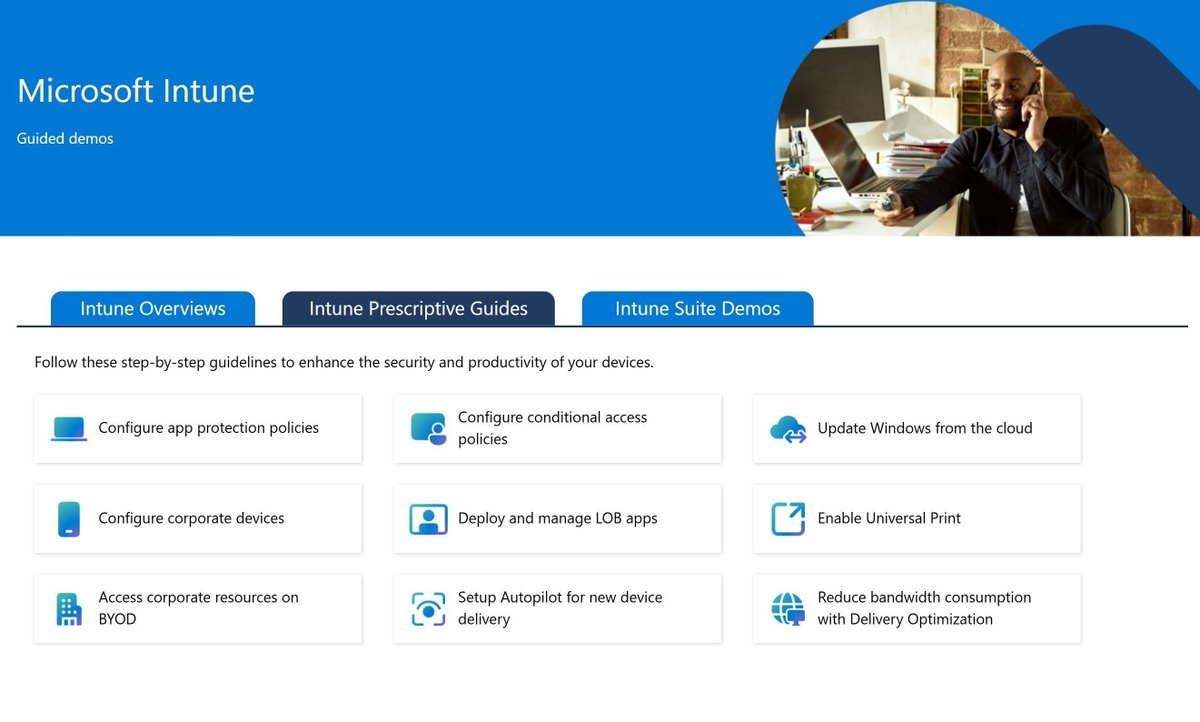
These click-through interactive guides for Microsoft Intune are super useful for advanced learning. Take a spin for your learning: https://t.co/DFACd497Ve
#MSIntune#Demo#technical#learning#SCCM#Windows
Vivimos en un mundo en donde este señor y su equipo de investigación encontraron la cura para el cáncer más agresivo que hay: el de páncreas. Pero la gente no está hablando de eso o de su posible Premio Nobel en medicina; sino que están hablando más sobre su aspecto físico y de por qué no ha encontrado una “cura” para su condición
Merecemos el meteorito YA☄️
🔒 Secure Bits 💡
𝗧𝗿𝗶𝗴𝗴𝗲𝗿𝗶𝗻𝗴 𝗮 𝗪𝗶𝗻𝗱𝗼𝘄𝘀 𝗰𝗹𝗶𝗲𝗻𝘁 𝘁𝗼 𝗿𝗲𝗽𝗼𝗿𝘁 𝘁𝗼 𝗪𝗦𝗨𝗦 𝗰𝗮𝗻 𝗯𝗲 𝘀𝘂𝗿𝗽𝗿𝗶𝘀𝗶𝗻𝗴𝗹𝘆 𝘁𝗿𝗶𝗰𝗸𝘆 — each OS version seems to have its own magic command that works.
I got tired of remembering them all and "Check for updates" is not very reliable… 𝘀𝗼 𝗵𝗲𝗿𝗲’𝘀 𝗮 𝗼𝗻𝗲-𝗹𝗶𝗻𝗲𝗿 𝘁𝗵𝗮𝘁 𝗮𝗹𝘄𝗮𝘆𝘀 𝘄𝗼𝗿𝗸𝘀:
$UpdateSession = new-Object -com "Microsoft.Update.Session"; $Updates = $UpdateSession.CreateUpdateSearcher().Search($Criteria).Updates; wuauclt /reportnow; usoclient startscan
✅ Works across OS versions
✅ Forces a WSUS status report
✅ Initiates a scan for updates
How do you usually force WSUS reporting?
Check out also my new "𝗕𝘂𝗶𝗹𝗱𝗶𝗻𝗴 𝗮 𝗦𝗲𝗰𝘂𝗿𝗲 𝗔𝗰𝘁𝗶𝘃𝗲 𝗗𝗶𝗿𝗲𝗰𝘁𝗼𝗿𝘆" course, where students learn about similar topics—https://t.co/wVSLJ70RmV
#WindowsServer #WSUS #PowerShell #SysAdmin #HorizonSecured
Microsoft introduces a new capability in Microsoft Teams that allows users to start a chat with ANYONE who has an email address, even if they're not currently using Teams.
The recipient will receive an email invitation to join the chat session as a guest, enabling seamless communication and collaboration. This update simplifies external engagement and supports flexible work scenarios.
This feature will be available across Android, Desktop, iOS, Linux, and Mac platforms.
𝐖𝐡𝐞𝐧 𝐭𝐡𝐢𝐬 𝐰𝐢𝐥𝐥 𝐡𝐚𝐩𝐩𝐞𝐧:
Targeted Release: Rollout will begin in early November 2025 and is expected to complete by mid-November 2025.
General Availability (Worldwide): Rollout will begin in January 2026.
𝐖𝐡𝐨 𝐢𝐬 𝐚𝐟𝐟𝐞𝐜𝐭𝐞𝐝:
All Microsoft Teams users in your organization.
𝐖𝐡𝐚𝐭 𝐰𝐢𝐥𝐥 𝐡𝐚𝐩𝐩𝐞𝐧:
-Users will be able to initiate chats with any external contact using their email address.
-External users will receive an email invitation and can join the chat as guests.
-The chat experience will be governed by your organization's Entra B2B Guest policy.
-Chats will remain within your organization's boundary.
-This feature will be enabled by default.
𝐖𝐡𝐚𝐭 𝐲𝐨𝐮 𝐜𝐚𝐧 𝐝𝐨 𝐭𝐨 𝐩𝐫𝐞𝐩𝐚𝐫𝐞:
-Update internal documentation to reflect this new capability.
-Inform helpdesk and support teams about the change.
-To disable the feature, set the UseB2BInvitesToAddExternalUsers attribute to false using the Set-CsTeamsMessagingPolicy cmdlet.
𝐂𝐨𝐦𝐩𝐥𝐢𝐚𝐧𝐜𝐞 𝐜𝐨𝐧𝐬𝐢𝐝𝐞𝐫𝐚𝐭𝐢𝐨𝐧𝐬:
No compliance considerations identified, review as appropriate for your organization.
#MicrosoftTeams #Microsoft365
Reza porque no tengas ahora un fallo en Windows 11 25H2, porque Microsoft ha dejado al Entorno de Recuperación del SO sin teclado ni ratón https://t.co/iKx91dQgBC
Today I'll show you how to use Intune policy to remove pre-installed Microsoft apps from Windows 11.
https://t.co/HVLUOVnj4k
#intune#autopilot#windows11