Do you trust MFA from external tenants or not?
There is many organizations that do not trust MFA from external tenants. Not trusting MFA from external tenants means that external users must register MFA again for your tenant before they are allowed to access a shared document for example.
When I ask the organizations WHY, they usually tell me something like that they do not know anything about the MFA done it the home tenant of the external users.
That was a valid reason in the past before authentication strengths were released - you did not know what type of MFA they use in their home tenant. With authentication strengths, you can create conditional access policies for external users and require specific MFA types via authentication strengths. Then it does not matter what MFA the external users use in their home tenant because you set your own requirements.
Trusting external MFA is actually even more secure than not trusting it. When you are not trusting it, you cannot technically require phishing-resistant MFA for example. It is not possible. But it is possible when you trust external MFA.
Check our notes from the field blog post here to get more details https://t.co/oyMYkbVCCG
I loved this paper, thanks for sharing! I found this statement particularly interesting:
"The high-level takeaway is that how a control is implemented seems to matter more than whether it is implemented."
The other big takeaway is that we need more research in general here.
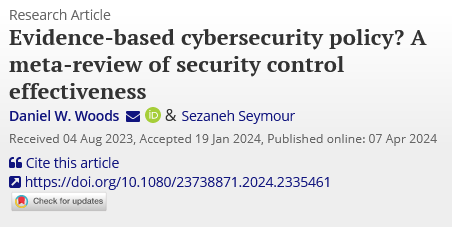
Which security controls reduce cyber risk and by how much?
Until recently, vendors tried to answer with peacock like competition, e.g. ever fancier marketing campaigns.
Our new article is a step towards answering with empirical evidence.
This product has a lot of potential for the SMB. But, it is still in preview, there are some gotcha's, and I think adoption will be slow. I am hoping Microsoft addresses the bugs/limitations in time for GA, and that market ultimately proves me wrong!
https://t.co/j9U66QIQKN
In my latest on ITProMentor, I highlight a few favorite multi-tenant management tools for Microsoft 365 and other cloud services. I am sure there are many others that are good also; leave a comment about your own favorites, and cheers!!
https://t.co/OuxGlpDgIC
@NathanMcNulty Oh yeah, after using it myself I agree. I cannot recommend it in its current state. We also have other options for unmanaged web access e.g., App enforced restrictions, MDCA App control, etc.
@acjuelich@NathanMcNulty@rucam365 I used to get this question a lot and there used to be a place I could send people, so I used this slide in my presentations when going over this point. Now that resource is a dead link. They need to update.
@acjuelich@NathanMcNulty@rucam365 If it does, then it is wrong. It opens additional features--it always has. And chief among those are the management features you would expect to find (e.g. BitLocker).
@NathanMcNulty@rucam365@acjuelich So the confusion is coming from folks looking at the features included with "Pro" and thinking that is all they have with Business Premium. Not so. I think we need to put together a better service description for Business Premium on Learn so that it is clear to everyone.
@NathanMcNulty@rucam365@acjuelich I hate that SMB are always the red-headed stepchild and details like this get poorly documented/maintained. It used to be documented, and I have some screenshots to this effect, but the links are now dead and they no longer include the details for Windows Business edition.
@jonathanbourke@NathanMcNulty@rucam365@acjuelich@AaronDinnage It works, and it is supported in Windows *Business* Edition, which is an upgrade to Pro that you get with Business Premium. Note: you cannot manage BitLocker on personally owned devices not joined to Entra, these features are opened on corporate owned and joined devices only.