Dear @goodreads, I am begging you to add search history to your mobile app. There’s a maddening process between searching for a book and adding it to my Want to Read list. I need a digital equivalent of the barely-worn clothes chair.
Animation breakdown: EPISODE 1.
This is probably my favourite logo I’ve had the privilege to animate so far. It was wonderful working alongside the team at Mazerance on this👌🏾
Hey hey! We've got a Discord! 💚
Come on in and share what you're working on!
For the first month, we’ll be picking our favorite demo or website each week and the creator will win:
- Green socks (obviously)
- a limited edition GSAP hat
- a notebook to plan out your next masterpiece
- and a cool tote to carry it all around in.
See you in there friends.
https://t.co/d8EJ6TCnGJ
Paper mesh deformation with pure 2D canvas API.
The sheet is built as a grid of points, not as one flat image. Each point keeps its base position, current position, previous position, and a small fake depth value. When I drag one area, the code pulls the nearest point and spreads that force through the grid, so the paper bends instead of just skewing like a card.
The structure is held together with constraints between points. Horizontal, vertical, diagonal, and longer links all try to stay close to their original length. That is what gives it paper-like resistance. It can flex, but it does not stretch too far or collapse too much. The solver runs many times per frame, which keeps the shape stable while dragging.
The fold detail is driven by texture data. One image is the visible paper surface. Another image is sampled as a fold map: dark values become stronger fold areas, and image gradients give fold direction. That data feeds back into the mesh, so some parts lift more, crease more, and react with more stiffness than others.
The rendering is still just 2D canvas. Each cell in the grid is split into triangles, and every triangle is drawn with its own transform so the texture stays locked to the surface while it deforms. Then a shading pass adds highlights and shadows from the fake depth and crease values. No WebGL, no shaders. Just mesh math, texture sampling.
Understanding rounding funcs will improve how your interactive elements feel. For most snapping UIs, we use for Math.round(). But is it always best?
In this demo, I built two SVG grids with draggable circles, each using a different rounding approach to snap to intersections.
Math.ceil() always snaps to the higher integer, so the circle lands at the bottom-right of the cell. This is useful for ensuring you allocate enough space for the draggable element.
Demo link included.
https://t.co/H4bLhsRV8M
Revisiting math basics, this time through creative web art.
In this demo, I'm adding new rings into an SVG by incrementing the radius variable to grow them outward.
So much can be done with simple addition!
CodePen link in the thread.
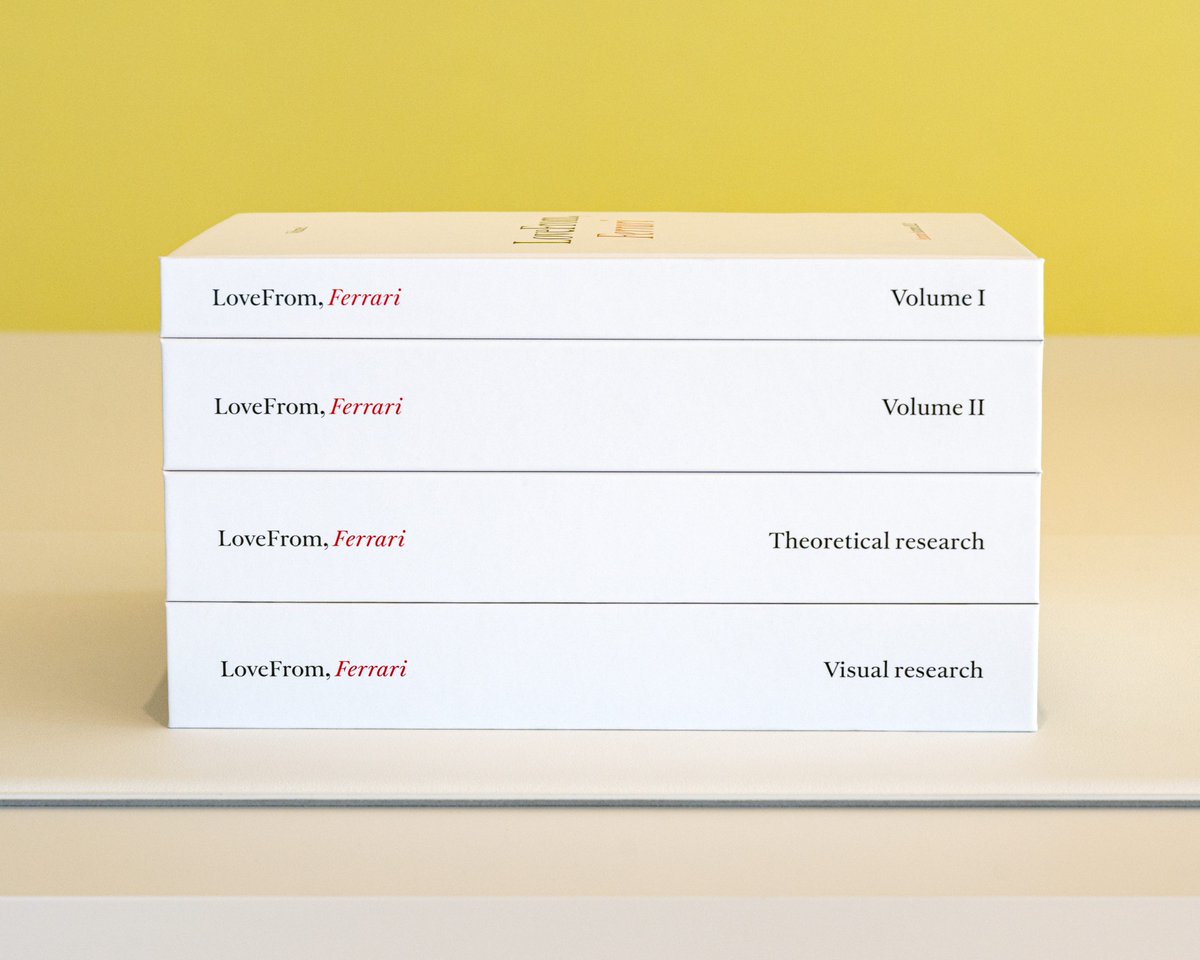
Jony Ive + LoveFrom team assemble entire books for each project - 4 in the case of Ferrari
Typeface tests, material swatches, proportions, photos, rationale… a physical artifact of taste and intent. The work ships with its own mythology and it's incredible every time
After many years of development, I’m excited to share the interior of the first electric Ferrari designed by LoveFrom. Tactile controls and digital interactions blend into one cohesive interface, shaped through deep collaboration across engineering, interaction, graphics, typography, sound, and industrial design. So incredibly proud of the thoughtfulness and care the team brought to every detail.
https://t.co/JZCleflfu7