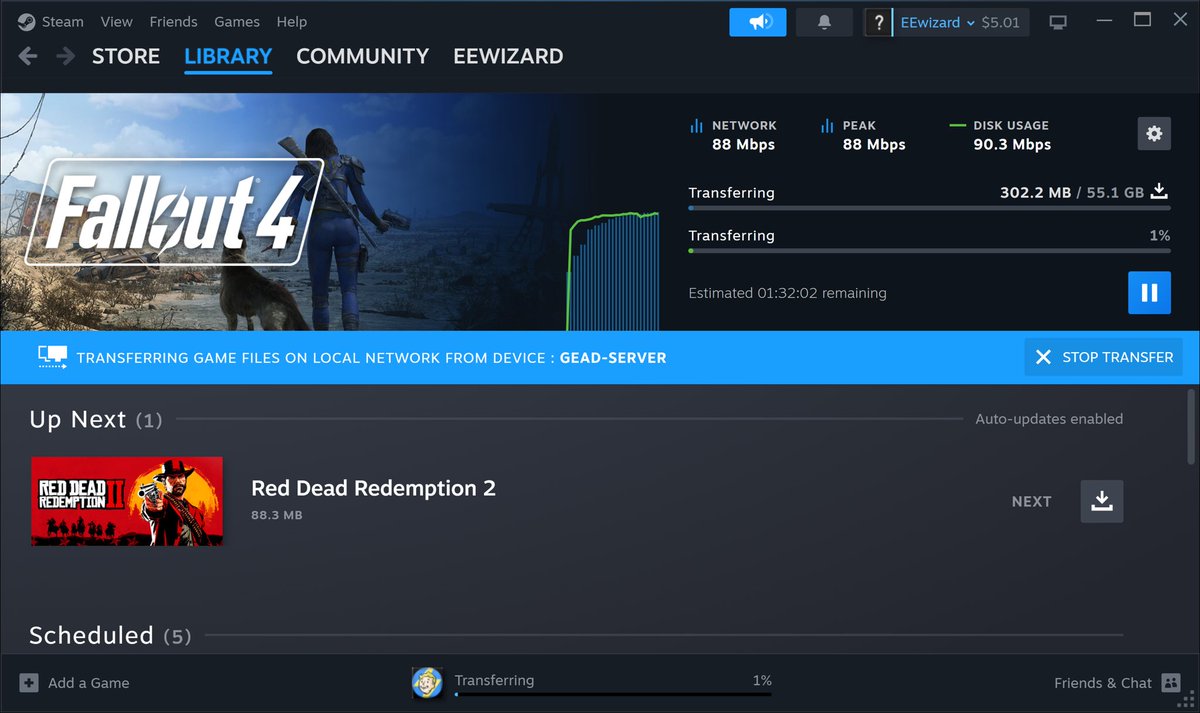
I figured it out! Finally! Turns out I had an iffy connection between switches from one half of the house to the other. When I checked before it looked like all the links were running 1GbE. I just reconfigured everything in the back part of my house and it connected at 1GbE as I expected but my downloads were limited to 100Mbps. So I traced everything back and that’s when I noticed one of my connections on a 8 port switch was only connected at 100Mbps. Could this be it? I unconnected it and checked the connector and it looked good to the eye so I shrugged my shoulders and plugged it back in. These connections are in my living room behind my entertainment center as a kind of central “hub” for all the equipment there and the back of the house. So all the cables are bundled together to be “neat” and unfortunately not labeled after my home remodel. Bad mistake because just reseating the connector caused it to connect at 1GbE. So I guess I’ll be replacing that connector! Anyway, thanks for all your help and I just wanted to give some resolution as to what the issue was. I think there were some additional complication with Steam and the local transfer you mention before. That would explain why my old computer showed the same issue even after moving it to the same location as my main router to the internet. When I started clicking things on and off, that computer started running at speed but my gaming computer in the back of the house was still having issues and I was too embarrassed to report that. 🫤
I do not know what to tell you. I’ve done nothing. I haven’t used my computer since I last posted those screen shots. But I did leave my computer on. I just went to check on everything after reading your posts and I saw that the last steam update performed was at 300Mbps! I have never seen that in the two years we have had the fiber installed. So I fired up the XBox app and there was a starfield update waiting so I clicked to download it.
I honestly don’t know what to say. But I’m happy!
As I mention in another reply, I have a Ubiquity UDM for my network which plugs directly into the ATT router. The only other thing using the ATT router is my wife’s business router. I have two separate IP addresses with the fiber. My PC is plugged directly into the Ubiquity router with nothing else inbetween and it’s all connected at GbE speeds.
@PLatnum786@ComputerrBooks I run Xbox games on my PC with the Xbox app. My ISP is ATT. Had to pay a lot of money to have fiber pulled to my house (it was for work).
And just an FYI, I started my career designing network cards before I switched over to RF networking (pre and post 802.11) and then to UWB radar. I have a fairly decent home network with all Ubiquiti gear and Cat6 most everywhere (security cams are only Cat5 but have their own switches). I won’t say I am a networking expert, but I have enough experience to be dangerous. lol. I once shut down a university’s entire network remotely “by accident” when I was a lot younger and the internet was young. 😬
Actually, I only use VPN when I was doing work (been retired for a year) and if I am not home and accessing my home network from my laptop. I just realized that I haven’t even installed my VPN on my new (to me) “gaming” computer! I only have my Xbox and steam games installed so far as I just put it together a few months ago. I do plan to run some tests in the morning to see what I can find since being armed with all this new knowledge.
@PLatnum786@ComputerrBooks If nothing else this discussion has given me reason to dig into it further. Now that I know other people are getting faster rates from Steam downloads.