1. Florida teachers are being told to remove all books from their classroom libraries OR FACE FELONY PROSECUTION
The new policy is based on the premise that teachers are using books to "groom" students or indoctrinate them with leftist ideologies.
🧵
https://t.co/SzHzgelT64
@Arboritos Weird! X11 vs. Wayland sure: that's always jank. But in libinput vs. x86-input-wacom I would have expected both to act the same or libinput to be worse 🤨
@erin_rtfm (Search is the most annoying part of Mastodon IMO. The servers have a very fragmented view of the network and my understanding is that if nobody on your server follows a particular user, they/their posts won't appear in search results. You have to find them in some other way)
@erin_rtfm Peeking at my follow list, ~2/3 of the people I follow are on a different server. Don't feel like signing up for the "wrong" server will limit who you can follow. Server choice primarily affects who "automatically" shows up in the timelines and searching.
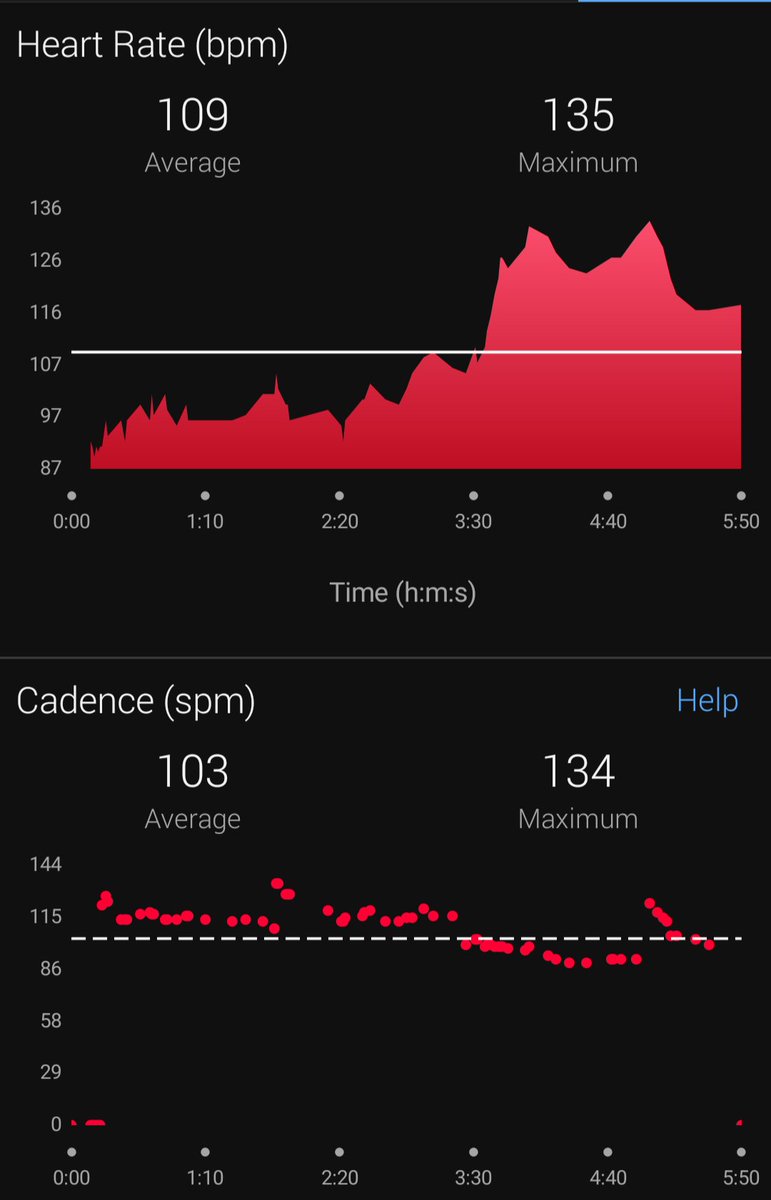
@xssfox@whitequark @n0i0b Similar result with Garmin Vivoactive 3 + Pixel 3a. Watch shuts off the HRM after a short time unless I move it around to simulate activity. Even then it seems like there's algorithmic sauce between the HRM and the BPM (suspicious "cadence" / BPM correlation on a static screen)
@neymrqz @OAIS_ebooks To change to Xorg, see if you can logout and then use the gear icon to change to "GNOME on Xorg" -- see https://t.co/pRjpMus9KQ for screenshots. Note that that link's suggestion for changing /etc/gdm/custom.conf won't work for a live USB...
@neymrqz @OAIS_ebooks I can replicate the issue with dragging files on my side. It looks like that's another Wayland-related GNOME issue. I don't know if its possible to change to an Xorg session but that's what I would typically recommend to work around that problem...
@neymrqz @OAIS_ebooks It looks like you've stumbled across a GNOME bug! "Button 1" seems to be the lower button in Xorg, but "Button 2" is the lower button in Wayland. 🤪 Quick question: what happens if you set them both to default? How about if you set button 1 = right / button 2 = middle?
@neymrqz @OAIS_ebooks How strange! In that case, open the menu at the top right of the screen (with the Wifi, Bluetooth, power icons, etc.) and click "Settings". The program will normally have a "Wacom Tablet" item in its menu that is the same thing.
(But maybe its removed from the live USB??)
@neymrqz @OAIS_ebooks I believe it should list your Intuos and -- hopefully -- your pen beneath it (you may need to use the pen to see it show up). Try setting "Button 1" or the lower button to "Middle Mouse Button"
@neymrqz @OAIS_ebooks Fedora /usually/ means GNOME. It will look very similar to these screenshots if it is: https://t.co/e0zc6Jz1IQ (in particular, you should see "Activities" at the top left of the screen). For GNOME: open Activities, search for Wacom, and open the "Wacom Tablet" result.
@neymrqz @OAIS_ebooks I believe the lower button should be middle-click by by default for most Wacom devices, which is used in GIMP to drag the canvas. Can you let me know what desktop you're using (GNOME? KDE?) and which tablet / model number?
@neymrqz @OAIS_ebooks I might be able to help 🙂 No guarantees (some things just aren't possible, sadly) but I'd be willing to give your problem a think!