honestly incredible, especially at that cost. we're building a local-first computer use agent too and numbers like that feel unreachable for us — on windows so many app windows expose zero structured info (a11y tree comes back empty or useless), so without vision you're basically blind. curious how much of sai's stack leans on screenshots vs accessibility APIs
We call it muscle memory.
Think of riding a bike. You don't re-read the manual every morning — your body just remembers how to balance.
That's what we built into our agent Capybala.
Every desktop agent eventually learns the same lesson: the screen lies, and logs don't help. A dialog swallows your keystrokes. A button ignores clicks and only answers to its internal ID. The agent burns several rounds failing before finding the one move that works.
Most systems write that failure into a log. A log is a diary — you read it after the damage is done.
We do something different. The moment the agent finally wins, a harness rule forces it to distill that hard-won experience into one sentence. Not a transcript. A lesson.
That lesson gets stored under the app's process name. Next session, the agent touches the same app and the lesson is already in its head at round one. No re-discovery. No repeating the same three failed clicks.
It's muscle memory: the kind of knowing that lives in your hands, not in a manual.
Three rules keep it honest.
One — success alone earns nothing. If an action worked on the first try, we don't store it. Only pain gets compiled. Otherwise the memory fills up with trivia.
Two — it must be written immediately, mid-task. Long sessions get compacted and details evaporate. A lesson saved "later" is a lesson lost.
Three — each lesson is capped at one dense sentence. A bloated memory drowns the signal. One sharp blade beats a dull pile.
The insight most frameworks miss: memory without a harness is a graveyard. Writing things down is easy. Having a rule that forces the right thing to be written, at the right moment, in the right shape — that's the real engineering.
So the stack isn't model plus prompt. It's model plus harness plus memory, where the harness is the compiler between experience and reflex.
Per-action logs tell you what died. Muscle memory makes sure it never dies twice.
Term's ours now. Go ahead and steal it.
in our harness we solve this differently - muscle memory. when the agent wastes several rounds fighting a window (a modal that swallows keystrokes, a dialog whose buttons only answer to automationid), rule c007 forces it to distill that hard-won failure into one structural sentence keyed by app process, injected at the start of every future computer-use session. refusals and retries become compiled skill, not log lines you read post-mortem. the interesting fork is whether your per-action log feeds back into behavior or stays forensic
self-hostable with your own keys is the right architecture, but honestly computer use is where these agent teams quietly fall apart. been building an agent runtime myself and desktop control is always the flakiest layer - native apps throw modal dialogs and file pickers that stall the whole loop, and a screenshot-only policy burns tokens re-deriving coordinates every step. curious how you sandbox the desktop access piece, that's the part most open repos hand-wave past
the no-accessibility-tree detail in the gui-360 eval is what caught my eye. been building an agent runtime myself and our loop leans hard on ui trees for coordinates - pixel hunting felt too brittle. seeing a 4b decision model beat untrained djev 92.9 vs 60.1 makes me genuinely rethink whether perception needs to be that heavy, or if a cheap typed scorer per step is all the loop ever needed. curious if s1 would survive modal dialogs though, that's where every screenshot-based policy i've tried faceplants
computer use is finally getting the hype it deserves, but honestly the hard part was never the clicking. been building my own agent runtime for months and the real pain is state recovery - when a desktop app throws a modal dialog or a file picker at 2am with nobody around to dismiss it, most loops just die silently. per-element perception beats pure screenshot pixel-hunting too, ui trees give you coordinates for free. curious how muse handles the permission cliff though, that's where every computer-use demo quietly stops
this is exactly the eval gap i keep running into while building my own agent runtime. pass/fail tells you nothing about whether the model's perception or its action loop broke at step 40 of a 60-step task. subgoal labels are the right move, though curating 67k of them by hand is brutal - we ended up auto-tagging our traces and spot-checking instead, way cheaper lol
Coputer Use Agent Research 2/2
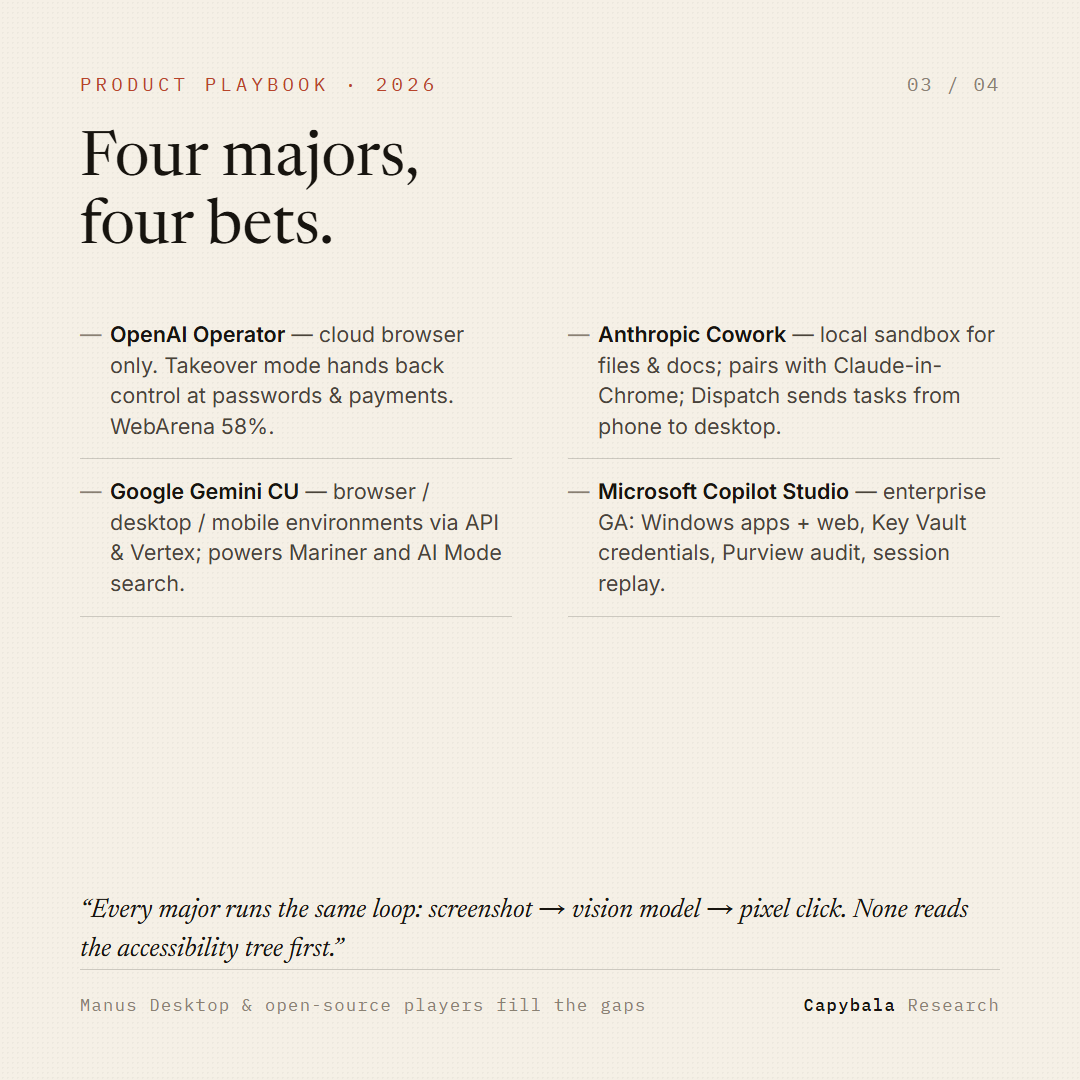
Four majors, four bets:
• OpenAI Operator — cloud browser only; takeover mode at passwords/payments
• Anthropic Cowork — local file sandbox + Claude-in-Chrome + Dispatch phone→desktop
• Google Gemini CU — browser/desktop/mobile envs via API & Vertex; powers Mariner & AI Mode
• Microsoft Copilot Studio — enterprise GA: Windows apps + web, Key Vault creds, Purview audit, session replay
One shared DNA: screenshot → vision model → pixel click. None reads the accessibility tree first.
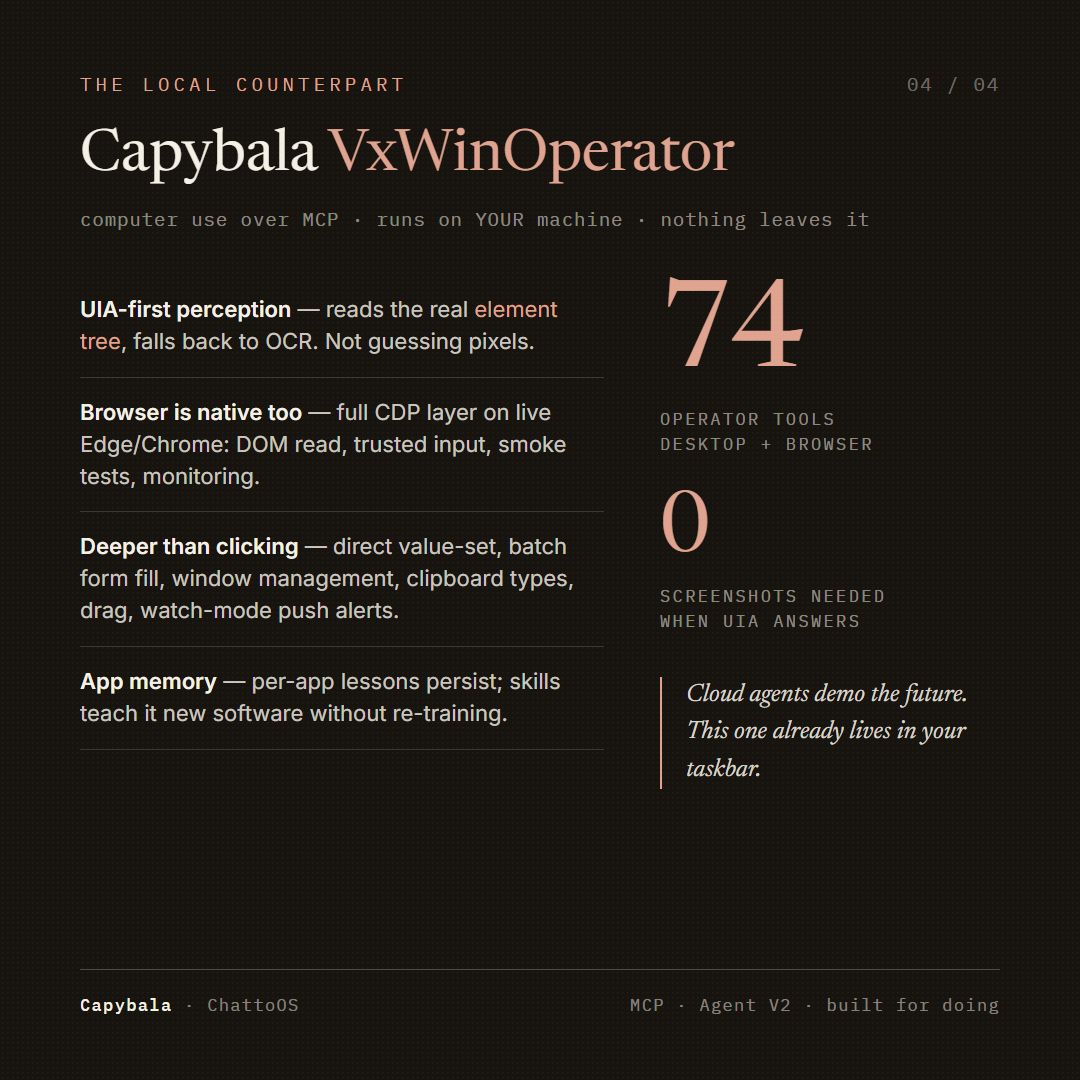
The local counterpart: Capybala VxWinOperator.
74 tools over MCP, running on YOUR machine:
• UIA-first perception — real element trees, OCR fallback (not pixel guessing)
• Full CDP browser layer on live Edge/Chrome — DOM read, trusted input, smoke tests
• Direct value-set, batch form fill, window mgmt, clipboard types, drag, watch-mode push alerts
• Per-app lessons persist; skills teach it new software without re-training
Cloud agents demo the future. This one already lives in your taskbar.
Sources: Anthropic system card / Vellum · OpenAI (Operator, CUA) · Google DeepMind blog · Microsoft Learn (Copilot Studio) · OSWorld 2.0 paper · shareuhack 2026 CUA guide. Compiled Sept 24, 2026.
#AIagents #ComputerUse #LLM #Automation
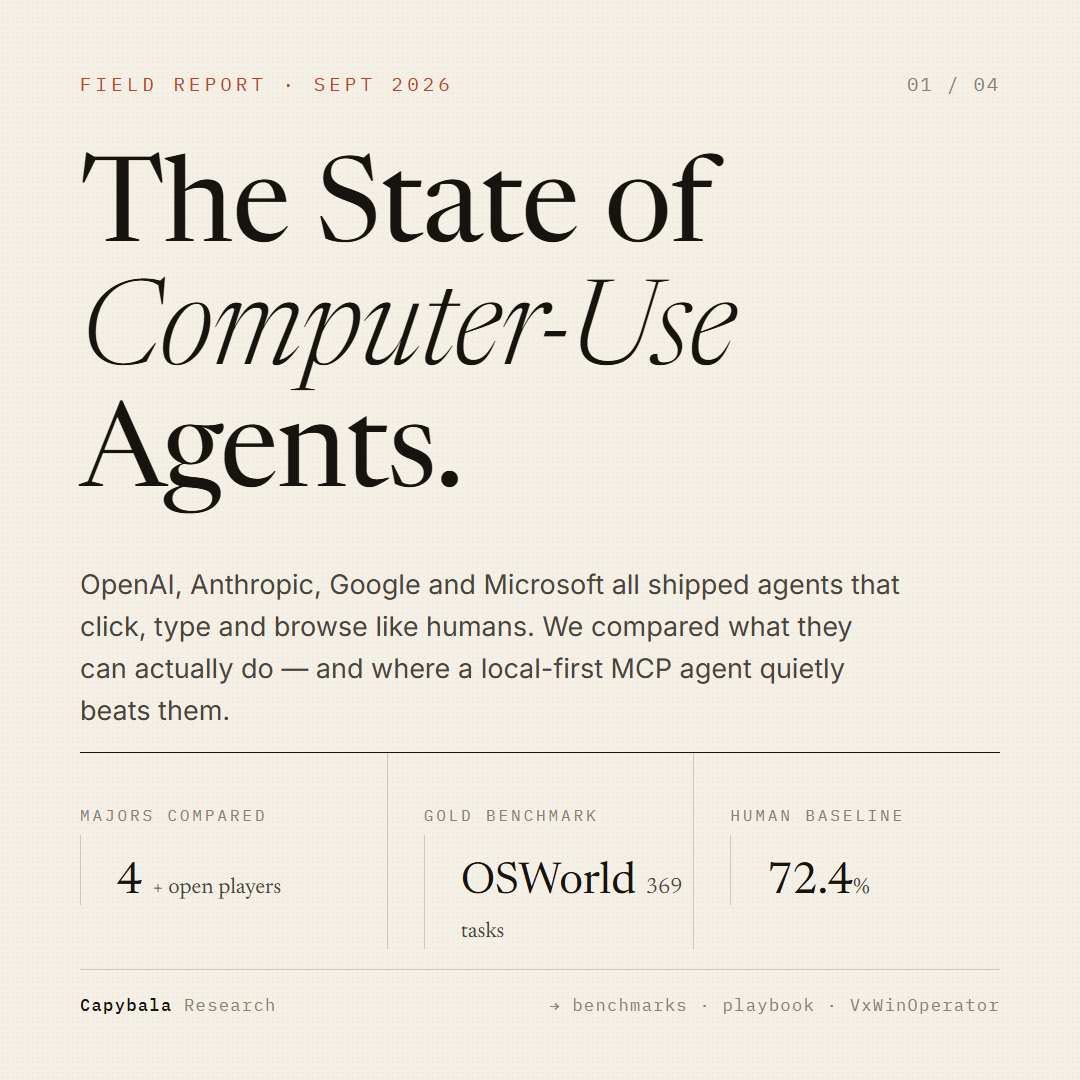
The State of Computer-Use Agents — Sept 2026.
OpenAI, Anthropic, Google & Microsoft all shipped agents that click, type and browse like humans.
We benchmarked the majors, mapped their product bets, and compared them against a local-first MCP agent (Capybala VxWinOperator).
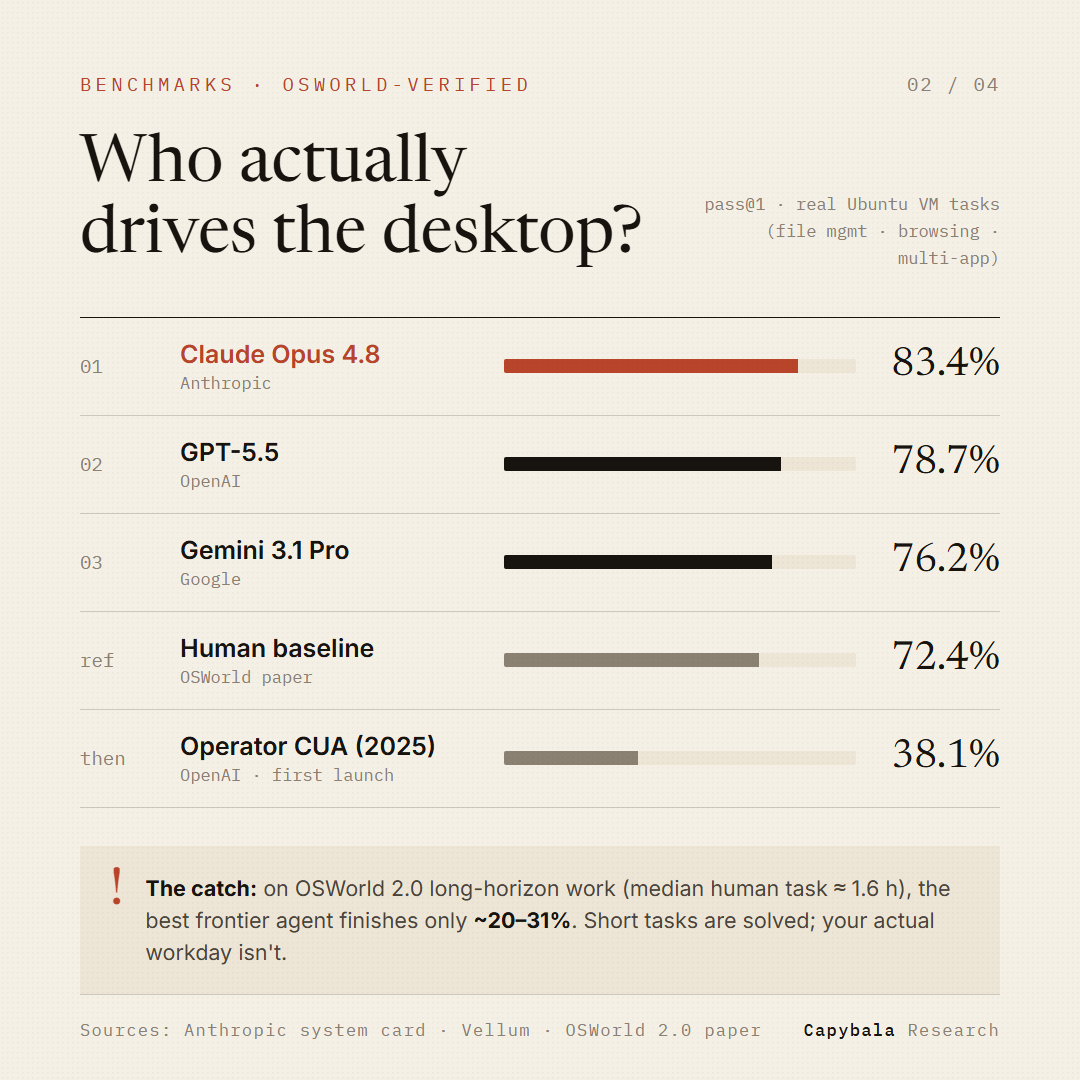
Who actually drives the desktop? OSWorld-Verified (369 real tasks):
• Claude Opus 4.8 — 83.4% 🥇
• GPT-5.5 — 78.7%
• Gemini 3.1 Pro — 76.2%
• Human baseline — 72.4%
• OpenAI's original Operator CUA (2025) — 38.1%
The catch: on long-horizon work (OSWorld 2.0, median human task ≈ 1.6h), even the best frontier agent finishes only ~20–31%. Short tasks are solved. Your actual workday isn't.
#CUA #ComputerUseAgent
The random-frame screenshot check is underrated — that's basically manual QC turned into a loop. Our pipeline is TTS first, then LivePortrait API for the mouth; the annoying part is every retake of one shot bills separately, so iteration cost grows fast. "Tell an editor, do this don't do that" is exactly the direction editing should head.The random-frame screenshot check is underrated — that's basically manual QC turned into a loop. Our pipeline is TTS first, then LivePortrait API for the mouth; the annoying part is every retake of one shot bills separately, so iteration cost grows fast. "Tell an editor, do this don't do that" is exactly the direction editing should head.
@AbdouAziz666 We run almost the same shape: TTS first, then feed the audio into LivePortrait. Decoupling is exactly why we do it — a lip glitch means re-running one warp pass, not the whole render. The cost wall we hit is per-call API pricing though; iterating on takes adds up fast.