We’re excited to announce that Book Creator now comes with over 100 teacher created, professional graphic organizers, enabling your students to make use of all our multimedia and accessibility features.
Check them out now!
⤵️
https://t.co/wEqfBqYfHw
#ISTELive#NotAtISTE#a11y
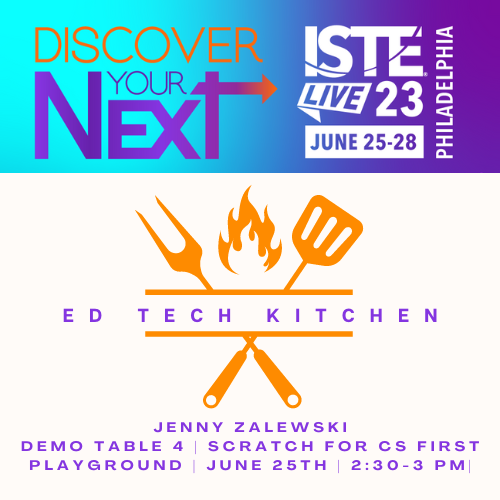
Today's the day! Join me and all of the other fabulous presenters at the Ed Tech Kitchen Playground! I'll be sharing student projects from multiple content areas using Google's #CSFirst platform.
#ISTELive#ISTEOfficial#GoogleEdu#ISTELive23
Proud of the work done by @MichaelJaberEDU and his enthusiastic team @SASDschools! Pure creativity with @LEGO_Education Learning System. We say we have a low floor and a high ceiling. They removed the ceiling and went to the moon! https://t.co/6ZEkhGlACt
@TeamYouTube @EllieKaas I also have teachers experiencing the same thing. They are frustrated that they can no longer play a video in full-screen mode while presenting (even after clearing cache/cookies). I filled out the feedback form.
Have you seen our #SEL templates yet?
💛 All About Me journal
🌸 Wellbeing journal
A safe space to reflect and ready for you to use immediately with your students!
Grab your free copies at https://t.co/SdXgNyHLNO ⤵️
Best Practice #1 - Only set your @Securly Classroom class for the length of time you are actually teaching (and use the stop class button before the students leave)! It prevents a lot of headaches for students and other teachers. #SecurlySummit
Check out the 📆 Organizing Your Life w/@googlecalendar , Google Tasks, and Google Keep training I offered to my teachers. #Google
Calendar - https://t.co/hp0lwcOwQj
Tasks - https://t.co/kOYwqtyW9d
Keep - https://t.co/iqb5HyRGQ5
Slide Deck - https://t.co/FdRNz2NlxT