Technical SEO product manager. Working with B2B clients, treats search layers as a product, drives profitable revenue growth with technical SEO and AI search
We're excited to announce a new MSP360 Control App release for iOS and Android 📱
The rebuilt Dashboard brings computer status, overdue plans, agent coverage, storage usage, and six-month storage trends into one view you can customize by showing, hiding, and reordering widgets.
See what's new → https://t.co/c8JrgKsuxR
#MSP360 #MSP #MobileApp #AppUpdate #ITManagement
Retention ≠ backup ⤵️
Retention preserves Microsoft 365 content for governance and compliance. Backup provides a recovery path after data loss, accidental deletion, or ransomware.
See where Purview, Microsoft 365 Backup, and third-party backup each fit → https://t.co/3uHyJeNqV7
#MSP360 #MSP #Microsoft365 #CloudBackup #DataProtection
"Teams data" isn't one workload in one location ❗️
Files, chats, recordings, meeting artifacts, and configuration data can span Teams, SharePoint, OneDrive, and related services.
Before calling Teams protected, check what you can actually back up – and restore.
🔗 Find the full guide here: https://t.co/YURP3LmQtW
#MSP360 #MSP #MicrosoftTeams #Backup #Microsoft365
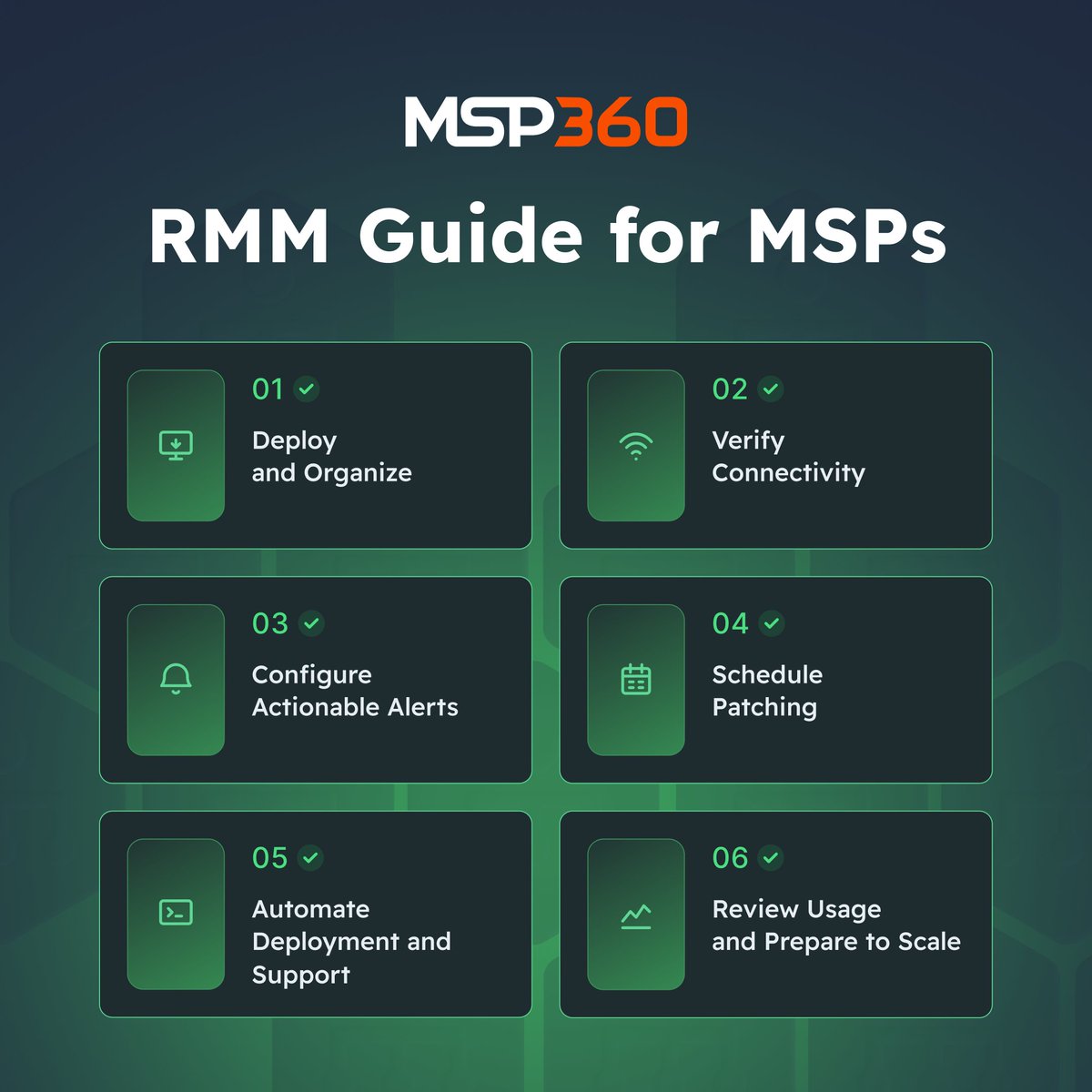
An RMM delivers value through the workflows built around it.
Our guide covers onboarding, alerts, patching, software deployment, remote support, and growth planning with MSP360 RMM Community Edition – free for up to 50 endpoints.
🔗 Read the guide and explore the product → https://t.co/HzX0xw7emO
#MSP360 #MSP #RMM #EndpointManagement #ITOperations
When #SharePoint issues hit, IT teams scramble through retention rules and old tools.
To save you hours (and stress), check out our quick guide to what to use, what to avoid, and how to plan for fast recovery.
🔗 Get the full breakdown here: https://t.co/VDrSthEFb4
#MSP360 #MSP #Backup #Microsoft365 #DataProtection
Don’t start a cloud backup comparison with features.
Start with the recovery outcome:
✔️ One file
✔️ A complete computer
✔️ A server or VM
Those are different requirements – and not every product covers all three.
Compare 6 SMB options → https://t.co/SbY3ul7VJN
#MSP360#MSP #CloudBackup #SMBTools #DataProtection
Join the MSP360 AI Assistant Beta Program 👇
We're inviting users with an active MSP360 Managed Backup account to test our new AI Assistant.
Using natural language, the AI Assistant can help you:
✔️ Simplify onboarding
✔️ Analyze backup failures
✔️ Monitor backup health
✔️ Generate reports
✔️ Identify protection gaps
Get early access and help shape the final release → https://t.co/tJe4rXrQ1v
Learn more: https://t.co/dXnzIxglwk
Questions? Let us know in the comments.
Protect your Google Drive with confidence! ☁️
Our article covers manual backup options, native tool limits, and how automated backup keeps your data safe with less manual work.
🔗 Read more → https://t.co/1UwanaSsoC
#MSP360#MSP#GoogleDrive#Backup#DataProtection
Dark Mode is now available in MSP360 Managed Backup 🌙
One of the most-requested updates from our users – live in the console today.
Long shifts and late-night alerts can be part of the job. Squinting at a bright white console doesn’t have to be.
How to enable it:
→ Go to General Settings in the console
→ Scroll to Appearance
→ Select Dark theme
→ Hit Save
🔗 Direct link: https://t.co/2Y35leR6Vd
Takes 10 seconds. Applies immediately. No agent update required.
#MSP360 #MSP #DarkMode #ManagedBackup #ITManagement
Free backup software has come a long way.
In 2026, many free tools include:
✔️ Cloud backup
✔️ Scheduling
✔️ Retention policies
The catch? Not every tool fits every user.
A freelancer, a homelab owner, and a home user often need completely different solutions – and the wrong pick means a restore that fails when it matters most.
We reviewed 12 free backup tools and mapped them to the people they're best suited for.
Full breakdown – https://t.co/r4w2dUtf7k
#MSP360 #BackupSolutions #DataProtection #Homelab #OpenSource
Still juggling separate tools for backup, RMM, and remote support? 🤔
Multiple logins. Multiple vendors. Multiple points of failure.
The MSP360 Platform unifies Managed Backup, RMM, and Managed Connect in a single web console – so your team can move from alert to remote session without switching tools.
Less tool switching. More support.
🔗 See how it works: https://t.co/GLYKFMLqeO
#MSP360 #MSP #RMM #RemoteSupport #ManagedServices
Are you paying your backup vendor for mailboxes Microsoft already gives you free? 👀
We wrote a guide on 4 ways to cut M365 costs before the July 1 price increase → https://t.co/3iYau5i3ti
#MSP360#Microsoft365#MSP#CloudBackup#ITManagement
We reviewed 12 free backup tools for 2026. Here's which one fits your setup.
BYOS cloud, scheduling, retention policies - these exist in free tools today. The hard part is matching the right one. The wrong tool can turn a recovery into a disaster.
Full guide – https://t.co/pWNZgRWrcs
#MSP360 #BackupSolutions #DataProtection #Homelab #OpenSource
How CloudBerry Drive works: instead of syncing a cloud bucket to a local folder, it maps cloud storage (S3-compatible providers, Azure, and others) as a Windows drive letter and serves file access on demand.
You see the full bucket contents without downloading them.
Practical for large archive repositories where syncing everything locally isn't realistic.
👉 https://t.co/yr1OAEY1df
#MSP360 #MSP #CloudStorage #ObjectStorage #S3
Most teams treat Full, Incremental, and Differential backups as equal alternatives. That's a mistake.
Here's the difference ⤵️
🔵 Full = the foundation. Copies everything. Non-negotiable. Every strategy starts here.
🟢 Incremental = only what's new. Fast and light – but restoring means chaining every backup together in sequence.
🟠 Differential = everything since the Full. Grows over time – but recovery is always just 2 files.
Full is the starting point. Incremental vs Differential is the choice you make on top.
→ Incremental = smaller backups, more complex restore
→ Differential = larger backups, simpler restore
Which one is your team running?
#MSP360 #MSP #DataBackup #BackupStrategy #DataRecovery
We partnered with Jonathan Edwards (Bearded 365 Guy) – one of the biggest Microsoft 365 creators in the world – and honestly, we're thrilled with how it turned out.
He went hands-on with MSP360 Backup for Microsoft 365 and gave his honest take. We'll let the video speak for itself, it's a fun one.
Check it out – and make sure to peek at the video description, we left a little something there for you 🎁
👉 https://t.co/YdeIBNvBLu
#MSP360 #MSP #Microsoft365 #CloudBackup #Backup
MSP360 RMM lets you push PowerShell or batch scripts to a filtered group of endpoints by client, OS version, or individual machine.
Useful for:
• Remediating config drift
• Restarting a failed service
• Clearing disk space before an alert escalates
👉 https://t.co/4c3P8KWjiJ
#MSP360 #MSP #RMM #PowerShell #ITAutomation
DIY STICKERS 🎨✨ Φτιάξε τα δικά σου DIY Stickers πανεύκολα! Από space αισθητική μέχρι old-school κασέτες, έχουμε ό,τι χρειάζεσαι για να ξεχωρίσεις. 🚀👾 👉 Μπες τώρα στο link στο bio και kreate! #εκτυπώσεις#kreategr#branding#printdesigns#Stickers
Your Google Drive data needs protection – but the wrong vendor can cost you more than no backup at all.
The market is crowded, and the options aren't interchangeable: storage models, recovery, licensing, and control over your own data all differ. There's no single "best" – the right fit depends on whether you're an MSP, enterprise IT, or a lean small business.
A recent TechBullion roundup – "Best 11 Backup Solutions for Google Drive" – puts the major vendors side by side, MSP360 among them, so take a look and compare for yourself → https://t.co/TLfgPINMq5
#MSP360 #MSP #GoogleWorkspace #BackupAndRecovery #DataProtection
Η αισθητική συναντά τη φιλοξενία. ✨ Άνθρωποι με πάθος για την τελειότητα. IG: corylus_suites στη Λεπτοκαρυά Πιερίας, προορισμός που επαναπροσδιορίζει την κομψότητα στην Ολυμπιακή Ριβιέρα. Από τον σύγχρονο αρχιτεκτονικό σχεδιασμό μέχρι τις luxurious λεπτομέρειες των δωματίων και