Borderless finance, in motion. 💸💨
My latest project for @greyfinance is live! I focused on making the "Instant Global Transfer" experience feel as fast as it actually is.
Check the full case study here: https://t.co/b71c1KfWJw
#MotionDesign#Fintech#GreyApp#UIDesign
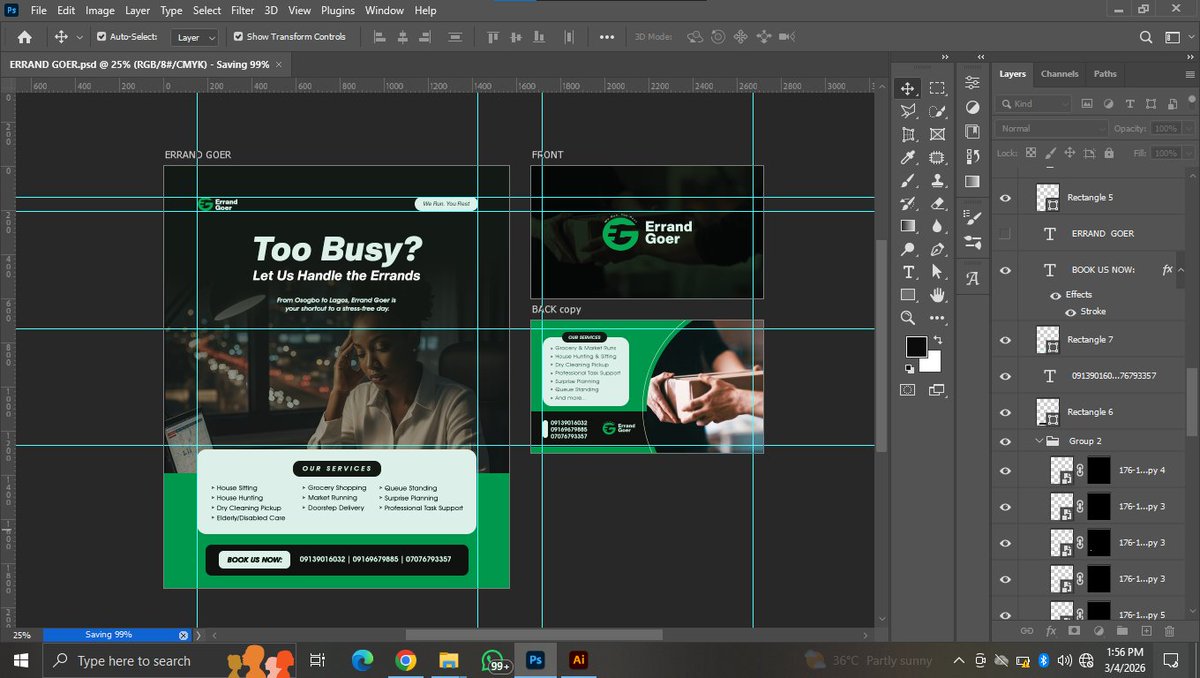
Structure is everything 📐 Wrapping up a flyer redesign. Setting up a solid grid makes balancing heavy text much easier.
How do you organize your layers? Let's talk workflow 👇🏾
IF YOUR LAPTOP AND MONITOR SHOW THE SAME THING, YOU’RE DOING IT WRONG 🚨
Some of you connect your monitor to your laptop,
and both screens are showing the exact same thing.
Laptop screen 🤝 Monitor screen
Same content. Same window.
Congratulations.
You just bought a very expensive mirror. 😌
Let’s fix that!!!
Most people think a monitor is just a bigger laptop screen.
So they plug it in and leave it on Duplicate Display.
Meaning:
Laptop → Excel
Monitor → Excel
Laptop → YouTube
Monitor → YouTube
Two screens… doing one job.
That’s not the point of a monitor.
The real power of a monitor is EXTEND DISPLAY.
Not duplicate. Extend means your monitor becomes a second workspace, not a copy.
Think of it like this:
Duplicate = One table
Extend = Two tables
Guess which one makes work easier?
Here’s how to fix it in 30 seconds.
After connecting your monitor:
1️⃣ Right-click your desktop
2️⃣ Click Display Settings
3️⃣ Scroll to Multiple Displays
4️⃣ Select Extend these displays
Done.
Your monitor just became extra brain space.
Shortcut that many people don’t know:
Press Windows Key + P
You’ll see four options:
• PC Screen Only
• Duplicate
• Extend
• Second Screen Only
Click Extend.
That’s the secret code 😁
Now here’s how people actually use it properly:
Laptop screen → Emails / WhatsApp / Telegram
Monitor → Main work
Example:
Designer
Monitor → Photoshop / Figma
Laptop → Inspiration(Pinterest) or file explorer
Writer
Monitor → Writing document
Laptop → Research tabs
Video editor
Monitor → Timeline
Laptop → Media files
Another small trick.
Go back to Display Settings and arrange the screens.
You’ll see Screen 1 and Screen 2.
Drag them to match how they sit on your desk.
Now your mouse will move naturally between both screens.
Small detail. Big difference.
Once you start using Extend Display, something funny happens.
You stop:
• Constant tab switching
• Minimizing windows
• Losing your files
• Opening 27 Chrome tabs
Your workflow suddenly feels 10x cleaner.
So quick reminder:
If your monitor is showing the exact same thing as your laptop.
You’re not using a monitor.
You’re using a very large mirror.
Switch it to Extend Display and unlock the real power of your setup.
If this helped you, bookmark it.
A lot of people are still using their monitor like it’s a television, change that today. 😅