Check out this new weather app I found last weekend, by @mavropalias! Inspired by Dark Sky, and completely free with zero ads or tracking. Great work!
https://t.co/HmotapyiLq
https://t.co/PTL2wlQ29y
🎙️📲 Discover the powerful feature of custom actions in "CherriLang". Enabling users to define and execute their own actions just like traditional built-in functions. Brandon takes us through the steps in this episode!
#routinehub#Shortcuts
We are so back with another Live Shortcut Review Session!
JUNE 5TH 3PM EST
join our resident experts as we dive into Shortcuts
that elevate your creative work flows with
fun and innovative solutions.
https://t.co/ejsDj99UJK
@wvabrinskas I’ve been doing really well lately!
I took a much needed sabbatical from a lot of social media/ web stuff for a while but I’m back in action.
Check out the public beta of UI Actions by @czottmann
It's a utility for #macOS#Shortcuts that lets you control any app that has menus, buttons, or accepts keyboard input. 🤯
I did a quick write up about my first impressions:
https://t.co/TK1ygJWak9
There’s a new-ish scam floating around - a scam caller has you verify your account through an in-app link sent from your bank, who is on the phone with their accomplice. 😮
Thanks to @Edent for sharing!
https://t.co/qLa8Jf1ZSC
I finally checked out Setapp and I'm genuinely impressed! Check out my latest review to see how it could transform your Mac experience too:
https://t.co/8yNmgsaIIB
#macOS#Setapp#apps
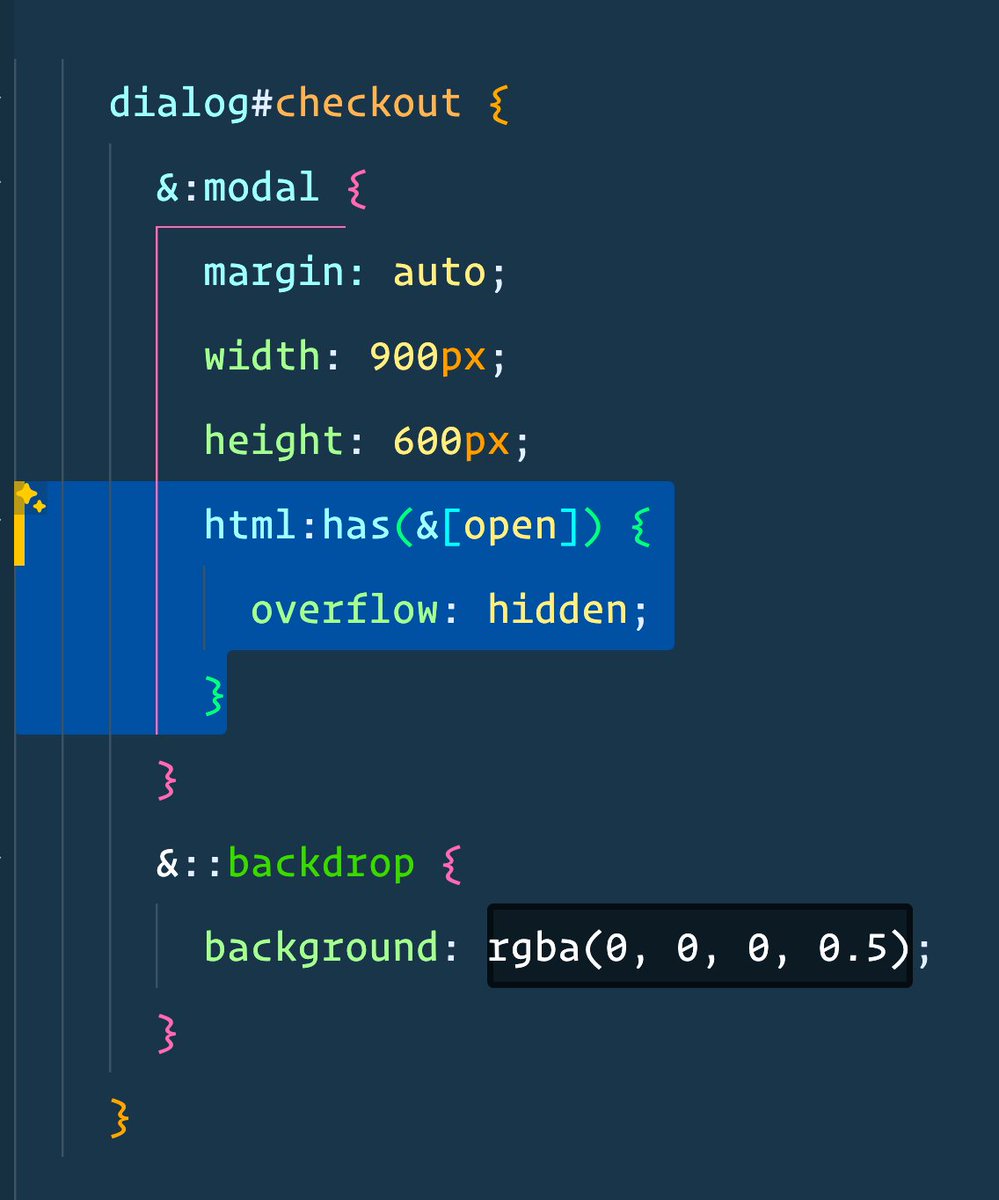
Modern CSS is TOO good.
Disable scrollbars when this dialog is both a modal, and open
No JS, no state, no classes, no aria labels - just a few lines of CSS
Maaaaan, React 19 is packed with goodies!
Here are 5 new things
The use() API for promises, the new context API, and the <head> tag hoisting are very welcome additions!
Circle the date! The way you collaborate on web projects is about to change. Join @netlify live product release event on May 19th to learn about the next generation of Deploy Previews 👀 https://t.co/vcD4lLwIxr
It's never too late to find easter eggs. Happened to notice what looks like a never before seen easter egg in Windows 95's / IE4's Internet Mail. You have to open its About window, select one of the files, and type MORTIMER. Names of the program's developers will start scrolling.