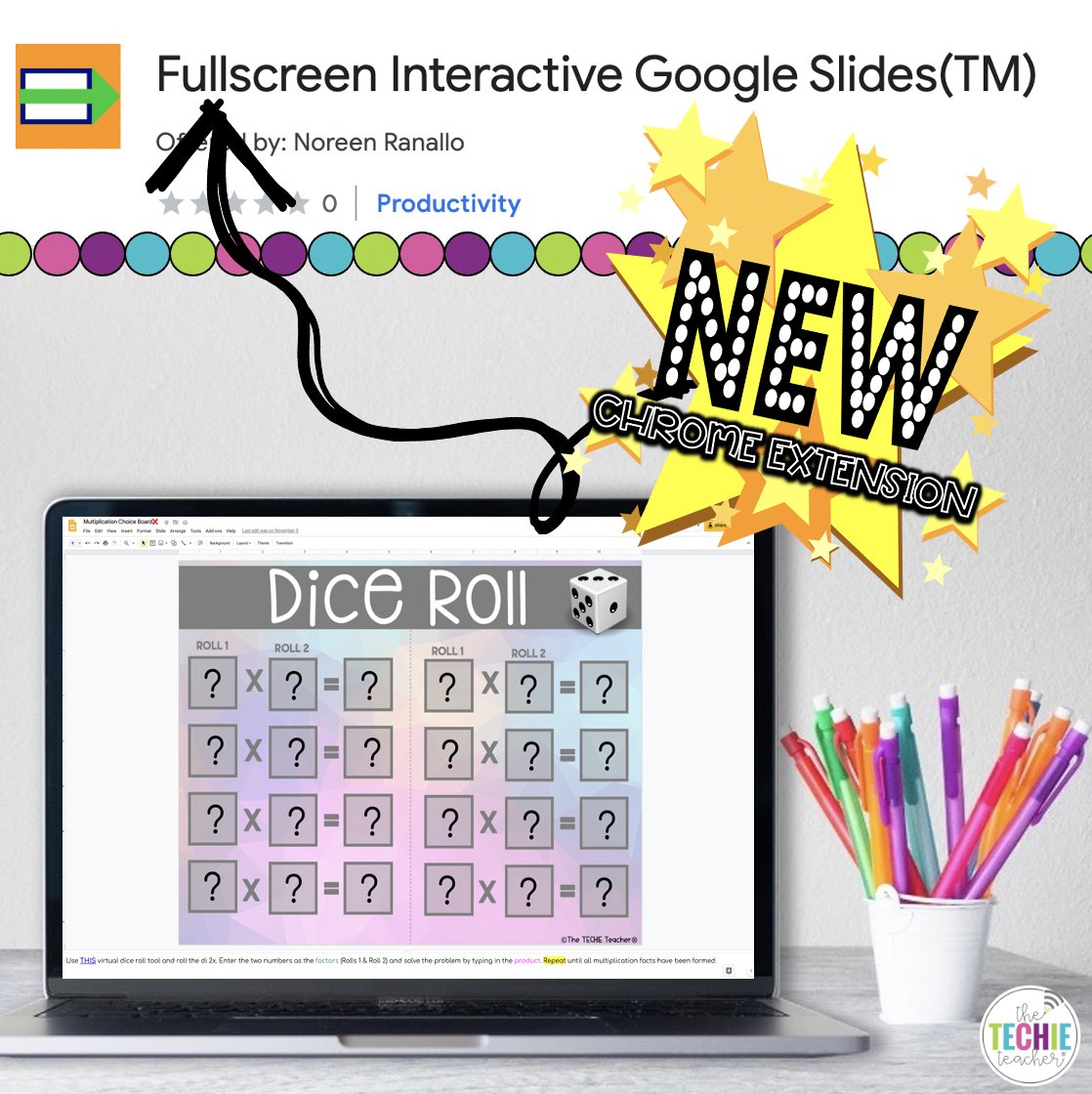
A new #ChromeExtension from Google makes it easy to link to a specific portion of text on a web page: https://t.co/Fcjon787tK
This is a really handy feature if you want to point someone to a specific link, comment, or section of a LOOONG web page.
#TeachwithTech#techtips
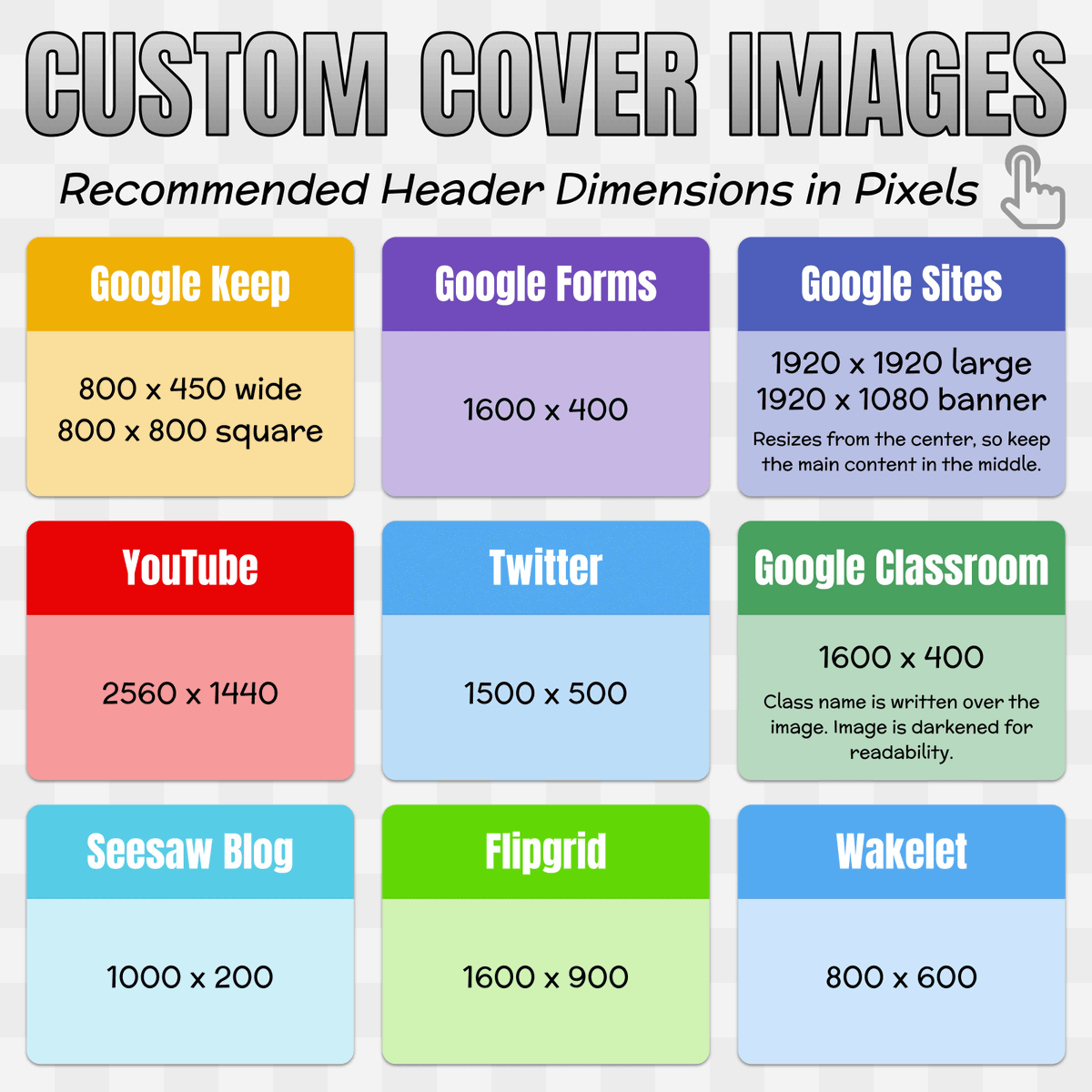
📏 Check out this chart that lists the recommended header sizes for sites and services you might use. #GAETC20
When creating custom headers, change the page or canvas size to the recommended dimensions in pixels. (In Google Slides go to File → Page Setup → Custom)
In August we launched Minecraft: Education Edition on #Chromebooks. Now, we’re excited to announce that students can log in to #MinecraftEdu directly through their school-issued #GoogleEdu accounts. Learn how: https://t.co/iyZPO21lew @PlayCraftLearn
Just a friendly reminder to #caption your videos! #Accessibility and #Inclusion matter. Not sure how? Here’s one way: #ATChat#UDL (Video of myself explaining the importance of captioning videos).
Who says you can't do #STEAM projects on a Jamboard? Here's how your students can creatively design a virtual Rube Goldberg Machine, animate, and present it. Let me know if you're interested in using it. Thoughts? *Students can work in pairs to collaborate on a frame.
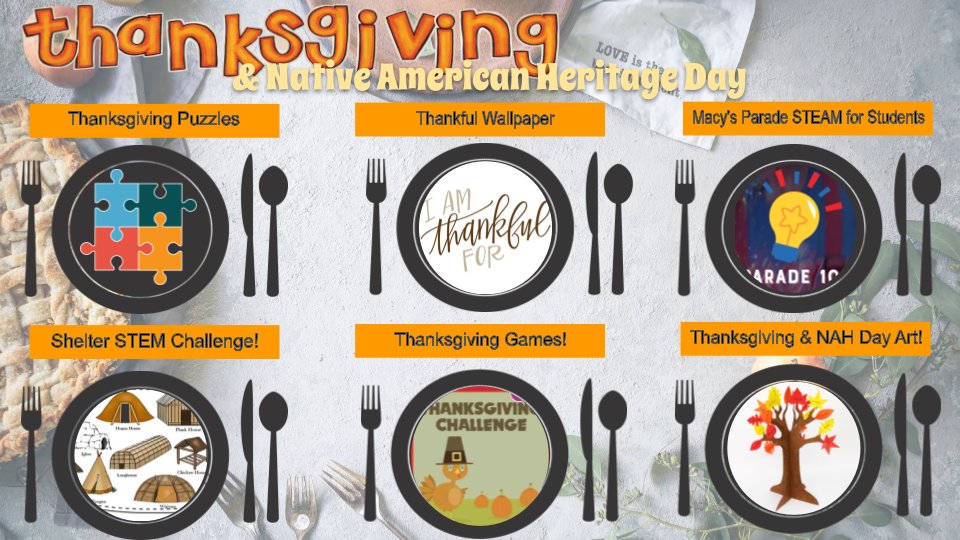
Check out my choice board for Thanksgiving/Native American Heritage Day: https://t.co/j8tLv5pgRH
In the spirit of giving, make a copy: https://t.co/0YzFzgiXi5 :)