Hot take: retained-mode was a premature optimization.
We built Membrane using rust and egui and never looked back. When our IDE was react-based we had to worry about reflows and re-renders. With immediate-mode every frame is a re-render! But it only takes 900us
@freetonik@membraneio Ok here it is. Each element in the UI is "linked" to the data it came from (hold shift while hovering). You can see it at the bottom-left corner. From there, you can grab any piece of data and use it from a program. Video doesn't show it but views are computed from JSX
@freetonik Glad you liked it! I read your article. You called out the fact that semantics get loss when data gets transformed to a bunch of divs. I wanted to send you a quick video of our new UI system because fixing that is one of the reasons I built @membraneio
Just ran into this table of divisors in wikipedia and thought it was neat how clearly it shows why we have 24 hour days, 60min hours, 360 degree circles, etc. These are the easiest numbers to divide
@refactorordie Check out this one I just found. Towards the end it shows how you can play with the API right from the HUD to, for example, modify a google doc
@geoffreylitt's HUD metaphor is incredibly powerful.
This prototype falls in that category. With one click, you'd get an "API view" of a website, which you could then drag-and-drop onto your code to get programmatic access. It worked on other websites too! (not just GitHub)
# Enough AI copilots! We need AI HUDs
IMO, one of the best critiques of modern AI design comes from a 1992 talk by the researcher Mark Weiser, where he ranted against "copilot" as a metaphor for AI.
33 years ago, but still incredibly relevant for anyone designing with AI...
Weiser was speaking at an MIT Media Lab event on "interface agents". They were grappling with many of the same issues we're discussing in 2025: how to make a personal assistant that automates tasks for you and knows your full context. They even had a human "butler" on stage representing an AI agent.
Everyone was super excited about this... except Weiser. He was opposed to the whole idea of agents!
He gave this example: how should a computer help you fly a plane and avoid collisions?
The agentic option is a "copilot" — a virtual human who you talk with to get help flying the plane. If you're about to run into another plane it might yell at you "collision, go right and down!"
Weiser offered a different option: design the cockpit so that the human pilot is naturally aware of their surroundings. In his words: "You’ll no more run into another airplane than you would try to walk through a wall."
Weiser's goal was an "invisible computer"—not an assistant that grabs your attention, but a computer that fades into the background and becomes "an extension of [your] body".
There's a tool in modern planes that I think nicely illustrates Weiser's philosophy: the Head-Up Display (HUD), which overlays flight info like the horizon and altitude on a transparent display directly in the pilot's field of view.
A HUD feels completely different from a copilot! You don't talk to it. It's literally part invisible—you just become naturally aware of more things, as if you had magic eyes.
## designing HUDs
OK enough analogies. What might a HUD feel like in modern software design?
One familiar example is spellcheck. Think about it: spellcheck isn't designed as a "virtual collaborator" talking to you about your spelling. It just instantly adds red squigglies when you misspell something! You now have a new sense you didn't have before. It's a HUD.
(This example comes from Jeff Heer's excellent Agency plus Automation paper. We may not consider spellcheck an AI feature today, but it's still a fuzzy algorithm under the hood.)
Here's another personal example from AI coding. Let's say you wanna fix a bug. The obvious "copilot" way is to open an agent chat and ask it to do the fix.
But there's another approach I've found more powerful at times: use AI to build a *custom debugger UI* which visualizes the behavior of my program. (https://t.co/bzyaI4q5jM)
With the debug view, I have a HUD! I have new senses, I can see how my program runs. The HUD extends beyond the narrow task of fixing the bug. I can ambiently build up my own understanding, spotting new problems and opportunities.
Both the spellchecker and custom debuggers show that automation / "virtual assistant" isn't the only possible UI. We can instead use tech to build better HUDs that enhance our human senses.
## tradeoffs
I don't believe HUDs are universally better than copilots! But I do believe anyone serious about designing for AI should consider non-copilot form factors that more directly extend the human mind.
Hmm so when should we use one or the other? TBH I think it's super tricky, but we can try to use the airplane analogy for some intuition:
When pilots just want the plane to fly straight and level, they delegate that task to a "virtual copilot" autopilot system. But if the plane just hit a flock of birds and needs to land in the Hudson, the pilot is gonna take manual control, and we better hope they have great instruments that help them understand the situation.
In other words: routine predictable work might make sense to delegate to a virtual copilot / assistant. But when you're shooting for extraordinary outcomes, perhaps the best bet is to equip human experts with new superpowers...
@refactorordie@tbdr We had to remove it from the Chrome Marketplace due to a change in our API that broke it and haven't had the time to fix it. We will bring it back though! It makes the Web significantly more programmable
This was pre-LLMs so one big issue was that not all websites have semantic information in their markup that could be used to map it to their corresponding API resource. I think LLMs could help here
Hot take: retained-mode was a premature optimization.
We built Membrane using rust and egui and never looked back. When our IDE was react-based we had to worry about reflows and re-renders. With immediate-mode every frame is a re-render! But it only takes 900us
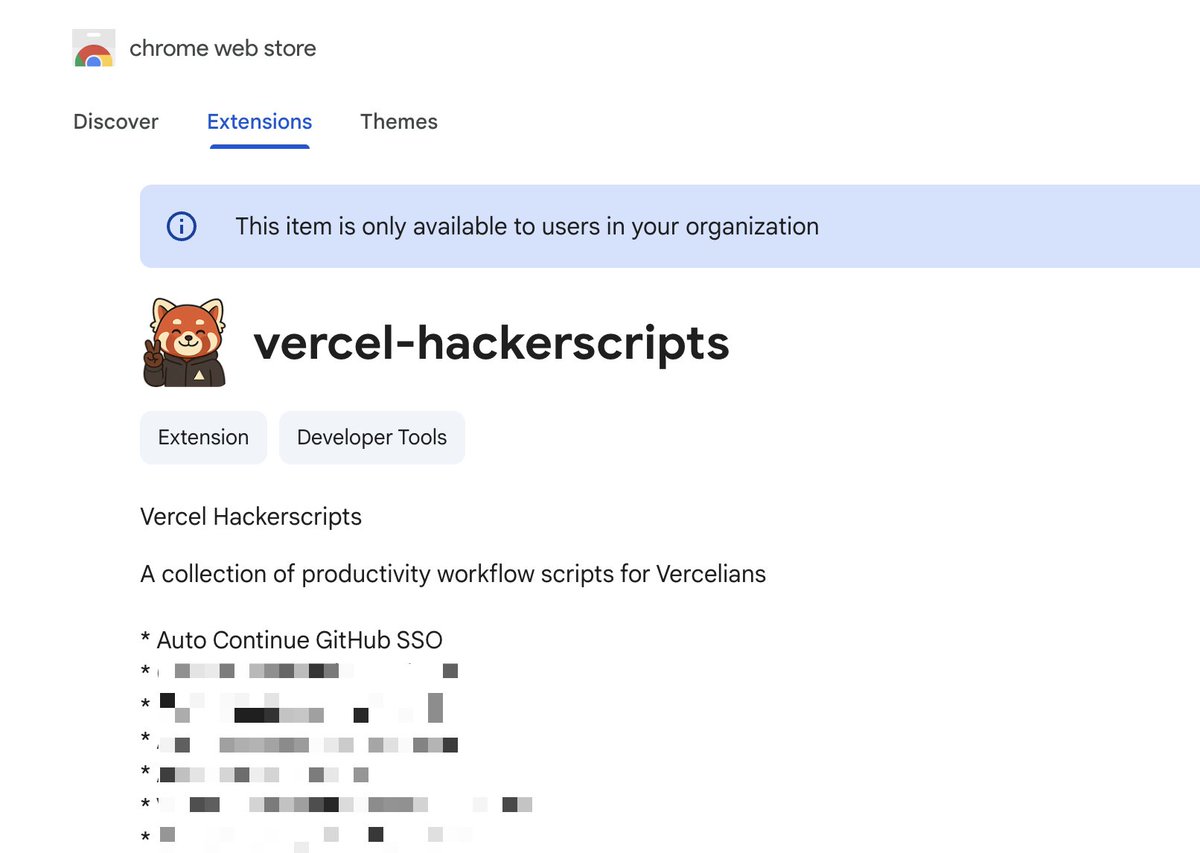
We have a "Reddit Enhancement Suite" but for the entire web at @vercel. A chrome extension that solves all kinds of papercuts in the tools we use daily. You can just fix (other people's) things 😁
@refactorordie It is! It’s so satisfying to have an instantaneous feedback loop and also not having to worry about data loading. The missing piece is the ability to share boards with others (i.e. your team) but that’s coming next
Want to try a brand new way of building UIs?
Our dashboard is out now and it makes building utilitarian UIs very quick and easy. It's great for internal tools, admin panels, personal utilities, etc.
You (alongside Brane🤖) write JSX, but the whole thing runs on our Rust-based rendering stack that keeps every interaction buttery smooth.
What makes it different than anything else is that there's a direct correspondence between a ui element, the data it uses, and the code that generated it. So you can quickly jump around to make tweaks as needed.
We're launching our new dashboard UI in a few hours and it's honestly quite insane:
- JSX but rendered in Rust+Egui (immediate mode)
- Instant feedback loop on every keystroke
- Semantically aware UIs (so AI can work alongside)
We're aiming to provide the ideal tool to build utilitarian applications (think internal tools, automations, etc)
But there's more!
- Brane: our new assistant that can interact with anything on your graph as well as write Membrane code, including the dashboard.
- Database drivers for postgres, mysql and mssql (for when durable javascript objects are not enough)
- Membraney auto-completion
- A myriad of other improvements on top of our existing durable javascript runtime
Stay tuned for the launch later today!





![geoffreylitt's tweet photo. # Enough AI copilots! We need AI HUDs
IMO, one of the best critiques of modern AI design comes from a 1992 talk by the researcher Mark Weiser, where he ranted against "copilot" as a metaphor for AI.
33 years ago, but still incredibly relevant for anyone designing with AI...
Weiser was speaking at an MIT Media Lab event on "interface agents". They were grappling with many of the same issues we're discussing in 2025: how to make a personal assistant that automates tasks for you and knows your full context. They even had a human "butler" on stage representing an AI agent.
Everyone was super excited about this... except Weiser. He was opposed to the whole idea of agents!
He gave this example: how should a computer help you fly a plane and avoid collisions?
The agentic option is a "copilot" — a virtual human who you talk with to get help flying the plane. If you're about to run into another plane it might yell at you "collision, go right and down!"
Weiser offered a different option: design the cockpit so that the human pilot is naturally aware of their surroundings. In his words: "You’ll no more run into another airplane than you would try to walk through a wall."
Weiser's goal was an "invisible computer"—not an assistant that grabs your attention, but a computer that fades into the background and becomes "an extension of [your] body".
There's a tool in modern planes that I think nicely illustrates Weiser's philosophy: the Head-Up Display (HUD), which overlays flight info like the horizon and altitude on a transparent display directly in the pilot's field of view.
A HUD feels completely different from a copilot! You don't talk to it. It's literally part invisible—you just become naturally aware of more things, as if you had magic eyes.
## designing HUDs
OK enough analogies. What might a HUD feel like in modern software design?
One familiar example is spellcheck. Think about it: spellcheck isn't designed as a "virtual collaborator" talking to you about your spelling. It just instantly adds red squigglies when you misspell something! You now have a new sense you didn't have before. It's a HUD.
(This example comes from Jeff Heer's excellent Agency plus Automation paper. We may not consider spellcheck an AI feature today, but it's still a fuzzy algorithm under the hood.)
Here's another personal example from AI coding. Let's say you wanna fix a bug. The obvious "copilot" way is to open an agent chat and ask it to do the fix.
But there's another approach I've found more powerful at times: use AI to build a *custom debugger UI* which visualizes the behavior of my program. (https://t.co/bzyaI4q5jM)
With the debug view, I have a HUD! I have new senses, I can see how my program runs. The HUD extends beyond the narrow task of fixing the bug. I can ambiently build up my own understanding, spotting new problems and opportunities.
Both the spellchecker and custom debuggers show that automation / "virtual assistant" isn't the only possible UI. We can instead use tech to build better HUDs that enhance our human senses.
## tradeoffs
I don't believe HUDs are universally better than copilots! But I do believe anyone serious about designing for AI should consider non-copilot form factors that more directly extend the human mind.
Hmm so when should we use one or the other? TBH I think it's super tricky, but we can try to use the airplane analogy for some intuition:
When pilots just want the plane to fly straight and level, they delegate that task to a "virtual copilot" autopilot system. But if the plane just hit a flock of birds and needs to land in the Hudson, the pilot is gonna take manual control, and we better hope they have great instruments that help them understand the situation.
In other words: routine predictable work might make sense to delegate to a virtual copilot / assistant. But when you're shooting for extraordinary outcomes, perhaps the best bet is to equip human experts with new superpowers...](https://pbs.twimg.com/media/Gw40mIsXsAA0Eyw.jpg)