@MagicPathAI Learn how to use MagicPath inside Cursor:
https://t.co/10VNvNMoG8
or use MagicPath with the Codex browser through our official plugin:
https://t.co/WtBVM6JEmT
MagicPath is now available as an official plugin for Cursor.
Give Cursor an infinite canvas where you can view and edit interactive code, build apps that are instantly sharable. Use your local files, skills, etc.
And with Composer 2.5 you can design at the speed of thought ⚡️
@designertom@skirano@MagicPathAI The last line is worth reiterating, by allowing agents access you actually increase human touch points / usage...at least that's what we've seen.
DESIGN.md is how we work with agents now, but a text file is a terrible way for a human to make a visual decision.
So we built our preview to give some of that control back: edit the file as text or pick colors visually, and the two stay in sync.
And swatches sit on the actual light and dark backgrounds because color only means something in the context you'll see it in.
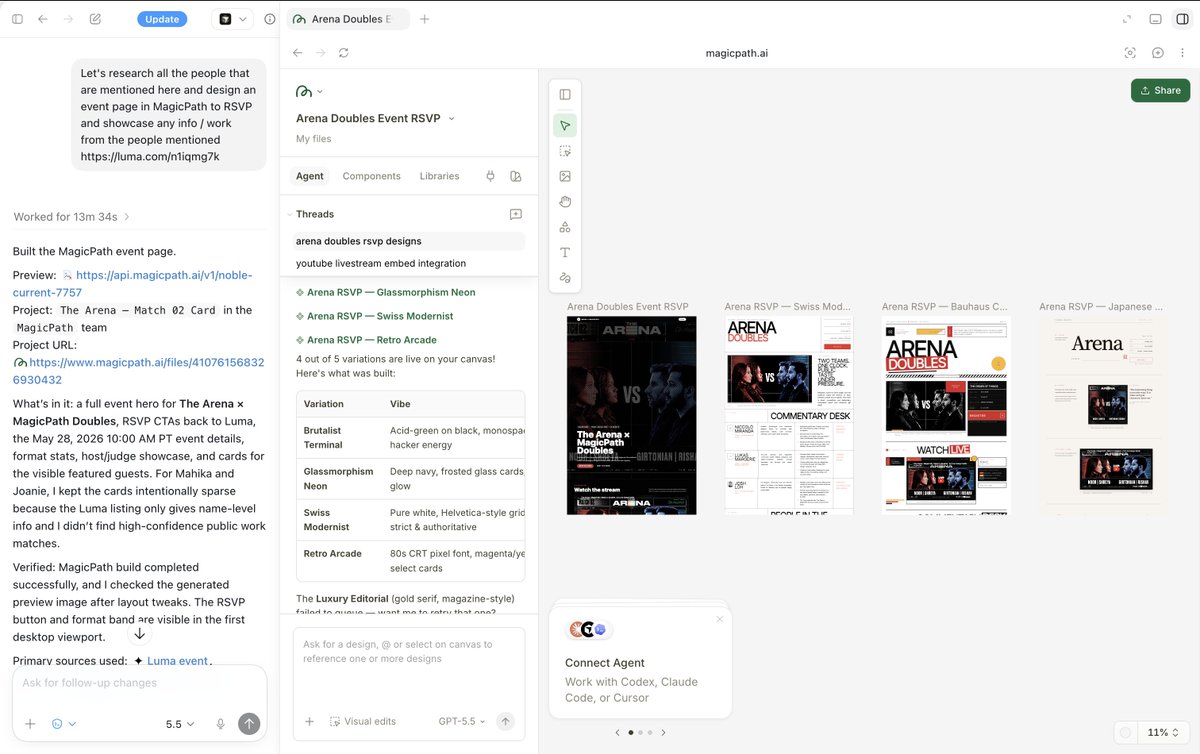
Workflow: Codex (research everyone mentioned & use the details to design an event page in MagicPath) > MagicPath (give me variations that play on different design themes)...