Our AI Helper just got better at creating new boards and templates: although it looks the same as before, behind the scenes it now can do Web searches to find relevant material to use for building what you need.
#AI#kanban#scrum#taskmanagement#lean#agile
We have made substantial improvements to the previously released AI Helper to make it more useful for anyone who wants to start a new Task Board or Template.
Learn more at https://t.co/AUryyAbOBG
#AI#Kanban#taskmanagement#agile#Scrum
Don't hunt for updates. Let them find you. 🕵️♂️➡️💡
Kerika's Smart Highlights show you exactly what changed since you last looked:
🔶 New tasks
🔶 New comments
🔶 Rescheduled dates
🔶 New files
See how to catch up in seconds: https://t.co/CmWIT5Q2Qh
#Kerika#Workflow#Kanban
Complicated task management kills productivity. 📉
Kerika makes it easy:
✅ Start with simple boards
✅ Scale up to complex projects
✅ Manage roles (Admins vs. Visitors)
✅ Use Templates to launch fast 🚀
See how it works: https://t.co/uJb7haSIoX
#Kanban#TaskManagement
Is your remote team using the right tools? 🛠️
Kerika puts your entire office in the browser:
📌 Kanban & Scrum Boards
🎨 Creative Whiteboards
🔐 Automatic File Security
📅 Smart Dashboards
See the all-in-one solution: https://t.co/zxw635Sihk
#RemoteWork#WFH#Productivity
Love Box? You need Kerika. 🚀
Turn your files into workflows with deep integration:
🔐 Sign in with your Box account
📝 Create Box Notes inside tasks
🔄 Auto-sync file permissions (No more manual sharing!)
📊 Kanban & Whiteboards
See how it works: https://t.co/qV2lcm3dmo
Kerika gives you Kanban, Scrum, and Whiteboards that live inside your Microsoft ecosystem.
☁️ Files stored in YOUR OneDrive
🔐 Auto-managed permissions
📅 Syncs with Outlook
🆔 Microsoft SSO
See the integration in action: https://t.co/PUDP2p5dSC
Your team can do more than just list tasks. They can visualize them. 📊
With Kerika, you get:
🔹 Kanban Boards for workflow
🔹 Whiteboards for ideas 💡
🔹 Auto-sharing with Google Drive 📂
🔹 Zero email clutter 📧🚫
See how it works in 2 minutes: https://t.co/bWQ3YoIhP4
5 ways to view your work in Kerika (without opening a single board):
1️⃣ What's New & Updated
2️⃣ What's Assigned to Me 👤
3️⃣ What Needs Attention ⚠️
4️⃣ What Got Done ✅
5️⃣ What's Due 📅
See how the Dashboard works: https://t.co/Xoa7Uq3gu7
#Kerika#Productivity#Workflow
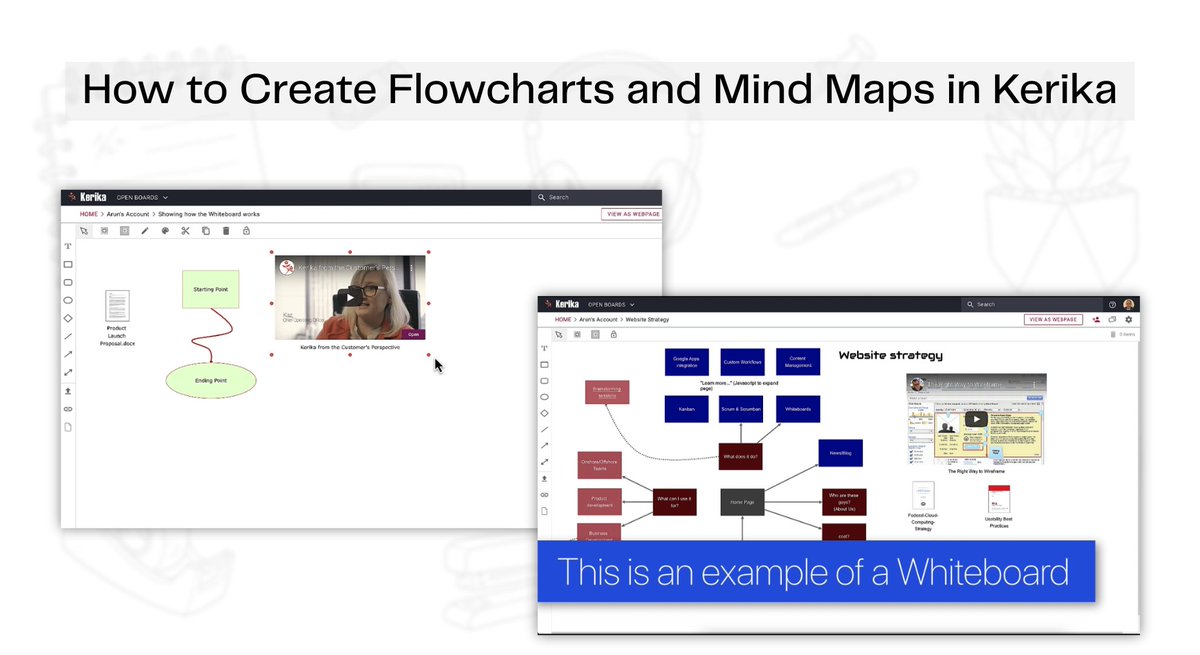
Stop brainstorming in text documents. 📄 ➡️ 🎨
The Kerika Whiteboard lets you:
✅ Drag & drop files
✅ Embed YouTube videos & Tweets
✅ Draw custom process flows
✅ Create nested boards for deep-dives
See it in action: https://t.co/0ASlQFwKqD
#Kerika#Whiteboard
Navigating a Kerika Board as a Guest or Visitor ✏️
With Kerika's Visitor role, guests can:
✅ View the full workflow
✅ Read task details & chats
✅ Download attachments
❌ But they can't change a thing.
See how it works: https://t.co/gLkgDcLWnj
#Kerika#WorkManagement
Everything you need, right at your fingertips. 👆
Your Kerika Home Screen is built for speed:
⭐ Pin boards to Favorites
🔍 Search across ALL projects instantly
⚙️ Manage your Profile & Settings
Take the quick tour: https://t.co/R0qzn4fR1W
#Kerika#Productivity#Workflow
Turn your plans into action with Kerika. ⚡️
1️⃣ Pick a Template
2️⃣ Add Checklists & Files 📝
3️⃣ Invite your Team 🤝
4️⃣ Assign Tasks 👤
See how easy it is to manage your workflow visually: https://t.co/RyTp7cxwEH
#Kerika#Productivity#WorkManagement
How to Create and Manage Boards in seconds. ⏱️
The Kerika Home Screen makes it easy to:
✅ Spin up new Task Boards or Whiteboards
⭐️ Organize your Favorites
🗄️ Archive old projects
Take the quick tour: https://t.co/TofPzlogIK
#Kerika#Productivity#Workflow
Need a board for a Design Sprint? Marketing Campaign? HR Hiring? 🤔
Don't build it from scratch. Use a Kerika Template. ⚡️
✅ Pre-set columns
✅ Example tasks included
✅ Ready in seconds
See how it works: https://t.co/bsL6XXTG0K
#Kerika#Productivity#Workflow
Your Kerika Home Screen does more than you think! 🧠
✅ Dashboard: See all your deadlines in one view.
✅ Search: Find tasks & files instantly.
✅ Sync: Link your personal calendars.
✅ Support: Get help when you need it.
Watch the full guide here: https://t.co/PKHgdjuga0