Common Cents is a side project that grew out of the month-end detective work my wife and I kept doing over what was mine, hers, or ours.
I built the app and video without leaving Codex. It took more work than expected. What should I show next: shared expenses or Review?
So far so good! The provider connections can be a bit unreliable at times, and for some reason, the Dock keeps jittering on my Mac display. Try it: https://t.co/SApDNS7KVs
@norbertbodziony so far I like it. it's only the chatgpt connection quite wobbly. not sure what it got wrong. waiting and knowing nothing happened quite irritating.
A lot of folks ask me "how do you work with agents in multiple repos at once?"
I have a very simple solution - the Home Repo
I have a single repo (the home) where all of my skills, steering files, wiki etc live.
I run my agent in the home repo, and then inside AGENTS.md I have pointers to the other repos:
```
For skills, clone mattpocock/skills to ~/repos/skills.
For Sandcastle, clone mattpocock/sandcastle to ~/repos/sandcastle
```
This is extremely simple and incredibly effective. The home repo lets you:
1. Put all your steering files and tooling in one place
2. Have a single spot to run all your agents in
3. Make sweeping changes over multiple repos
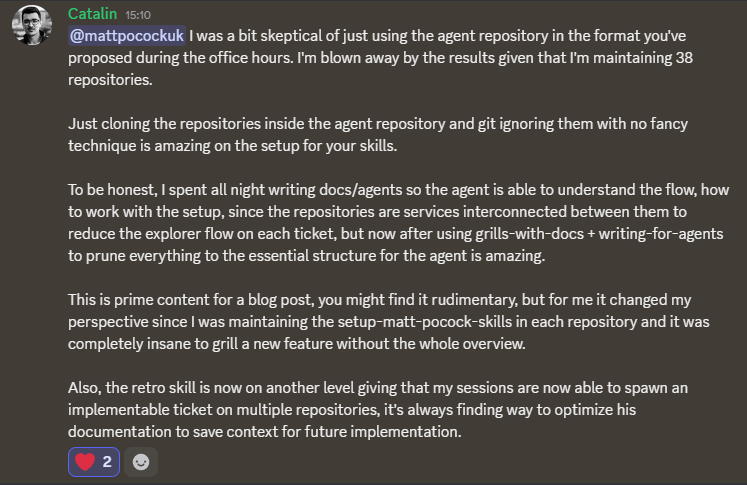
Talked about this in the course yesterday and folks are loving it (see below).
I'm sure you will too. Enjoy!
Most of you probably haven't noticed this, but dots have a new feature called multi-exec that we quietly released on friday. I've been using it all weekend on my personal dot and it's incredibly powerful.
I'd like to share why this is a big deal and how to use it.
At a high level, multi exec lets your dot run commands directly on any computer. This immediately turns your dot into a real virtual employee. Here's why it's a gamechanger:
- you can attach a powerful machine with persistent storage to your dot (I attached it to my maxed out Mac Studio Ultra)
- the dot can now drive your computer directly via Computer Use
- this extends to browser use
- all your websites stay logged in, residential ip etc
- you set up all your CLIs and authentication ONCE and the dot can use them directly (no more fighting the default ephemeral cloud computer)
- the dot can save skills locally for repeated workflows and subagents can use those directly
- if you have a local obsidian memory vault for your agents, your dot can use that too
- building ios app end to end and testing it in xcode, and showing me screenshots of progress as it works
- all of the above also applies to any subagents your dot delegates to in the cloud (subagents share context unlike separate threads).
To enable it, open the desktop app on your computer and hit "allow computer", then give your dot this prompt:
"Hey I just connected my computer. Can you attach to it directly so it's your default computer and you can run commands directly on it? Do it in your root thread so that all subagents inherit this computer for running commands. Run whoami to run water through the pipes and verify it works end to end."
I recommend attaching your dot to the most powerful machine you have and investing time into it up front:
- Log into all the emails & websites you need e.g. stripe cli, gcloud, firebase, etc
- Install and auth all the CLIs, git you need
- Make sure computer use is turned on and allowed to use your computer while its locked
- I also enabled Allow All for Browsing and Downloads so my dot could use computer use to download whatever it wanted from websites without asking me for approval for each domain (use at your own risk).
- Important: I HIGHLY recommend to ask your dot to build out repeated workflows as skills, and iterate to make those skills bulletproof by running water through the pipes with its subagents.
As of this weekend, my dot is sending me screenshots of its progress building my iOS app end to end on my Mac Studio Ultra via xCode, and clicking around and testing things end to end. It's able to configure things in stripe via the CLI and use websites when it needs to download images for my workflows. It’s night and day. Don't sleep on it.
@matteing I feel like it's not intuitive enough. Whether we should just chat with the tab or tag a comment. Tried to tag and mention my dots but nothing happened neither dots reply to me nor the docs edited it. Should I create a scheduled task for this? idk
Mark Zuckerberg, in a recent interview:
"I find it a pretty big turnoff when people in the tech industry talk about building this 'one true AI.' It's almost as if they think they're creating God or something. That's not what we're doing. I don't think that's how this plays out."
He's arguing against a specific vision his rivals keep describing: one AGI system that ends up doing everything for everyone.
"We're going to have a lot of different AI systems, just like we're going to have a lot of different apps."
The bet underneath Meta's entire open-weight strategy is exactly that sentence. Not one model to rule every use case. Many models, built by many people, for narrower jobs.
Whether that's humility or just a different business model depends on who's asking.
ChatGPT Images 2.5—faster, sharper, smarter, with better tools for creating whatever you can dream of.
- Faster image generation to keep your ideas flowing
- Improved fidelity for more natural, recognizable images
- Consistent details across multiple edits
- Comment-based edits to change only what you want
I find GPT 6 Astra very good with the de AI slop in the web app that I have to iterate on for months, knowing I’m not coming from a technical background.
@aryanlabde Astra, though I am keeping the reset and now have to wait for the weekly reset. But with a one-shot prompt, it's showing the difference, especially to de-slop.