4/ Agent-Reach — Your AI agent is smart but it is blind. It cannot see X, Reddit, YouTube, GitHub, or Hacker News unless you copy paste everything manually. This gives your agent eyes.
It browses all of them in real time. Pulls data for research, content, and automation. No paid APIs. No hidden costs. Just plug it in and your agent can see the internet.
https://t.co/N3CRdDyhVk
Matt Pocock largou uma aula de 21 minutos sobre Como Criar Skills pro Claude Code, de graça, aula exibida na AI Engineer World's Fair 2026:
00:49 o problema tem nome: skill hell
02:08 o checklist de 4 eixos, visão geral
03:16 eixo 1: gatilho, quem aciona a skill
07:28 eixo 2: estrutura, passo e referência
11:53 eixo 3: direcionamento, leading words
16:47 eixo 4: poda, os 5 jeitos de dar errado
19:57 a skill que audita tudo isso
Essa aula sozinha cobre mais que a maioria dos threads soltas de "prompt engineering pra Claude Code" que você já viu por aí.
Salva, assiste hoje, legendado em português, depois lê o checklist completo dos 8 passos no artigo abaixo.
Anthropic engineer:
"You can build 5 assistants in one afternoon. Each one handles a task you've been doing manually every single day."
In 45 minutes he shows exactly how to do it from scratch, step by step.
Most people are still doing all of this by hand.
Watch the session, then save the guide below.
Thinking about a workflow like this for helping prevent comprehension debt on a fast-moving repo:
Fast-moving repo w/lots of changes
-> once per day/week, grab a diff of the changes
-> feed it to an LLM to output a podcast transcript, focusing on the 'why' of what changed more than the 'what
-> feed the podcast transcript to a TTS API
-> publish to a private podcast feed
-> listen on your commute/morning run/lunch break
I'm doing this for my personal wiki, which ingests from X/Slack/Discord/Gmail, and it's super-efficient for keeping me in the loop.
One clarification for folks using /wayfinder:
The flow for big work should be:
/wayfinder -> /to-spec -> /to-tickets -> /implement
Once the /wayfinder map is complete, you turn it into a spec.
Some folks are using /wayfinder as the ENTIRE flow - from grilling to prototyping to shipped work
It certainly can be used that way - I've been doing that for non-coding stuff like course creation.
But for coding I much prefer creating a spec and handing off implementation to an AFK agent. Means I can focus on other things for a bit while it churns away.
I'll be putting all of this in an upcoming tutorial. Thanks for all the great feedback on v1.1. v1.2 is in the works and looking good.
🚨 BREAKING: Claude has a feature called ADHD Executive Function Mode.
You can use it to hack your brain’s dopamine and finish a week’s worth of work in 4 hours.
Here are 7 prompts to access it: 👇
Hello beautiful people! We have reset usage limits across Codex and ChatGPT Work. And another one will come later in the day. Rejoice.
Now that I have your attention, a quick update on ChatGPT Work, Codex and all the updates we shared yesterday.
We’ve spent the last 24 hours reading feedback, looking at usage patterns, and talking with many of you. The short version is that there is a *lot* of excitement for GPT 5.6 Sol, ChatGPT Work on mobile & web, but also that we didn't get everything quite right.
- We made it too easy to use the highest-compute settings without making the impact on usage limits sufficiently clear.
- We reorganized the desktop app in one bold move, making familiar things like chats and projects harder to find.
- Our launch framing was focused on ChatGPT Work and to some of our Codex fans it made it feel like Codex was going away over time. Absolutely not our intention, we love Codex and it is here to stay.
- And we introduced regressions for some existing multi-agent workflows, alongside a collection of rough edges in plugins and other parts of the experience.
We’re landing a first set of improvements today. We’re resetting usage twice so people can keep experimenting, changing defaults and the model picker so they don’t push people toward unnecessarily expensive settings, fixing several plugin submission issues, improving how we represent Codex in the product, and cleaning up some of the most immediate desktop problems.
A larger set of improvements will land next week. We’re bringing chats and projects back into the sidebar in a more familiar and customizable way, making usage and reset timing much more visible, clarifying when to use ChatGPT Work and when to use Codex, and addressing the many other smaller pieces of great feedback we've had.
The ambition behind this launch hasn’t changed. We think bringing ChatGPT and Codex together into a workspace where people and agents can collaborate is a very important step forward. But an ambitious direction doesn’t excuse avoidable confusion or regressions in the first version.
Please keep the feedback coming. We’re moving quickly, and you should see the experience already get better with a few updates today; and substantially better again next week.
He works on Codex inside the $852,000,000,000 company that just shipped GPT-5.6 Sol.
instead of keeping the workflow OpenAI wrote a whole blog post about, he quietly open-sourced it.
Jason Liu. Creator of Instructor - the library OpenAI cited as inspiration for structured outputs.
'personal-monorepo-template' - his personal vault that turns Codex into a chief of staff with permanent memory:
→ remembers every project, experiment and person you work with: plain folders, no vector database
→ repo-local skills your agent loads into every session
→ a write-like-me skill built from your sent emails and slack: it starts writing like you
→ daily 9am and 4pm check-ins it runs without being asked
a human chief of staff costs $150k a year. this one is a git clone.
122 stars. almost nobody has seen it.
bookmark this. your codex setup levels up from here.
Over the last month, I burned over $200k in tokens with gpt-5.6-sol. I built a lot.
Instead of just reacting to the benchmarks, news, tweets, etc, I went a different route. This video is an overview of all the cool shit I built using the new model.
Proper review coming soon™
New in Claude Code: /checkup
Run /checkup to:
1. Clean up unused skills/MCPs/plugins and save context
2. Dedup your local CLAUDE.md against the checked in CLAUDE.md
3. Break up root CLAUDE.md into nested CLAUDE.md's + skills
4. Turn off slow hooks
5. Update your Claude Code to the latest version
6. Enable auto mode by default
7. Pre-approve frequently denied read-only commands
.. And a few other goodies.
/checkup confirms with you before making any changes. Enjoy!
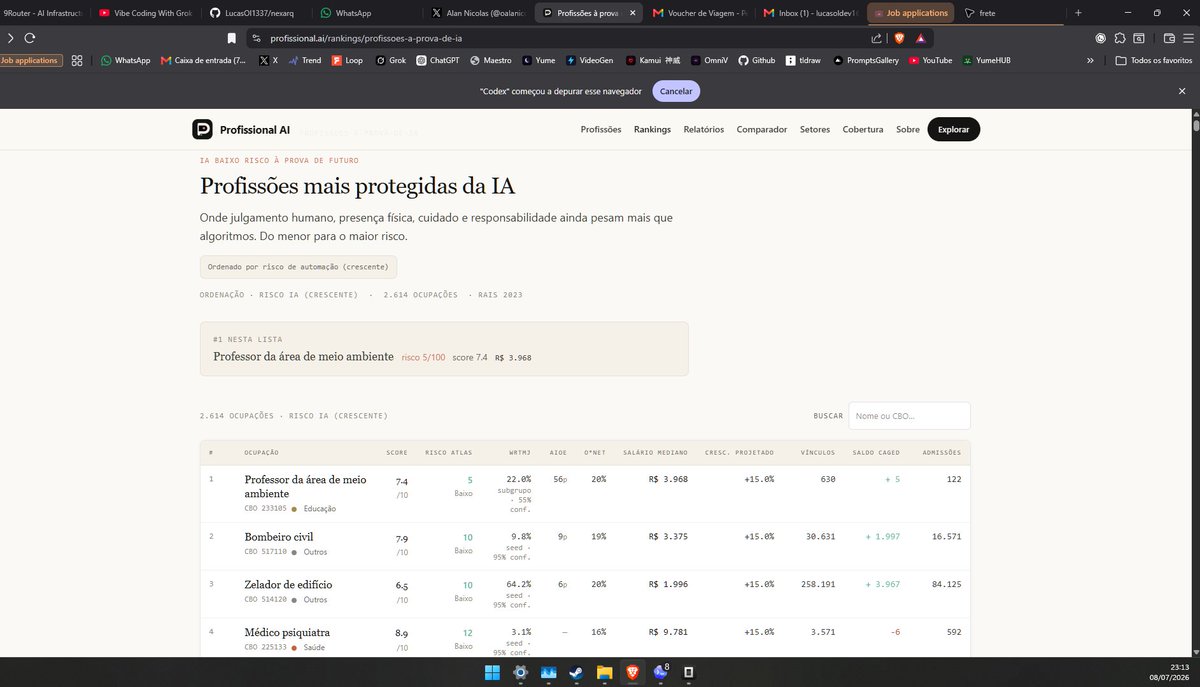
@oalanicolas faz bastante sentido a maioria do seu ranking, apenas o top 1 que nao faz menor sentido pois areas de professor/conhecimento a AI vai obliterar
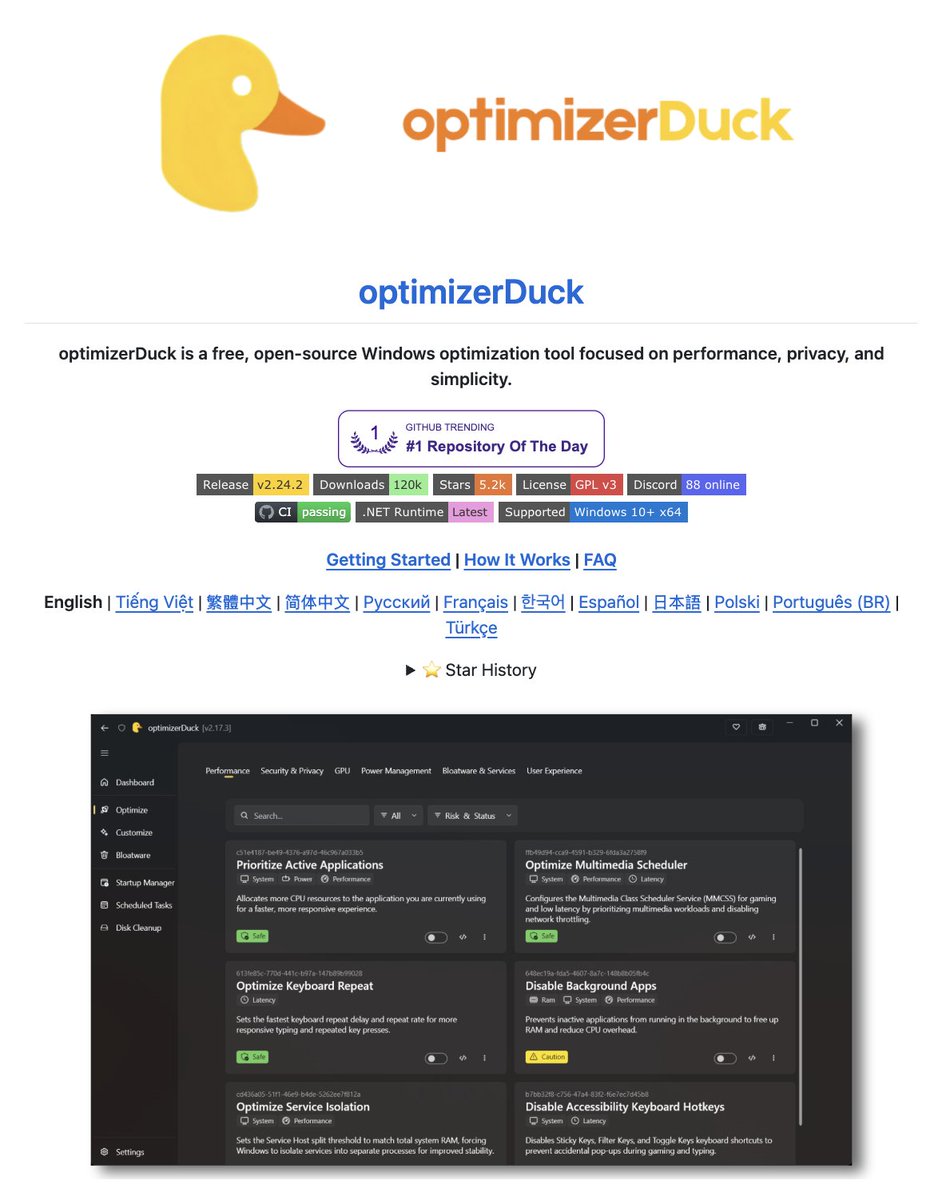
Windows has 200+ services running in the background right now.
Most of them exist to collect data on you.
Someone built a free, open-source tool that kills almost every anti-user decision Windows has shipped in the last five years.
Cortana. Copilot. Start menu ads. Telemetry. Location tracking. Suggested apps you never asked for.
Gone. One click. One 8MB .exe.
It's called optimizerDuck. The closest thing to "install Windows the way it should have shipped" I've seen.
→ 35+ optimizations across performance, privacy, GPU, power, services, UX
→ 200+ services you can toggle, each labeled low, medium, or high risk
→ vendor-specific GPU tuning for AMD, NVIDIA, and Intel
→ bloatware remover with a preview of what dies
→ every action gets a rollback file
→ prompts you to make a restore point before touching your system
No installer. No telemetry. No ads. No premium tier.
GPL v3. Runs offline. Windows 10/11 x64.
NVIDIA has lost it 🤯
One engineer from New Zealand built the free version of GeForce NOW with no cap and subscriptions.
It's called Steam-Headless, a docker container that turns your own PC into a personal cloud gaming server.
→ NVIDIA, AMD & Intel supported
→ Moonlight + Steam Link + noVNC
→ Heroic, Lutris, EmuDeck built-in
→ Runs on any box you already own
here's the wildest part:
put one 4090 in a closet. spin up four containers. every kid in the house has a gaming PC. no dual boot. no gaming laptop. no $240/year GeForce Now.
4.1k stars. GPL-2.0. 100% open source
One of the best sites I have seen in a long time, the amount of creativity in this one is insane ❤️
I couldn't find the designer who created this. If someone knows them, tag them
https://t.co/RXAexVIE71
Introducing <LoginWithChatGPT />
A simple SDK that lets your users log in with their ChatGPT account.
- Users bring their own ChatGPT subscription
- Tokens never touch the browser: HttpOnly cookie only
- Works with the Vercel AI SDK: streamText() straight from the client
- Open source, MIT licensed
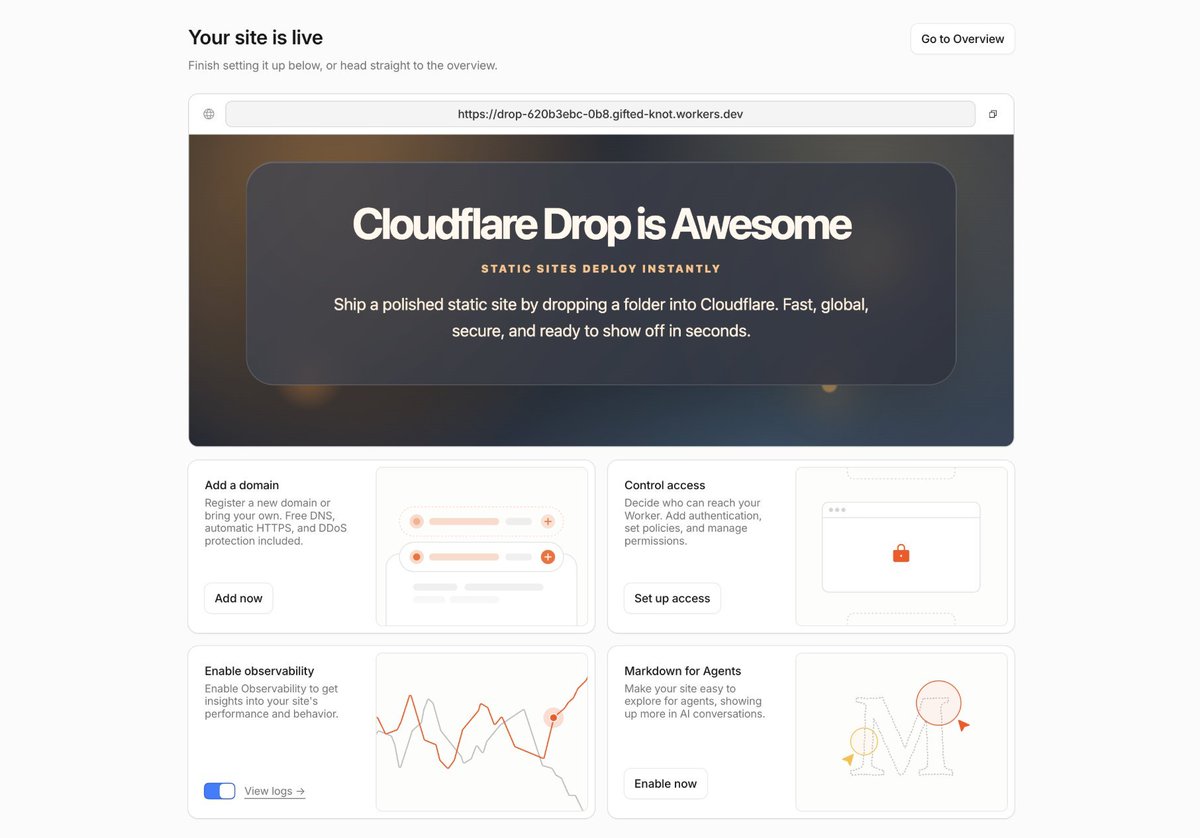
Introducing Cloudflare Drop
Drop your folder in the browser and deploy it instantly on Cloudflare. Your website... milliseconds away from users on region: earth
No account needed. Deployment is active for 60 minutes, then expires unless you claim it.
https://t.co/Dn6b1mggqs