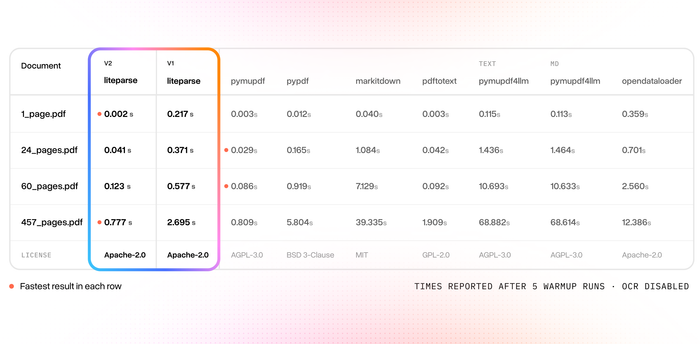
We built the fastest PDF -> markdown parser in the world 🚀⚡️
AND it’s more accurate than any other open-source, model-free parser (pymupdf4llm, opendataloader, pdf-inspector, markitdown) on 3 standardized benchmarks: olmOCR0-bench, opendataloader-bench, ParseBench
Introducing LiteParse v2.1. The v2 base version was already the fastest document->text parser on the planet, and with this new release we’ve introduced markdown.
It is fully open-source (Apache 2.0) and free, is usable from CLI/Rust/Node/Python/WASM, and is also installable as a one-click agent skill.
Check it out: https://t.co/7oFImAZeb2
Come check out LiteParse: https://t.co/JNER0mVcB8
We've created the world's fastest PDF parser ⚡️
And it's more accurate than any other open-source, model-free PDF parser out there (pymupdf, pypdf, markitdown, pdftotext, opendataloader, pymupdf4llm)
Introducing LiteParse v2 - we rewrote the entire library into Rust and adapted it as native packages for Python and Node.
It supports 50+ different document types, can be triggered directly or installable directly within your favorite AI agent.
Blog: https://t.co/ckb0G73ESs
Repo: https://t.co/JNER0mVcB8
if you want to design with AI agents, these skills are amazing
- impeccable https://t.co/Wcykv4uHwT
- taste https://t.co/rThOMA1z76
- layers https://t.co/VKFrJiCoBN
- superdesign https://t.co/cibZkPsd3D
I also made a plugin based on Refactoring UI (use for polish): https://t.co/hV6iVpBgqf
find more here: https://t.co/5LJs9brXDv
Prop firms profit from slippage they never show you.
Every fill on Propr displays a breakdown with best bid, fill price, and slippage calculated by walking Hyperliquid's order book at execution.
If your prop firm hides slippage stats, ask why.
i cancelled $2,000/month in trading subscriptions
replaced every single one with open-source repos
here's the full stack:
1. TradingView Pro ($30/mo) → lightweight-charts
14K stars. by TradingView themselves. 45KB. free
https://t.co/Zj8BoF0kbj
2. Bloomberg Terminal ($2,000/mo) → fredapi + Claude
every macro dataset the Fed publishes. free API
https://t.co/QOsmACH9tB
3. backtest platform ($100/mo) → prediction-market-backtesting
NautilusTrader fork with Polymarket + Kalshi adapters
https://t.co/ezKB2PSBUq
4. real-time dashboard → polyrec
terminal UI: Chainlink oracle, Binance feed, orderbook depth
70+ indicators. auto CSV logging. strategy backtester
https://t.co/fYj5aFUTS4
5. bot framework (7 strategies) → Polymarket-Trading-Bot
53K lines TypeScript. arbitrage, momentum, market making,
AI forecast, whale copy-trade, convergence
https://t.co/xNSLjlIEZd
6. strategy reverse engineering → polybot
execution + market data infrastructure. paper trading
Kafka, ClickHouse, Grafana. full analytics pipeline
https://t.co/s3fjSwXV6z
7. paper trading for AI agents → polymarket-paper-trader
real order books. exact fee model. slippage tracking
your Claude agent gets $10K paper money and trades
https://t.co/oXMxD9uhKI
8. token savings → rtk
CLI proxy. cuts Claude Code tokens by 60-90%
Rust. single binary. 10 AI tools supported
https://t.co/WKnP7dfvuj
9. Claude Code itself ($200/mo) → goose
35K stars. by Block (Jack Dorsey). Rust
works with any LLM. full agent loop. free
https://t.co/md2P9CJ4Ia
10. wallet tracking + copy trading → Kreo
track top Polymarket wallets. auto copy trades
the only tool on this list i actually pay for
because it makes more than it costs
https://t.co/rVKQ107tBV
total before: ~$2,600/month
total now: $0 + Kreo
bookmark this. you'll need it
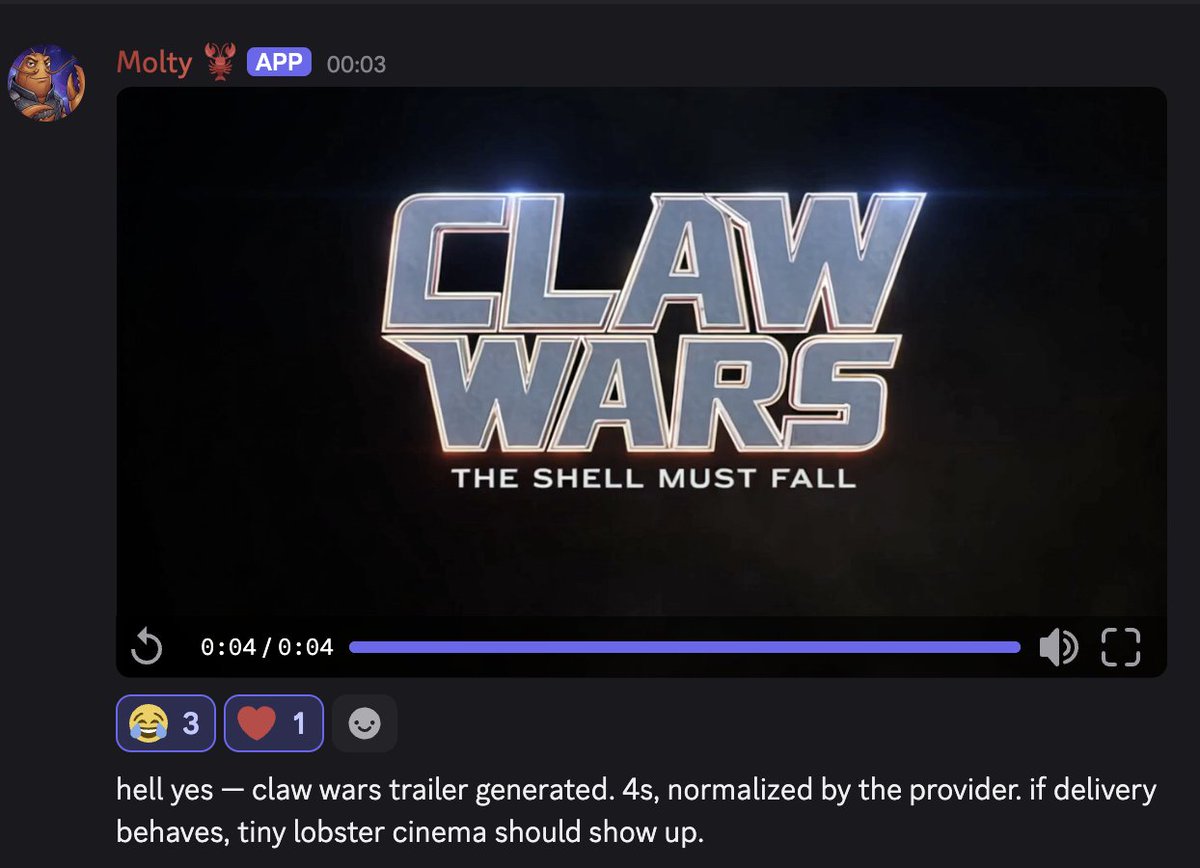
The next version of @OpenClaw comes with native video generation. To start, I added support for the following companies:
- Alibaba
- BytePlus
- fal
- Google
- MiniMax
- OpenAI
- Qwen
- Together
- xAI https://t.co/NeSp4shVEx
@BlackOpsREPL I agree, but doing what I can to soften the fallout.
You can also use the cli as model provider:
models auth login --provider anthropic --method cli --set-default
🔥 Figma Skills for Claude Code
Figma recently released a collection of Skills for Claude Code that allow Claude to take actions on the Figma canvas.
🔺 What exactly are Figma skills
Think of Figma skills as a collection of instructions that teach Claude Code how to interact with Figma and perform specific actions. Skills are [dot]md files (md stands for markdown) that contain the instructions.
🔺 How to install Figma Skills in Claude Code
The right way to install Figma skills is to install the Figma plugin, because the skills are included automatically with that setup. You can do it with the following command:
claude mcp add figma
🔺 What Figma skills can we use
There are two types of Figma skills: foundational and task-specific.
[slash]figma-use is an example of a foundational Figma skill. This skill teaches your Claude what Figma tokens, variables, styles, and components are and how to use them on the canvas. Most of the time, this skill is triggered automatically when Claude Code tries to perform tasks in Figma.
Task-specific skills are skills that are triggered on demand, either by you manually or by Claude Code automatically.
✅ 5 Examples of task specific Figma skills you can use
1️⃣ [slash]figma-generate-design : Create new designs in Figma using existing components and variables.
2️⃣ [slash]igma-generate-library : Create new components in Figma from a codebase.
3️⃣ [slash]apply-design-system : Connects existing Figma designs to published design system components.
4️⃣ [slash]audit-design-system : Audits Figma screens for design-system integration drift.
5️⃣ [slash]rad-spacing : Applies hierarchical spacing with variables and fallbacks.
📕 Complete guide to Figma skills below 👇
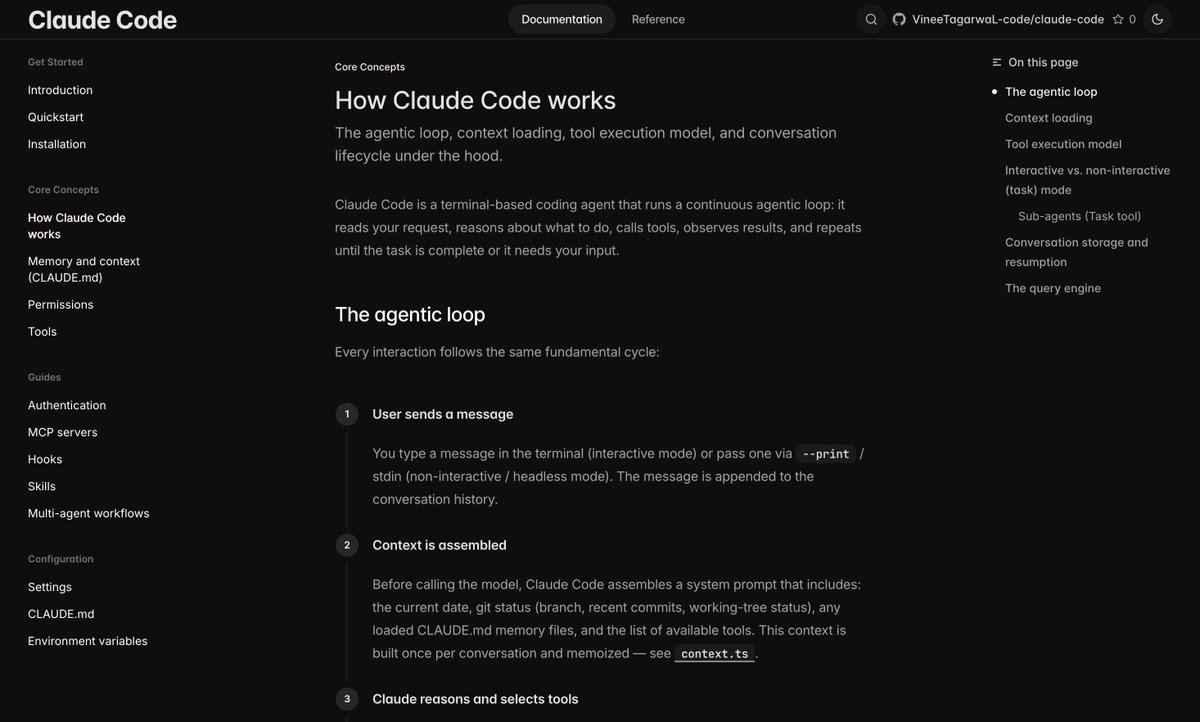
Claude Code's source code just got leaked, so I used Claude Code to study its own source code and compare it against Codex.
Interesting finds:
1. Claude Code has multiple silent mini-compaction events before global compaction kicks in. It silently compacts previous turns and tool calls to manage context size, to extend runway before you get stop-the-world compaction. This is a lot of the secret sauce of why long sessions feel so good.
2. Anthropic has special custom prompting changes that only activate for Anthropic employees. This includes: "Never claim 'all tests pass' when output shows failures." and "Keep text between tool calls to <=25 words." Worth adding these to your global claude.md, as they almost certainly have a ton of data that these improve performance.
3. Claude Code precomputes responses while the user is typing, to make response times feel magical and snappier. For simple responses like "yes," the harness starts processing your likely result before you ever hit enter.
4. Claude Code's interface is actually written in React, but then rendered to the terminal. Not typical for TUIs. Big part of why the memory footprint is so high?
I created documentation over Claude Code's Codebase, which explains
- Its pipeline
- How it works
- How it handles Context
- How it handles Memory
& More
Read it here - https://t.co/GngrSvWAmh
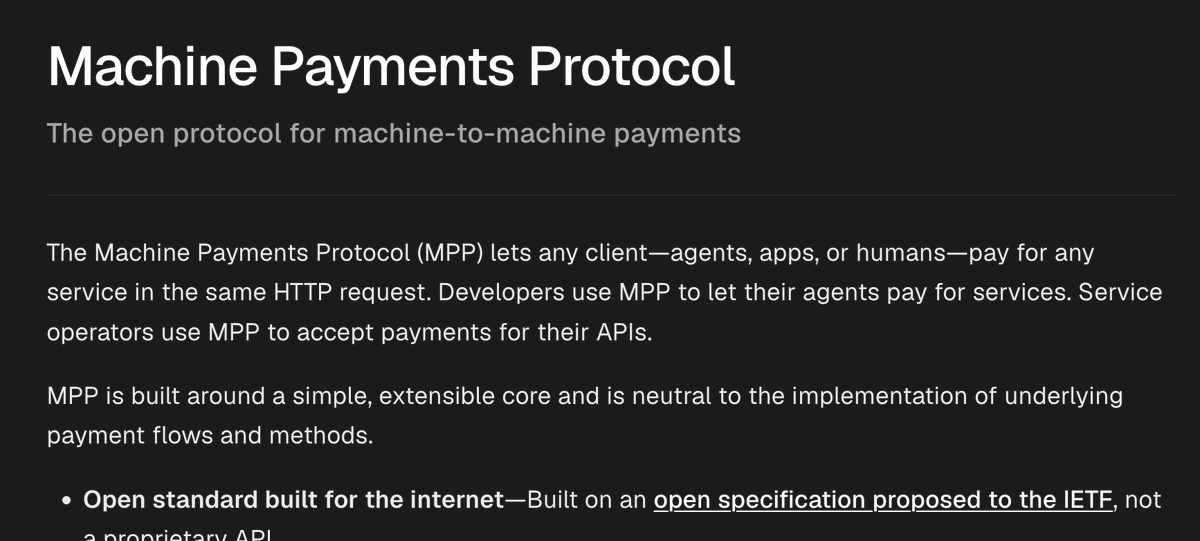
🚨 Tempo & Stripe just launched MPP which is a new open standard internet-native way for agents to pay and if you've been following x402 standard, this is gonna be v interesting
MPP is more of a superset of x402 imo
x402's exact flow maps directly onto MPP's charge intent, so existing integrations carry over but there are additions to it
What MPP adds:
→ Payment-method agnostic: stripe cards, @tempo stablecoins, custom rails, not just stablecoins on blockchain
→ Flexible billing models: one time charges, pay-as-you-go sessions, per token streaming, and payment channels, not just per-request
→ Agent native: purpose-built for LLM agents — session intents pre-authorize budgets for
sub-100ms latency and near-zero per-request overhead
→ Production-grade primitives: cryptographic challenges, credentials, and receipts exchanged over standard HTTP headers or MCP/JSON-RPC bindings
FYI there is no Facilitator component





![101babich's tweet photo. 🔥 Figma Skills for Claude Code
Figma recently released a collection of Skills for Claude Code that allow Claude to take actions on the Figma canvas.
🔺 What exactly are Figma skills
Think of Figma skills as a collection of instructions that teach Claude Code how to interact with Figma and perform specific actions. Skills are [dot]md files (md stands for markdown) that contain the instructions.
🔺 How to install Figma Skills in Claude Code
The right way to install Figma skills is to install the Figma plugin, because the skills are included automatically with that setup. You can do it with the following command:
claude mcp add figma
🔺 What Figma skills can we use
There are two types of Figma skills: foundational and task-specific.
[slash]figma-use is an example of a foundational Figma skill. This skill teaches your Claude what Figma tokens, variables, styles, and components are and how to use them on the canvas. Most of the time, this skill is triggered automatically when Claude Code tries to perform tasks in Figma.
Task-specific skills are skills that are triggered on demand, either by you manually or by Claude Code automatically.
✅ 5 Examples of task specific Figma skills you can use
1️⃣ [slash]figma-generate-design : Create new designs in Figma using existing components and variables.
2️⃣ [slash]igma-generate-library : Create new components in Figma from a codebase.
3️⃣ [slash]apply-design-system : Connects existing Figma designs to published design system components.
4️⃣ [slash]audit-design-system : Audits Figma screens for design-system integration drift.
5️⃣ [slash]rad-spacing : Applies hierarchical spacing with variables and fallbacks.
📕 Complete guide to Figma skills below 👇](https://pbs.twimg.com/media/HE0d6KrakAEhEaF.jpg)