The full list: https://t.co/MlcSsZHG0x
Inside: photo and video tools, storage cleaners, email, writing and notes, tabs, screenshots and demos, meetings, tasks and focus, privacy, AI and automation, build and ship, and desktop utilities.
One pick per job. No filler.
I spent a month researching the apps that actually move the needle in 2026.
My Best Apps of 2026: 50 picks worth your time, in 12 categories.
Calling out every team that made it over the next two weeks.
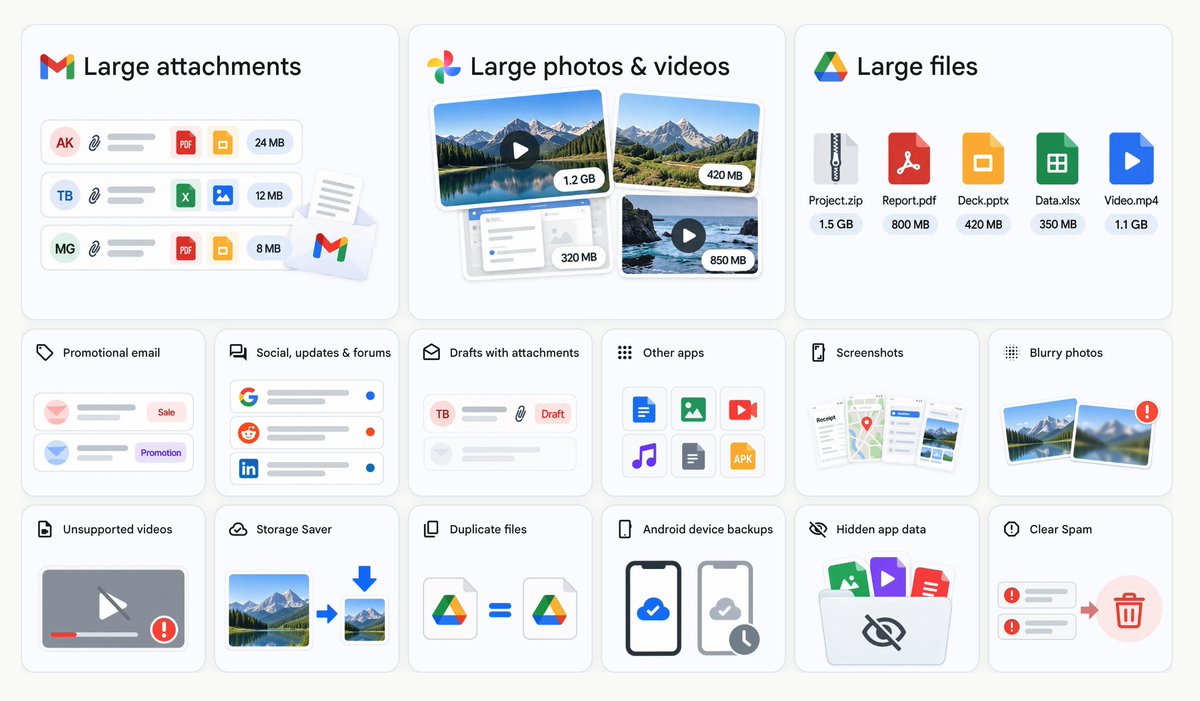
@poojaofficial5 When Gmail is out of storage, check the Google One breakdown before deleting random mail: Gmail, Drive and Photos share the same 15 GB. Clear the largest category and empty Trash. I make Google Storage Cleaner, which scans all three before you choose what to delete.
@SurapurRamesh@googlephotos For one photo, try Share → Download after checking device space and Photos permissions. For many photos, the app is the wrong surface. I make Batch for Google Photos for bulk download, edit and delete from the web library, so large exports don’t depend on saving 1 at a time.
@ghaff Those need two passes: newer photos by bursts and near-duplicates; old scans by filename, date and best-resolution version. I make Batch for Google Photos for bulk edit, delete and download, so the first pass happens across a set instead of one photo at a time.
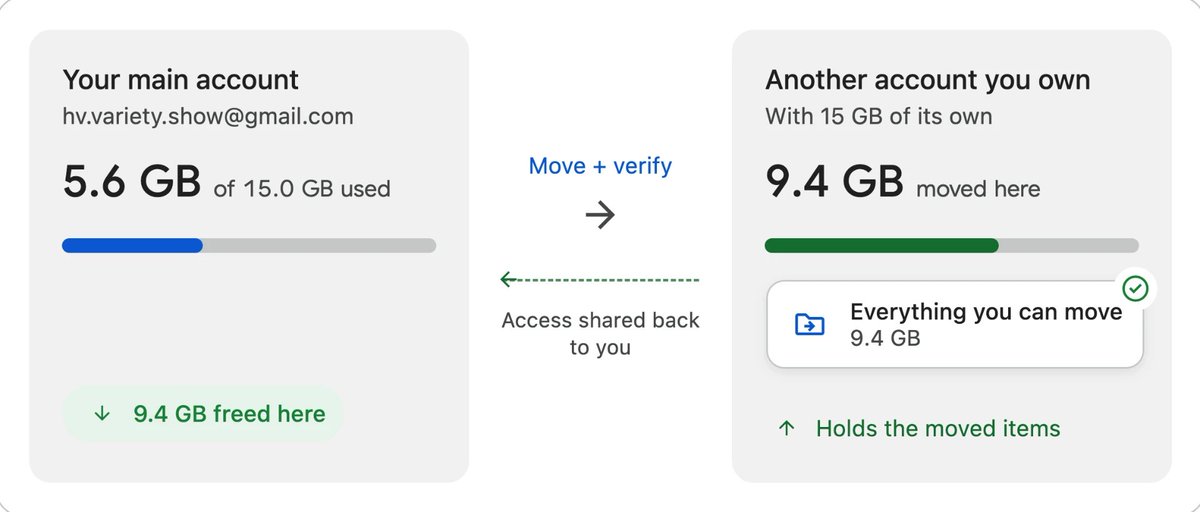
@retluvsu Multiple Google Photos accounts work until search, backup and recovery scatter across inboxes. Better: keep one main account, clean large videos first, then use a second account intentionally. I make Google Storage Cleaner for scanning Gmail, Drive & Photos before deleting.
@hirofusagi If deleted Google Photos reappear on a new phone, first check which Google account is active, then empty Photos Trash and check whether another device is backing them up again. I make Google Storage Cleaner, which scans Photos, Drive and Gmail before you choose what to delete.
@penguinpit For a huge event archive, cull by game: obvious misses first, then bursts and near-duplicates, then keepers. Don’t edit while choosing. I make Batch for Google Photos for bulk edit, delete and download, including culling big libraries without opening every photo one by one.
@manashhree That “videos and forget about it” habit is usually the fastest place to fix Google Photos storage full. Review the longest videos first, then empty Trash so Gmail gets the space back. I make Google Storage Cleaner, which scans Gmail, Drive & Photos. You choose what to delete.
@eris_nerung If you delete inside Google Photos, assume you're deleting the backed-up item from your Photos library, and synced devices may lose it too. "Free up space" is different: it removes local copies already backed up. I make Google Storage Cleaner: https://t.co/v61dZyjgF5
@googlephotos@Google@GPhotos4Life Download your entire library.
Full-quality copies of every photo and video, on demand. No waiting on a Takeout export.
Runs entirely in your browser. Photos never touch any server but Google's.
1M+ photos processed. Featured in Fast Company.
https://t.co/CzUiXZeLry
@googlephotos@Google@GPhotos4Life Custom Presets.
Tune one photo, save it as a named preset, reuse it forever. Brightness, warmth, shadows, saturation, vignette.
Neither Google nor Apple lets you save a custom preset natively.
Lightroom does. But your photos aren't in Lightroom.
@googlephotos@Google@GPhotos4Life Delete your entire library.
There is no "delete all" in Google Photos. Never has been. People do it a few hundred at a time until they give up.
Batch selects everything and moves it to Trash. Recoverable for 60 days, and Batch never empties Trash for you.
@googlephotos@Google@GPhotos4Life Copy and paste edits.
This one came straight from users. Edit one photo, then apply that look across the whole selection.
Google lets you copy edits, but makes you paste and save one photo at a time. Batch does hundreds.
(Crop, markup, and HDR don't carry over.)
I built the bulk editor @googlephotos never shipped.
1.5 billion people use Google Photos. 210 million edit photos every month. All of them, one photo at a time.
A single edit is easy. Two hundred is the problem.
Here's what it does (see thread):
@googlephotos@Google@GPhotos4Life Crop and rotate.
9 ratios: 1:1 for Instagram, 9:16 for stories, 3:2 for prints. Rotate right, left, or flip 180.
50 photos to one ratio used to be 25 minutes of clicking. Now it's one decision.
Try it: https://t.co/zhPvasXWMn