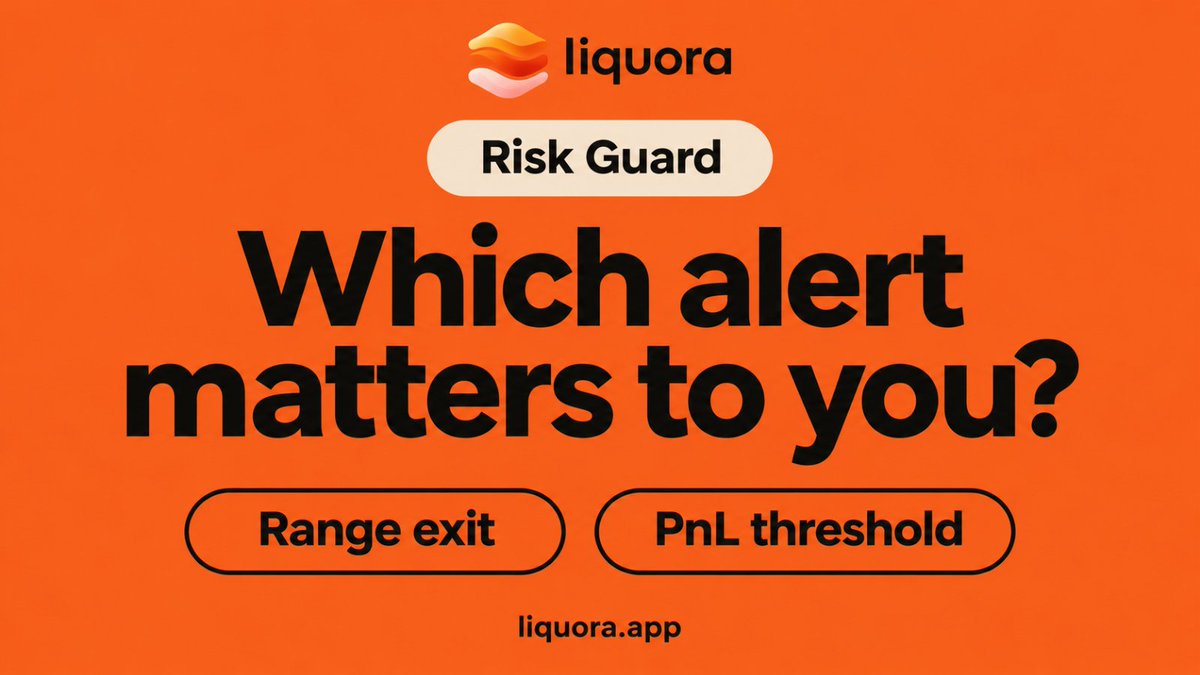
Your LP position just moved outside its range, but its PnL is still close to where it started. Would you want an alert right away?
Some LPs want to know the moment their liquidity goes inactive. Others would check the position first and only consider an exit if their PnL rule also triggers.
Which condition would make you open the position and take a closer look?
Explore the rule settings in Risk Guard: https://t.co/gCfsiaMddv
What exactly gets copied when you use Copy LP?
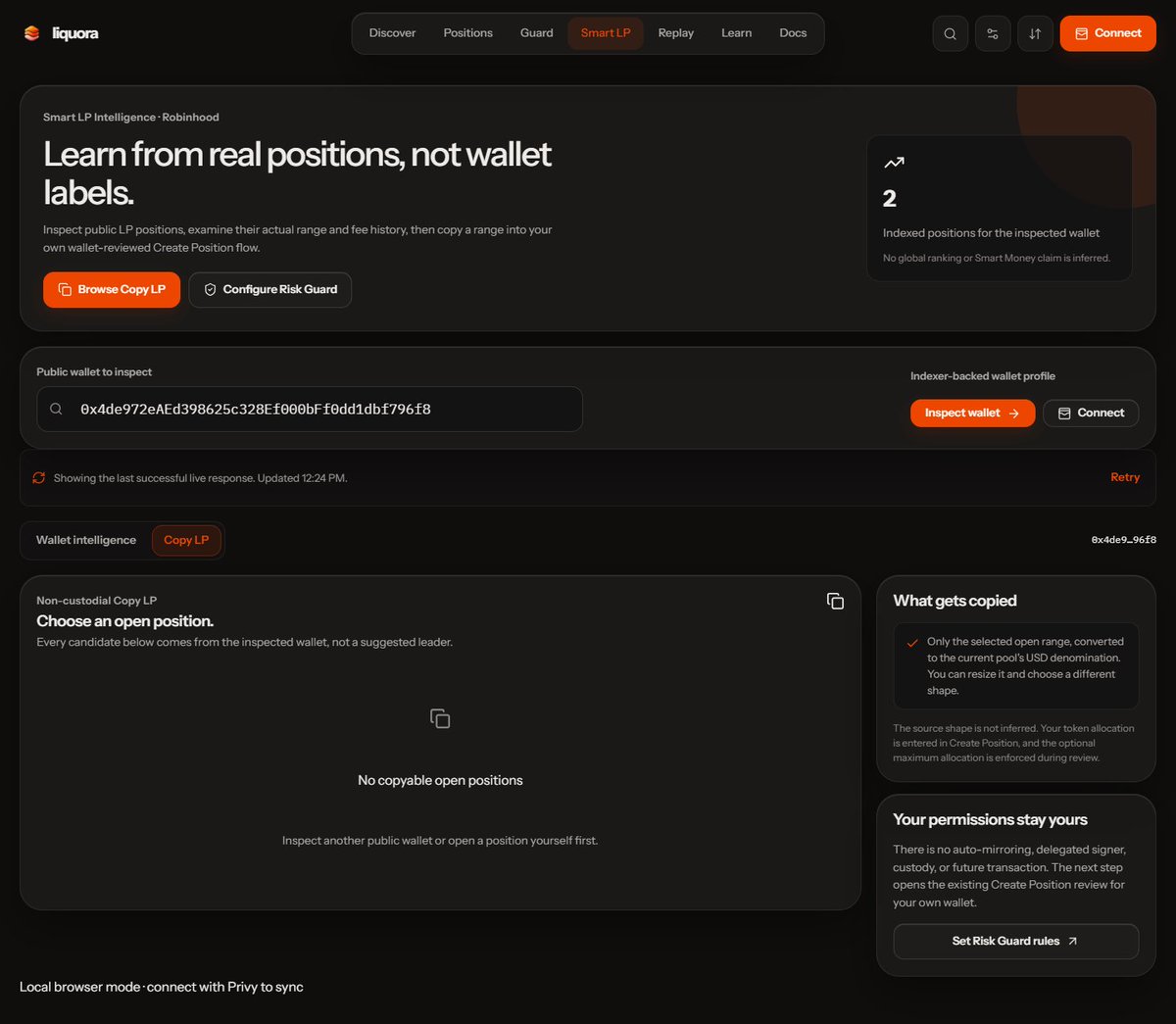
The starting point is the price range of an eligible open position from the wallet you inspected. Liquora converts that range into the current pool’s USD denomination and opens it in your Create Position flow.
From there, you can resize the range, choose a different shape, and enter your own token amounts. You review and sign the position with your wallet. Any later move by the source wallet stays separate from yours.
Explore Copy LP in the Smart LP tab: https://t.co/gCfsiaMddv
What does a public wallet address tell you about someone’s LP activity?
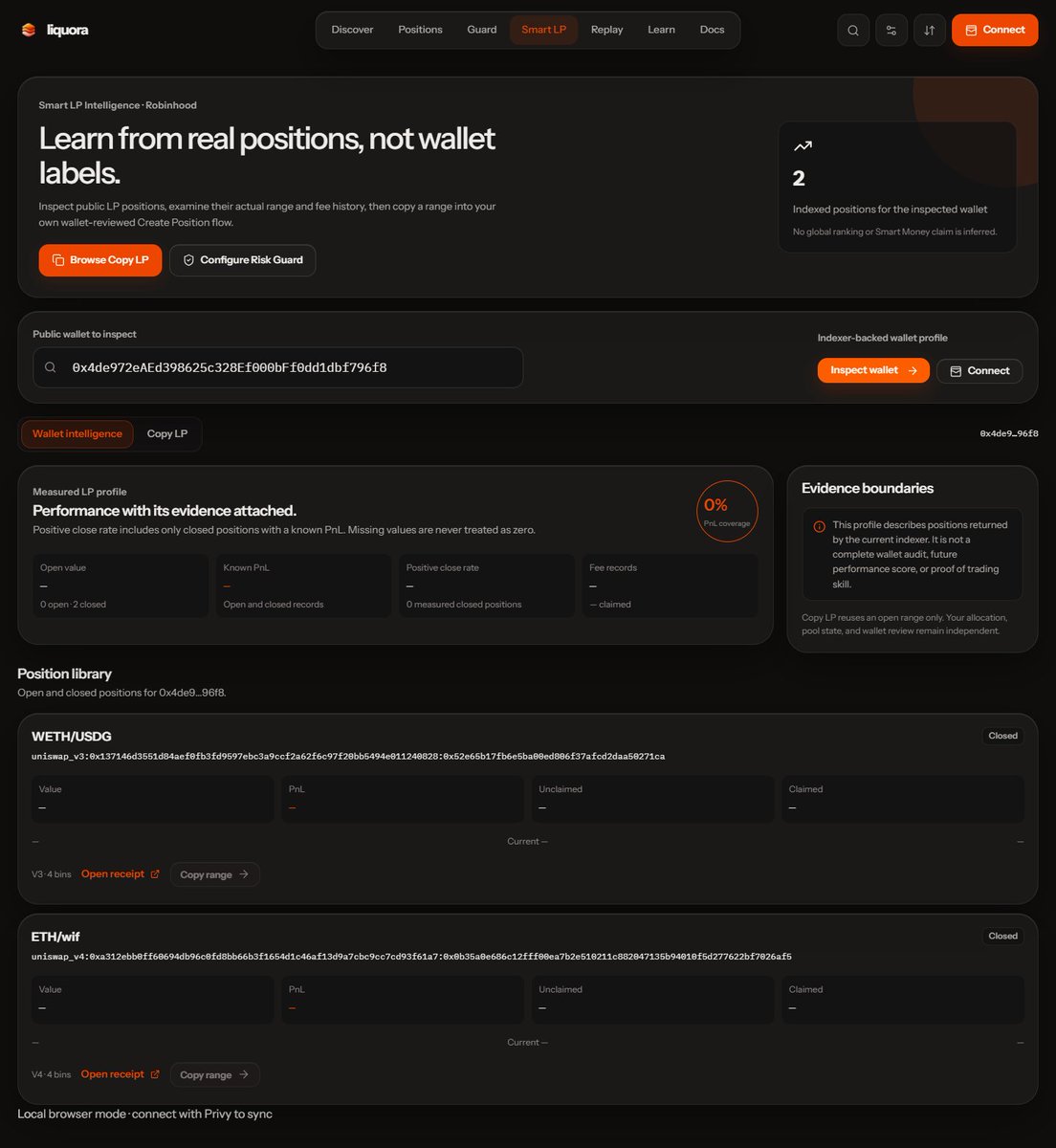
Paste it into Smart LP and select “Inspect wallet”. Liquora shows the positions the indexer has found for that address on Robinhood Chain. Open the position library to inspect the pools, position status, and fee records where available.
In the profile pictured here, the indexer returned two closed positions: WETH/USDG and ETH/wif. Each entry includes a receipt link so you can follow the transaction yourself.
Inspect a public wallet at https://t.co/gCfsiaLFnX
What changes when you move liquidity from the edges of a range toward the center?
Here’s an experiment to try in Strategy Replay Pro. Pick one pool and one historical period. Set $1,000 in simulation capital, choose 24 bins, and keep the same price boundaries for both runs. Start with Spot, then run it again with Curve.
By holding those inputs steady, you can study the effect of the allocation shape. The $1,000 is a simulation input. Your wallet balance stays untouched.
Open Replay and set up your comparison: https://t.co/gCfsiaLFnX
When you check an LP position, two things are easy to confuse: where the price is and how the position has performed. Risk Guard lets you set rules for both.
Open Guard and connect the wallet that owns your position on Robinhood Chain. Choose the position you want to monitor, then configure the range or PnL condition that deserves your attention.
When a rule triggers, you decide what to do next. If you choose to exit, you review the transaction in your own wallet before signing.
Set up your first rule at https://t.co/gCfsiaMddv
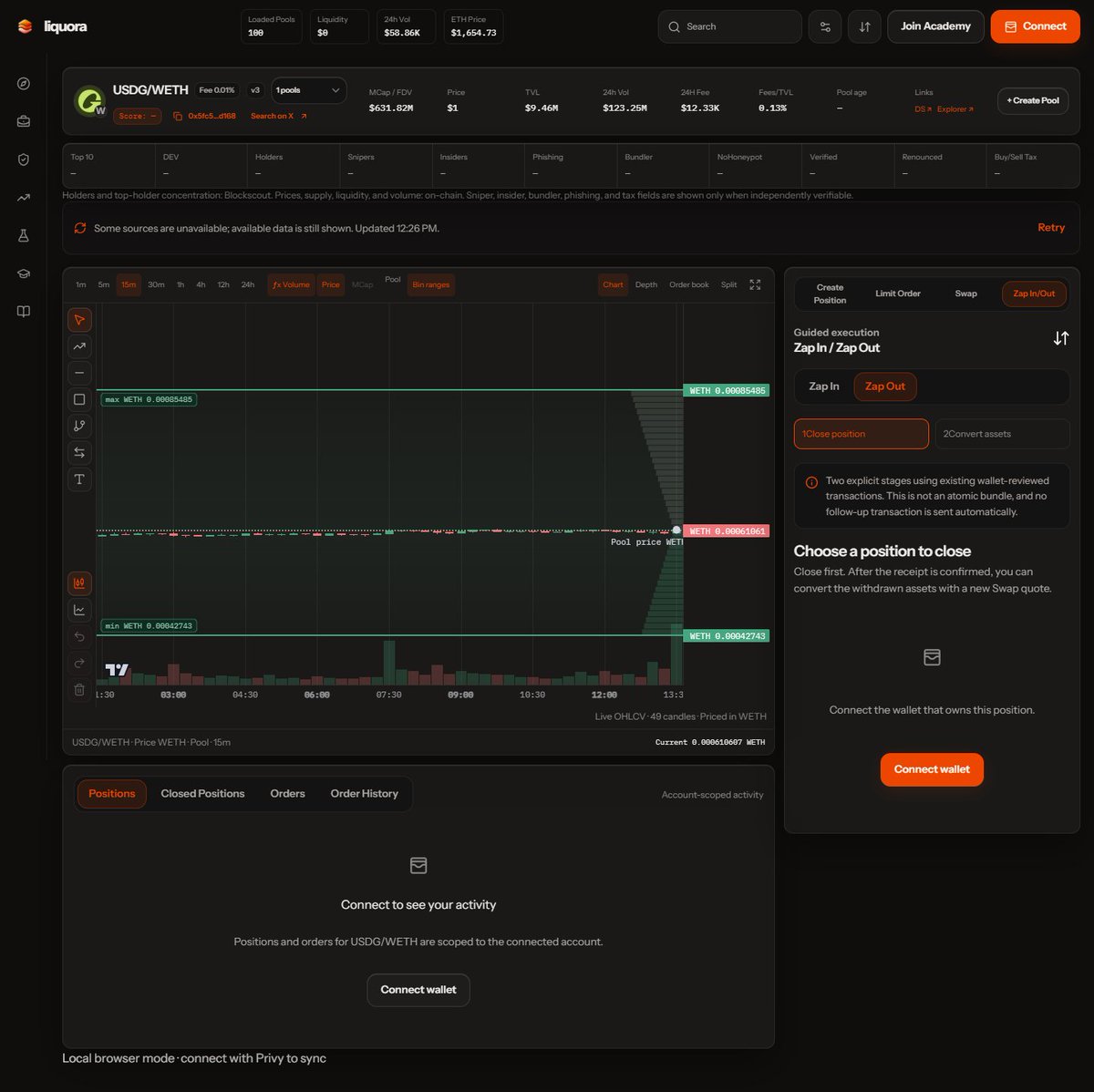
Starting with $USDG and want to open a USDG/WETH position? Zap In walks you through it in two stages.
First, choose your range and position shape, then review a live quote to convert the amount you need. Check the route and slippage before signing the swap.
Once the swap confirms, continue with your available balances and review the position you’re about to open. Each stage has its own wallet review, so you know exactly what you’re approving.
Already hold both assets? Select “Use current balances and continue” to go straight to position setup.
Try Zap In from a pool workspace at https://t.co/gCfsiaMddv
First look at five upcoming Liquora features.
1. Liquora Risk Guard
When price crosses a threshold you set, an alert will take you straight to an exit preview. You’ll review the amounts and sign in your wallet.
2. Zap In & Zap Out
Start with one token and enter your chosen LP range, or withdraw a position into the token you want to receive. Preview the route, price impact, and minimum output before signing.
3. Strategy Replay Pro
Replay the same historical period with Spot, Curve, Bid-Ask, and Fusion. Compare each simulated result with holding the original assets, including the effect of gas and rebalancing costs.
4. Smart LP Intelligence
See when a wallet enters or exits a pool, then open its profile to explore its positions, fee history, and realized returns. Follow the on-chain activity behind the numbers.
5. Copy LP Non-Custodial
In a later phase, you’ll be able to follow a wallet while setting your own budget and allocation limit per pool. Each proposed position starts with a preview for you to review and sign.
Watch the preview and tell us which feature you’d like us to walk through first. We’ll share release notes here as each one rolls out.
Follow the rollout at https://t.co/gCfsiaMddv
What comes next for Liquora?
We’re developing five features for liquidity providers on Robinhood Chain. Here’s what’s on the roadmap.
1. Liquora Risk Guard
Get an alert when price leaves your range or reaches a take-profit or stop-loss level you set. In the first release, you’ll be able to open an exit from the alert, review it in your wallet, and sign when you’re ready.
2. Zap In & Zap Out
Enter an LP position with one token or exit into the token of your choice. Before you sign, you’ll see the swap route, price impact, fees, and minimum amount you’ll receive.
3. Strategy Replay Pro
Compare Spot, Curve, Bid-Ask, and Fusion against holding the same assets over the same historical period. The simulation will show how fees, gas, and rebalancing costs affect each strategy’s net result.
4. Smart LP Intelligence
Explore a wallet’s open and closed positions, fee history, and pool entries and exits. Follow the on-chain activity behind its realized returns and drawdowns.
5. Copy LP Non-Custodial
Choose a wallet to follow, set your budget and allocation limit per pool, then review the proposed position before signing. This feature will follow Risk Guard and Smart LP Intelligence.
We’ll share release notes and walkthroughs as each feature rolls out.
Explore Liquora: https://t.co/gCfsiaMddv
0x66be940a89d12f0d5f3a8a94bde397809610f91b
All five new Liquora features are now live at https://t.co/gCfsiaMddv.
This release covers the full lifecycle of a concentrated liquidity position on Robinhood Chain. You can research how a wallet manages liquidity, test a strategy against historical data, enter a position from one token, and set alerts for the price levels you want to act on. We’ve also updated Discover and tested the new feature screens on the live domain.
1. Liquora Risk Guard
Set an alert when price leaves your range or reaches a take-profit or stop-loss threshold. You can define the threshold by price or percentage. Risk Guard also includes warnings for impermanent loss and declining pool liquidity, plus a Liquidity Floor to screen pools before entry.
When an alert fires, you can open an exit review directly from the alert. You see the transaction details and decide whether to sign in your wallet.
2. Zap In & Zap Out
Zap In brings the swap and position setup into one flow. Start with one token, choose your range, and preview how the route will allocate your funds. Zap Out works in the other direction, letting you withdraw a position and convert the proceeds into your chosen token.
Before signing, you can inspect the route, price impact, slippage, gas estimate, pool fee, and minimum output. Liquora tracks each stage separately. If the swap succeeds but position creation fails, you can see which step completed and follow the recovery flow from there.
3. Strategy Replay Pro
Strategy Replay Pro expands the existing Backtest in Strategy Lab. Compare Spot, Curve, Bid-Ask, and Fusion across the same historical window, then compare each result with holding the original tokens over that period.
The simulation accounts for fees, impermanent loss, gas, and rebalancing costs. You can inspect net PnL and fee APR, then save, export, or share the configuration. Historical coverage depends on provider capacity. Replay results remain simulation estimates.
4. Smart LP Intelligence
Explore how liquidity providers manage their positions using on-chain wallet activity. Wallet profiles bring together open and closed positions, historical ranges, and fee history. The leaderboard lets you compare realized net PnL, win rate, fee APR, and drawdown.
When a wallet enters or exits a pool, you can open its profile and examine the activity behind that move. This gives you context for a ranking, including how the wallet earned fees and what happened when it closed positions.
5. Copy LP Non-Custodial
Choose a wallet based on the position history you’ve reviewed, then set your own budget, maximum allocation per pool, slippage, range offset, and take-profit or stop-loss levels.
You preview the proposed position before signing. If you choose to follow later range changes, you control the scope of that permission and can revoke it. Your assets and signing authority stay with your wallet.
What changed in Discover
Discover now displays 20 pools per page. Turn on Active Only to narrow the list to pools that meet the filter criteria at the time of your search. The number of qualifying pools changes as market data refreshes.
Pool metadata and token logos now load through the production Worker. We also added social metadata and sitemap entries for the new pages. To give the pool list more room, we removed the source rows and the “Some sources are unavailable…” card from Discover. The production RPC remains active, and the scheduler continues to run every five minutes.
What we verified in production
All 147 automated tests across 23 test files passed. Lint and the production build also passed. The health endpoint returned “ok” with Privy, Supabase, and Alchemy active.
On the live domain, we tested Risk Guard, Zap In/Out, Strategy Lab, Smart LP Intelligence, Copy LP, and the Privy login dialog. At verification time, four pools qualified under Active Only. We opened all four, covering both V3 and V4. Each returned Alchemy as its data source with no stale marker.
That check covered the four qualifying pools out of 2,842 in the registry. We opened the live interfaces and inspected their data without submitting wallet transactions. Historical backtests continue to depend on provider capacity for the period you select.
Thank you to everyone who reported missing pools and shared feedback during the update. If you’re returning to Liquora today, start with Active Only, open a pool, and explore the new tools from there.
Open Liquora: https://t.co/gCfsiaMddv
First look at five upcoming Liquora features.
1. Liquora Risk Guard
When price crosses a threshold you set, an alert will take you straight to an exit preview. You’ll review the amounts and sign in your wallet.
2. Zap In & Zap Out
Start with one token and enter your chosen LP range, or withdraw a position into the token you want to receive. Preview the route, price impact, and minimum output before signing.
3. Strategy Replay Pro
Replay the same historical period with Spot, Curve, Bid-Ask, and Fusion. Compare each simulated result with holding the original assets, including the effect of gas and rebalancing costs.
4. Smart LP Intelligence
See when a wallet enters or exits a pool, then open its profile to explore its positions, fee history, and realized returns. Follow the on-chain activity behind the numbers.
5. Copy LP Non-Custodial
In a later phase, you’ll be able to follow a wallet while setting your own budget and allocation limit per pool. Each proposed position starts with a preview for you to review and sign.
Watch the preview and tell us which feature you’d like us to walk through first. We’ll share release notes here as each one rolls out.
Follow the rollout at https://t.co/gCfsiaMddv
@YoItsMeafradag Thanks for flagging the RPC error. We’re updating Liquora, and pools are temporarily unavailable. We expect the app to be back online within a few hours with updated features and a refreshed interface.
We’ll post here once pools are visible again. Thanks for your patience
What comes next for Liquora?
We’re developing five features for liquidity providers on Robinhood Chain. Here’s what’s on the roadmap.
1. Liquora Risk Guard
Get an alert when price leaves your range or reaches a take-profit or stop-loss level you set. In the first release, you’ll be able to open an exit from the alert, review it in your wallet, and sign when you’re ready.
2. Zap In & Zap Out
Enter an LP position with one token or exit into the token of your choice. Before you sign, you’ll see the swap route, price impact, fees, and minimum amount you’ll receive.
3. Strategy Replay Pro
Compare Spot, Curve, Bid-Ask, and Fusion against holding the same assets over the same historical period. The simulation will show how fees, gas, and rebalancing costs affect each strategy’s net result.
4. Smart LP Intelligence
Explore a wallet’s open and closed positions, fee history, and pool entries and exits. Follow the on-chain activity behind its realized returns and drawdowns.
5. Copy LP Non-Custodial
Choose a wallet to follow, set your budget and allocation limit per pool, then review the proposed position before signing. This feature will follow Risk Guard and Smart LP Intelligence.
We’ll share release notes and walkthroughs as each feature rolls out.
Explore Liquora: https://t.co/gCfsiaMddv
0x66be940a89d12f0d5f3a8a94bde397809610f91b
A major update to Liquora is coming in the next few hours.
We’re preparing at least five new features, refining the interface, and updating how existing features work. These changes are coming to the app that’s already live at https://t.co/gCfsiaMddv.
We’ll share what changed and how to use each new feature as the rollout begins. Follow along here for the release notes and a closer look at what we’ve been building.
We’ve spent the last few posts following the decisions that lead up to opening an LP position. There’s another set of questions once it’s open.
The price has moved. How much of each token do you hold now? Where do you check unclaimed fees? What would you review before collecting those fees or adding more liquidity?
For our next walkthrough, would you rather follow one position through a price move or see fee collection from the wallet owner’s side?
Take a look at Positions and tell us which screen you want us to cover: https://t.co/gCfsiaLFnX
Replay starts with a question about the past. Paper Pool starts with a question about right now.
Choose a pool, set a range, and start a Paper Pool session. As fresh pool data comes in, Liquora updates the simulated position. You can follow the changing token mix and see how the model behaves as price approaches either boundary.
One useful exercise is to write down why you picked the range before the session starts. Come back later and compare what you expected with what you observed. The session’s fees and PnL are estimates, and the session creates no on-chain position.
Start a Paper Pool session: https://t.co/gCfsiaMddv
There’s a moment after a wallet returns a transaction hash when it’s tempting to put a green check on the screen. We wait.
A hash gives you a transaction to follow. Liquora tracks its receipt to learn whether execution succeeded or reverted. After a successful receipt, the app refreshes the relevant balances and position data so the next screen reflects what happened on-chain.
From the user’s side, this is the difference between “I submitted a request” and “my position is open”. We want both moments to be clear, especially when a transaction takes longer than expected.
The wallet and transaction lifecycle is documented in section 9 of our whitepaper: https://t.co/0F3ISIXJ31
A pool’s 24-hour fee estimate and the fees on your own position answer different questions.
For a pool with a known static fee tier, trading volume helps estimate how much traders paid in pool fees over a period. That figure describes activity across the pool. It doesn’t tell you how much of it reached a particular position.
Your share depends on where you placed your liquidity, when it was active, and how much other liquidity was active alongside it. Two positions in the same pool can therefore collect different amounts over the same 24 hours.
If you’re asking “What has my position earned?”, start with the claimed and unclaimed fees in Positions. If you’re comparing pools, start with the pool-level figures and their timeframe.
Review your positions: https://t.co/gCfsiaMddv
You picked the range. Here’s the replay.
Watch the distance between the current price and the nearest boundary. Then pause halfway through, before you see how the period ends. Based on the candles visible at that point, would you have kept the original range?
That pause is what makes this exercise interesting. Once you know the final price, it’s easy to draw a range that looks obvious. Stepping through the history lets you see what the decision looked like earlier.
Try a different range over the same period: https://t.co/gCfsiaMddv
One detail worth picturing from the LP side: two people can supply liquidity to the same pool and have different outcomes on the very same swap.
One chose a narrow range around an earlier price. The other chose a wider range that still includes the current price. Only the liquidity active at the swap price participates in that part of the trade.
If you want to see the distinction on a chart, open a pool in Liquora and move the range boundaries around the current price: https://t.co/gCfsiaMddv
3/
Uniswap v3’s groundbreaking new feature is Concentrated Liquidity positions
Rather than being required to allocate capital across the entire price spectrum from 0 to infinity, each LP is given full control over what price ranges they wish to provide liquidity to
“I deposited two tokens. Why do I have more of one now?”
Here’s a simple example. Imagine supplying ETH and a stablecoin across a price range. As traders buy ETH and its price rises through that range, they take ETH out and put stablecoins in. Your share of the position gradually holds less ETH and more of the stablecoin.
That change in composition is part of what an LP position does. It also explains why the position’s value can evolve differently from simply holding the two amounts you started with.
When reviewing a position, look at the individual token amounts alongside the total value. Together, they give you a clearer picture of what you own.
Explore the position workspace: https://t.co/gCfsiaLFnX