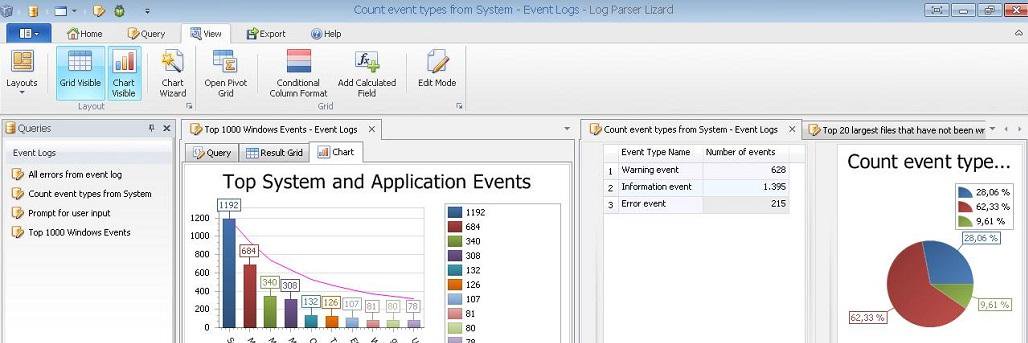
Happy to report that SQL Lizard, a plugin for SQL Server Management Studio, is working well with yesterday's SSMS 22.7 release.
We found only one small issue in the Check SQL feature and are already working on a fix.
Temporary workaround: If you're using SQL Server Management Studio 22.7 and have automatic SQL checking enabled, please disable it for now.
Everything else is working as expected.
Try SQL Lizard: https://t.co/SIuLJM4xk0
@ryanels Yes. Most popular ones. And it was a mistake. For decades, we press Shift key more often than we should. Zero based indexes? Case sensitivity? Cammmooon, reading the code to someone? Explaining why applePie is not the same thing as ApplePie there. That was never fun.
@LundukeJournal Yes. A full stack teen-dev I was. With my tech stack Borland Cpp 3.1, Turbo Vision, Paradox DB Engine, Norton Everything and printed books. I can't remember what kind of intelligence we used back than.
@fjzeit Started on Windows in the 90s. Curious what programmers with 40+ years of experience think:
IDE or CLI?
TUI, GUI, or terminal?
Rapid dev or complex architecture?
Desktop or WebApps?
JSON or XML?
Cloud or on-prem?
Who actually won, why and why loosers lost?
Working on SQLLizard - an extension for SQL Server Management Studio.
It turns SSMS into a full data analysis workspace:
- Analyze large result sets with fast grids, filtering, grouping, and pivot tables
- Visualize data instantly with built-in charts
- Export to Excel and share results without extra steps
- Query history, formatting, and linting to improve code quality and safety
- Faster navigation and search across database objects
Good for all SQL Server bros: developers, DBAs, and analysts who want to stay inside SSMS and avoid switching tools.
The extension is ready. The site is still under construction (temporary page), sharing early for feedback.
Try it, and if you like it, please share:
https://t.co/E5L8UxP2uu
Working on SQLLizard - an extension for SQL Server Management Studio.
It turns SSMS into a full data analysis workspace:
- Analyze large result sets with fast grids, filtering, grouping, and pivot tables
- Visualize data instantly with built-in charts
- Export to Excel and share results without extra steps
- Query history, formatting, and linting to improve code quality and safety
- Faster navigation and search across database objects
Good for all SQL Server bros: developers, DBAs, and analysts who want to stay inside SSMS and avoid switching tools.
The extension is ready. The site is still under construction (temporary page), sharing early for feedback.
Try it, and if you like it, please share:
https://t.co/E5L8UxP2uu
@johnrushx I agree with every single point. I usually don’t reply to posts like this, but this one truly resonates. I’ve been through most of these situations myself, and I recommend others take this advice.