Loggr is a free trading journal for crypto traders.
Sync @HyperliquidX and Lighter, track prop evals from @breakoutprop, @HypernovaX and @ProprXYZ, and see P&L, win rate and drawdown across every account on one dashboard.
Free at https://t.co/JuzcR3H6Uo
Know exactly where your prop eval stands after every trade.
This @HypernovaX 50K is 56% of the way to target, with $2,215.80 left to pass and $1,462.15 of room before a breach. Daily and max drawdown floors sit right next to it, and it all updates as trades close.
Trading somewhere Loggr doesn't sync yet? Export a CSV and bring it in.
Loggr auto-detects common formats, lets you map the columns, and shows a preview with duplicates flagged before anything saves.
When do you actually trade best?
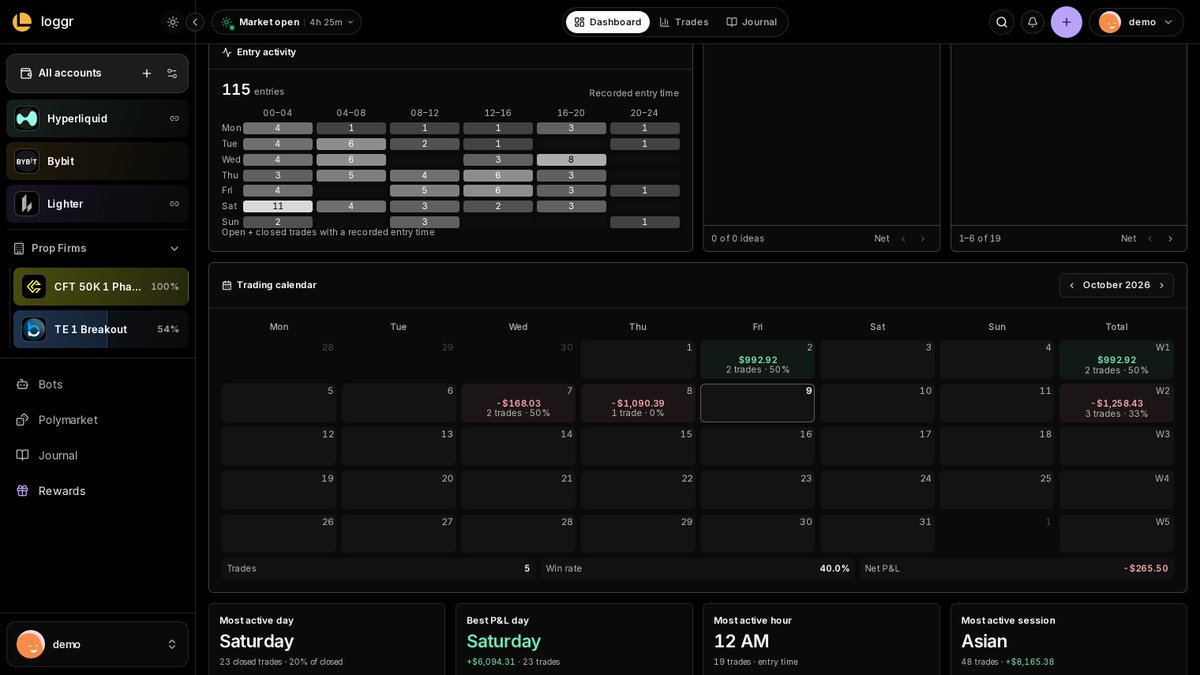
The Entry activity grid in Loggr maps every trade by weekday and hour. Here the Asian session carries 48 trades and +$8,165.38 across every connected account.
How to filter your trades in Loggr:
1. Open the Trades page and tap Filters
2. Pick an instrument (each shows its trade count)
3. Stack direction, outcome, setup, timeframe or date range
Win rate, net P&L after fees and average trade update for just those trades.
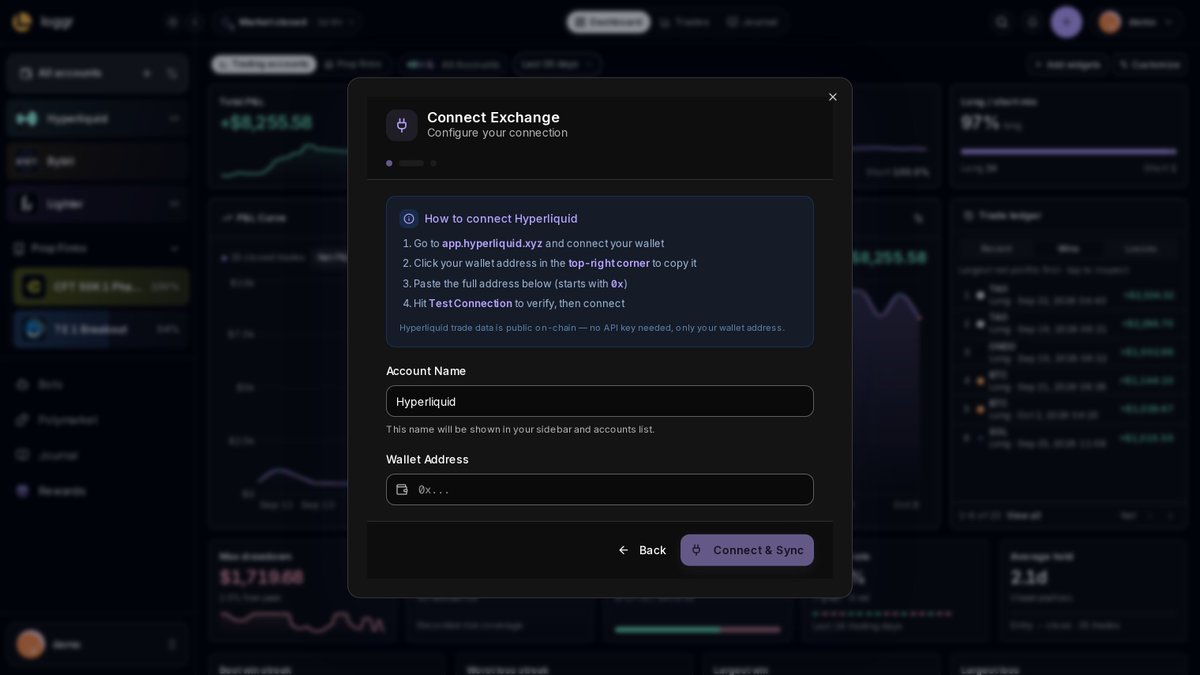
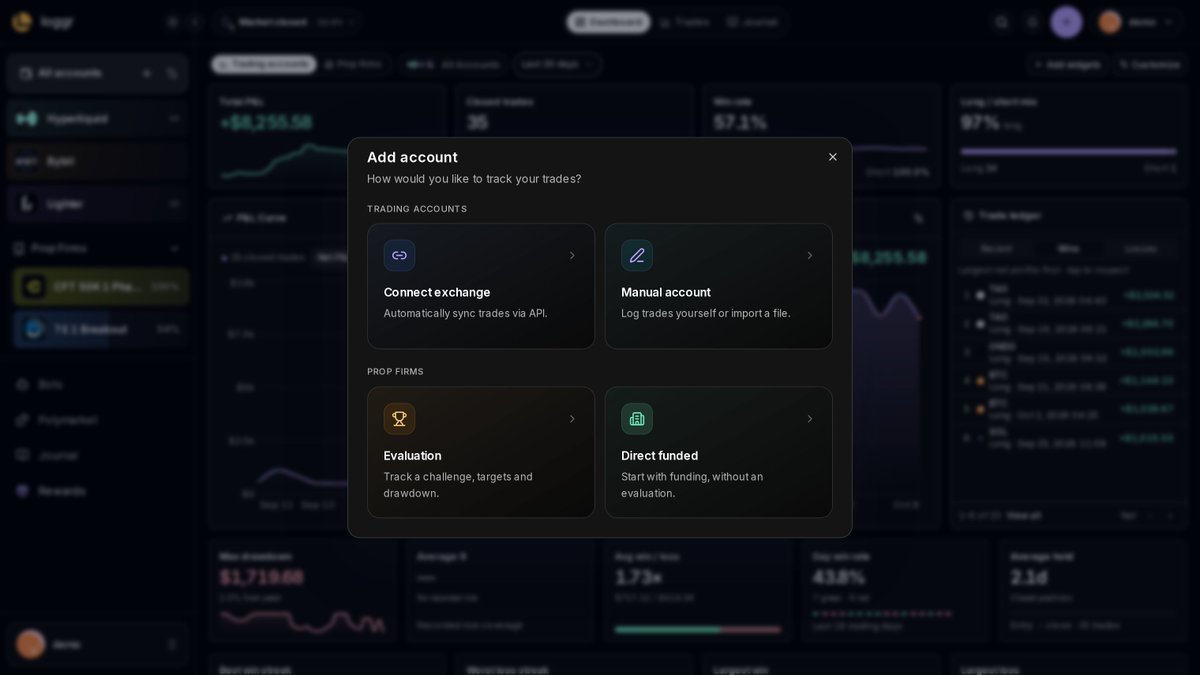
How to sync your trades into Loggr:
1. Add account, then Connect exchange
2. Pick yours, like @HyperliquidX, @Bybit_Official or @binance
3. Paste a wallet address or read-only API key, then Connect & Sync
Your trades land in their own account.
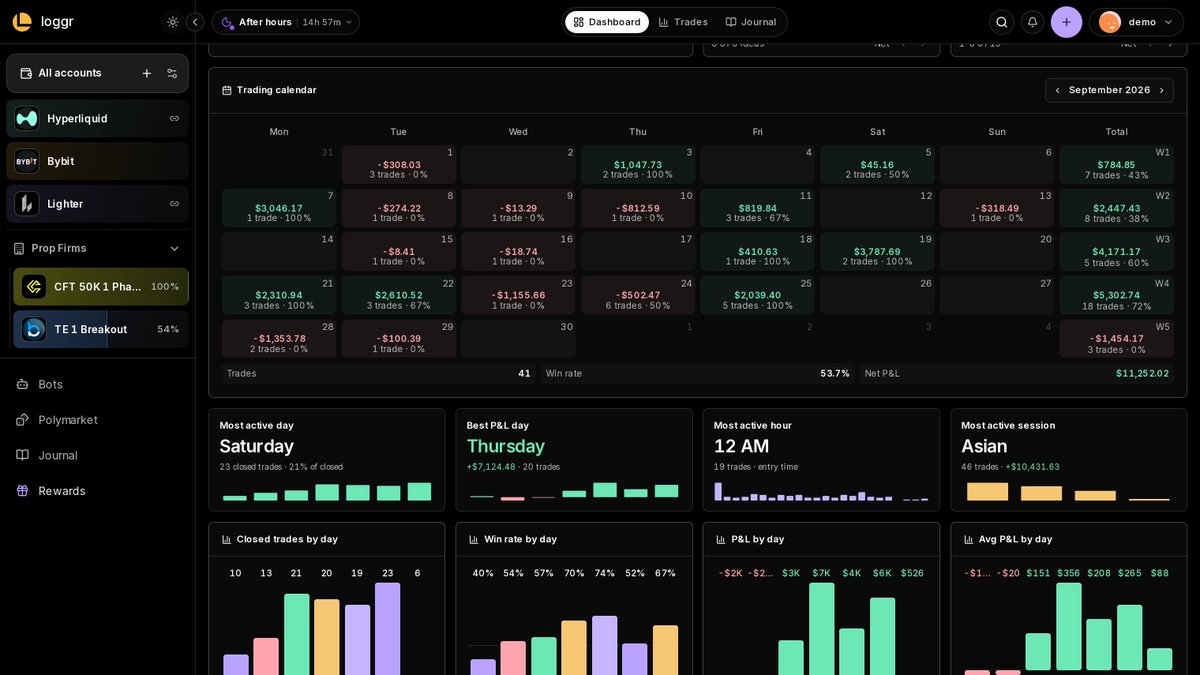
Imagine a month where the first 16 days on the calendar are blank, then 19 trades at a 73.7% win rate. 13 of them land in the week of the 24th at 85% for $3,736.16.
The calendar on the Loggr dashboard gives every week its own total column.
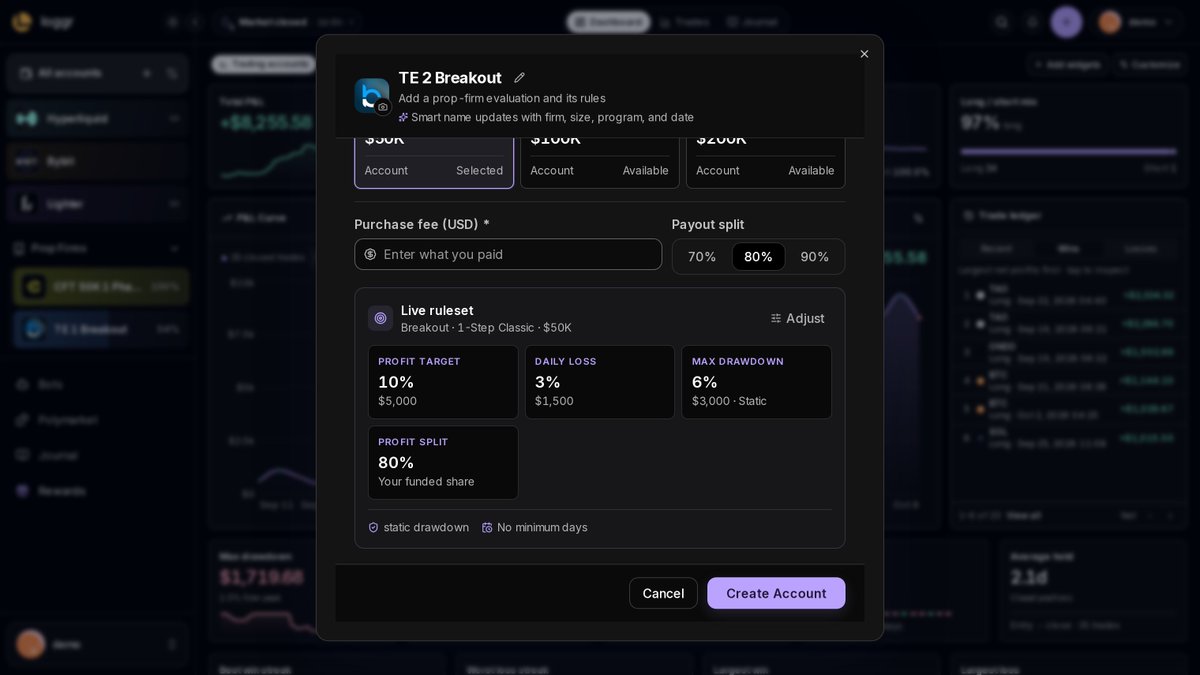
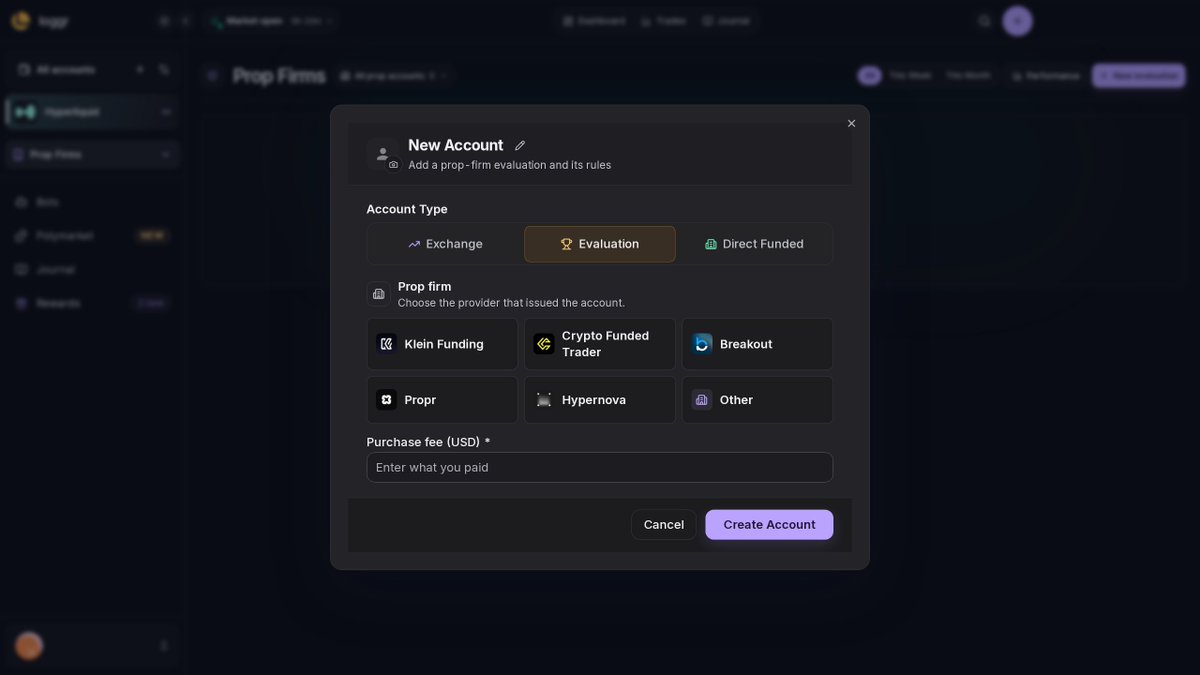
How to track a prop eval in Loggr:
1. Add account, then Evaluation
2. Pick your firm: @breakoutprop, @HypernovaX or @ProprXYZ
3. Choose the program and size, and the target, daily loss and max drawdown fill in
4. Enter what you paid and create the account
113 closed trades this year, 60.2% win rate, +$17,735.55 after fees.
The Trades page in Loggr puts all of that in one row and recalculates every time you change the filter.
$2,317.11 left to pass, $4,182.89 of room before a breach.
Loggr keeps both on the eval page next to your drawdown floors and updates them as each trade closes.
Your real profit on a prop account starts with what you paid for the eval.
Loggr prefills the fee for Propr and Hypernova, and you can change it if you bought on sale.
Imagine having 18 trades at 72% win rate one week… then 3 at 0% the next.
Loggr’s calendar shows trade count and win rate by week, so you can spot that fast.
P&L tells you what happened. It doesn't tell you why.
When you log a trade in Loggr, you can also mark it planned or impulse, note the market condition, grade the execution and pick how you felt before entry.
Those are the notes you'll want when you review a losing week.
Loggr has presets for Klein, CFT, Breakout, Propr and Hypernova: pick the plan and size, and target, daily loss and max drawdown fill in as dollar amounts, next to the fee you paid.
A spreadsheet tracking these 6 things still beats no tracking. https://t.co/JuzcR3H6Uo
A prop evaluation is a strategy test wrapped in an arithmetic test.
You can pass the first and still fail the second.
The numbers worth tracking on every crypto eval 🧵
6. Judge yourself by the rules you bought.
Firms update rulebooks. Save the version you signed up under, so you measure yourself against the right limits, not this month's.