DJ Chacha: “Paano po yung mga naabala po nung traffic?”
Elmo San Diego: “Pag hindi niyo concern itong panawagan ng Iglesia ay wag na kayong dumaan dito kasi makakadagdag lang kayo sa problema”
DJ Chacha: “Pero kasi Sir hindi naman po yung nanggulo ay yung mga na-traffic pero ang explanation niyo po kasi ngayon sir parang paano po kami po ang mag-aadjust?”
ROAST HIM DJ CHACHA!!!! PUTANGINA ANO KAMI MAG-AADJUST????? HAHAHAHAHAHAHAHAHAHAHAHAHAHA
Exclusive!
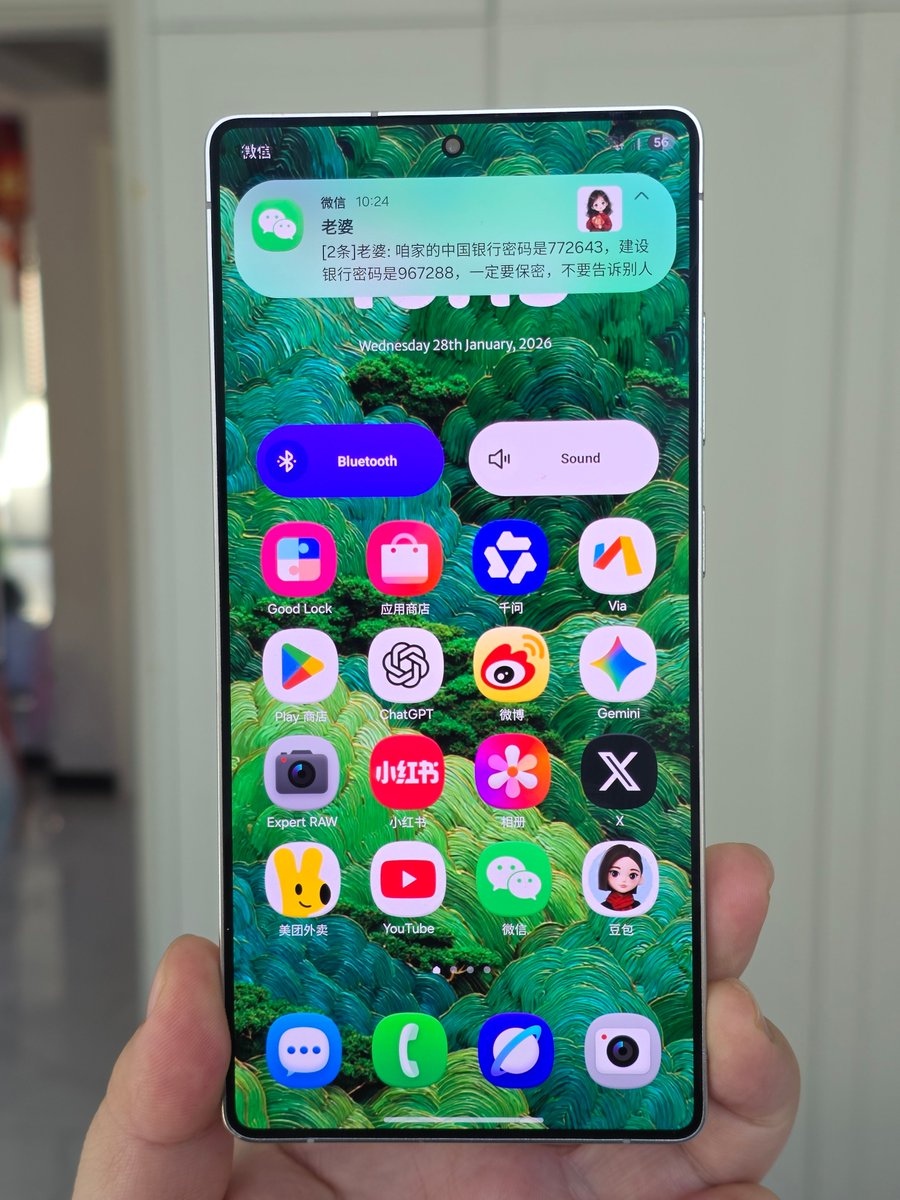
The privacy screen on the Samsung S26 Ultra goes far beyond a global privacy mode. It also supports partial, localized privacy control.
Here is how it works.
You can apply privacy protection to only a specific part of the screen, for example a message notification popup, while the rest of the display stays completely normal.
A very realistic scenario.
When you receive a highly private message, from your own viewing angle you can see the full content clearly.
From an angled side view, the notification area turns fully black, making the message impossible to read, while the rest of the screen remains visible and unaffected.
This means the privacy screen no longer darkens the entire display. It protects only the content you do not want others to see, with much higher precision.
In my opinion, this dramatically improves real world usability, especially in elevators, public transport, queues, and other public spaces. This is a genuinely practical privacy feature.
If I hit this dictation button after sending a text and it beeps and stops my music one more time,
I’m gonna find everyone at apple and put them in a rear naked choke hold
Even if I turn off dictation I somehow hit the voice note thing
The send button should not have multiple functions in the same spot