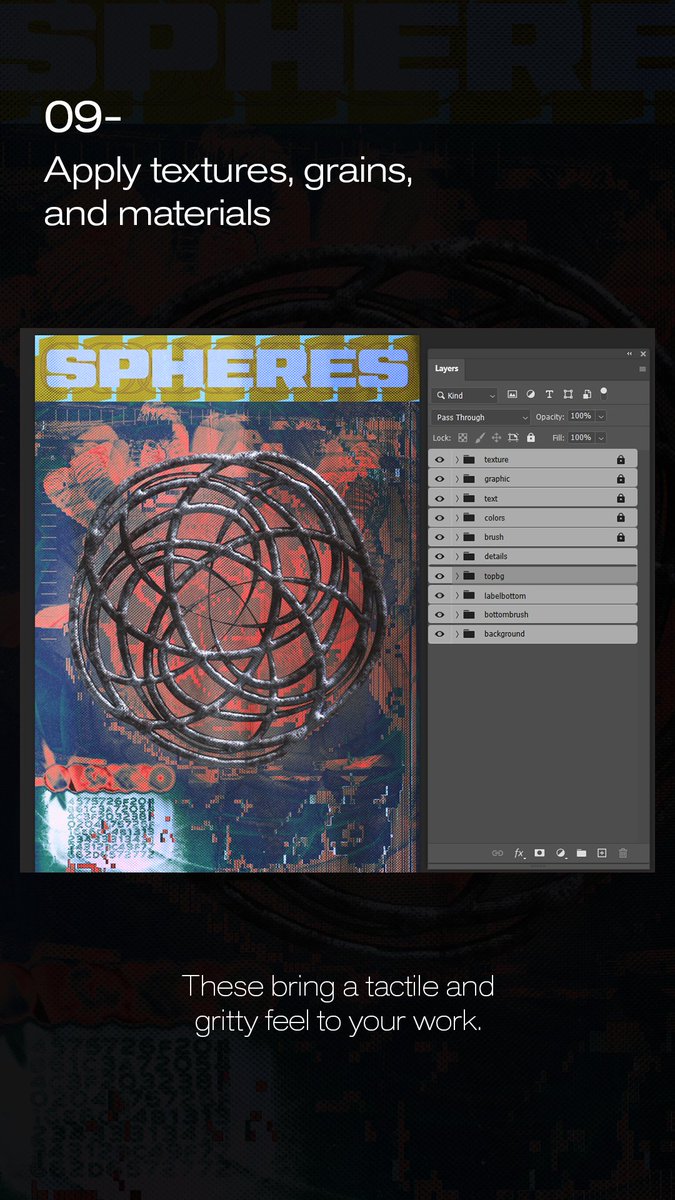
Step 9 Apply textures, grains, and materials.
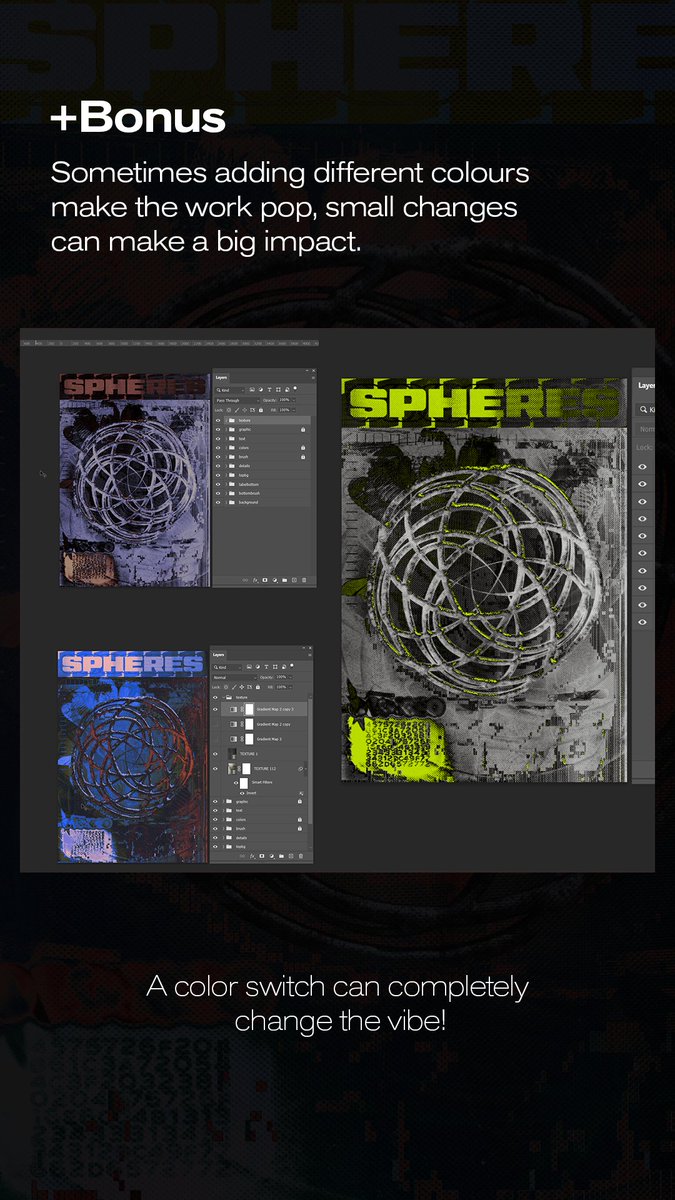
+Bonus Sometimes adding different colours make the work pop, small changes can make a big impact.
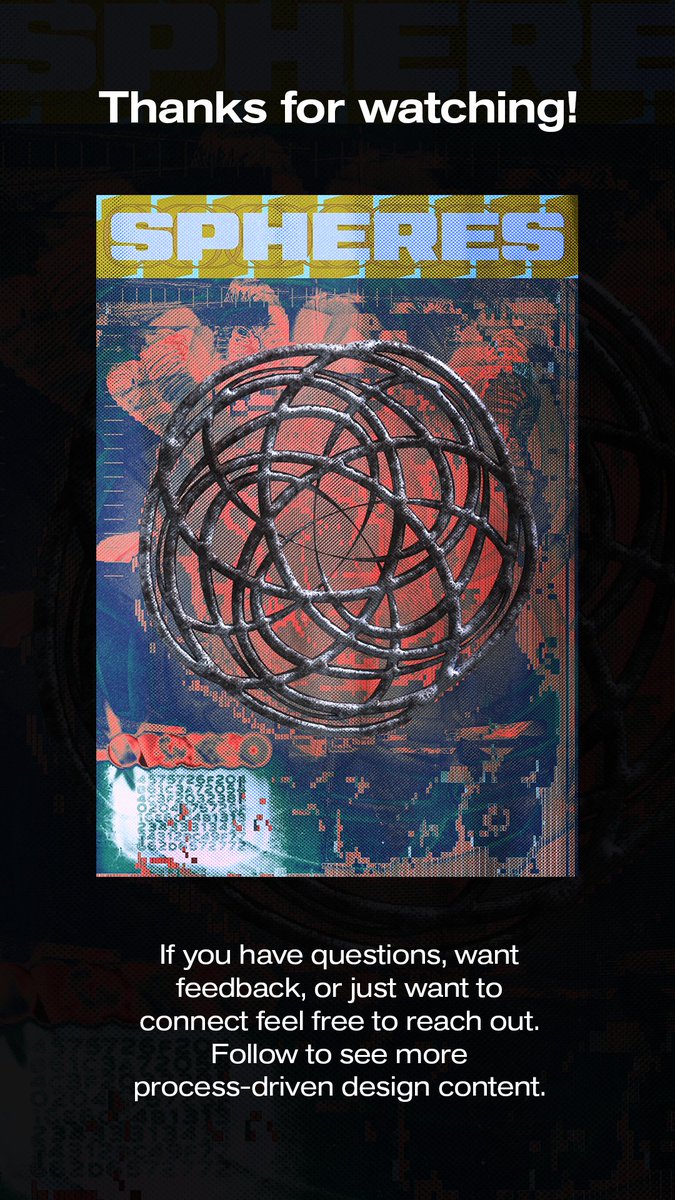
Thanks for watching! If you have questions, want feedback, or just want to connect feel free to reach out.
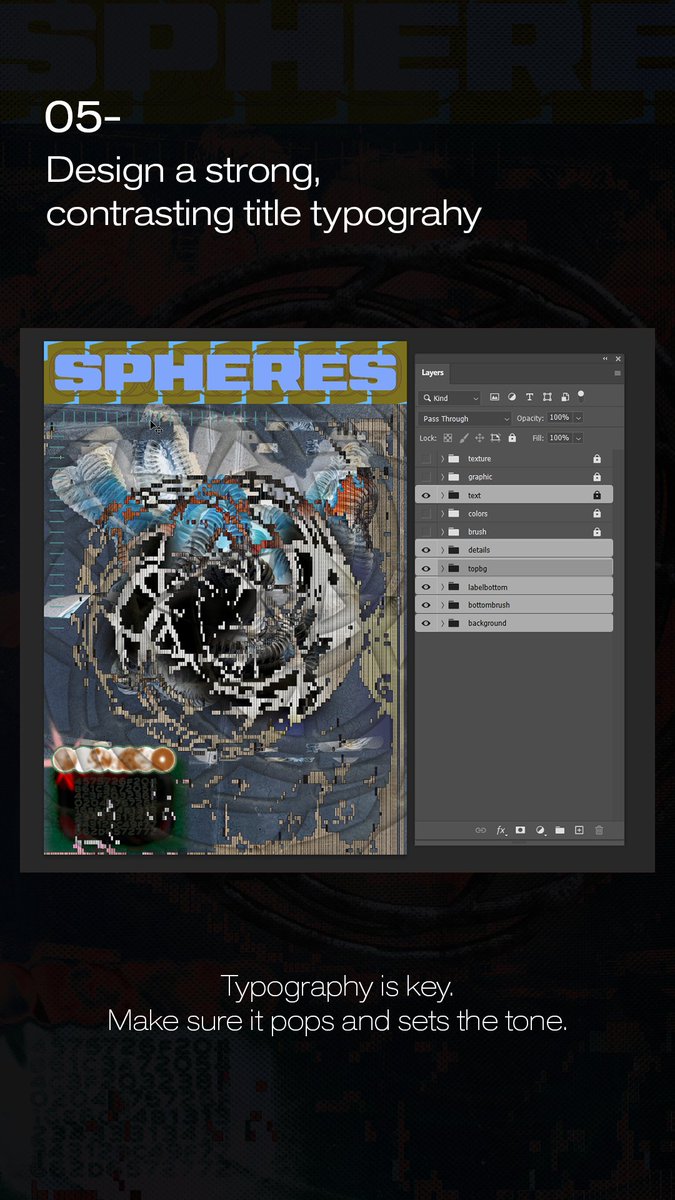
Step 5 Design a strong, contrasting title typograhy.
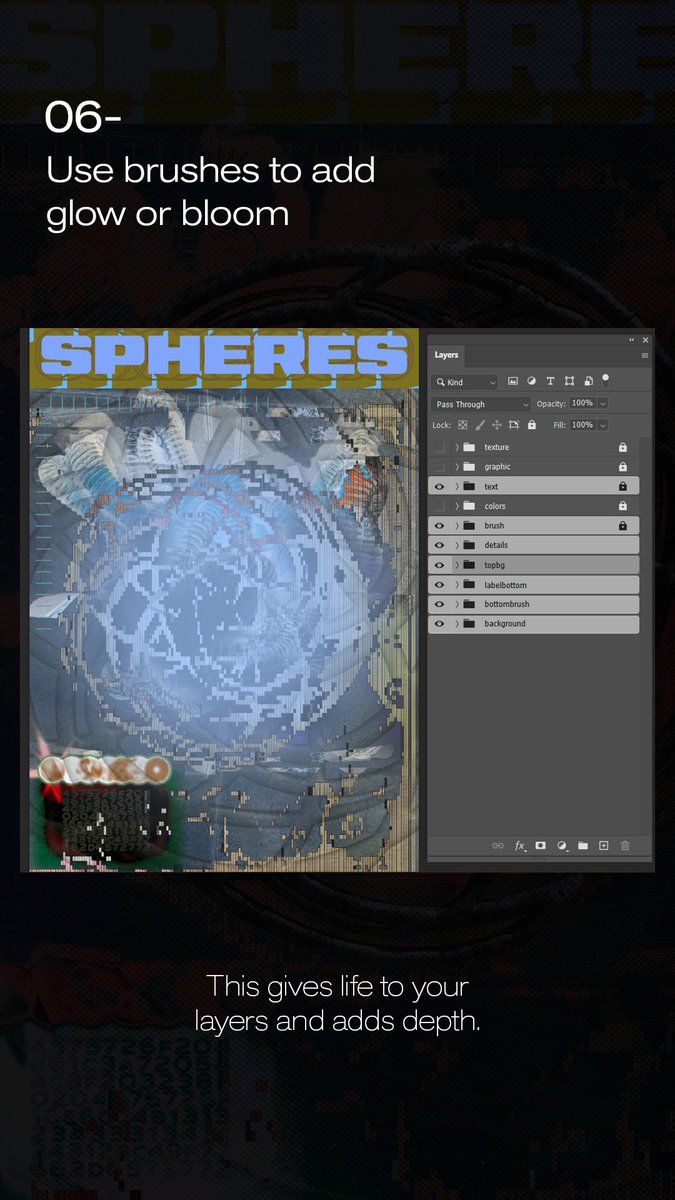
Step 6 Use brushes to add glow or bloom.
Step 7 Add gradients & color adjustments. Shift the mood and enhance your composition with color.
Step 8 Place your main object or focal point.+
Step 9 Apply textures, grains, and materials.
+Bonus Sometimes adding different colours make the work pop, small changes can make a big impact.
Thanks for watching! If you have questions, want feedback, or just want to connect feel free to reach out.
How to Make Brutal & Surrealist Poster Design?
Here’s how I build surreal + brutalist poster art in Photoshop step by step. Inspired by chaos, organized through layers+
Step 5 Design a strong, contrasting title typograhy.
Step 6 Use brushes to add glow or bloom.
Step 7 Add gradients & color adjustments. Shift the mood and enhance your composition with color.
Step 8 Place your main object or focal point.+
How to Make Brutal & Surrealist Poster Design?
Here’s how I build surreal + brutalist poster art in Photoshop step by step. Inspired by chaos, organized through layers+
How to Make Brutal & Surrealist Poster Design?
Here’s how I build surreal + brutalist poster art in Photoshop step by step. Inspired by chaos, organized through layers+