When I started doing SEO in 2015, ranking a page often felt like following a recipe:
Create a page.
Use the primary keyword X times.
Use secondary keywords Y times.
Add a few images.
Publish it.
Build some backlinks.
SEO done.
In 2026, you cannot rank every page by following the same template.
For example, a health article cannot be treated like a product page or a local service page. Accuracy, sources, expert review, author background, and credibility become far more important when your content can affect someone’s health.
Modern SEO is about more than keyword frequency:
• Does the page fully satisfy search intent?
• Who created or reviewed the content?
• Does it demonstrate real experience or expertise?
• Is it original and genuinely useful?
• Why should people trust this website?
Search engines have evolved, and low quality, templated content is becoming much harder to rank consistently.
Yes, SEO is more challenging in 2026, but it is also far more interesting.
We are no longer dependent on one search engine. Today, we receive clients through Google, Bing, ChatGPT and Google AI Mode.
The goal is no longer to repeat keywords and collect backlinks.
The goal is to become a source that both people and search systems trust.
SEO was easier to manipulate in 2015.
In 2026, it is harder to fake and much more rewarding to do properly.
Honestly, I enjoy SEO more now.
You cannot do SEO with AI if you do not understand SEO.
AI can analyse data, generate content, find technical issues and automate repetitive tasks.
But it cannot fully understand your business, customers, history or goals unless you provide the right context.
It may suggest:
• Deleting a low-traffic page
• Rewriting content that already satisfies intent
• Merging two pages targeting different audiences
• Building links from irrelevant websites
• Changing URLs that are already performing well
How will you know whether its advice is right or wrong if you do not understand SEO yourself?
The same applies to AI agents.
An agent can execute tasks faster, but it still needs instructions, context and decisions. If it asks whether a page should be updated, redirected, merged or removed, you must understand the consequences of each option.
AI is not a shortcut to expertise.
First, learn how SEO works.
Understand search intent, content quality, technical SEO, internal linking, backlinks and performance data.
Then use AI to research faster, identify patterns, automate repetitive work and scale your execution.
Knowledge helps you choose the right direction.
AI simply helps you move faster.
Stop counting backlinks. Start judging them.
Buying links from random websites just to increase your backlink count will not improve your SEO. Google may simply ignore those links, and an unnatural link pattern can even harm your website.
For example:
Imagine you run accounting software for small businesses.
You can buy 200 links from unrelated directories, casino blogs, general news sites and websites created only to sell guest posts.
Or you can earn one contextual link from a respected accounting publication that mentions your software in a genuine comparison or research article.
The second link is more valuable because:
• The website is relevant to your industry
• The article is related to your product
• The link appears naturally within the content
• The website has a genuine audience
• The link can send potential customers
• The mention makes sense even without SEO
Before building any backlink, ask:
Is the website relevant to my business?
Does it receive genuine traffic?
Would a real reader find this link useful?
Is the link placed naturally within relevant content?
Would I still want this mention if Google did not count it?
If the answer to the last question is no, the link probably has little real value.
Paying for advertising or sponsorship is not automatically a problem, but the link should be marked as sponsored or nofollow.
The problem begins when links are bought primarily to manipulate rankings.
In SEO, 10 relevant and trusted links can be far more valuable than 1,000 random backlinks.
Quality, relevance and context matter more than the number shown in your SEO tool.
Your page is included in the sitemap, but Google still does not index or rank it.
The page may be an orphan.
An orphan page is a URL that has no crawlable internal links pointing to it.
A sitemap can help Google discover that the URL exists, but it does not explain:
• Where the page belongs on your website
• Which pages are related to it
• How users are expected to find it
• Why the page is important
Google itself recommends that every page you care about should have a link from at least one other page on your website.
Here is a simple orphan-page audit:
1. Export all indexable URLs from your sitemap or CMS.
2. Crawl your website starting from the homepage.
3. Compare both lists.
4. URLs present in the sitemap but missing from the crawl are potential orphan pages.
Now review each page.
If the page is valuable:
• Link to it from a relevant category or hub page
• Add contextual links from related articles
• Use descriptive anchor text
• Make sure the link uses a crawlable `<a href>` element
• Include it naturally in the user journey
If the page is outdated or duplicates another page:
• Merge useful information
• Redirect it to the most relevant alternative
• Remove it if it no longer serves a purpose
Do not “fix” orphan pages by adding hundreds of unrelated links to the footer.
An internal link should help both users and search engines understand the relationship between two pages.
A sitemap tells Google that a page exists.
Internal links explain where it belongs and why someone should visit it.
If an important page cannot be reached naturally from another relevant page, your site structure is probably incomplete.
17 places where startups can earn links, mentions and referral traffic:
1. Chrome Web Store
Type: Product listing
Best for: Startups with a genuine browser extension
2. Medium
Type: User-generated editorial link
Best for: Publishing original insights, research and founder stories
3. Product Hunt
Type: Product launch and profile link
Best for: Launch exposure, feedback and early adopters
4. TrustMRR
Type: Startup directory listing
Best for: SaaS businesses sharing verified revenue or growth
5. OpenAlternative
Type: Niche software directory
Best for: Open-source alternatives to established products
6. AlternativeTo
Type: Comparison directory
Best for: Appearing when users search for alternatives to competitors
7. Uneed
Type: Product launch directory
Best for: Discovery, launch traffic and early feedback
8. Crunchbase
Type: Company profile and business citation
Best for: Confirming company, founder and funding information
9. GitHub Pages
Type: Owned content or project page
Best for: Documentation, demos, open-source projects and technical resources
10. Forbes
Type: Earned editorial link or brand mention
Best for: Original research, strong stories and expert commentary
You cannot simply create this link yourself.
11. TrustRadius
Type: Software review profile
Best for: Reviews, buyer trust and comparison visibility
12. SourceForge
Type: Software directory or project profile
Best for: Downloadable software and open-source products
13. Peerlist
Type: Founder and product profile
Best for: Building credibility within the tech community
14. Indie Hackers
Type: Community and user-generated link
Best for: Sharing genuine lessons, revenue stories and product-building experiences
15. BetaList
Type: Startup launch listing
Best for: Pre-launch and early-stage products
16. Dev Hunt
Type: Developer-tool launch listing
Best for: APIs, SaaS tools and products built for developers
17. Indie Page
Type: Founder and startup profile
Best for: Showcasing products and building a public founder profile
Important:
Many of these links may be `nofollow`, UGC or redirected.
That does not make them useless.
They can still generate:
• Referral traffic
• Product discovery
• Reviews and social proof
• Brand searches
• Trust with potential customers
• Mentions that lead to future editorial links
• A stronger presence when people research your startup
Do not submit your startup everywhere just because a website has a high DR.
Use only the platforms that genuinely fit your product, complete each profile properly and give people a real reason to visit your website.
A high-DR profile link is not automatically a powerful backlink.
A relevant listing that sends customers, reviews or future mentions can be far more valuable.
Spot on, and that perfectly illustrates the shift! Traditional SERP rankings don't automatically translate to LLM citations. AI models prioritize direct, concise, and definitive answers over sheer domain authority or rank position. That 6th place page is winning on content structure and clarity, which is exactly what LLM retrieval favors.
Most websites do not need a separate “GEO strategy.”
They need content that AI cannot recreate without citing someone.
Google’s AI search does not only look for a page matching the exact query. It can break one question into several related searches and retrieve different sources for different parts of the answer.
So, publishing another generic article will not give you an advantage.
If you want visibility in both traditional and AI-powered search, create content that includes:
• First-hand experience
• Original research or data
• Real examples and screenshots
• A clear opinion based on expertise
• Comparisons that explain why one option is better
• Answers to the follow-up questions people usually ask
• Information that competitors and AI tools cannot easily reproduce
Also make sure the page is crawlable, indexed, internally linked and technically accessible.
What you probably do not need:
• An `llms.txt` file for Google
• Special “AI schema”
• Hundreds of pages targeting every query variation
• Content broken into tiny sections only for AI
• Fake brand mentions across random websites
AI search has not made SEO irrelevant.
It has made ordinary content less valuable.
The goal is not to write content for AI.
The goal is to publish something useful enough that AI needs your website as a source.
The data pipeline really is the moat here. Indexing tools get you in the door, but without structured, unique data behind those 150 pages, Google usually drops them within a few weeks.
Curios if you’re using programmatic templates or generating unique contextual intros for each entry?
Two keywords can be about the same topic but require completely different pages.
For example:
“How to fix a leaking roof”
This is an informational keyword.
The searcher wants to understand the problem, possible causes, tools required and how to fix it.
The right page is a helpful guide with:
• Step-by-step instructions
• Images or videos
• Safety advice
• Common mistakes
• Answers to related questions
Now consider:
“Roof repair company near me”
This is a transactional keyword.
The searcher already knows the roof needs repairing and is looking for someone to hire.
The right page is a commercial service page with:
• Services offered
• Areas covered
• Reviews and completed projects
• Pricing or quotation details
• Trust signals
• A clear call to book or contact
But targeting the transactional keyword with a commercial page is only one part of the SEO strategy.
You should also publish informational pages around the same topic, such as:
• What causes a roof to leak?
• Can a leaking roof be repaired?
• Roof repair vs roof replacement
• How much does roof repair cost?
• What should you do during an emergency leak?
These pages help you cover the wider customer journey, demonstrate deeper knowledge of the topic and reach people before they are ready to hire.
They can also internally link to the main roof repair service page whenever it genuinely helps the reader.
The informational pages educate and build trust.
The commercial page converts that trust into enquiries.
A simple way to identify intent is to search the keyword and study the results.
If Google mostly shows guides, videos and definitions, the intent is informational.
If it shows service pages, product pages, maps, prices and booking options, the intent is transactional.
And if Google shows both, the keyword may have mixed intent.
Good SEO is not just choosing the right keyword.
It is creating the right page for each intent and connecting those pages into one useful topic structure.
Chinese AI bots appear to be scraping websites through Singapore IPs.
While checking the real-time traffic of one of my client’s websites, I noticed the same unusual pattern: almost half of the active users were suddenly coming from Singapore, despite the business having no reason for such a spike.
Many other website owners are reporting this too, with some seeing thousands of active users from Singapore.
This is not genuine audience growth. It appears to be automated scraping traffic that can distort analytics, engagement rates and conversion data.
If Singapore has suddenly become one of your top traffic sources, check your engagement, landing pages and server logs before celebrating the spike.
Is anyone else seeing this?
One of the easiest ways to damage your SEO is deleting every page that receives little traffic.
Low traffic does not automatically mean low-quality content.
Before removing any page, check these five things:
Does the page target a real search demand?
A useful page may receive little traffic simply because the topic has low search volume. That does not make the page poor.
Does it support the customer journey?
Some pages answer questions people ask before buying. They may not attract thousands of visitors, but they can help visitors trust the business and convert.
Does it have backlinks or valuable internal links?
Deleting the page without checking its links can remove authority and create broken pathways across the website.
Is another page targeting the same intent?
If multiple pages compete for the same search intent, updating all of them may not help.
Choose the strongest page, combine the useful information and redirect the weaker pages to it.
Has the page really failed?
Check at least 12 to 16 months of data.
The page may be seasonal, recently published, losing visibility only in one country, or appearing for valuable queries without receiving many clicks.
Once you have the answers, choose the correct action:
Keep it if it serves a unique purpose.
Update it if the topic is still relevant but the information, format or intent has changed.
Merge it if another page answers the same need more effectively.
Redirect it if a genuinely relevant replacement exists.
Remove it only when it provides no search, user, business, link or historical value.
And never redirect every deleted page to the homepage.
If the destination does not satisfy the same need, Google may treat it like a soft 404.
A content audit is not a deletion exercise.
It is a decision about which pages should stay, which should improve and which should work together.
Your traffic dropped, but your average position barely changed.
That does not mean your rankings are fine.
Average position can hide:
• Losses on your most valuable queries
• Declines in one country or device
• Branded traffic masking non-branded losses
• Clicks shifting between canonical pages
• SERP features taking attention away from your result
• A few high-traffic keywords falling several positions
Do not diagnose SEO performance from one sitewide average.
Segment the data by query, page, country, device, and search appearance.
The average tells you that something changed.
The segments tell you what changed.
A simple SEO content audit:
After reading your page, does the visitor still need to return to Google for the same answer? If yes, your content is not complete, no matter how well “optimized” it looks.
Your next big SEO win may already be sitting on page two of Google.
Before publishing another article, find the pages ranking between positions 8 and 20. These pages already have visibility and may need improvement, not replacement.
Here is how to find and improve them:
1. Open Google Search Console
Go to Performance, select the last three months and enable clicks, impressions, CTR and average position.
2. Find high-impression queries ranking between positions 8 and 20
These are your striking-distance keywords. Google already considers your page relevant, but something is preventing it from reaching the top results.
3. Check which page is ranking
Make sure the correct page appears for the query. If an unrelated page is ranking, you may have an intent mismatch, weak internal linking or keyword cannibalization.
4. Study the current top results
Do not simply copy their headings.
Check what type of page Google prefers, what questions competitors answer, what proof they provide and what users can accomplish on those pages.
5. Improve the weakest part of your page
This may be outdated information, an incomplete answer, weak examples, poor structure, missing evidence or a slow and confusing experience.
Add something genuinely useful instead of increasing the word count without a purpose.
6. Strengthen internal links
Link to the page from relevant, authoritative pages on your website. Use natural anchor text that clearly explains what the linked page covers.
Do not add the same exact-match anchor across dozens of pages.
7. Check the title and snippet
If impressions are strong but CTR is weak, the problem may not be the content. Your title may be less clear or compelling than the other results.
8. Look for competing pages on your own website
If multiple URLs rank for similar queries, decide whether they serve different intentions. If they do not, consider consolidating them instead of making both pages compete.
9. Track the change
Record what you changed and when you changed it. Give Google time to recrawl and reassess the page before making another major edit.
Many websites do not need hundreds of new articles.
Sometimes the fastest growth comes from improving the pages Google already wants to rank.
You can copy a competitor’s page, but you cannot copy the reason it ranks.
You can copy its design, headings, content structure, word count, and even the topics it covers.
But what you see on the page is only the visible part of its SEO strategy.
You cannot easily see:
How the company researched and understood the search intent
• Which internal links are supporting the page
• How much topical authority the website has already built
• Which backlinks are actually contributing value
• How frequently the content is reviewed and improved
• How users interact with the page
• Whether the brand has strong search demand and trust
• Which unsuccessful experiments were performed before finding the winning approach
Even when two pages look similar, they may perform completely differently because they are supported by different websites, histories, audiences, and strategies.
This is why blindly copying a competitor can cause more harm than benefit.
You may copy a content format that does not suit your audience, target keywords your website is not ready to compete for, create cannibalization, or completely misunderstand why the competitor is ranking.
Study your competitors, but do not become their duplicate.
Understand what they are doing, identify why it works, and then build a strategy around your own expertise, audience, and website.
Competitor research should give you direction, not your final blueprint.
An old page on your website is losing traffic.
Should you update it, merge it, redirect it or delete it?
Do not make the decision based only on traffic.
Here is the framework I use:
First, compare at least the last 16 months in Google Search Console.
Check clicks, impressions, ranking queries, backlinks, conversions and whether the topic is seasonal.
Now place the page into one of these five categories:
1. Update it
Update the page when the search intent is still the same, the topic is relevant to your business and the page previously ranked well.
Do not just add more words or change the publication date.
Study the current search results and identify what users now expect that your page no longer provides. Add missing information, original examples, current data, better visuals or first-hand experience.
2. Merge it
Merge pages when two or more URLs target the same intent and compete for similar queries.
Keep the strongest URL, combine the genuinely useful information and redirect the weaker pages to it.
Do not merge pages simply because their topics sound similar. Their search intent must also match.
3. Redirect it
Redirect a page when you have another page that serves the same purpose and is a genuine replacement.
Avoid redirecting every deleted article to the homepage or an unrelated category. A redirect should help both the visitor and the search engine reach the closest relevant destination.
4. Remove it
Remove the page when it is inaccurate, outdated beyond repair, unrelated to your current business and provides no meaningful value.
If there is no relevant replacement, allowing it to return a proper 404 or 410 response is better than forcing an irrelevant redirect.
5. Keep it
Keep the page when it is still useful, receives conversions, has valuable backlinks or covers an important part of the customer journey, even if its organic traffic is low.
Not every valuable page needs to generate large search traffic.
The biggest mistake is treating every declining page the same way.
Updating everything wastes resources.
Merging the wrong pages destroys useful intent separation.
Redirecting unrelated pages confuses users and search engines.
Deleting content only to make the website appear fresh will not solve a quality problem.
Every URL needs its own decision.
Google is ranking the wrong URL from your website.
Do not immediately delete the page or add a noindex tag.
First, inspect both URLs in Google Search Console and check the “Google-selected canonical.”
If Google selected a different URL than the one you prefer, check these things:
1. Canonical tag
Make sure the preferred page has a self-referencing canonical and duplicate pages point towards it.
2. Internal links
Your navigation, breadcrumbs and contextual links should consistently link to the preferred URL, not its duplicate versions.
3. XML sitemap
Include only the URL you want Google to index. Remove redirected, duplicate and non-canonical URLs from the sitemap.
4. Redirects
If duplicate URLs are not needed for users, redirect them to the preferred version instead of relying only on canonical tags.
5. Content similarity
Do not canonicalize two pages with significantly different content. Google may ignore the canonical if the pages are not genuine duplicates.
6. Conflicting signals
Do not redirect to one URL, canonicalize to another and include a third version in your sitemap.
The important thing to understand is that a canonical tag is a hint, not a command.
If your technical signals are inconsistent, Google will make the decision for you, and it may not choose the URL you wanted.
Your organic traffic dropped.
Do not immediately start rewriting pages, deleting content or building more backlinks.
First, identify what actually dropped.
Open Google Search Console and compare the last three months with the previous period and the same period last year.
Now check these patterns:
1. Impressions and clicks both dropped
This could indicate ranking loss, reduced search demand, indexing problems or seasonality.
2. Impressions are stable, but clicks dropped
Your rankings may still be fine. Check whether your CTR declined because Google changed the search layout, competitors improved their titles or your own title became less appealing.
3. Clicks dropped, but average position changed only slightly
A fall from position 2 to 4 can reduce traffic significantly. It does not always mean your entire website has been penalized.
4. Only a few pages lost traffic
This is probably a page-level or topic-level issue. Check whether competitors now satisfy the intent better or whether Google is showing a different type of result.
5. The entire website declined
Check indexing, crawl errors, manual actions, security issues, migrations and recent algorithm updates before changing the content.
6. Rankings are stable, but impressions dropped
Check Google Trends. People may simply be searching less for that topic, or demand may be seasonal.
7. The decline started after a website change
Review URL changes, redirects, canonicals, noindex tags, robots.txt and internal links.
The biggest SEO mistake is trying to fix a traffic drop before diagnosing its cause.
A content problem, technical problem, CTR problem and demand problem may look similar in the traffic graph, but each one requires a completely different solution.
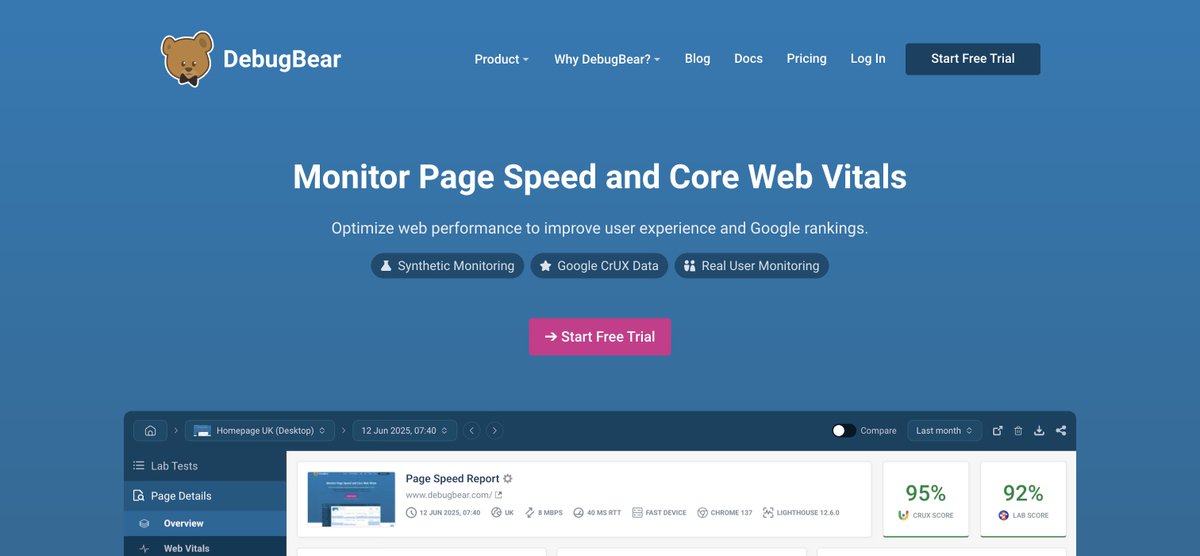
5. DebugBear
DebugBear continuously monitors your website’s speed and Core Web Vitals instead of providing only a one-time test. It can also alert you when a new change causes website performance to decline.
If your website takes more than five seconds to load, many visitors will leave before they even see what you offer.
A slow website can cost you traffic, rankings and customers. Here are five tools that can help you identify performance issues and improve your page speed:
4. Chrome DevTools
Chrome DevTools helps you investigate performance issues directly inside your browser. You can analyze network requests, JavaScript execution, rendering problems and Core Web Vitals in detail.