v0.7.0: Import your existing HTML emails.
Not converted into blocks. Not “close enough.” Byte-for-byte, exactly as you wrote it, then edit it in a real code editor.
Your old bulletproof templates deserve better than a rebuild.
Why do emails break in Outlook?
Because Outlook uses Word's rendering engine from 2007. Not a browser, Word.
Wrote up what breaks and how to fix it:
→ Tables for layout
→ Inline styles
→ Conditional comments
→ VML for background images
https://t.co/BBSXI2JKS6
Maiilo v0.6.0 - Block Library
Save any section as a block.
Drag it into any template.
Linked blocks stay in sync automatically.
Edit once, update everywhere.
https://t.co/ayPguGHdIE
Maiilo v0.5.1 + v0.5.2
Shipped this week based on user feedback:
→ Link styling - color, bold, italic on links
→ Superscript - for ™, ®, footnotes
→ Independent padding - top/right/bottom/left
→ Smart Enter - line break first, paragraph second
https://t.co/ayPguGHdIE
Maiilo v0.5.0 - Code Block When the builder isn't enough, drop in your own code.
→ Paste any HTML
→ Variables work inside
→ Validation warns about unsafe code
→ Clean export, no wrappers
Your code. Your rules.
https://t.co/ayPguGHdIE
Maiilo v0.4.0 - Variable System
→ Add {{variables}} anywhere: text, links, images, subjects
→ Preview with real data before export
→ API returns variables for ESP integration
Build once. Export clean. Works everywhere.
https://t.co/ayPguGHdIE
Fixed: button backgrounds breaking in Outlook. Added border radius options too.
Small fixes, but Outlook is where most email layouts go to die.
Two less things to worry about.
Most email builders let you design anything.
Then you hit send and Outlook destroys it.
The problem isn't your design. It's that email clients are stuck in 2003.
Constraints aren't a limitation, they're the only thing that works.
Building email templates keeps reinforcing the same lesson:
most friction doesn’t come from ideas, it comes from constraints once things need to be built, tested, and shipped.
That’s what we’re focused on smoothing out with Maiilo.
Image Alignment Fix
Fixed cases where images weren’t respecting center or right alignment in certain layouts.
Alignment is now consistent across the designer and final HTML.
Maiilo v0.3.0 is live 🚀
This release focuses on faster iteration and better real-world email layouts.
Here’s what shipped 👇
🔗 Changelog: https://t.co/MlYUz4MFaX
👉 Try Maiilo: https://t.co/ayPguGHdIE
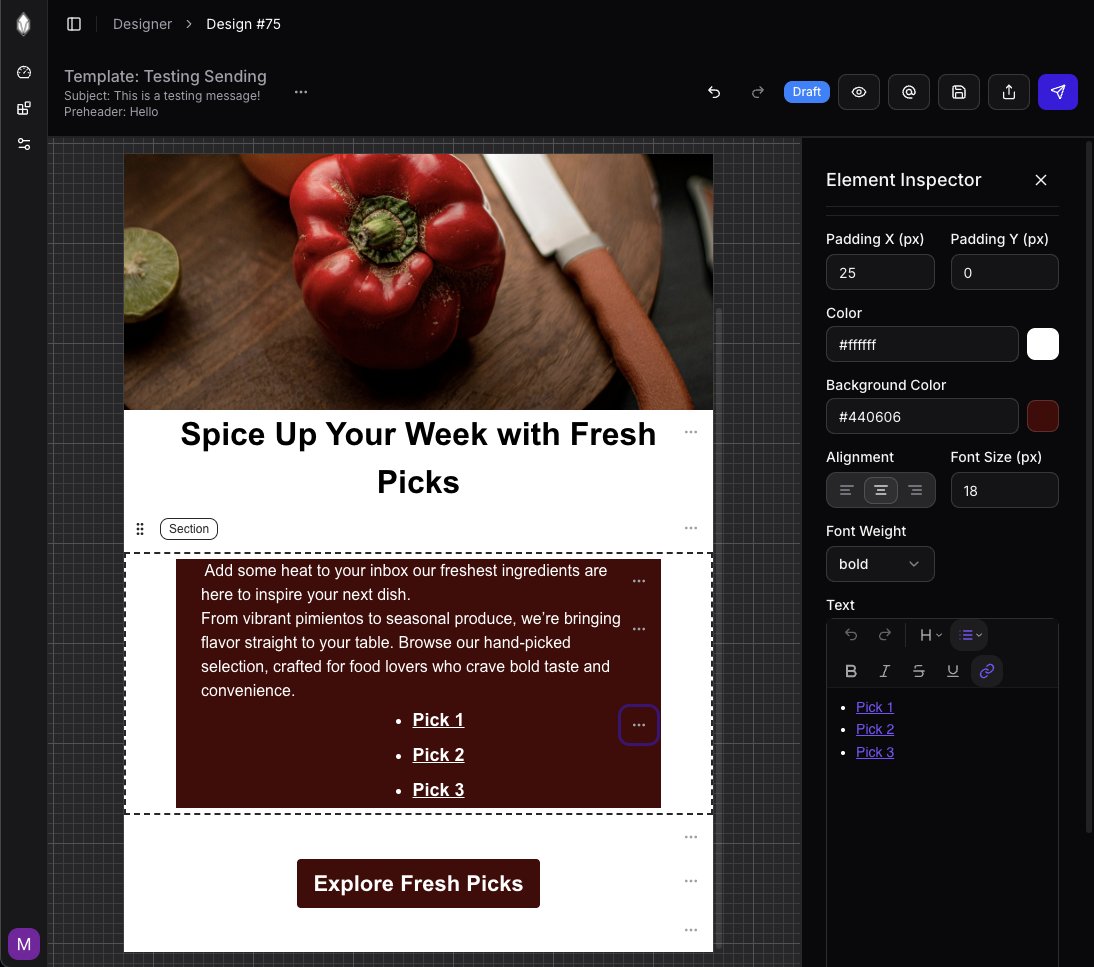
Text Lists Support
Added support for unordered and ordered lists inside the Text element.
Lists are preserved across:
• the designer
• the renderer
• exported HTML
No more broken bullets.
Send Test Email
You can now send test emails directly from the designer.
• Renders the current template state
• Sends it to a specified email address
• No export or extra steps needed
Makes iteration much faster.
Under the hood, Maiilo uses a custom template schema + React components to generate clean HTML.
The goal is to let devs design visually, but still export markup that works across Gmail, Outlook, and most ESPs.
You have already built your product fast.
Why not your emails too?
🚀 Move from idea to email in minutes.
With Maiilo, design and export clean emails without touching tables.
Try it → https://t.co/ayPguGHLyc
Improving the designer this week:
• Better bullets + formatting
• Inline links
• Linkable images
Small fixes that make real-world email building smoother.
More updates soon 👇
https://t.co/ayPguGHdIE
Spent a lot of time refining the drag-and-drop editor + HTML export pipeline for this MVP.
If you are curious about how Maiilo renders clean email HTML (or how the schema works under the hood), happy to break it down.
Maiilo exports clean, production-ready HTML that works across Gmail, Outlook, Apple Mail, and most ESPs.
No nested tables, no weird spacing issues, just reliable markup you can drop into your system.