Shipped successful products for 20+ years. Now I help vibe coders catch what Lovable and Bolt miss before it breaks in production. Free 10-point audit below ↓
Vibe coding React with AI using tools like Lovable or Cursor?
Before you ship, check for:
• leaked API keys/secrets
• unsafe env vars
• auth/data exposure
• error paths
• perf traps
I made a free production review prom
Grab it here ↓
https://t.co/1K2HHwfd2B
An exposed API key is leaving a sticky note at the bar, “Tab under Marcus.” Bartender doesn’t check; they match the name and charge you. API providers are the same. If the key matches, the request runs & you pay.
Free checklist → https://t.co/LZzvrFMlLl #ReactJS#VibeCoding
Is your security fake? A UI that just hides buttons isn't security. Hiding an “Admin” button does NOT protect the API. If your backend isn't protected, you are wide open for attack.
Tell your AI:
“Check that all write/update/delete routes test authorization.”
#ReactJS#MVP
React gotcha
Is your UI flickering a lot? Cards reload. Lists jump. Most likely caused by re-renders.
Tell AI: “Check for components re-rendering due to unstable props or missing memoization.”
Free audit checklist → https://t.co/VubHlemXXW
#ReactJS#VibeCoding
Vibe coding tip
Are you leaving console.log() statements ?
You may be logging emails, tokens, or API responses and exposing sensitive data in the browser.
Ask your AI to scan for logs before you ship.
#ReactJS#VibeCoding
Free React audit checklist: https://t.co/VubHlemXXW
React Native gotcha 🚨
Are your lists laggy, jumpy, or freezing when you scroll?
You might be rendering 100+ items with .map() inside a ScrollView.
Tell AI: “Check if lists over 20 items are using FlatList.”
Full audit → https://t.co/VubHlemq8o
#ReactNative#VibeCoding
React Gotcha 🚨
If your code uses use the list position as a key, your UI can show the wrong data after deleting or reordering items.
Do you know if your AI code is using the real ID as the key?
Free React audit checklist → https://t.co/VubHlemXXW
#React#VibeCode
React Gotcha 🚨
If your app crashes and shows raw error messages…
you might be leaking internal details.
Stack traces are helpful for you.
They’re helpful for attackers too.
Audit error handling before shipping.
https://t.co/VubHlemXXW
#React#WebDev#BuildInPublic#Security
For those of you new to vibe coding, use Plan Mode in Claude Code like a senior software architect partner — helping you set direction and guardrails early so your project is secure and production-quality, and you can focus on creating a great product.
Vibe coding skips the audit. Skips the code review.
Bugs, security holes, and scaling issues hide.
Most “fast” products don’t break at launch — they break at success.
95% of vibe coding ignores the boring stuff that actually matters:
Scalability, security, observability, maintainability.
Shipping fast is easy.
Shipping something that survives real users is the work.
Check out my audit scripts to make sure this isn't you!
I’ve been shipping software for a long time.
Vibe coding is amazing for speed — but production quality is what keeps apps from crashing under real users.
I built my toolkit because I want you to take advantage of my experience before you learn these lessons the hard way.
Vibe-coded React Native apps often “work”…
They load. They click. They demo fine.
But behind the scenes they may reload screens multiple times and slowly grind to a halt as users grow.
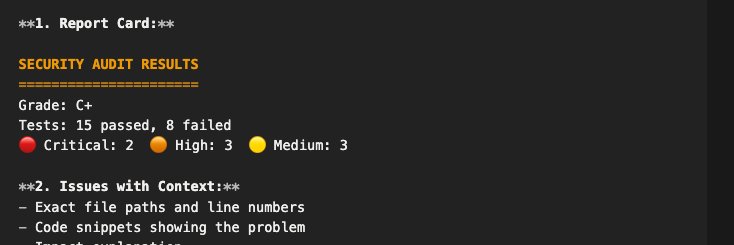
I built a simple audit tool to catch this early.
@cosmo_kappa@decocereus@Dimillian@AnthropicAI yes, but you wont be able to tell which of you apps is the one actually using it - we create different keys just so its easier to separate billing, management, security. For example, if you want to shut off a key for an app, with one key you shut all of your usage down.
I audited my vibe-coded app and found my homepage loaded 3x on entry and security problems.
That’s what convinced me: “it works” isn’t the same as production quality.
So I built a toolkit for auditing vibe coded React apps — it’s now live. Link in pinned post.