Passionate about learning! I love working with organizations to understand their learning styles and putting training solutions in place to help end users.
Want to know more about when to store documents in OneDrive for Business vs. SharePoint? Check out this quick video to help you differentiate the two. https://t.co/rr01vRUVWo
Working from home and don't have a way to scan documents? Check out the Microsoft Lens App on your phone! Super easy and intuitive to use. https://t.co/b9zHBWFJIU
Downloaded Office Lens yet? It's a cracking app that turns your phone camera into a capturing wizard. Upload content to many Office365 locations. From student work to documents, crop, recognise text, create tables all within this powerful app! @AlphaBalzer@townesy77 @MSAUedu
Had the pleasure of attending a Prosci Change Management course where I learned all about the value in understanding the people side of change and how to manage it. Excited to use my new toolbelt as I continue to work with customers as a Certified Change Practitioner!
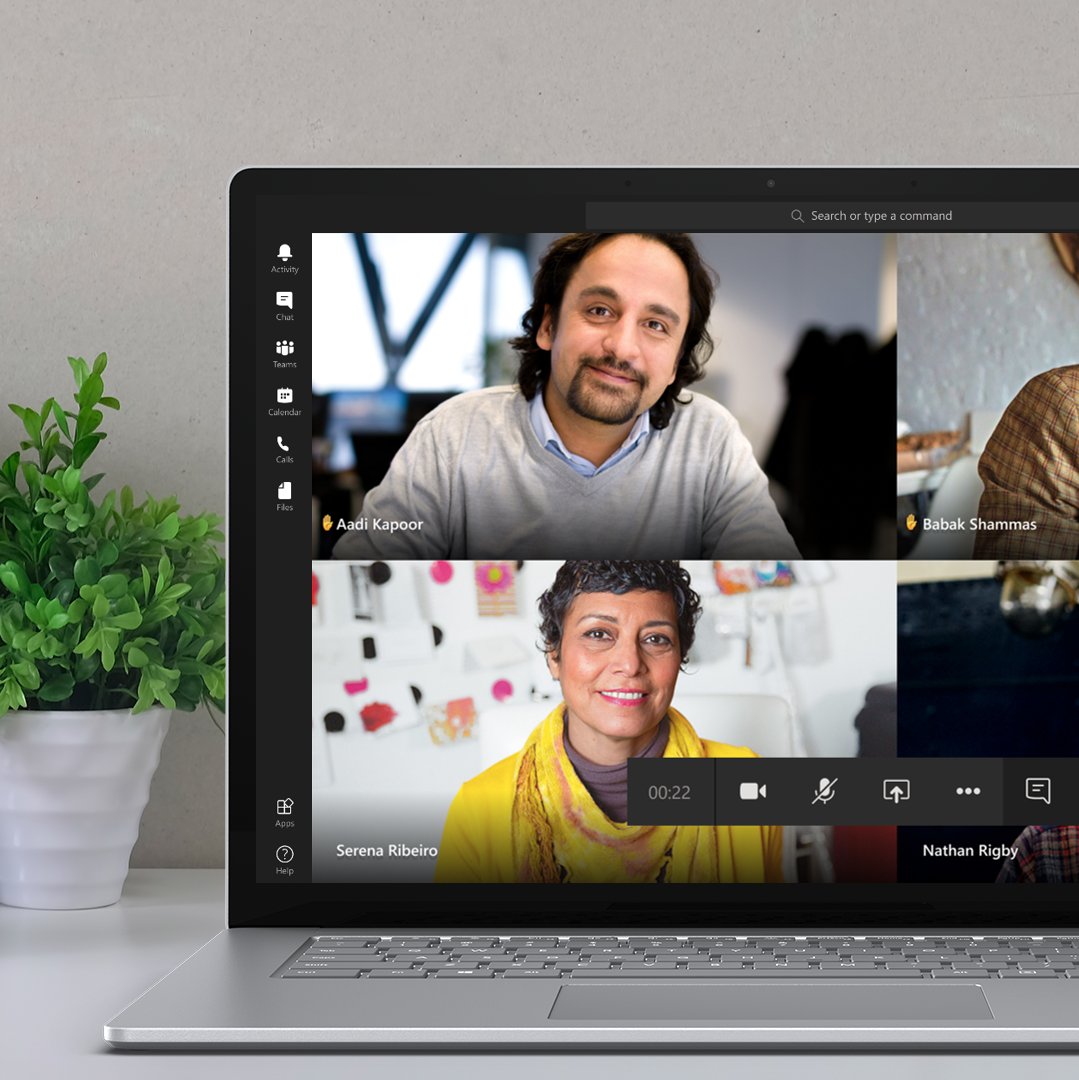
Cool new feature coming to Microsoft Teams next week. It great how Microsoft is always developing the platform and rolling out new features. #raiseyourhand#MSTeams#coolnewfeatures https://t.co/mjfINofelK
Excuse me! ✋ The new raise hands feature in #MicrosoftTeams is rolling out next week, allowing meeting attendees to identify that they wish to speak and making it easier to participate in large meetings. Read about the details here: https://t.co/wZ6XjrPmuv
I love using OneNote and plan on attending this webinar on best practices for teachers and IT admins. If you want to learn more about OneNote, check it out.
https://t.co/8Bs5jiOyDZ
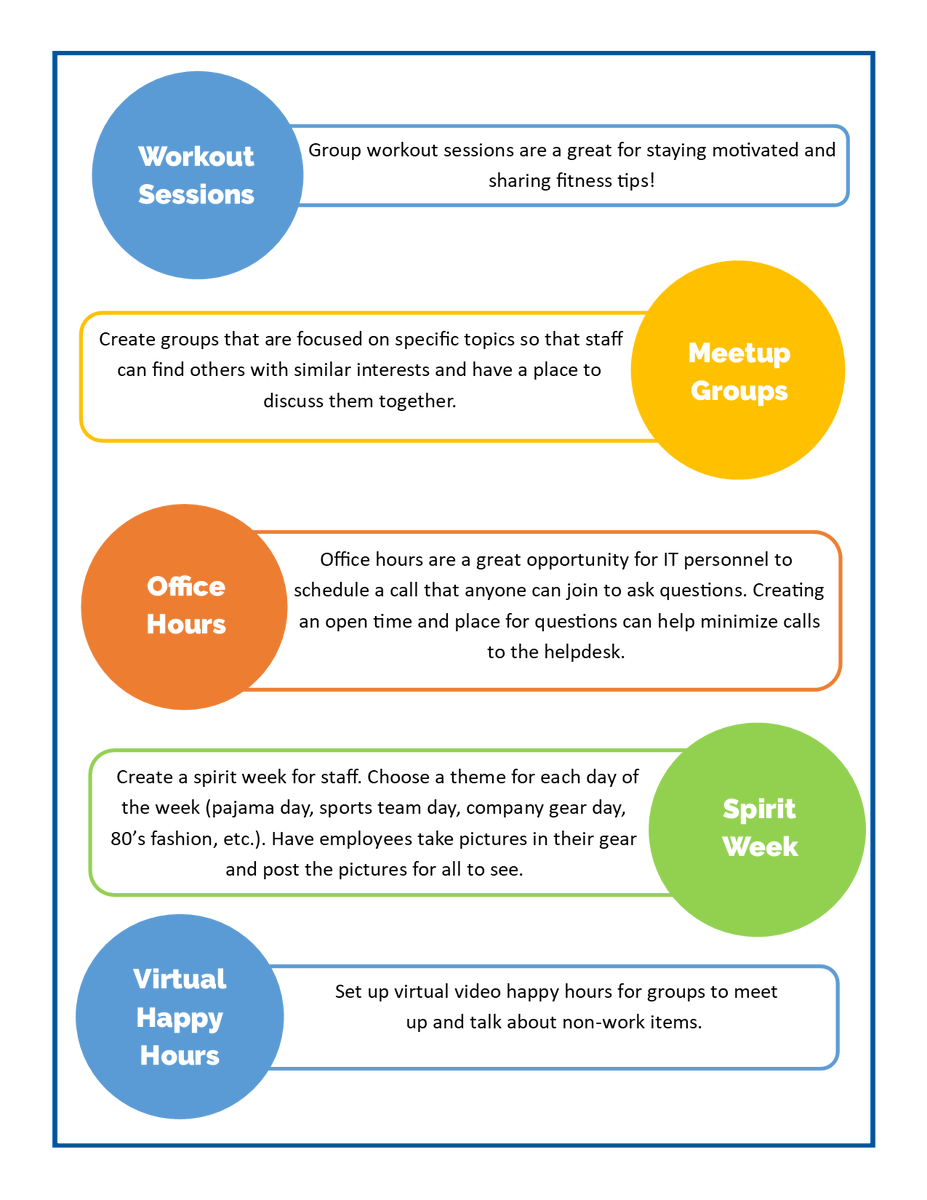
@MicrosoftTeams Here are some tips I put together to help teams feel more connected when working from home. Pick and choose what works for you and your team!
Consumption of IT products is not adoption. It is imperative that we are teaching staff how to best utilize the products available to them. The overall goal should be making every day work easier with the technology we have at our fingertips! #ITadoption
Want to get familiar with a new Office 365 app? Don't be afraid to push buttons to see how things work. If you want to try a new setting, simply take a screenshot of what they look like before you start. This way you can always switch them back to how they were. #pushbuttons
As we learn to work from home, it’s important to find ways to stay connected and avoid feeling isolated. At Planet Technologies we’ve been working to create innovative ways to encourage togetherness. Here are some ideas, make sure you share yours too! @PlanetTech#StayConnected
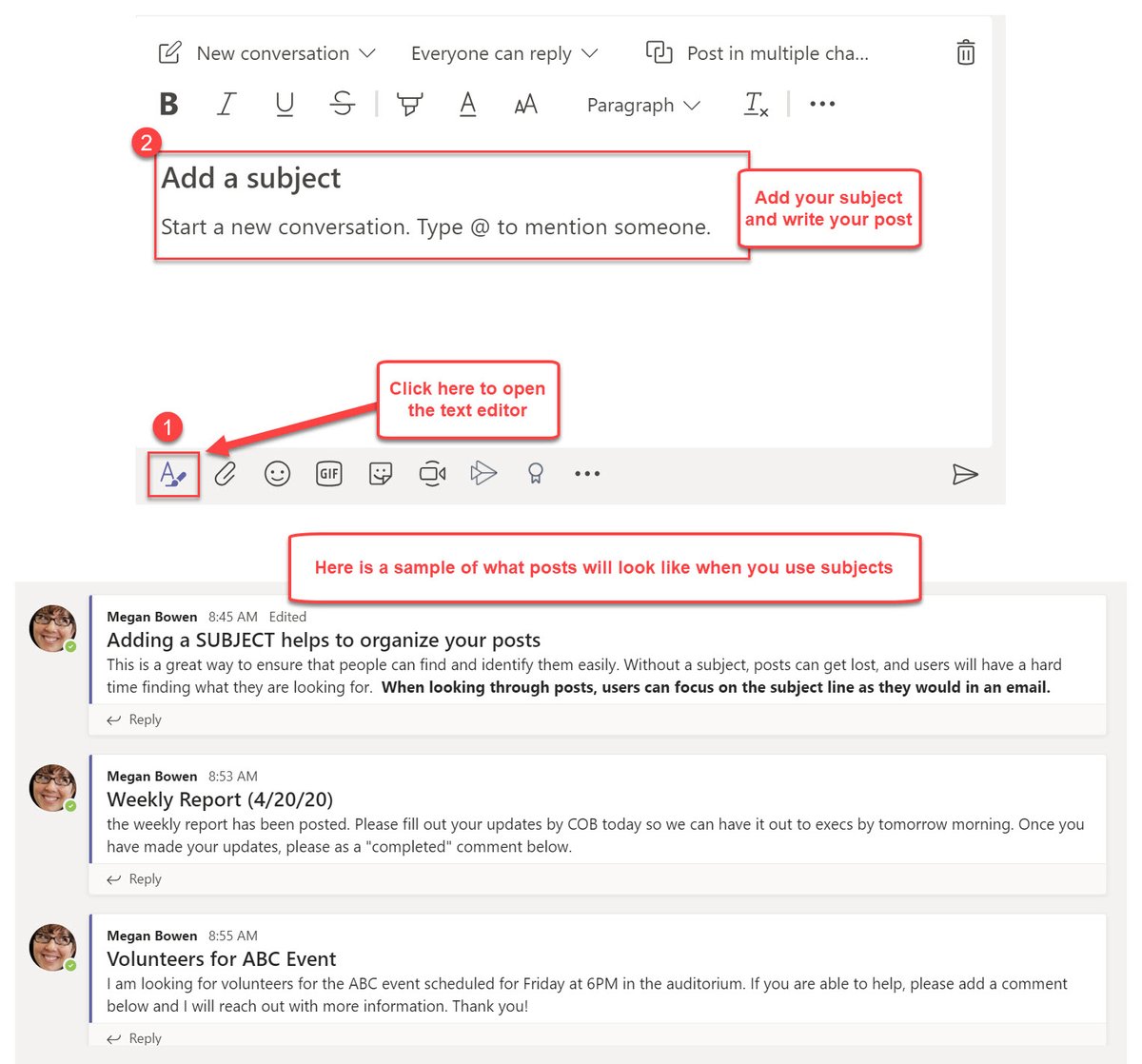
If you're using Office 365, Teams has become an everyday staple in your life. Understanding how to best use it is key. Here is a tip I find helpful when working in the app -
Add subjects to your posts to keep them organized and together #teamsbestpractices#MicrosoftTeams
When creating training solutions for your employees, make sure you understand thier learning styles. One type of training will not work for everyone, so get creative with your solutions, and use more than one medium to communicate with staff. #understandyourpeople