🔒 𝗦𝗲𝗰𝘂𝗿𝗲 𝗕𝗶𝘁𝘀
𝗪𝗵𝘆 𝘀𝗵𝗼𝘂𝗹𝗱 𝗜 𝘂𝘀𝗲 𝗔𝗗𝗣𝗿𝗼𝗯𝗲? 𝗛𝗼𝘄 𝗶𝘀 𝗶𝘁 𝗱𝗶𝗳𝗳𝗲𝗿𝗲𝗻𝘁?
That is something people ask me quite often. So let me explain why I created ADProbe in the first place.
➡️ ADProbe started during my 𝗔𝗰𝘁𝗶𝘃𝗲 𝗗𝗶𝗿𝗲𝗰𝘁𝗼𝗿𝘆 𝘀𝗲𝗰𝘂𝗿𝗶𝘁𝘆 𝗮𝘀𝘀𝗲𝘀𝘀𝗺𝗲𝗻𝘁𝘀. At the beginning, it was not really a “tool”. It was just me using PowerShell to check a few things faster.
Then I kept 𝗮𝗱𝗱𝗶𝗻𝗴 𝗺𝗼𝗿𝗲 𝗰𝗵𝗲𝗰𝗸𝘀. More environments. More assessments. More repeated findings. More things I wanted to verify quickly and consistently.
𝗔𝘁 𝘀𝗼𝗺𝗲 𝗽𝗼𝗶𝗻𝘁, 𝗜 𝗵𝗮𝗱 𝘁𝗼 𝗱𝗲𝗰𝗶𝗱𝗲:
Should I use an existing third-party AD assessment tool, or should I keep building my own? I tried 𝗺𝘂𝗹𝘁𝗶𝗽𝗹𝗲 𝗲𝘅𝗶𝘀𝘁𝗶𝗻𝗴 𝘁𝗼𝗼𝗹𝘀. And don’t get me wrong - many of them are really good. But I had two problems.
1️⃣ 𝗧𝗼𝗼 𝗺𝘂𝗰𝗵 𝗻𝗼𝗶𝘀𝗲
Some tools produced a lot of findings, but many of them were not really useful for the type of AD security assessment I was doing. I don’t want hundreds of findings just to make the report look bigger. I want findings I can explain, defend, and connect to real risk.
2️⃣ 𝗧𝗿𝘂𝘀𝘁 𝗮𝗻𝗱 𝘁𝗿𝗮𝗻𝘀𝗽𝗮𝗿𝗲𝗻𝗰𝘆
In customer environments, I try to avoid running third-party compiled tools whenever possible. Not because they are automatically bad. But because I prefer to know exactly what I am running, what it queries, and what it does.
✅ 𝗧𝗵𝗮𝘁 𝗶𝘀 𝗵𝗼𝘄 𝗔𝗗𝗣𝗿𝗼𝗯𝗲 𝘀𝘁𝗮𝗿𝘁𝗲𝗱.
A simple PowerShell-based tool for checking Active Directory vulnerabilities, misconfigurations, and persistence methods attackers may leave behind.
𝗙𝗿𝗼𝗺 𝗺𝘆 𝗽𝗼𝗶𝗻𝘁 𝗼𝗳 𝘃𝗶𝗲𝘄, 𝘁𝗵𝗲 𝗺𝗮𝗶𝗻 𝗯𝗲𝗻𝗲𝗳𝗶𝘁𝘀 𝗮𝗿𝗲:
🔹 less noise
🔹 focused on real AD security assessment needs
🔹 one simple PowerShell script (one file only)
🔹 transparent checks you can review
🔹 easy to extract only the queries you need
And I think the “simple PowerShell script” part is 𝗶𝗺𝗽𝗼𝗿𝘁𝗮𝗻𝘁. You do not need to blindly trust it. You can open it. Read it. Verify it.
➡️ 𝗘𝘅𝘁𝗿𝗮𝗰𝘁 only the AD queries you want.
Right now, ADProbe contains 𝟱𝟭 𝗰𝗵𝗲𝗰𝗸𝘀 for Active Directory vulnerabilities, misconfigurations, and persistence methods. It is free, transparent and built specifically for needs of AD security assessments.
🔗 https://t.co/2GXMOxsPME
𝗣𝗹𝗲𝗮𝘀𝗲, let me know what you think about it.
#ActiveDirectory #WindowsSecurity #PowerShell #CyberSecurity #BlueTeam #SysAdmin #HorizonSecured
🚨 هذا المطور قلب سوق استنساخ الأصوات بالكامل بمستودع واحد على GitHub.
الحين صار Claude يقدر يتكلم بصوتك بـ 23 لغة من خلال استدعاء MCP واحد فقط.
مجاني، يشتغل محليًا، وبدون إنترنت.
بينما كانت ElevenLabs تأخذ اشتراكات من 22 إلى 330 دولار بالشهر، المطور Jamie Pine نزل بديل مجاني بالكامل تحت رخصة MIT.
مستودع jamiepine/voicebox على GitHub وصل لأكثر من 41.6 ألف نجمة خلال أسابيع.
يستنسخ أي صوت من 10 ثوانٍ فقط، مع 7 محركات لتحويل النص إلى كلام (TTS).
يشتغل على جهازك باستخدام Tauri المبني بـ Rust، لذلك صوتك وملفاتك ما تطلع من جهازك أبدًا.
يتكامل مباشرة مع Claude Code وCursor وCline وأي وكيل يدعم MCP، ويخليه يرد عليك بصوتك من خلال أمر واحد فقط: voicebox.speak.
فيه أيضًا ميزة الإملاء الصوتي داخل أي برنامج بضغطة اختصار واحدة.
وتقدر تنشئ محتوى بالعربي أو الياباني أو البولندي بدون ما تنطق بكلمة.
باختصار، يجمع مميزات ElevenLabs وWisprFlow في تطبيق واحد مجاني ومفتوح المصدر.
احفظ المستودع، لأنك غالبًا بتحتاجه إذا ودك تعطي وكيل الذكاء الاصطناعي صوتك.
Edward Snowden recommends this operating system to journalists, activists, and anyone whose computer could be used against them.
It's called Qubes OS, and it's free.
A Polish security researcher named Joanna Rutkowska built it.
In 2006, she walked onto a stage in Las Vegas and showed a room full of hackers something that shut the whole place up.
She had built a way to take over a computer completely, using the hardware itself, without the operating system ever noticing it happened. People called it Blue Pill.
A few years later she asked herself the opposite question. If a computer can be silently taken over like that, how do you build one that survives being attacked anyway?
Her answer was Qubes.
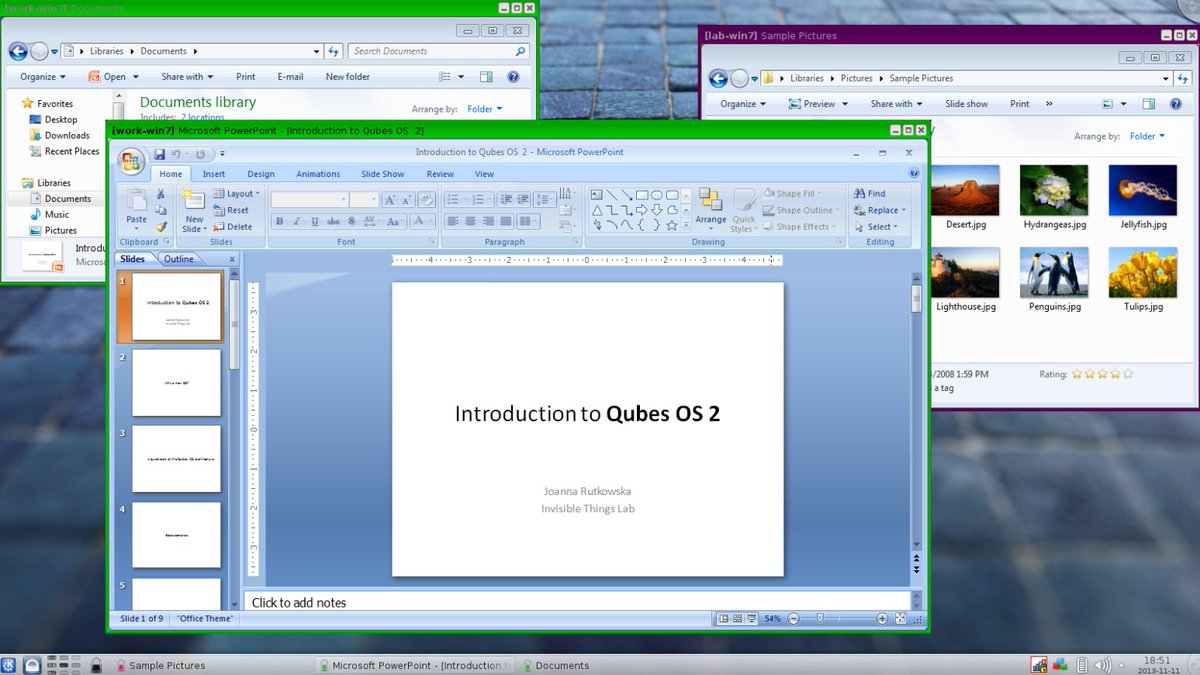
Instead of trusting your whole computer as one single space, Qubes splits it into many separate little computers running side by side, each one sealed off from the others. Open your banking site in one. Open a sketchy email attachment in a different one.
If the attachment turns out to carry malware, it wakes up alone in its own sealed box with nothing else to touch.
Some of those boxes are built to disappear on purpose. Open a suspicious PDF in a disposable one and the moment you close it, the whole thing gets erased and rebuilt from scratch the next time you need it, malware included.
In 2016, Snowden tweeted about it directly: "It's what I use, and free. Nobody does VM isolation better."
Whonix, the anonymity system built entirely around Tor, actually runs as one of the isolated boxes inside Qubes.
That's the exact combination Snowden pairs together for the strongest privacy setup he trusts on his own hardware.
Free, open-source screen recorder & editor with automatic cinematic zooms, mouse tracking, and integrated video editor. Available for Windows, macOS and Linux!
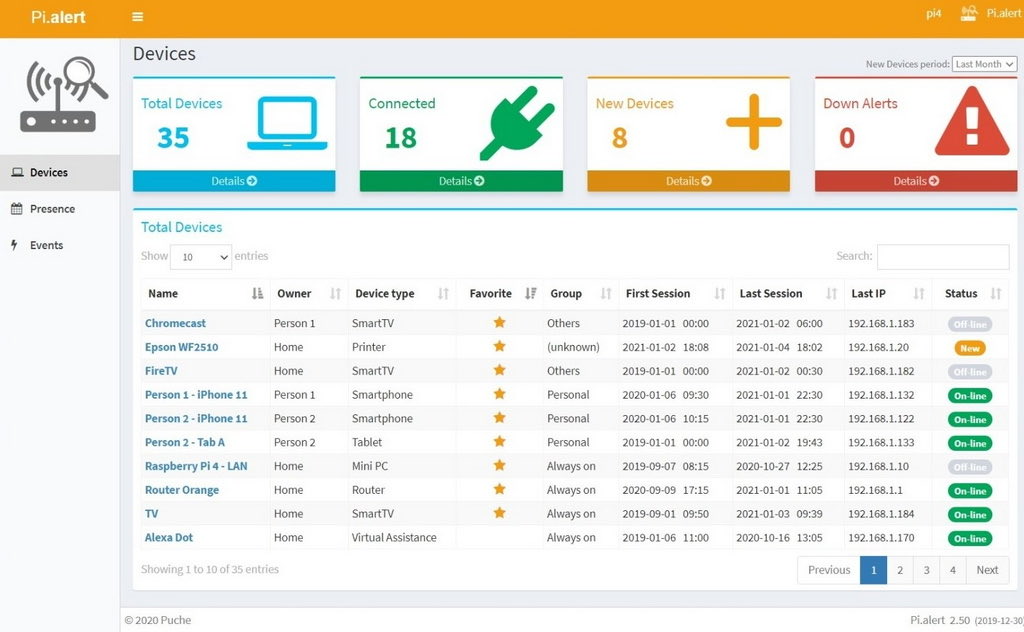
تبي تعرف من دخل شبكة الواي فاي عندك ومتى طلع
جرّب Pi.Alert مشروع مجاني ومفتوح المصدر يراقب شبكتك 24/7 ويعلمك إذا
• اتصل جهاز جديد.
• انقطع جهاز عن الشبكة.
• تغير عنوان IP لأي جهاز.
• دخل جهاز غريب على الواي فاي.
مفيد للبيت، المكتب، أو أي شخص يحب يعرف وش يصير داخل شبكته بكل بساطة.
A guy named Jonah accidentally built the most useful website on the internet.
It's called Privacy Guides.
This is the website Google would rather you not find, Meta actively lobbies against, data brokers have tried to discredit for years, and the entire advertising industry treats as a direct threat to their business model.
It has been online since 2019. It takes no affiliate money. It runs no ads. Journalists cite it. Security researchers trust it.
Here's how it works.
Privacy Guides is a curated recommendation list. The site itself sells nothing.
It just tells you which private tool actually replaces every surveillance product in your life, tested by security researchers and updated every month, organized into 40+ categories with the exact reason each pick was chosen.
→ Browsers that block trackers and ads by default
→ Email providers that cannot read your messages
→ Search engines that do not build a profile on you
→ Password managers you can self-host
→ VPNs that accept cash and Monero and log nothing
→ Messengers with end-to-end encryption Signal-tier or better
→ Photo apps that do not scan your camera roll
→ Health apps that do not sell your data to insurance companies
→ A custom Android OS called GrapheneOS that strips Google out of your phone entirely
The site is run by a non-profit called MAGIC Grants. Every recommendation goes through a public forum review, a GitHub pull request, and criteria published on the site so anyone can audit why a tool was chosen. No company can pay to be listed. No affiliate link exists on the entire domain.
Google can't shut this down. Meta can't shut this down. Amazon can't shut this down.
The entire $600 billion surveillance advertising industry is built on the assumption that you would never spend one afternoon on this website.
https://t.co/BQJjD1jANC
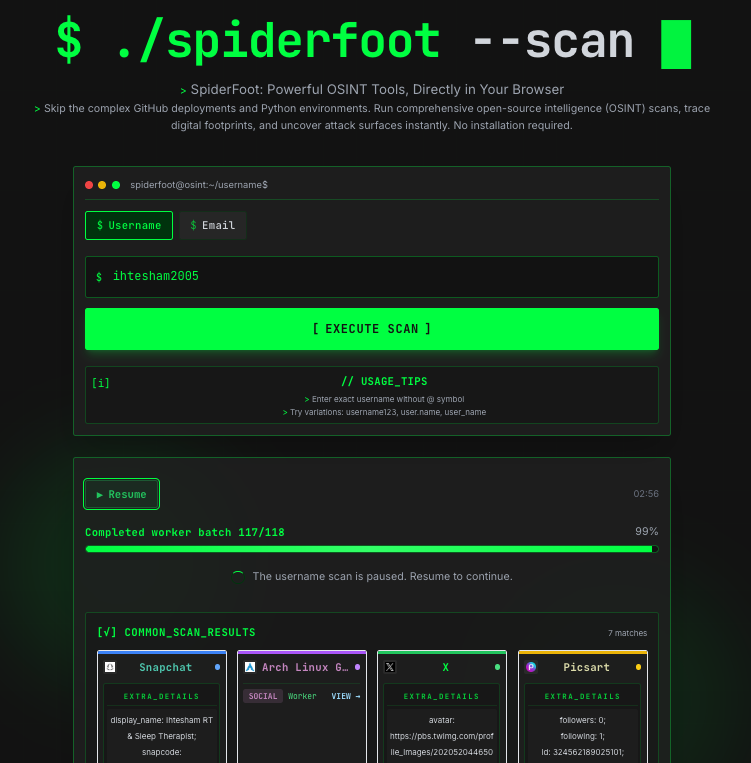
A hacker built a free tool where you enter an email or domain and it automatically finds every account, breach, and leak connected to it, and it's scary good.
It's called SpiderFoot. Steve Micallef started building it back in 2012, and it hasn't stopped growing since.
Type in an email address. It checks that address against every major data breach on record. Find a leaked password in there and it doesn't stop. It traces that password to a reused username.
It traces that username to a real account, sometimes with a real photo attached, sometimes with a real phone number sitting right next to it.
You never touch a second search bar. Every result feeds the next one automatically, across more than 200 connected modules pulling from places like Shodan, HaveIBeenPwned, and VirusTotal.
One clue goes in. A full map of a person's digital life comes out the other side, usually in a few minutes.
It's built into Kali Linux by default, which tells you exactly how seriously security professionals take it.
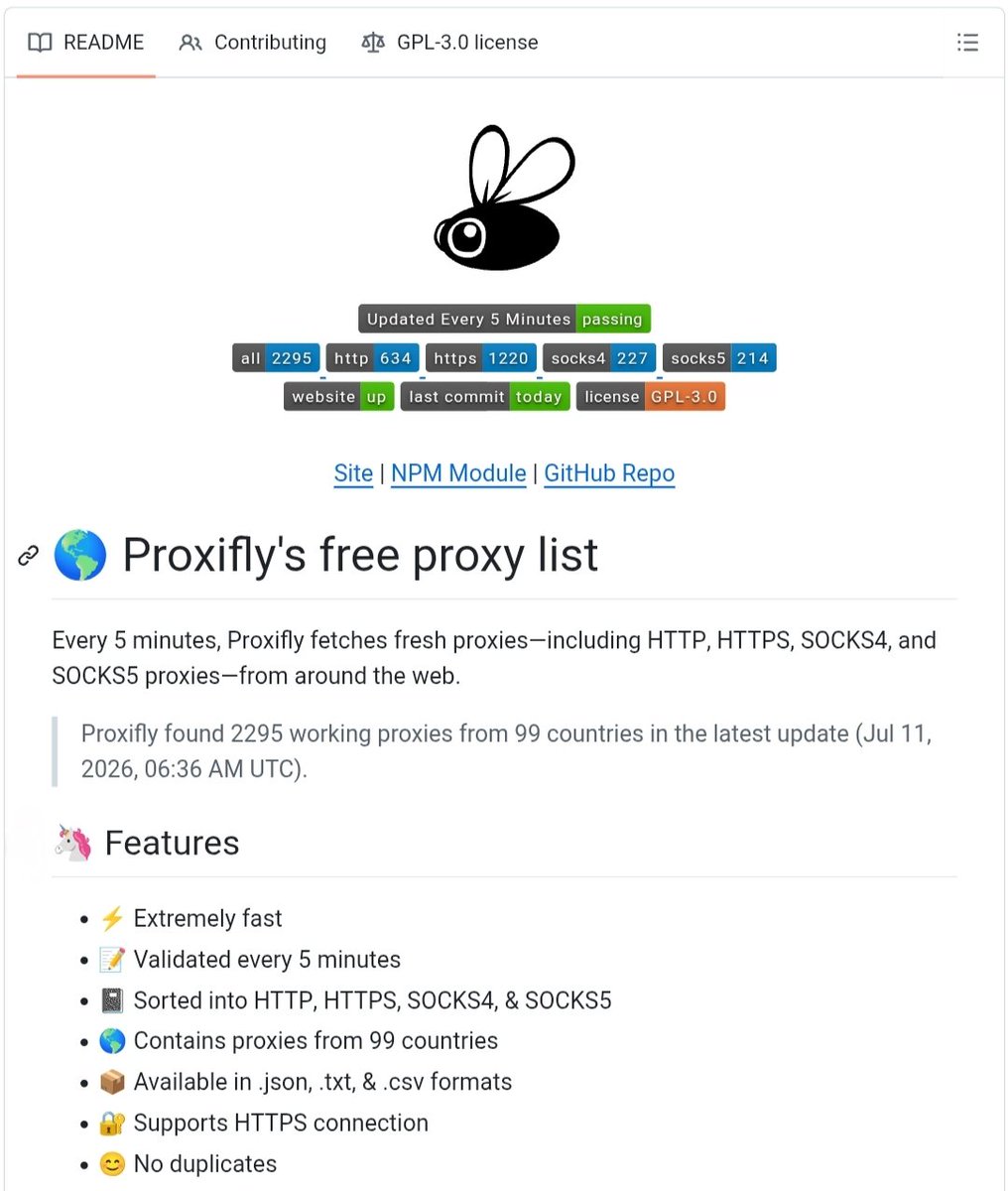
free-proxy- list? Access Fresh Free Proxies Updated Every 5 Minutes 💥💀
Proxifly is an open-source project that provides a continuously updated list of working HTTP, HTTPS, SOCKS4, and SOCKS5 proxies. The proxies are validated every 5 minutes and are available in multiple formats for developers, researchers, and automation workflows.
✨ Key Features:
• 🌍 Working proxies from 99+ countries
• 🔄 Automatically updated every 5 minutes
• 🔐 Supports HTTP, HTTPS, SOCKS4 & SOCKS5
• 📄 Available in JSON, TXT & CSV formats
• ⚡ Fast, validated & duplicate-free proxy lists
• 📦 Easy integration with NPM, cURL & APIs
🔗 https://t.co/sIEatSblv8
#CyberSecurity #Proxy #OpenSource #GitHub #Privacy #Networking #Developers
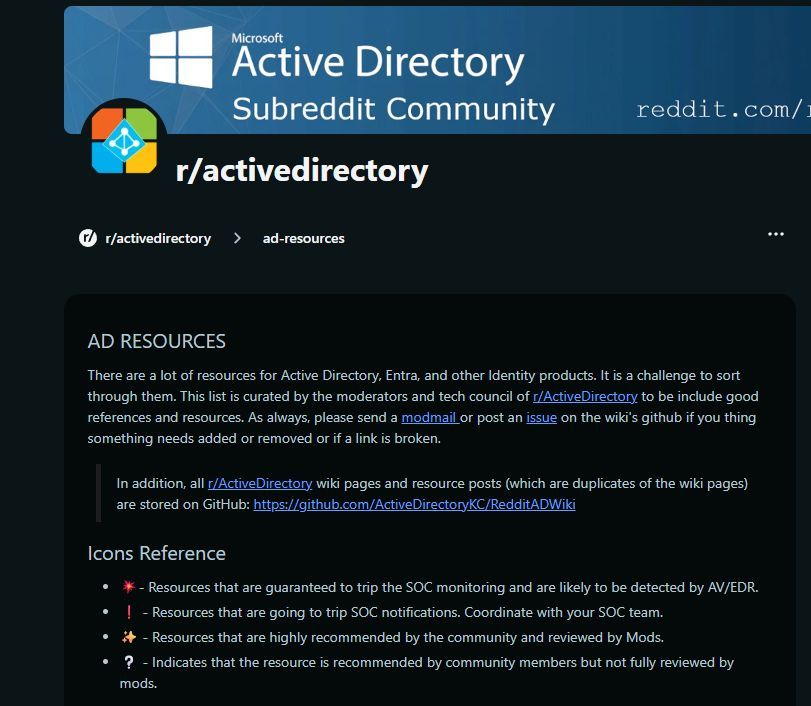
There's really no shortage of really good technical and strategic advice for securing Active Directory. In other words, there's no excuse. 💪
https://t.co/dwubbzwseN