Bugün My Gym Assistant şirketleşeli 1 yıl oldu. Kendimi 1 yaşına girmiş bir bebek gibi hissediyorum 😊
7 ilimizde 24 şubeye My Gym Assistant markasıyla hizmet vermek gurur verici
Önümüzdeki yıl bu gururu yüzlerce şube ile yaşamak dileğiyle...
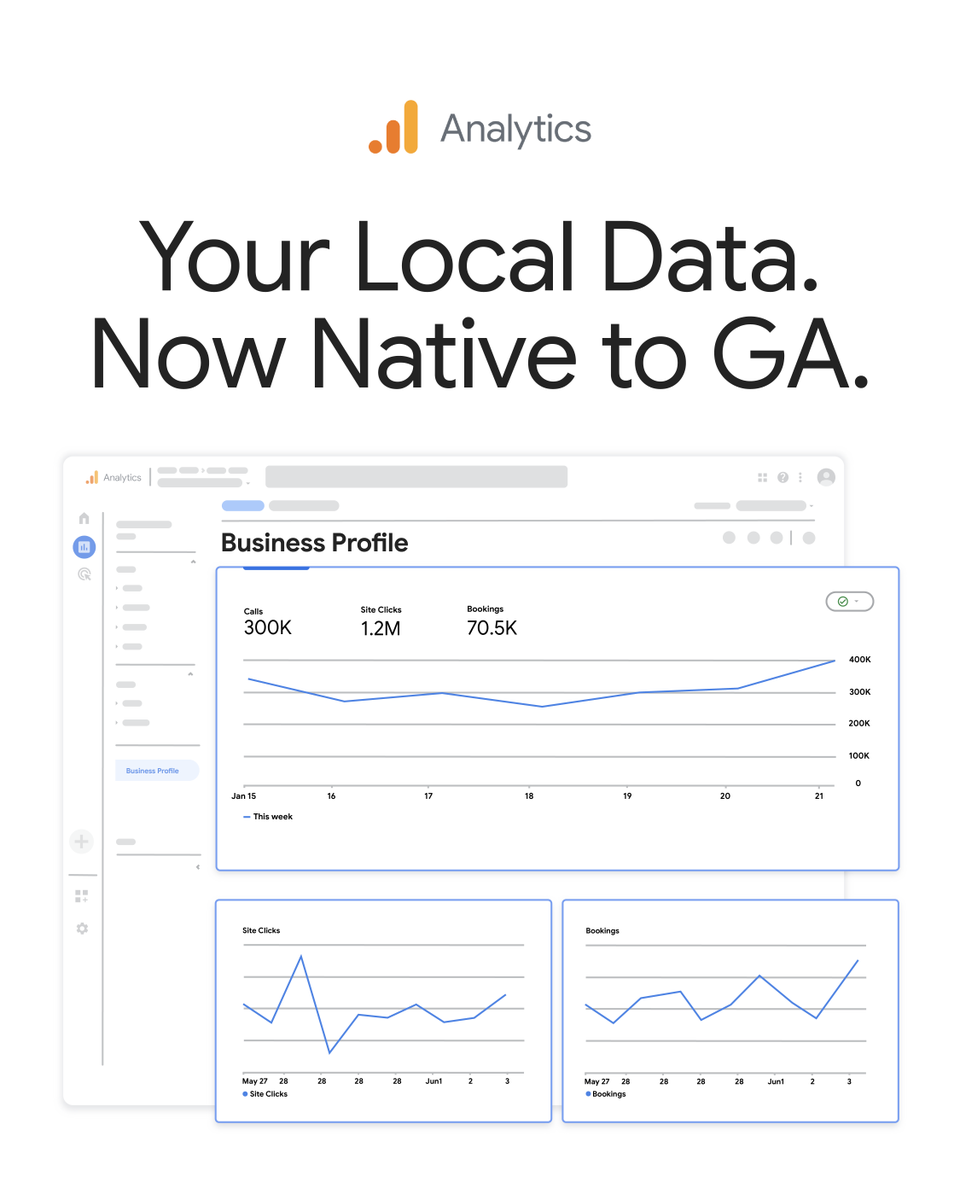
Big news for local businesses📍
You can now link your @GoogleMyBiz Profile directly to Google Analytics 📣
Track local interactions, calls, bookings, & direction clicks right in GA for a complete, cross-channel view of your performance. Stay up to date → https://t.co/bwCGPbhyXg
Our ad creative spends $3M/mo on Meta and Claude is behind some of our biggest creative decisions.
Just switched our entire research → angle → brief pipeline to Fable 5.
Here's how we use it (and what's different with the new model) 🧵
We're partnering with @xai to bring Grok to @Cloudflare AI Gateway.
• Grok LLMs, audio, image, and video models are now available through AI Gateway
• Billed directly through Cloudflare
• No additional auth, env, API keys needed
𝚎𝚗𝚟.𝙰𝙸.𝚛𝚞𝚗("𝚡𝚊𝚒/𝚐𝚛𝚘𝚔-𝚒𝚖𝚊𝚐𝚒𝚗𝚎-𝚟𝚒𝚍𝚎𝚘-𝟷.𝟻-𝚙𝚛𝚎𝚟𝚒𝚎𝚠")
CapCut is partnering with @GeminiApp .
Soon, users will be able to edit images and videos directly within the Gemini app using CapCut’s advanced creative and editing capabilities.
As creative workflows become more connected and seamless, we believe the future of creation will be more conversational, intuitive, and intelligently integrated across tools and experiences.
This is just the beginning.
✅ Claude Code
✅ Claude Cowork
✅ Claude Design
✅ Claude Finance
🔲 Claude Marketing
🔲 Claude Sales
🔲 Claude Finance
🔲 Claude HR
🔲 Claude Operations
🔲 Claude Customer
…
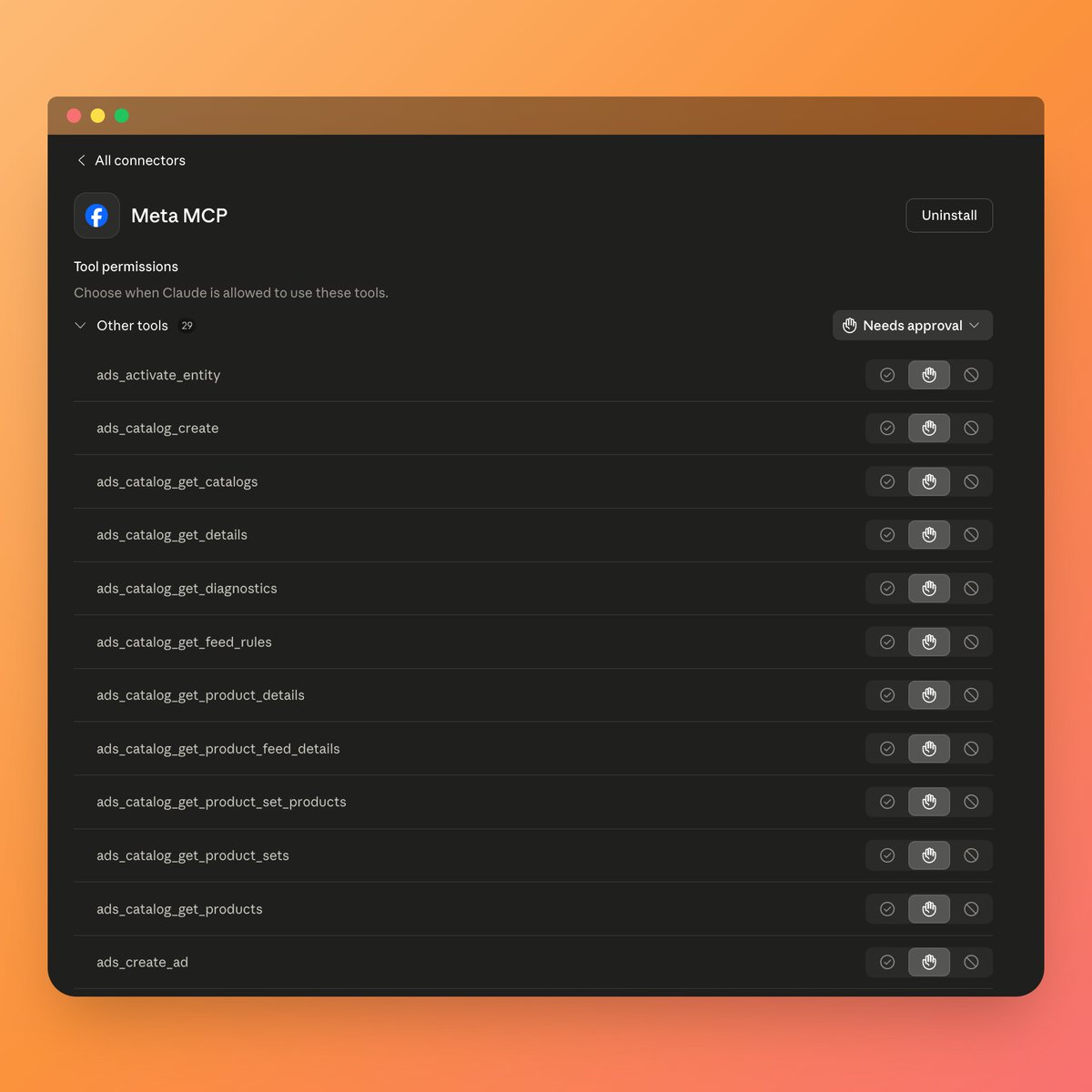
🚨 Meta released their Ads MCP and CLI today – if you use Claude or ChatGPT you should install this asap (resources in comments).
What makes this announcement so interesting is that it gives AI tools direct, authorized access to help manage your Meta Ads account through natural language.
1. Comprehensive reporting
Pull detailed reports, surface performance trends, and quickly understand what is happening across campaigns.
2. Campaign management
Create and edit campaigns, ad sets, and ads without manually clicking through Ads Manager.
3. Catalog management
Create product catalogs, add product data, and troubleshoot feed issues faster.
4. Signal diagnostics
Access signal health and quality insights so you can prioritize the parts of your setup that need attention.
This is a huge step forward in agentic media buying. Will be testing this rest of the week!
I'm really happy to share that Medkit won 1st place 🥇 at the global Built with Opus 4.7 hackathon by @claudeai, @claudedevs, and @cerebral_valley.
Medkit is a voice-first AI clinic for medical students and junior doctors. You consult with AI patients in real time — take the history, order labs, read imaging, diagnose, prescribe — and get a structured, cited debrief on every case.
Let's see where the journey goes, but I'm truly excited to be part of shaping the future of medical education!
🎥 Full demo: https://t.co/n5NpRcwZxQ
🔗 Try it: https://t.co/QRv2guMW4A
🖼️ Project gallery: https://t.co/xU07m5kLll
Thank you to @claudeai, @claudedevs, and @cerebral_valley for the week, and to every builder I met along the way.
#BuiltWithClaude #ClaudeCode #BuiltWithOpus
The Head of Claude Code at Anthropic said he hasn’t written code by hand in months.
In 2 days he shipped 49 full features. All written 100% by AI.
He just dropped a 30 min talk on exactly how he does it.
Worth more than any $500 vibe coding course. Bookmark it:
Introducing Claude Design by Anthropic Labs: make prototypes, slides, and one-pagers by talking to Claude.
Powered by Claude Opus 4.7, our most capable vision model. Available in research preview on the Pro, Max, Team, and Enterprise plans, rolling out throughout the day.
Aşağıdaki gelişmeyle artık ücretli Shopify temalarına ya da eklentilerine para ödemenize gerek yok.
Shopify projelerimi son bir buçuk aydır zaten Claude Code (Opus) ve Codex ile beraber Shopify CLI üzerinden geliştiriyordum.
Alternatif olarak AI ile ürettiğim kodları GitHub’dan Shopify’a push’lamak da işe yarıyordu ama CLI çok daha zahmetsizdi.
Shopify da bunun kaçınılmaz olduğunu görüp kapsamlı AI entegrasyonlarını devreye almış. Horizon teması, AI Theme Blocks, Sidekick’in doğal dil ile tema düzenleme özelliğini kullanarak ve en yenisi AI Toolkit ile doğrudan Claude, Cursor, VS Code gibi araçları Shopify’a bağlama imkanı… Süreç her geçen gün daha da kolaylaşıyor.
Uzun vadede geleneksel tema ve uygulama geliştiricileri için rekabeti zorlaştıran ve işlerini düşürecek bir gelişme olsa da, genel olarak bu gelişme Shopify ekosistemini ve kullanımını ciddi şekilde artıracak diye düşünüyorum.
Benim yöntemim şu: Projeyi VS Code’da Claude Opus ile tasarlıyorum, sonra Codex’in daha güçlü bağlam ve denetim becerileriyle kontrol ettiriyorum. Sonrasında Shopify CLI ile ücretsiz Horizon temasına kodu deploy ediyorum. Gerekirse istediğim değişikliği Codex’le konuşarak düzenliyorum.
Artık daha bir kaç ay önce Shopify senkronizasyonuyla hype olan Lovable ya da benzeri Bolt… gibi araçların pek bir önemi kalmadı. İlginç dönemler yaşıyoruz; bir kaç ay içinde yeni bir teknolojik gelişme, bir öncekini hızla eskitiyor. Sırada Shopify app marketinin öneminin yitirmesi olabilir.
Yeni gelişmelerle bu kombinasyon sayesinde (Shopify + Claude Code + Codex+ Horizon Teması), özellikle yurt dışı e-ticaret projeleri için erteleme bahaneniz gerçekten kalmadı.
Yapmak ya da yapmamak… Artık bütün mesele bu.
A new report just launched! ✨
Go beyond last click with the Conversion Attribution Analysis report — see how your demand creation media is driving your wins.
It shows you…
🔹 Assists vs. last touch
🔹 Early engagement
🔹 Full-path view
Learn more: https://t.co/FirUmwKooV
10 free Claude Code skills for Meta Ads.
No API keys. No MCP setup. No coding. 👇
Just export a CSV from Ads Manager,
drop it in, and run the command
These all work with standard Meta Ads exports.
Nothing connects to your account.
Your data stays on your machine.
1/ Creative fatigue scanner
Tracks CTR decay, frequency buildup, and CPC inflation
across every active ad.
Categorizes each one: 🟢 healthy, 🟡 warning, 🔴 critical.
Tells you what to pause and what to refresh.
2/ Wasted spend finder
Scans for ads and ad sets producing zero conversions.
Groups the waste by theme, attaches dollar amounts.
Most accounts have 15-25% hidden waste. This finds it.
3/ CPA spike diagnosis
Paste current vs. previous period data.
It isolates the root cause — audience fatigue, creative decay,
bid shifts, budget ramp too fast, external factors.
Ranked by dollar impact.
4/ Audience overlap detector
Maps every ad set's targeting against every other ad set.
Flags where you're bidding against yourself.
Shows the exact overlap percentage and the CPM cost.
5/ A/B test analyzer
Calculates statistical significance on your test data.
Tells you if your winner is actually a winner
or if you're calling it too early.
Includes sample size recommendations.
6/ Budget reallocation modeler
Models what happens to CPA at different spend levels
using your actual historical data.
Shows where scaling works and where returns collapse.
7/ Weekly performance report
Paste this week's numbers.
Get an executive summary, campaign table, creative rankings,
audience insights, and a prioritized action list.
Plain English. No jargon. Ready to send.
8/ Ad copy generator
Feed it your product brief and audience data.
Gets back 20+ copy variations — short, medium, long-form —
across Meta's placement specs.
Feed, Stories, Reels — character limits handled.
9/ Competitor ad library analyzer
Give it a competitor name.
It pulls their active Meta ads from the Ad Library,
categorizes by theme, identifies their top hooks and angles,
and suggests what to test against them.
10/ Lookalike audience refresher
Audits your current lookalike performance.
Flags which ones have degraded (they decay every 60-90 days).
Recommends which seed lists to update,
what % to test, and which to retire.
Setup:
→ Download the .md files
→ Add them to a Claude Project as knowledge
→ Export your last 30 days from Meta Ads Manager
→ Start asking questions
Works with Claude Pro ($20/month).
No terminal required if you use Claude Projects.
Comment "Skills" and I'll send you the full guide
(must be connected)
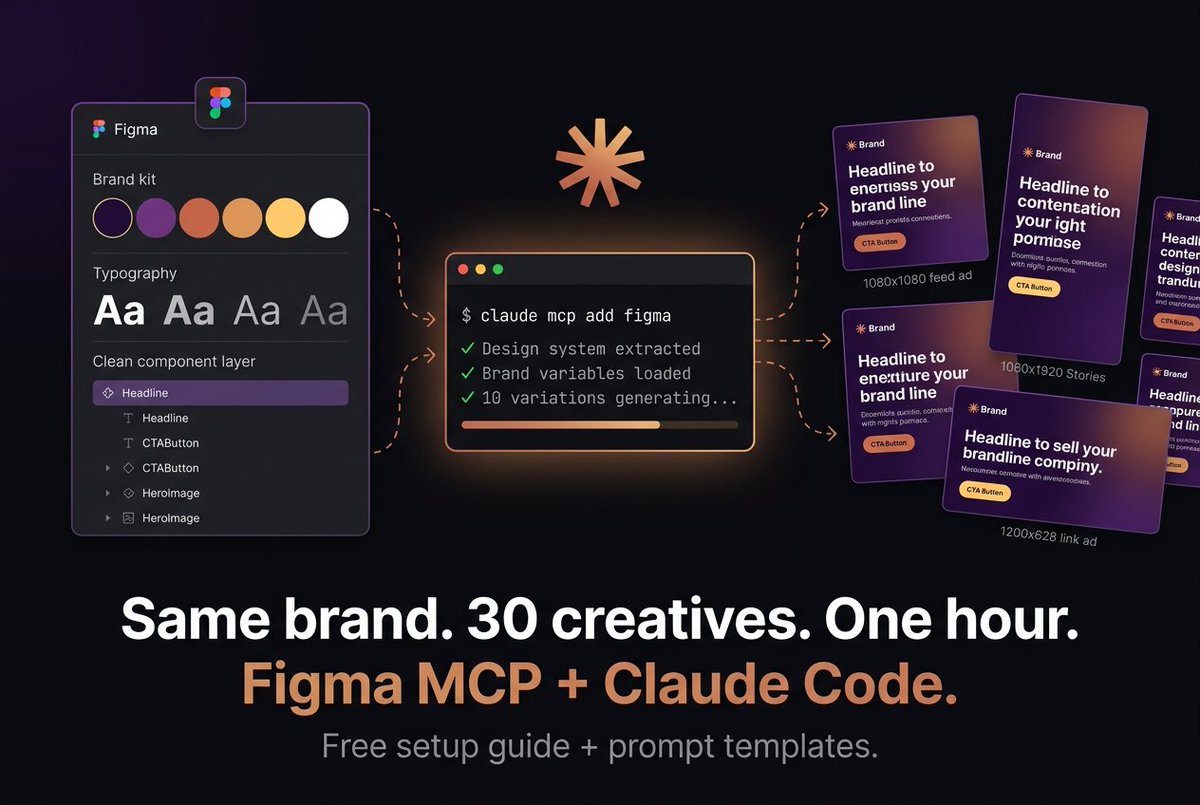
Figma MCP + Claude Code
140 ads in 11 minutes. 👇
Same brand colors.
Same fonts.
Same layout rules.
Because the AI reads my actual Figma file
Here's the problem with AI-generated ads:
They look like AI-generated ads.
Generic colors.
Wrong fonts.
Off-brand everything.
You spend more time fixing them than you saved.
Figma's MCP server changes this.
It lets Claude Code read your real design system — your brand variables, typography styles, components, spacing tokens — and generate creatives that actually match your brand.
Not "close enough."
Exact match.
Here's the workflow:
1/ Set up your brand kit in Figma
Define your colors, fonts, and spacing as variables.
Name your layers clearly (not "Rectangle 47").
Build one master template per ad format.
2/ Connect Figma to Claude Code
One command in your terminal.
Claude reads your design system and learns your brand rules.
You do this once.
3/ Give it a brief
Product, audience, goal, key benefit, offer.
Ask for 10 variations with different hooks: → Problem-aware → Benefit-led → Social proof → Direct offer → Curiosity gap
4/ Scale across formats
Take your best variations and adapt: 1080x1080 for feed.
1080x1920 for Stories/Reels.
1200x628 for link ads.
10 creatives become 30 in minutes.
5/ Iterate on winners
When Meta tells you which ad is winning, feed that back in and generate 10 more riffs on the winner.
Different secondary text, color emphasis, CTA wording.
This is how you compound creative testing.
What this replaces:
→ Designer making variations manually in Figma — hours
→ Agency charging per revision — $$$
→ You resizing the same ad 4 times — soul-crushing
What it costs:
→ Claude Code: free to start
→ Figma paid seat: you probably already have one
→ Meta Marketing API: free
The brands winning on Meta right now aren't running 3-5 creatives.
They're running 30-50+, cycling weekly.
This is how you keep up without a full creative team.
Comment "Figma" and I'll send you the full setup guide + copy-paste prompt templates for every ad type.
(must be connected)
I connected Claude directly to my Meta ad account.
Meta ads MCP full guide 👇
No CSV exports. No copy-pasting into ChatGPT. No pivot tables.
I just ask questions in plain English and get live answers from my actual data.
The technology is called MCP (Model Context Protocol).
It lets Claude read your live Meta ad data and take actions —
pause ads,
move budgets,
flag problems
— all from a single conversation.
Setup took 10 minutes. No coding.
Here's what I can do now:
1/ Morning performance check
"Show me yesterday's performance. Flag anything where CPA is 20% above my 7-day average."
Done in 30 seconds. Used to take 20 minutes in Ads Manager.
2/ Creative fatigue scan
"Which ads have frequency above 3 and CTR dropped 20% in the last 14 days?"
Claude pulls the data live. No export needed.
3/ Budget reallocation "Move $200/day from my worst ad sets to the top 3 by ROAS."
It makes the changes.
You confirm before anything goes live.
4/ Audience breakdown
"Break down my best campaigns by age, gender, and placement. Where am I leaving money on the table?"
Instant.
No custom reports.
No spreadsheets.
5/ Campaign creation
"Create a new campaign targeting women 25-44 in the US, interested in skincare, $50/day budget."
Launches in PAUSED status.
Nothing spends until you approve.
How to set it up (4 steps):
→ Get Claude Pro ($20/month)
→ Pick a managed connector (Pipeboard, Adzviser, or Madgicx)
→ Connect your Meta Business Manager through OAuth
→ Paste the connector URL in Claude's integration settings
That's it.
Test with: "List all my active Meta ad accounts."
If you see your accounts, you're live.
One critical warning:
Never use browser extensions or scrapers that simulate clicks in Ads Manager. Meta will flag and ban your account.
Only use connectors that go through Meta's official Marketing API.
Pipeboard, Adzviser, Madgicx — these are safe.
Total cost:
→ Claude Pro: $20/month
→ Connector: free tier available
→ Meta Marketing API: free
Under $20/month for most accounts.
I manage my entire Meta ads operation from a single chat window now.
Comment "MCP" and I'll send you the full step-by-step setup guide
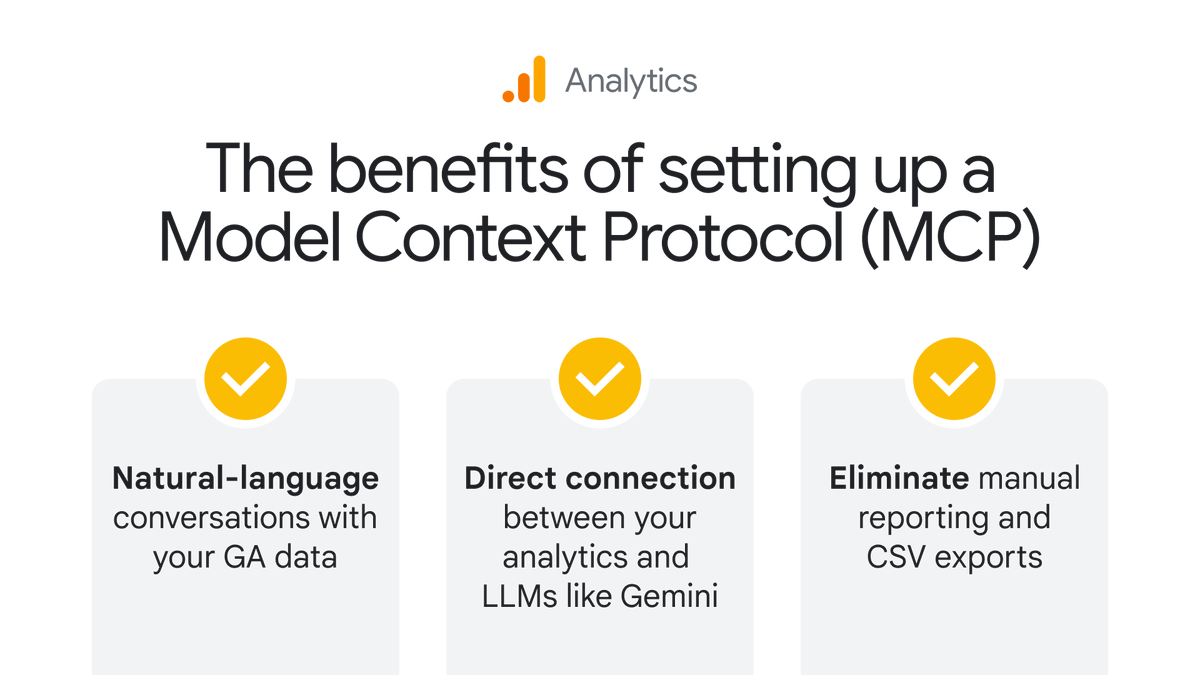
Did you know you can now connect your GA data directly to LLMs like Gemini? ✨📊
By setting up the new Model Context Protocol (MCP) server, you move from manual reporting to strategic, AI-powered analysis.
▶️ Hit play to see the complete setup process → https://t.co/XTqQkcpQAr