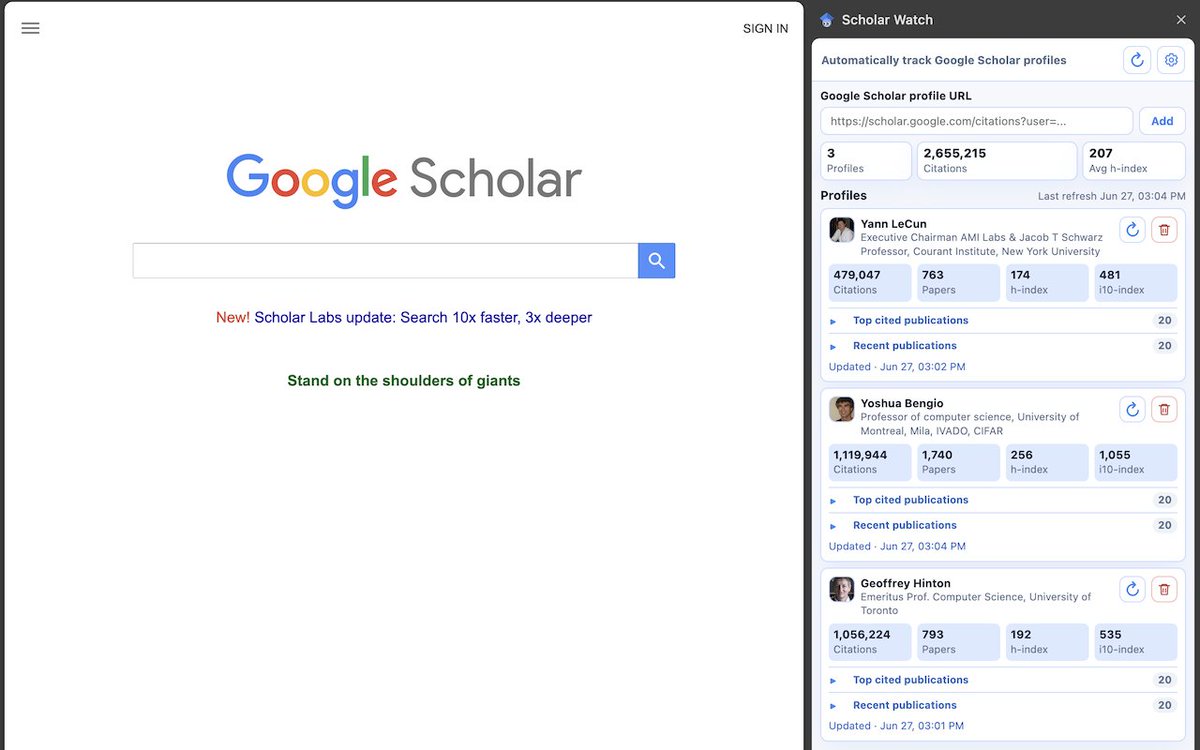
I got tired of manually checking Google Scholar profiles, so I used Codex to vibe code a Chrome extension to do it for me.
Scholar Watch lets you track multiple profiles directly from a Chrome side panel.
Install it here:
https://t.co/oeHP63UA0C
(1/3)
The tool lets you customize each profile card by choosing what information to display. You can reorder profiles, adjust display density, switch between light and dark themes, and control the visibility of notification badges.
Feedback and bug reports are very welcome!
(3/3)
I got tired of manually checking Google Scholar profiles, so I used Codex to vibe code a Chrome extension to do it for me.
Scholar Watch lets you track multiple profiles directly from a Chrome side panel.
Install it here:
https://t.co/oeHP63UA0C
(1/3)
Scholar Watch makes it easy to access a variety of profile metrics, such as citations, h-index, i10-index, top-cited papers, recent papers, and co-authors, all without repeatedly opening each profile page.
(2/3)
🚀 Scholar Spots v0.6 is now available with several bug fixes, including a fix for a critical issue that could block users when accessing bibliographic data (e.g., BibTeX entries) via the publications' "Cite" link. The version update should be automatic for most users.
This kind of block is usually based on the users' IP address and may last from several minutes to a few hours. Reconnecting to your current or a different network should avoid the block temporarily.
These two parameters, along with the new caching mechanism, help to establish a balance between Spots' performance and the risk of Google temporarily blocking its usage due to too many "suspicious" API requests.
Finally, it adds a new icon to open the configuration side panel, which allows users to fine-tune the number of concurrent requests and the delay between concurrent requests when fetching papers' metadata from the Google Scholar API.
In these cases, the temporary solution is to change the domain name to "https://t.co/uary2VaPUz". I'll launch a new version with this bug fixed soon. Meanwhile, let me know if you were able to run Spots–—screenshots are welcome!
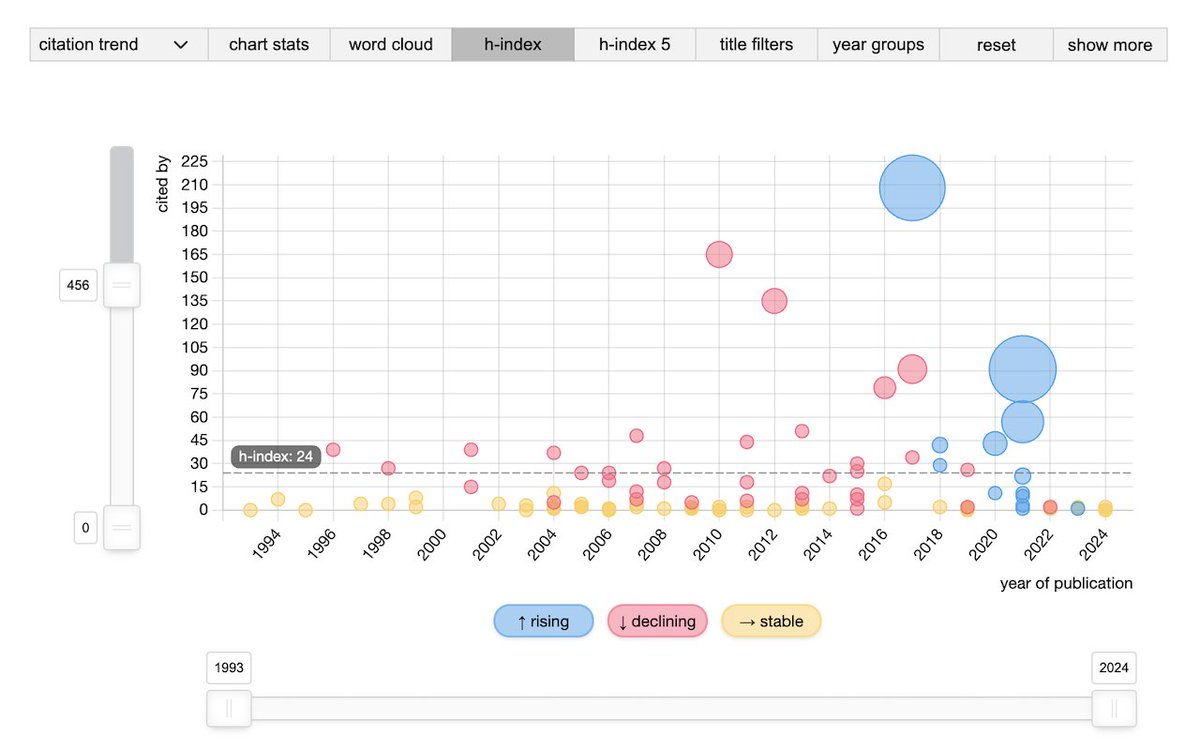
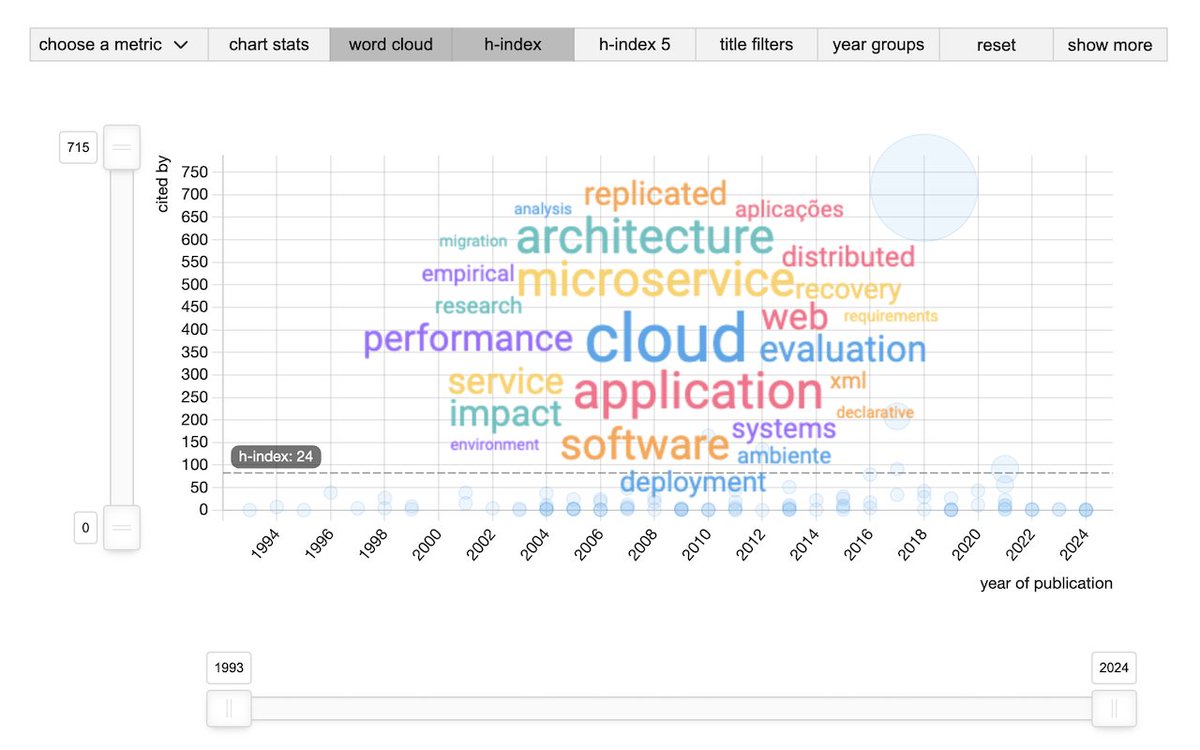
🚀 Excited to introduce Scholar Spots—an innovative, feature-packed Chrome extension that adds new publication metrics, title word clouds, and interactive visualizations to Google Scholar profiles! 🎓
#ScholarSpots#GoogleScholar#ResearchTools
Some users have reported issues running Spots. It seems the problem happens when the Scholar domain name changes according to the user's location (e.g., "https://t.co/DK3rLkR9eh"), thus preventing the extension from correctly identifying the profile page.
@rodrigosallesps Oi Rodrigo, muito obrigado por ajudar a divulgar a QLattes! Só uma dica: recomendo fortemente a instalação da ferramenta da Chrome Web Store, que é mais simples e permite atualizar a ferramenta automaticamente. Valeu! 🙌
@IanSamyth@garyblack00@elonmusk Yeah. How a famous hacker and former Head of Security of Twitter could possibly know anything about their security practices? 🤷🏻♂️