Problem: You want to know how much of your TypeScript code is type safe.
Solution: type-coverage
This CLI tool reports the percentage of your code that’s type safe.
It reports usage of:
🚩 any
🚩 as assertions (foo as string)
🚩 type assertions (<string>foo)
🚩 Non-null assertions (foo!)
🚩 Use of plain Object type (Object or {})
And it provides a detailed report of all the spots you should consider changing to improve type safety.
Related: Use typescript-coverage-report to get a nice visual output like this:
CSS Trick! 🤙
I got you! You can create this Disney-inspired loading animation with a single element and some CSS ⚡️
The "trick" is to create the ring part with a pseudo-element and offset it against the element 😎
Start with the element, this creates an offset white dot
.loader {
width: var(--size);
aspect-ratio: 1;
background: white;
border-radius: 50%;
position: absolute;
/* Rely on transform order to spin it */
--y: calc(var(--size) * -4.5));
transform:
rotate(0deg)
translateY(var(--y));
animation: spin 1s infinite linear;
}
@ keyframes spin {
to { transform: rotate(-360deg) translateY(var(--y);
}
The ring part is an offset circle that gets masked 😷
.loader::after {
content: "";
width: calc(var(--size) * 10);
aspect-ratio: 1;
position: absolute;
top: 0%;
left: 50%;
translate: -50% 0px;
/* Create a conic-gradient */
background: conic-gradient(
white,
hsl(var(--hue), 100%, 70%),
hsl(var(--hue), 100%, 10%),
transparent 65%
);
border-radius: 50%;
/* Mask it to leave a border. That 1px difference helps with making it look less rough */
mask: radial-gradient(transparent 39px, white 40px);
}
The last piece is the "glow". Use the other pseudo-element and set the offset to -50% and give it a blur filter 😎
.loader::before {
content: "";
position: absolute;
inset: -50%;
border-radius: 50%;
background: white;
filter: blur(10px);
z-index: -1;
}
Why didn't we create the ring with the main element? We didn't want to mask out the blur of the ::before element so we had to work around that limitation and use the offset ✨
Happy animating!
@CodePen link below! 👇
There is a problem hidden inside your lock file - "indirect dependencies" you haven't choose, but got entangled with
It's a huge issue we got from the the npm ecosystem and haven't noticed
Here is an explanation, and the treatment ⬇️
https://t.co/YCnJhwt50g
7) Moral:
• ensure <meta name="viewport"> is one of the first tags in your <head>
• watch this talk where @csswizardry goes over this and other similar pitfalls: https://t.co/j3ESJf9AT3 (I wouldn’t realize what I’ve been facing today if I haven’t watched this talk 2 weeks ago)
CSS tip: hover media query.
Get rid of those hover and active states when scrolling on mobile by checking if the primary input mechanism (e.g., touch) can hover over elements.
@_developit@smashingmag For those wondering, here's how to create an svg sprite sheet using <symbol> instead of <def> so each sprite can have independent viewBox=, and up to 2 colours defined in .css files: https://t.co/vJK6FJzeqn
A modern SVG rendering engine is ready. I'm excited to announce the release of resvg-js 2.0 Alpha with WASM support. now you can even convert SVG to PNG in Web Worker. for Node.js, with resvg-js you can get rid of the heavy Puppeteer or node-canvas https://t.co/sHfvbP0qbi
You can now edit your photos at https://t.co/dFxQeshZiQ 🔗
🍪 no cookies to accept
🤹♂️ no popups to close
👤 no account to create
🎯 no ads to ignore
🕵️♂️ no spying on you
✨ 100% free
Paste, browse, or drop your photo and start editing.
React 18 will have SSR-friendly `useId` for generating unique IDs you can use to handle accessibility
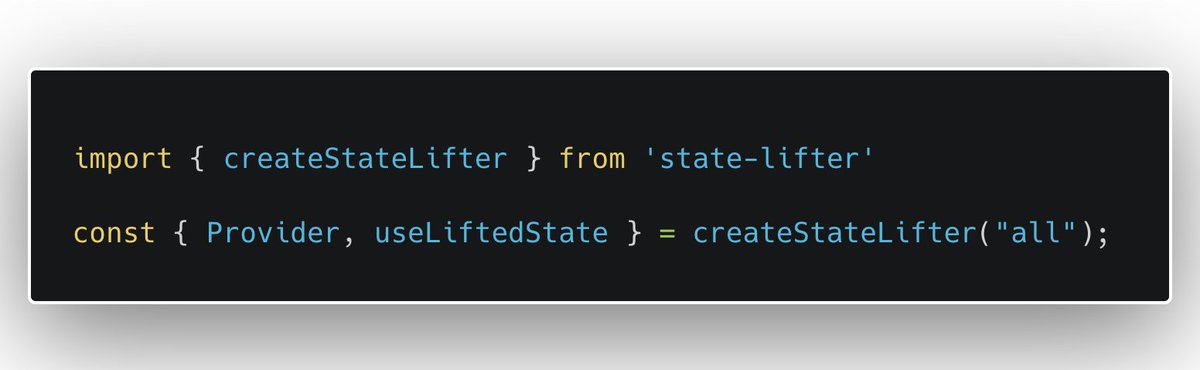
The same API was available for the last 3 years, including "spilling/stream friendly" `Fork`
⚛️https://t.co/x2ZRmVwSae
🐙https://t.co/Dj3TShoPBK
📖https://t.co/OmIJoRtQBJ