We want the development environment to facilitate deep thinking.
#WardleyMaps are a means for facilitating deep thinking. So, it’s only natural to find them in the development environment.
/cc @swardley@jhngrant
You are a manager for a software system. You are intent on migrating to the cloud.
The architecture team presents the technical path based on a picture depicting the overall system.
Question: Should you care about how that picture was created?
We designed #gtoolkit to enable exploration. When the interface is not enough, you can always complement it with code written in a contextual Playground.
And now, to make this even more practical, the Playground remembers all code written in various contexts.
#gtoolkit comes with an extensive analysis support for various languages.
Here is a detailed example of how to use it to assess your system through custom tools without reading code:
"Evaluating @Deprecated classes in Java systems with Glamorous Toolkit”
https://t.co/u2rRZhvFZh
@deech Of course! That is already happening. For example, here we exemplify the internal DSL with which we create custom inspector views. In this case, we take it even further and also visually connect to the visual scene produced by the example.
Explaining the syntax of a language is often done through static examples and lengthy text. The time has come for a new perspective. E.g., here we highlight the #Pharo syntax for a given method live. This tool can be applied to any method.
#MoldableDevelopment with #gtoolkit
Refactoring is a powerful tool, especially when it takes the context of the system into account. This can only be done through scripting. Attached we see an example of inspecting the result of such a scripted refactoring. #gtoolkit#MoldableDevelopment
“Tools are essential in software engineering and they must be moldable.” Watch the talk of @girba from #CurryOn demoing #MoldableDevelopment using #gtoolkit. https://t.co/MVVVIDSryi
To support circular layouts we needed an algorithm to find the circular enclosure of a node’s children. So, we made each algorithm node be able to draw itself upon inspection. Why? Because every piece of a software system must be explainable. #MoldableDevelopment#gtoolkit
The development environment must become a rich beautiful place. Here is a #gtoolkit inspector showing an object responsible for hand detection based on #TensorFlow.
#gtoolkit examples replace tests while at the same time providing the basic pieces for documentation. Examples can be composed by simply calling other examples thereby potentially creating a graph. How to visualize such a graph?https://t.co/XHA5oA2SKZ
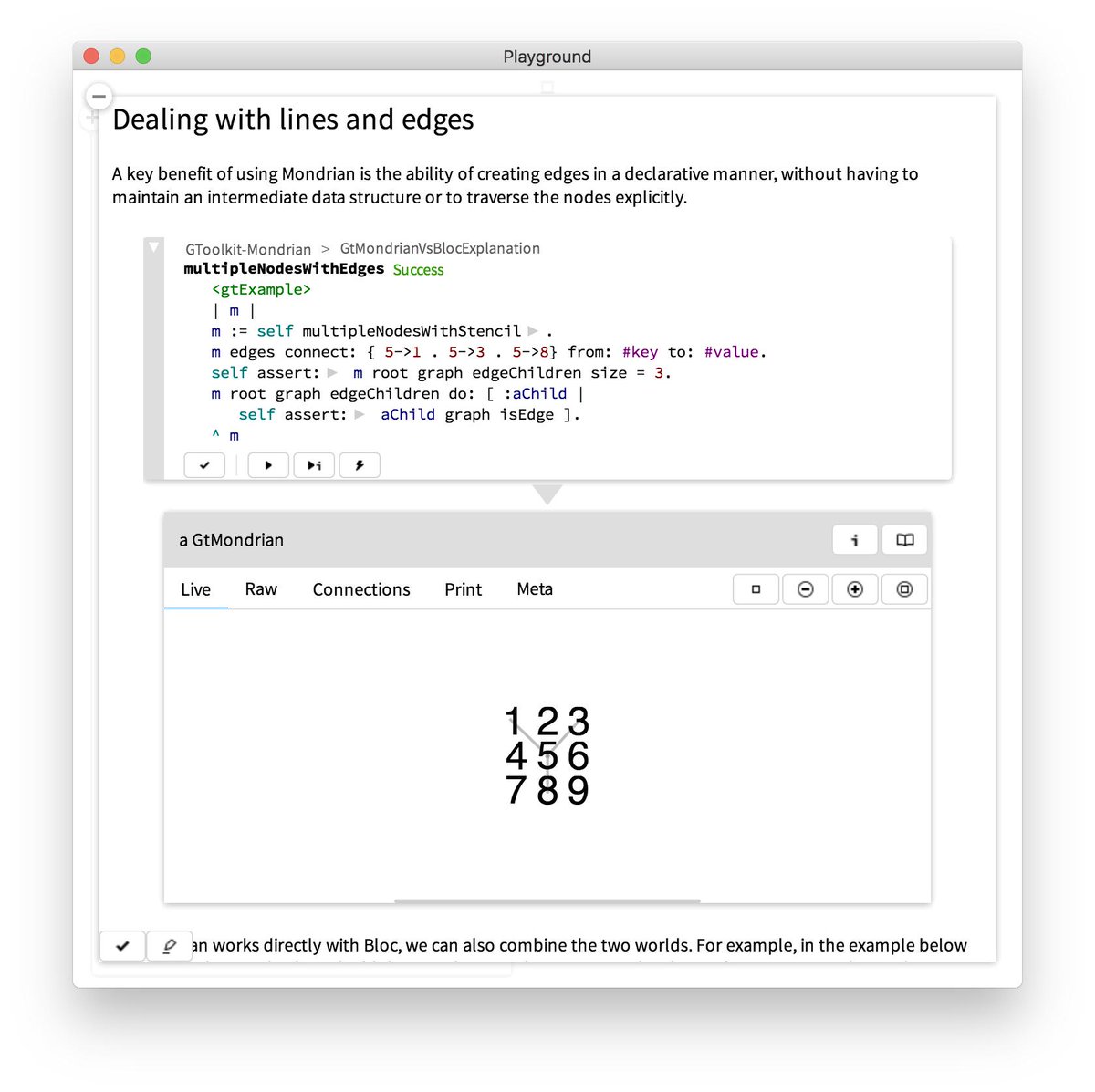
On our #gtoolkit community forum (https://t.co/prwvpBDdjV), we noticed a specific misunderstanding related to how the Mondrian visualization engine relates to the underlying Bloc graphical framework. We addressed it with a live explanation document: https://t.co/YW9tPT6bux
We opened the #gtoolkit community @withspectrum last week, and we already have some great questions and conversations. For example, a recent question was about how to enable zooming buttons on custom views (thanks @lukego): https://t.co/7INwkULaZC