Mumble AI Local Mode is here.
Run meetings, voice notes, and dictation fully on your Mac. Nothing leaves your device.
Works offline. Switch between Local and Cloud anytime.
Dictation just got faster and more accurate in the latest Mumble update.
It's now better with names, jargon, and uncommon words, and results show up quicker after you stop speaking 🐳
Mumble AI Local Mode is here.
Run meetings, voice notes, and dictation fully on your Mac. Nothing leaves your device.
Works offline. Switch between Local and Cloud anytime.
Mumble 1.1 is out.
Four things that make voice a real input method on your Mac:
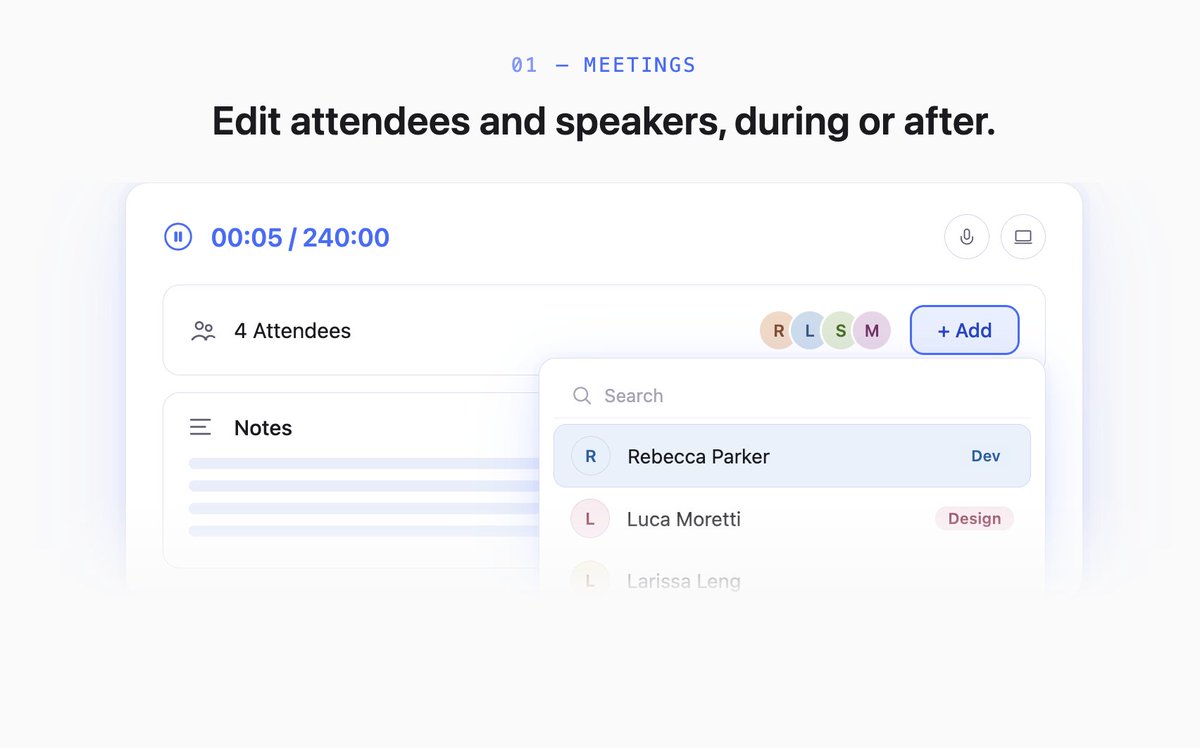
1. Meetings: edit attendees, translate summaries, pick templates while recording
Add or remove attendees anytime. Pick speakers from the live transcript. Regenerate summaries in any language. Pick output templates right from the recorder.
4. Voice Skills: speak it, Mumble does it
Double-press Fn anywhere on your Mac. Speak what you want. Mumble runs the skill. Research a company, schedule a meeting, draft a social post. Voice in, done.
A Slack reply, an email, a quick to-do list. Different moments need different output.
Dictation shouldn't be one-size-fits-all.
Mumble lets you create your own prompt, then trigger it anywhere with a short key press.
Here's what Mumble can do in 45 seconds:
- Record any meeting, no bot in your call
- Dictate into any app, fully customize your format and output
- Capture voice notes that auto-organize by topic
- Run everything locally on your Mac or in the cloud
One app, three workflows. Beta is live.
Mumble AI update:
Global Dictation just got a major upgrade. Hold Fn, speak, then tap an arrow key:
← Clean text
↑ Bullet points
↓ Custom action (translate, rewrite, summarize)
→ Open & search Google, YouTube, Amazon, and more
, Emoji picker 😊
Also new:
· Meeting summary now generates as the call happens, not after
· Improved language detection for better accuracy
· Inbox: in-app announcements so you never miss what's new
You can now dictate into any app with Mumble.
→ Turn on Global Dictation in settings.
→ Press Fn and talk naturally. Mumble cleans it up and writes it wherever your cursor is.
→ Cloud mode by default for best accuracy. Switch to local mode for max speed and full privacy.
Mumble AI Update 🧢:
• Templates: pre-built formats for meetings & notes. Or describe what you need, Mumble creates one for you
• Dictation: hold Fn to dictate in any app on your Mac
• Local model: process dictation & meetings fully on-device. Free forever
• Smarter participant recognition: cross-checks screen names, calendar & contacts
• Voice scheduling UI overhaul: faster, handles edge cases better
Bug Fixes & Improvements
We are in close beta. Sign up link in bio.
"I used to spend 30 minutes writing up my notes after calls. Now I just tell Mumble what I need, and it's done."
Hannah runs 10+ interviews a day as an HRBP. No time to reset between calls.
Her setup:
→ Auto-record starts when she joins
→ Floating notes during the call
→ AI Chat turns everything into a shareable summary