Would you rather have 1,000 website visitors or 10 people actively looking for exactly what you sell?
Search volume can be useful, but more traffic does not automatically mean better marketing.
Buyer intent keywords help us ask a more important question:
What is this person trying to accomplish, and how close are they to becoming a customer?
In the new Released Solutions article, I break down:
• Commercial vs. transactional search intent
• The words that often signal buying intent
• Why CPC is a clue, not proof
• How to validate intent by looking at the actual search results
• A five-part Buyer Intent Scorecard
• How Search Console, conversion data, and paid-search terms can reveal opportunities
• Why buyer intent matters in AI-assisted search too
The goal is not simply to rank.
The goal is to connect the right search with the right page, the right next step, and a measurable business result.
Read the article:
https://t.co/d3Z5wjxqlF
What would you rather rank for: a high-volume keyword that generates traffic, or a smaller keyword that consistently produces qualified leads?
#SEO #BuyerIntent #SearchIntent #SmallBusinessMarketing #DigitalMarketing #AEO #ConversionOptimization
How many times can a business rebuild its website before asking the more important question?
Where are the leads?
I see a pattern I call the Website Redesign Loop.
Results disappoint.
The website gets blamed.
Colors change.
Photos change.
Buttons move.
Everyone likes the new version.
Then someone asks where the leads are.
I am not against good design. I am against treating opinion as evidence.
Before I recommend another redesign, I want to know what the numbers say. Is GA4 properly measuring activity? Is Google Search Console connected? Are important pages indexed? Are conversions tracked? Is the site performing properly? Is structured data in place where appropriate? Where is traffic coming from, and what happens after it arrives?
That thinking is behind a process I call ROCK:
Review.
Optimize.
Create.
Kickstart.
There is a reason for the name.
In rock-paper-scissors, scissors represents the arts-and-crafts approach to marketing: cut this, clip that, paste something here, change the photo because somebody does not like it.
ROCK crushes scissors.
But paper covers ROCK.
Paper is the data. The facts. The evidence.
My process does not get to overrule the numbers either.
The goal is not for my opinion to win. The goal is for the business to win.
I wrote about the full framework and the five questions I believe a business should answer before building website number five.
https://t.co/tkZqBtBJ0k
#DigitalMarketing #WebsiteStrategy #LeadGeneration #ConversionOptimization #SmallBusinessMarketing #SEO #Analytics
“Can we just get the website forms into a spreadsheet?”
That sounds like a small request.
In this case, it meant three different submission streams, two different storage systems, different data structures, historical records, staff-editable notes, security decisions, and a recovery path for the day something inevitably fails.
This is exactly the kind of work I mean when I talk about Solutions I Released.
I’ve spent more than 30 years connecting systems that were never necessarily designed to talk to each other. The business need hasn’t changed much: stop making people copy information by hand and put it where the work actually happens.
What has changed is the economics.
AI helped compress the implementation work. It did not decide what needed to be built, discover the hidden form for us, make the security decisions, or determine what “finished” should mean.
The result for the client is much less exciting than the work behind it, and that is a good thing.
They see one spreadsheet. New submissions arrive automatically. Staff can sort, filter, add notes, and do their jobs without thinking about the machinery behind it.
The new article walks through the project and the question hiding behind it: when should a small business subscribe to another automation service, and when does it make more sense to build?
Read it here: https://t.co/qwlDzkgxGF
#SmallBusiness #WebsiteAutomation #ArtificialIntelligence #BusinessAutomation #WordPress #ReleasedSolutions
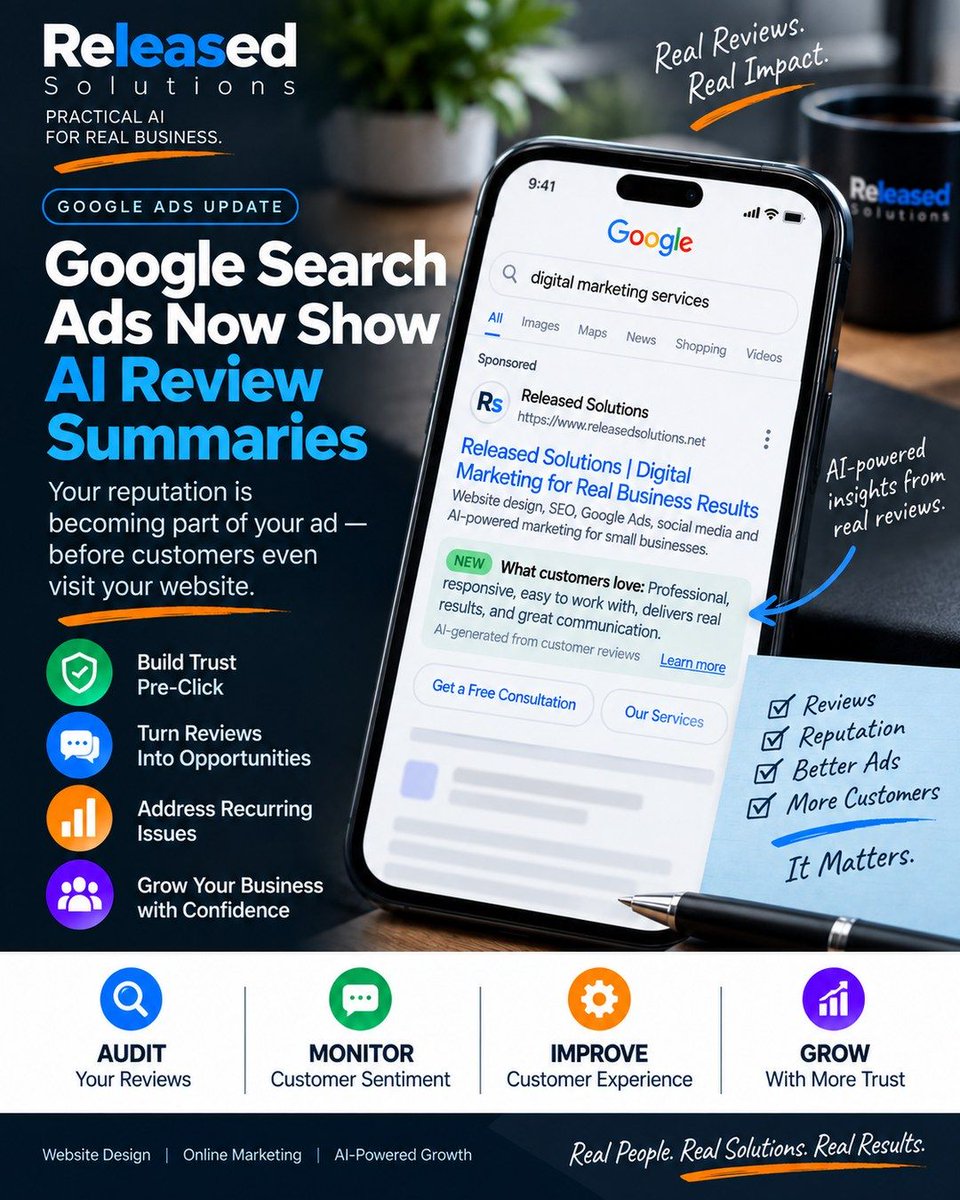
Your reputation may be becoming part of your Google Ad before someone ever visits your website.
Google has been testing a "What customers love" section inside some sponsored Search results. The examples being reported are labeled as AI-generated from store rating reviews.
That is more than another Google Ads format test.
Think about the traditional journey:
AD -> CLICK -> WEBSITE -> TRUST -> CONVERSION
Now consider where this may be heading:
EXPERIENCE -> REVIEWS -> AI SUMMARY -> AD -> CLICK -> WEBSITE -> CONVERSION
Customer experience is moving upstream.
If customers repeatedly praise your communication, responsiveness, service or results, AI may have useful evidence to work with.
If they repeatedly complain about slow service, reliability or another recurring problem, that may become part of the story too.
That means reputation management is becoming more connected to paid search.
But I would NOT respond by coaching customers on what to write.
Ask for authentic feedback. Read the patterns. Fix recurring problems. Give customers, search engines and AI systems accurate evidence of what your business actually does well.
One important caveat: this is currently an observed Google Ads test, not a feature I would tell every advertiser to expect today. And the reported summaries are tied to store-rating review signals, which should not simply be described as Google Business Profile reviews.
The bigger lesson matters regardless of how this particular test evolves:
Businesses increasingly control the source material AI can interpret, not every sentence AI may eventually display.
That changes how I think about Google Ads, reviews, reputation, customer experience and AI.
Read the full article: https://t.co/z6OJwpKeQm
Are you already treating your review profile as part of your advertising strategy?
#GoogleAds #PPC #DigitalMarketing #ReputationManagement #ArtificialIntelligence #SmallBusiness
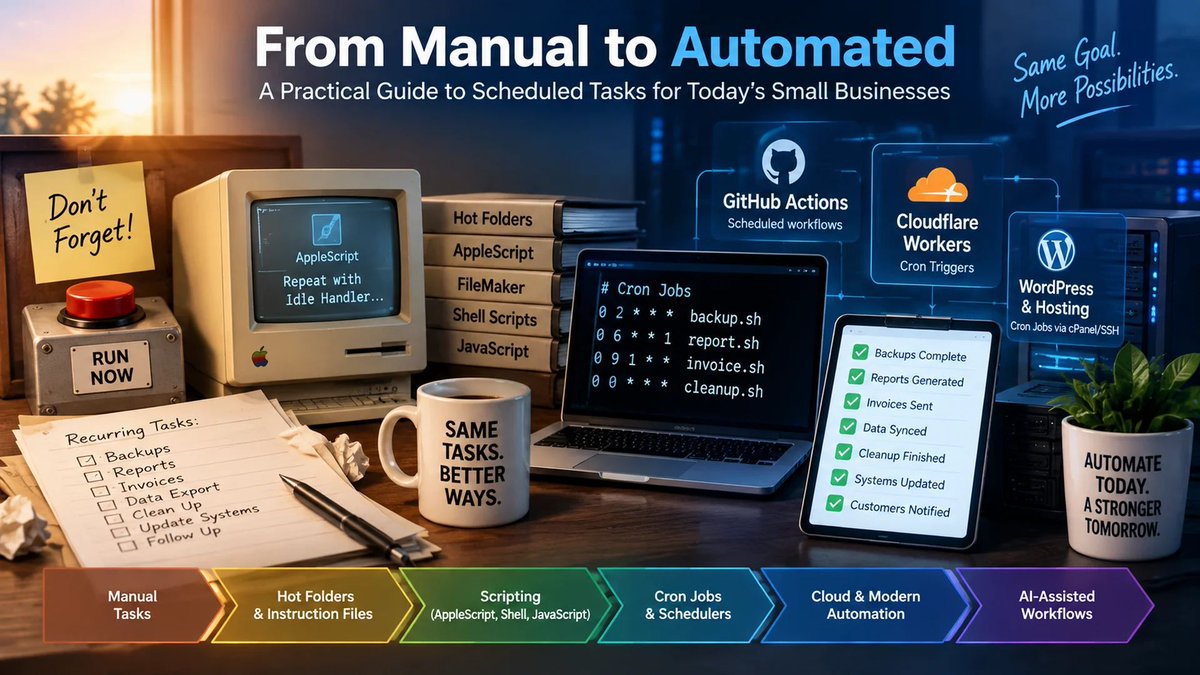
Around 1995, I discovered AppleScript idle handlers.
That probably dates me a little.
But it also changed how I thought about computers.
Before that, I had already worked with hot folders and structured instruction files. A file could appear, a script could recognize it, consume its instructions, and perform a task.
Then came repeat loops.
Idle handlers were different. A script could wait, wake up after a defined period, do its work, and go back to waiting.
Later I combined AppleScript with FileMaker Pro and date-based scheduling. Then came shell scripting, JavaScript, cron jobs, server automation, cloud triggers, and eventually AI-assisted workflows.
I have been asking essentially the same question for more than 30 years:
Why is someone still pushing the button?
AI did not invent automation.
What AI has changed is how much can potentially happen between the trigger and the outcome.
A modern workflow can wake itself up, gather information, analyze it, take permitted actions, validate what happened, document the result, and involve a person when something needs judgment.
But there is another question businesses need to ask:
How do we know the automation actually worked?
“Automated” should not mean “we assume it happened.”
My new article connects some of the automation work I was doing around 1995 with cron jobs, cloud triggers, monitoring, and today’s semi-autonomous AI workflows.
You do not need to know how to build it.
You need to know enough to recognize what is possible.
Then look around your business and ask:
Why is someone still pushing the button?
And for everything you already believe is automated:
How do we know the button worked?
Read the article: https://t.co/0VBRjFKZCU
#SmallBusiness #BusinessAutomation #ArtificialIntelligence #WorkflowAutomation #AIAutomation #SmallBusinessTechnology #ReleasedSolutions
I didn't start developing when AI showed up.
Long before ChatGPT, I was building solutions with AppleScript, then PHP, shell scripts, JavaScript and whatever else I needed to get the job done.
What AI changed wasn't my desire to solve problems.
It changed what became practical to build.
For years, I would sometimes guide a small-business client toward the software or WordPress plugins they could afford — not necessarily toward the perfect system they imagined. Custom development could turn a good idea into a 90-day project with a price tag that killed the ROI before we started.
AI changed that equation.
Today I can start a client conversation differently:
Describe the perfect setup.
What do you want to happen?
What takes too long now?
What gets forgotten?
What do you wish happened automatically?
Then we determine the smartest combination of existing software, WordPress, APIs, automation, custom development and AI to make it happen.
I wrote about the 10 biggest reasons AI permanently changed the way I build websites and business systems — including why it made me plan more, not less; why APIs stopped being a barrier; why experience matters even more in the age of vibe coding; and why I prefer to “shoot trouble” before it becomes troubleshooting.
AI didn't make me a developer.
It changed the kind of developer and problem solver I could become.
Read the full article:
https://t.co/3gucEsirsU
#ArtificialIntelligence #SmallBusiness #WebDevelopment #BusinessAutomation #WordPress #DevOps #RevOps #VibeCoding
Years ago, I built a version of this for Save The Earth Eco System and Jeff Tucker using MailerLite and Airtable. The problem was never just sending email. The real problem was knowing when someone’s behavior suggested it might be time for a real conversation.
Today, that same idea is much easier to build. GA4, GTM, a spreadsheet or Airtable, automation and AI can help a small business connect email activity to what happens after the click.
An open by itself is weak. One click does not tell the whole story. But repeated clicks, return website visits, service-page activity, replies and customer fit can begin to form a pattern.
In this article, I break down a low-cost approach using separate Fit and Intent scores, privacy-safe lead IDs, website behavior, human review thresholds and the most important piece: closing the loop with the actual sales outcome.
The goal is not to automatically chase every person who clicks. The goal is to know who deserves a closer look, why they surfaced and what happened after someone followed up.
Stop sending and hoping. Start measuring what happens after the click.
Read the article: https://t.co/iWdr4mRhFB
What behavior would make you personally review a prospect instead of just sending the next automated email?
#EmailMarketing #LeadGeneration #MarketingAutomation #GA4 #SmallBusiness
Most digital marketing problems do not need more guessing.
They need a better way to think about the decision.
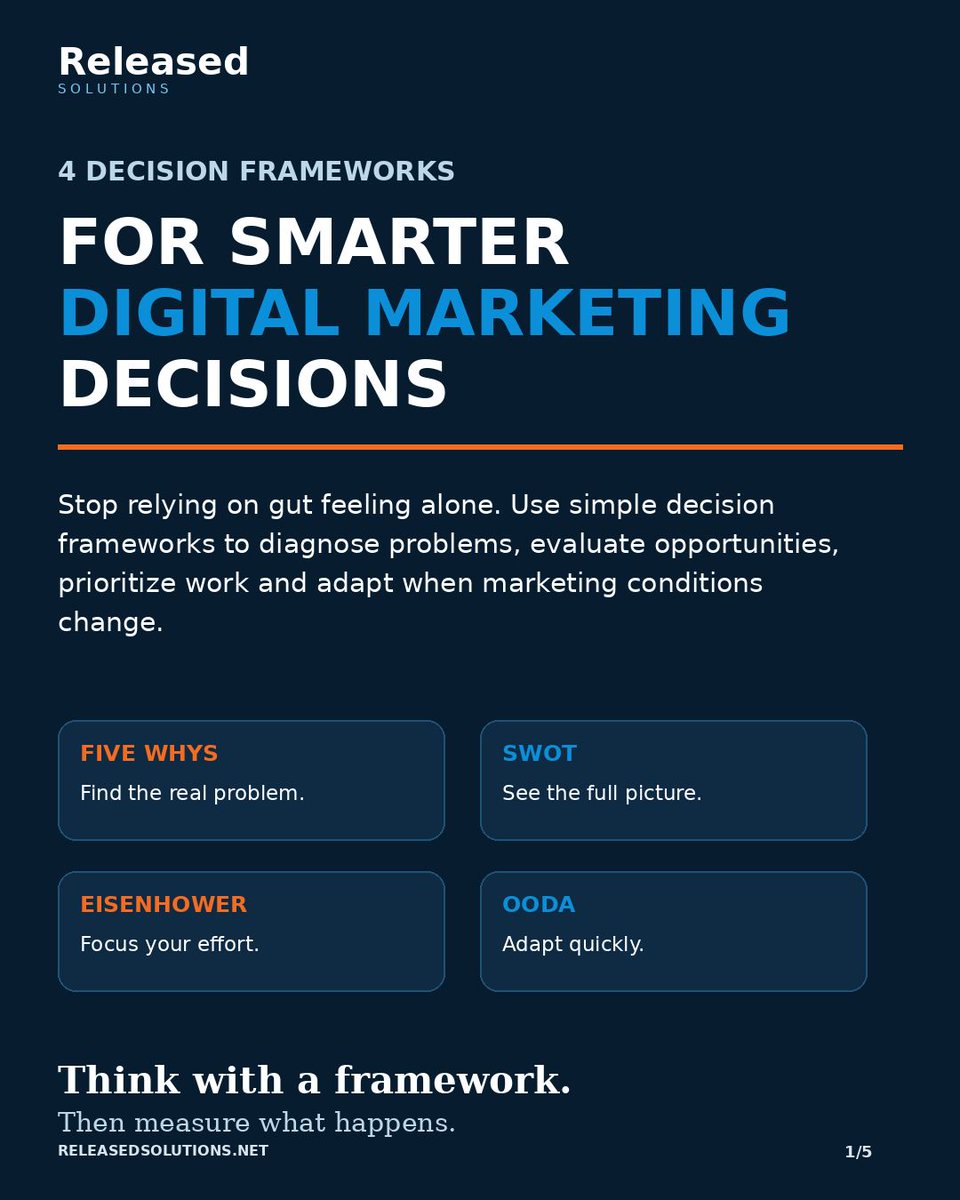
I adapted four established decision frameworks to the kinds of questions small businesses face in digital marketing:
Five Whys -> Find the real problem.
SWOT -> Understand the situation.
Eisenhower Matrix -> Prioritize what matters.
OODA Loop -> Adapt when conditions change.
The frameworks do different jobs.
If leads suddenly drop, Five Whys can help you get beyond the symptom.
If you are considering a new campaign, market or service, SWOT can help you evaluate the situation from multiple sides.
If the marketing to-do list is controlling your day, the Eisenhower Matrix can help separate important work from noise.
And when ad performance, competition or customer behavior changes quickly, OODA gives you a repeatable way to observe, understand, decide and act.
The point is not to eliminate judgment.
It is to give judgment a structure.
Do not just think harder. Think with a framework, then measure what happens.
Which of these four do you use most often?
#DigitalMarketing #MarketingStrategy #SmallBusinessMarketing #MarketingAnalytics #DecisionMaking #MarketingLeadership #ReleasedSolutions
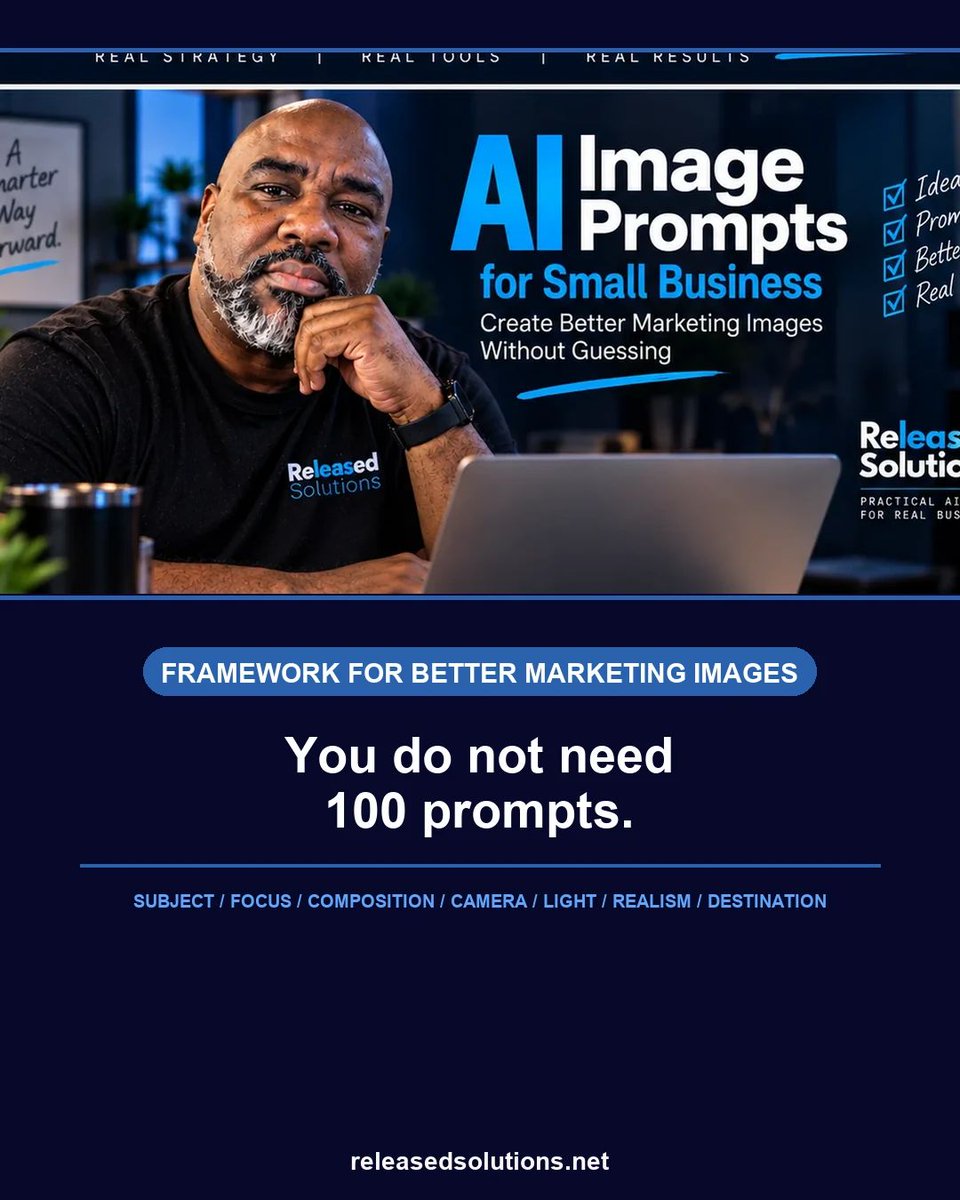
One AI image lesson I learned the practical way:
Do not create the image first and decide the dimensions later.
A 4:5 social post and a 16:9 website hero are not just different file sizes. They are different compositions.
If the subject, negative space and focal point were designed for portrait, cropping it into landscape can ruin the image.
Now I include the destination in the prompt itself:
“Compose specifically for 1920 x 1080. Keep the subject on the right third. Reserve clean headline space on the left. Keep all important elements inside the central safe area.”
That is much more useful than “make this image wider.”
More examples:
https://t.co/xcYoaMK1ia
#AIImageGeneration #ContentMarketing #DigitalMarketing #ReleasedSolutions
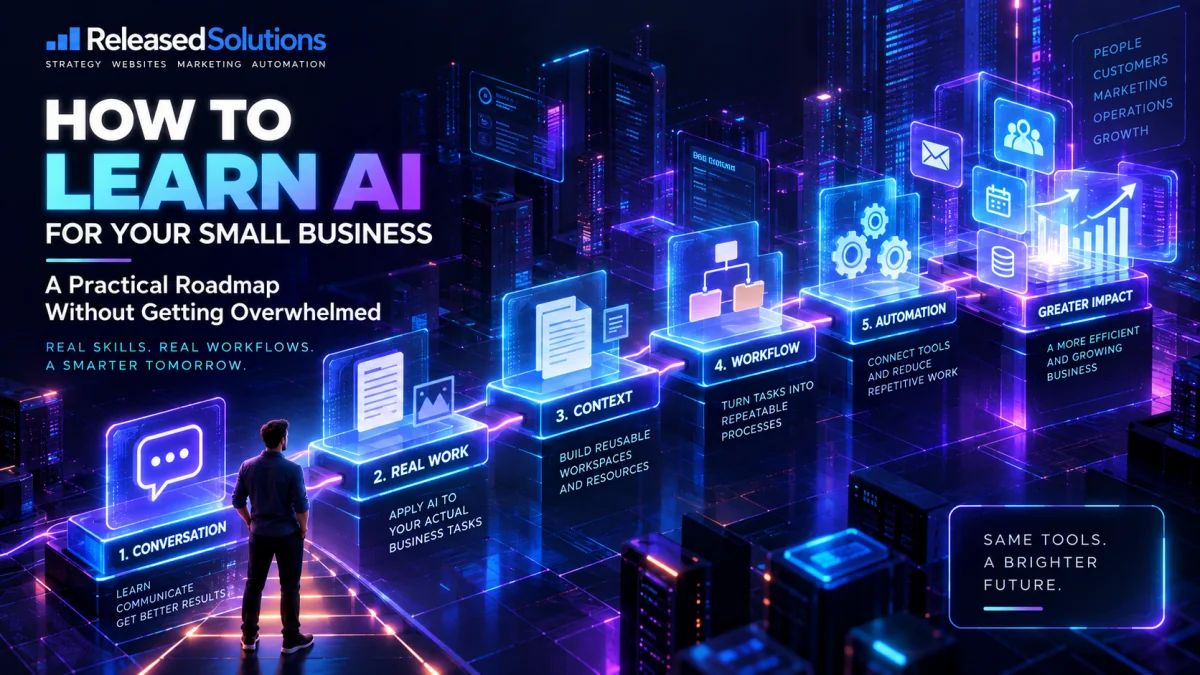
Small-business owners don't need to “learn AI.”
They need to learn how to put AI to work.
There is a huge difference.
It's easy to spend months following new models, collecting prompts, bookmarking AI tools and watching tutorials—without changing anything inside your business.
I think there is a better learning path:
1. Learn how to have a productive conversation with AI.
2. Give it a real task you already perform.
3. Build reusable context so you stop explaining the job over and over.
4. Turn repeated work into a workflow.
5. Automate only after you understand the process.
6. Then explore agents, integrations, APIs and more advanced AI.
The goal isn't to know the most AI terminology.
The goal is to be able to say:
“What can my business do today that it couldn't do six months ago?”
That's the approach behind my new Released Solutions article:
How to Learn AI for Your Small Business Without Getting Overwhelmed
https://t.co/n9LLa5XOG0
AI becomes much easier to understand when you stop treating it like another piece of software to master and start treating it like a coworker you have to teach how your business works.
#SmallBusiness #ArtificialIntelligence #AIForBusiness #Automation #BusinessGrowth
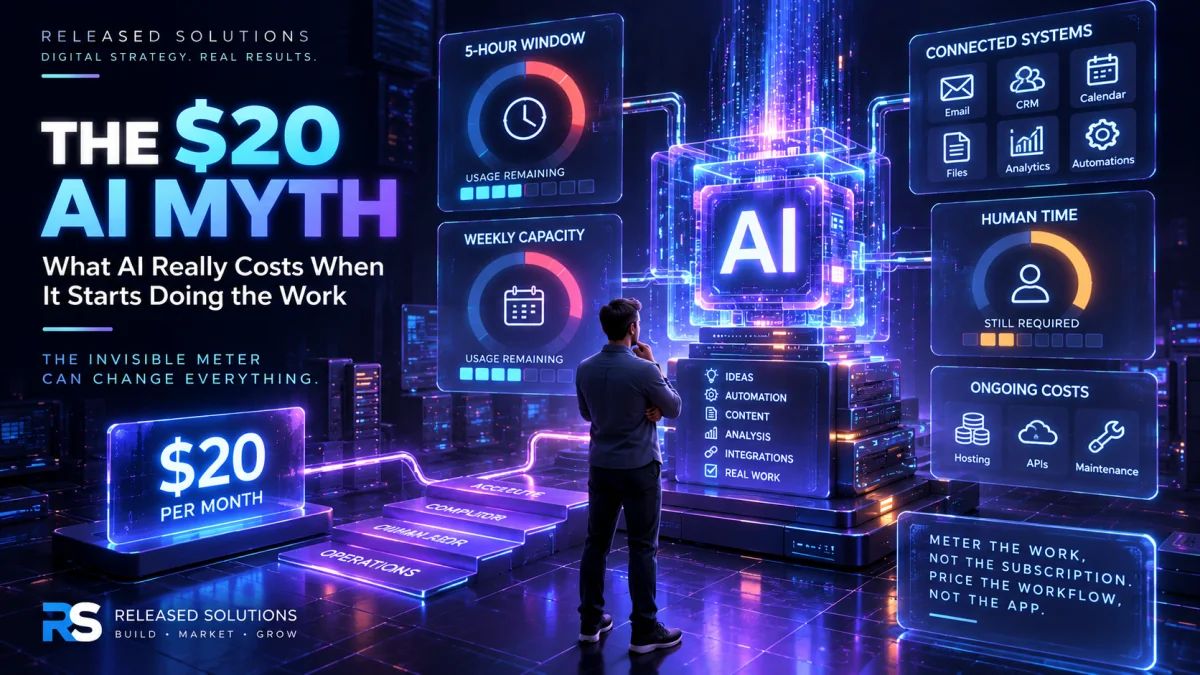
🤖 The $20 AI subscription is only the easiest number to see.
AI starts out feeling like ordinary software. You pay a monthly fee, open the application, and start working.
But the economics begin to change when AI moves beyond answering questions and starts doing real work inside a business.
Now there can be another meter running:
⏱️ AI work capacity and usage limits
👥 Human setup, review, and supervision
⚙️ Integrations and connected systems
🔧 Maintenance and troubleshooting
💰 Ongoing operational costs
This is especially important as businesses move into AI coworkers, agents, automation, and vibe coding.
AI can make software remarkably cheap to create. That does not necessarily make software cheap to own.
The question for a business owner should not simply be, “What does the AI subscription cost?”
A better question is:
“What does this AI workflow actually cost my business, and what measurable value are we getting back?”
In our latest Released Solutions article, I break down what I call The Invisible AI Meter and a practical framework for evaluating the real cost of AI.
📊 Meter the work, not the subscription.
⚙️ Price the workflow, not the app.
💰 Cheap AI isn't the goal. Profitable AI is.
Read the full article:
https://t.co/rSAHxVAhVN
#ArtificialIntelligence #AIForBusiness #SmallBusiness #BusinessAutomation #DigitalStrategy #VibeCoding #ReleasedSolutions
Before you spend money on ads, make sure the numbers make sense.
Our updated guide walks small-business owners through the entire digital advertising campaign planning process:
setting goals and understanding your audience to calculating your CPA, tracking the right conversions and reviewing real results.
Plan smarter. Spend wiser. Get better results.
Read the full guide:
https://t.co/jPmPLjNfTY
#DigitalAdvertising #CampaignPlanning #SmallBusinessMarketing #MarketingKPIs #CostPerAcquisition #ReleasedSolutions
Exactly. Technology can enforce the boundaries we anticipate. Training helps people recognize the situations we didn't anticipate.
AI tools are changing too quickly to assume we'll have a guardrail for every scenario. Give people the protection, but also give them enough understanding to make a good decision when the protection isn't there.
AI can be an incredibly useful coworker.
But an AI chat should not be treated like a locked private filing cabinet.
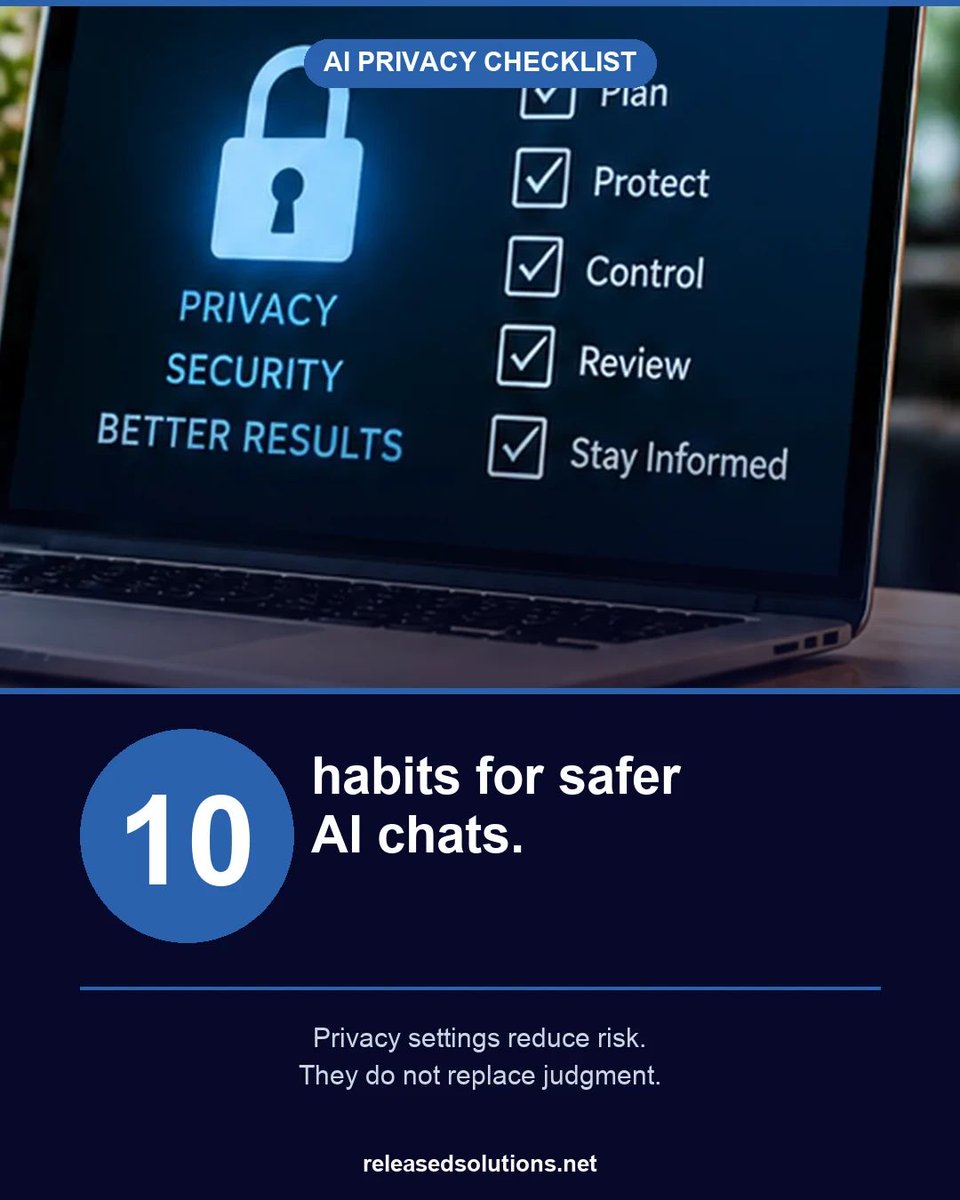
As more small businesses use AI for client work, research, analysis, marketing, operations and automation, privacy becomes less about fear and more about good habits.
I put together 10 practical habits that can reduce avoidable risk:
- Use the right account and plan for business work
- Review model-training and data controls
- Be careful with feedback on sensitive conversations
- Treat shared links as actual sharing
- Understand Temporary Chat and memory
- Audit old shared links
- Check feature-specific controls
- Review connected apps and extensions
- Keep real secrets out of casual prompts
One point matters more than any individual setting:
Privacy settings reduce risk. They do not replace judgment.
The safest sensitive detail is often the one you never needed to upload.
Read the complete AI Privacy Checklist:
https://t.co/nBiQmRcGC7
#AIPrivacy #AIGovernance #SmallBusinessAI #DataPrivacy #ArtificialIntelligence #ReleasedSolutions
That's a great way to put it: "an assumption with a budget." And scheduling the verification is important. If checking the control depends on someone remembering to do it, eventually it won't get done.
I'd take it one step further: verify that the verification is working too. I've seen automated processes quietly fail while everything appeared normal. A scheduled check is good. A scheduled check that leaves evidence it actually ran is better.
@NeuruhAI Exactly. And I think that last part gets overlooked: documented enough to prove. Trust the process, but verify that it actually worked. That's a principle I keep coming back to with AI.
That distinction is important. Discovered and Crawled - currently not indexed may look similar in a report, but they send me down different troubleshooting paths.
With Discovered, I’m looking harder at discovery, internal links, crawlability, site structure and whether Google has a reason to prioritize crawling the URL.
With Crawled, Google has already seen the page, so my questions change. Is there overlapping content? Is another URL a better canonical? Is the page thin? Does it add anything meaningfully different? How well is it connected to the rest of the site?
I’d only soften “Google is saying the page isn’t worth storing” because I don’t think the status gives us that precise a verdict. But it absolutely tells me that repeatedly clicking Request Indexing isn’t the diagnosis.
That’s why I keep coming back to: diagnose first, then fix the reason.
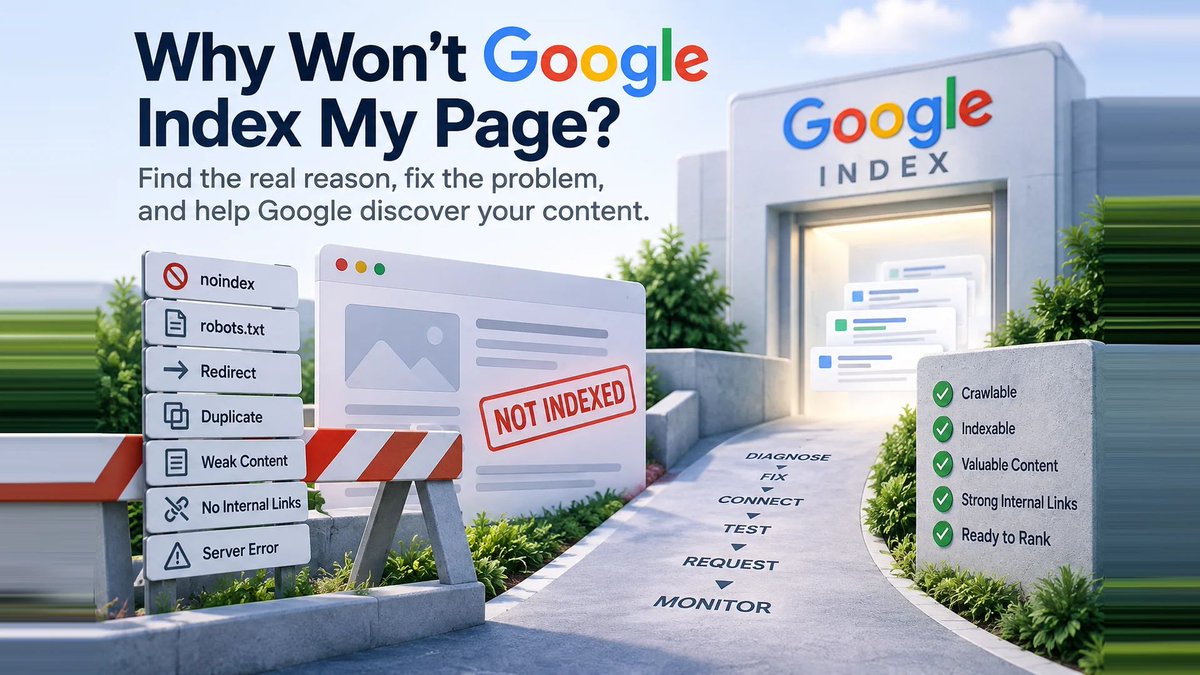
Why won’t Google index your page?
One of the first reactions I see is to open Google Search Console and hit Request Indexing again.
But Request Indexing is not a force-index button.
If Google is excluding a page, I want to know why. Is it blocked by noindex? Is robots.txt involved? Did Google select another canonical? Is the page an orphan with no useful internal links? Has Google crawled it but decided not to index it yet?
My process is:
Diagnose → Fix → Connect → Test → Request → Monitor
The new Released Solutions article walks through common indexing statuses, internal linking, orphan pages, sitemaps, URL Inspection, and what to do before asking Google to crawl the page again.
It also covers an important distinction: getting indexed does not mean you will rank.
Read the article: https://t.co/3DhoWrAPPP
Have you ever had an important page sit in “Crawled - currently not indexed” and wondered what to do next?
#GoogleSearchConsole #SEO #AEO #TechnicalSEO #SmallBusiness #DigitalMarketing
AI may cost $20 a month to access.
That does not mean $20 represents the cost of putting AI to work inside a business.
Once AI touches workflows, systems, customer information, automation, or software, the economics change.
I think small businesses should start measuring four things:
🔹 Access
🔹 Compute
🔹 Human labor
🔹 Operations
The subscription is only the easiest number to see.
Read: https://t.co/rSAHxVAhVN
#AIForBusiness #SmallBusiness #ArtificialIntelligence #BusinessAutomation #ReleasedSolutions
@NeuruhAI Exactly. Prevention and verification working together. I think we landed in the right place: make the safe behavior simple, enforce it where we can, and keep enough evidence to verify what actually happened. That's a much stronger approach than relying on a policy document alone.
I’m with you on enforcing it by default. Where I’d differ slightly is calling the sticky note the whole strategy.
The simple rule is the foundation. Then I want the approved tools, permissions, technical guardrails, training, and some way to verify those controls are actually working.
I’ve learned not to assume that because a system is supposed to prevent something, it always will. Automate the protection, but verify the protection too.
Yes. That's where policy becomes process. Give the team an approved AI tool, configure it properly, and put technical guardrails around what can be shared.
I’d still keep the sticky-note rule, though. Guardrails can prevent some mistakes, but people still need to understand why the boundary exists, especially when a new AI tool shows up tomorrow.
Rules guide. Guardrails enforce. Training helps people recognize the situation when the guardrail isn't there.