15 Principles of Good Design to Boost Your Next Design Project 🙌
Great design isn’t just beautiful, it’s usable, accessible, and intentional.
These 15 principles help guide meaningful UX 👇
1. Discoverability
Users should easily find what actions are possible and where to begin.
2. Feedback
Every action should have a clear, timely response to show it’s working.
3. Constraints
Limit choices to prevent errors and guide users toward the correct path.
4. Mapping
Controls should match users’ mental models (e.g., up means increase).
5. Consistency
Keep patterns, terms, and visuals uniform across your product.
6. Affordances
Design elements should suggest how they’re meant to be used (e.g., buttons look clickable).
7. Structure
Group related content and actions logically to reduce cognitive load.
8. Simplicity
Remove unnecessary elements—clarity beats clutter every time.
9. Tolerance
Design should forgive errors—make undo easy and prevent destructive mistakes.
10. Equity
Ensure your design works for users of all abilities and backgrounds.
11. Flexibility
Support different user needs and preferences without forcing one path.
12. Perceptibility
Make important information visible and legible to all users.
13. Ease
Reduce friction—fewer steps, simpler wording, smarter defaults.
14. Comfort
Design for emotional and physical ease—no stress, no strain.
15. Documentation
When needed, provide clear guidance to help users succeed.
Design with these in mind and you’ll build experiences people actually want to use 🙌
#UX #UIDesign #DesignPrinciples #ProductDesign #Startup #Business
Excellent Resource with FREE eBooks for Designers to 10x Your Knowledge! 🙌
Save to Bookmarks for reference 🔖
FREE Book Collections for:
- Design systems
- User Experience (UX)
- Visual design
- Usability
- Typography
- Front-End Development
- Startup
- Career
#UX#UI #UXDesign #UIDesign #UserExperience #ProductDesign
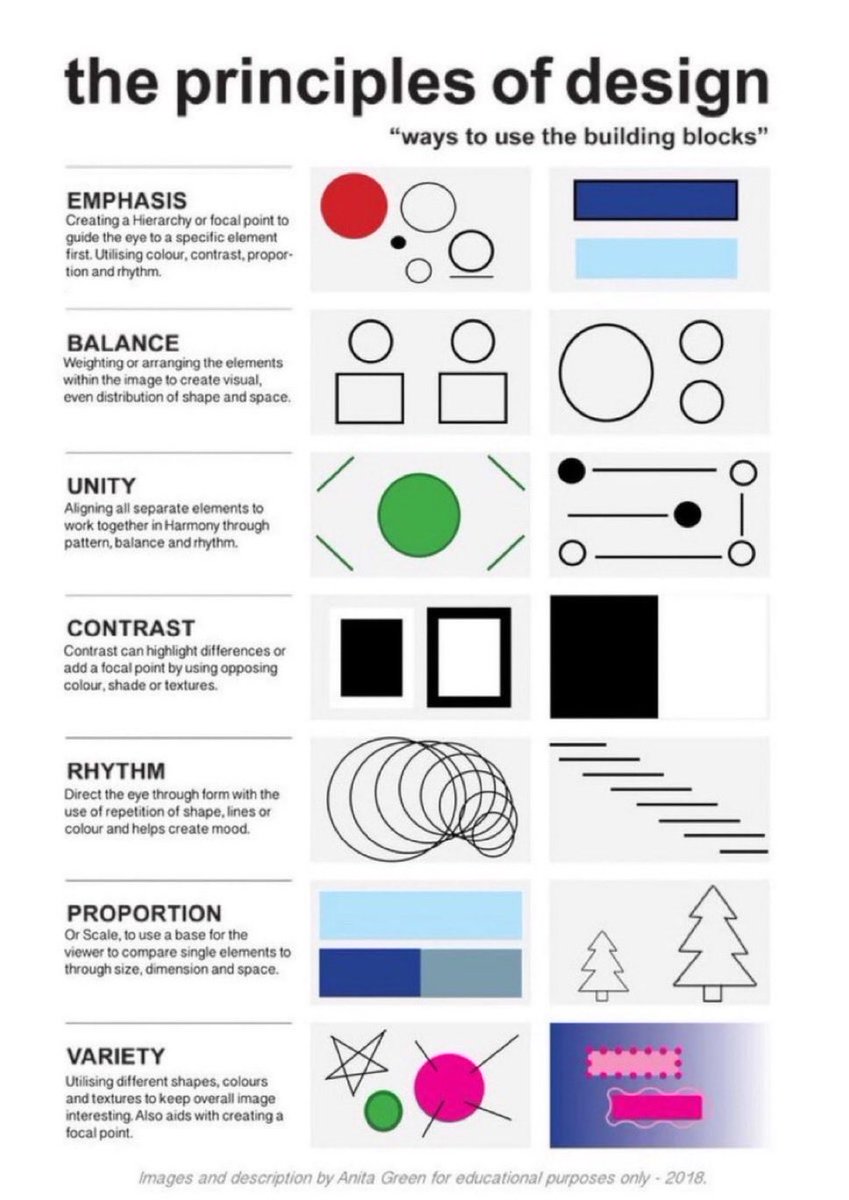
Learn the Principles of Design with this quick, practical cheatsheet 🙌
Perfect to save for later 🔖
EMPHASIS
Guide the eye with hierarchy — using colour, contrast, scale and rhythm.
BALANCE
Arrange elements so the visual weight feels evenly distributed.
UNITY
Make every element feel like it belongs — through harmony, balance and pattern.
CONTRAST
Highlight differences with opposing colours, shades or textures to create focus.
RHYTHM
Lead the eye through repetition of shapes, lines or colour to set the mood.
PROPORTION
Use scale to help the viewer compare elements and understand their importance.
VARIETY
Mix shapes, colours and textures to keep the design interesting and draw attention.
Save or bookmark the cheatsheet 🔖
#UX #UI #UXDesign #UIDesign #ProductDesign
9 timeless design principles every UI designer should know 🙌
FREE Cheatsheet attached 🔖
Summary:
1. LAYOUT
Layout is the arrangement of visual elements in a design to create balance, clarity, and visual appeal.
2. ALIGNMENT
Aligning elements in a design along a common axis to create order and visual consistency.
3. HIERARCHY
Organizing elements to establish a clear order of importance, guiding the viewer's attention.
4. PROXIMITY
Placing related elements close together to indicate their connection or importance.
5. BALANCE
Weighting or arranging the elements within the image to create visual, even distribution of shape and space.
6. REPETITION
Consistently using the same design elements (e.g., fonts, colors, shapes) to create unity and reinforce visual identity.
7. COLOUR
Utilising colours intentionally to convey mood, meaning, and visual impact in a design.
8. CONTRAST
Contrast can highlight differences or add a focal point by using opposing colour, shade or textures.
9. NEGATIVE SPACE
Also known as white space, it's the empty or unmarked area around or between design elements, used to enhance readability and create visual balance.
Original cheatsheet by Jaxon White
#UX #UI #UIDesign #UXDesign
Learn about the Types of UX Deliverables to Boost Your Next Design Project 📷
FREE cheatsheet attached 📷
User Persona
• Who your users are, holistically
• Segmenting different types of customers
• Understanding user needs and motivations
Empathy Map
• What users think, feel, say, and do when interacting with your product
• Visualizing the internal ind external experienc or different persona
• Aligning teams with empathy for the user
Customer Journey Map
• What your users do in the process of becoming a customer
• Understanding the different steps and touch points users go through to become a customer
• Identifying common pain points
Jobs to be done
• What your users are trying to accomplish in order to buy your product
• Understanding the different steps and touch points users go through to become a customer
• Prioritising development based on user goals
User Stories
• Why users want certain functionalities written from the user's perspective
• Communicating the value of specific features for different customer types
Task Analysis
• How users accomplish their desired outcomes with your product
• Breaking down all the steps a user takes to accomplish a goal
• Identifying opportunities to solve user pain points more effectively
#UX #UI #UXResearch #UXDesign #ProductDesign
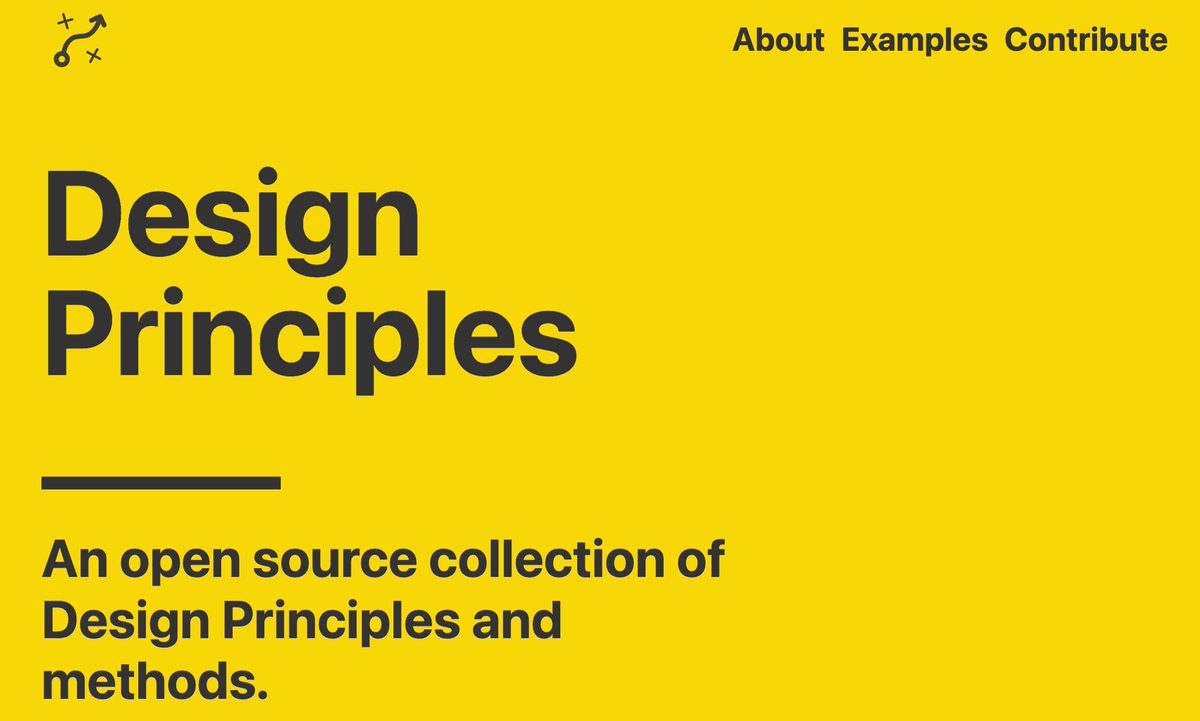
Excellent open source collection of Design Principles and methods! 🙌
The collection contains:
- 195 Examples
- 1448 Design Principles
- 167 Creators
What are Design Principles?
Design Principles are a set of considerations that form the basis of any good product.
Why use them?
Design Principles help teams with decision making. A few simple principles or constructive questions will guide your team towards making appropriate decisions.
Who uses them?
Organisations, individuals and product teams have benefited from writing and following their principles.
#UX #UI #UXDesign #UIDesign #ProductDesign #UserExperience