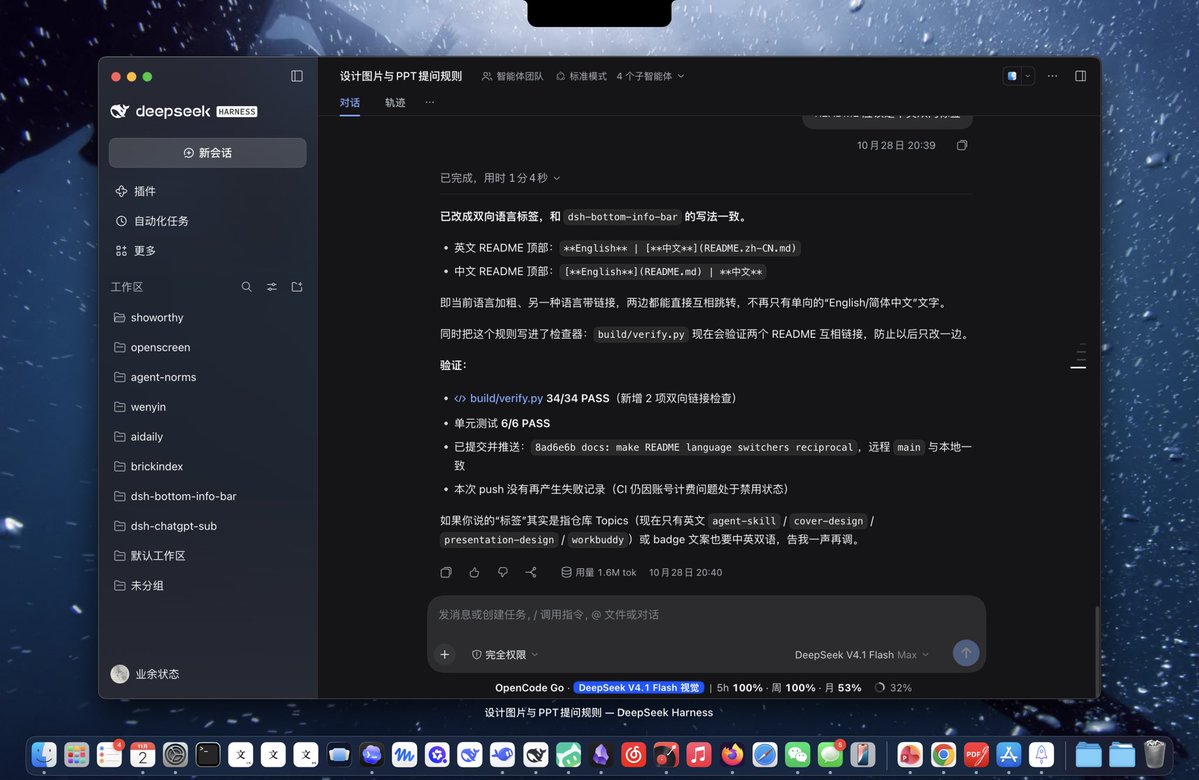
Two plugins I shipped for DeepSeek Harness (open-source AI workspace):
📊 Bottom Info Bar — live balance, quota & spend under the composer.Supports displaying OpencodeGo subscription quotas.If you need support from more service providers, just leave a message~
💬 ChatGPT Subscription — your Plus/Pro quota inside DSH, via official OAuth
54⭐ + 39⭐, MIT licensed, one-line npm install.
Over 30,000 downloads worldwide, supported in 13 languages.
Just enter "dsh-bottom-info-bar" and "dsh-chatgpt-sub" on the DeepSeek harness plugin page and you can download it with one click.
https://t.co/VKlbTn1TMR
I didn't know that GIF can be copied. The two available methods are as follows:
1. Long press the GIF picture - copy the video link - paste
2. Click Quote-Publish
Love the OS analogy. That's exactly the thinking behind dsh-bottom-info-bar: the built-in tells you which model you're using, but what users actually want to know is how much this message costs, how much balance is left, and the peak vs off-peak price gap. Surfacing provider, real balance, peak/off-peak pricing, and session cost right under the input box is the deep work the official team doesn't have bandwidth for. And now that the protocol supports multiple models, seeing balance and pricing across models in one place matters even more.
https://t.co/VKlbTn1TMR
chatGPT subscription inside DSH: sign in with your ChatGPT account from the plugin page, then use ChatGPT models from the model picker — quota windows and reset times included. Install via package dsh-chatgpt-sub or https://t.co/w7Zds9ScmC — source: https://t.co/NHntP131Bv. MIT, feedback welcome
@DeepSeekHarness I built a bottom info bar for DSH: provider/model, real balance or subscription quota, peak/off-peak pricing, and session spend in one line. Install via package dsh-bottom-info-bar https://t.co/74HP3Mkw1R
Hi @thsottiaux@OpenAIDevs — I maintain an OSS, fully local third-party client plugin (DeepSeek Harness) that lets users sign in with their own ChatGPT account and use their plan inside the app. Single user, no relay, no sharing.
I'm following the documented Sign in with ChatGPT path, but there's a gap: SIWC exposes no documented way to read plan usage/quota — apps only see 429 error codes, and the UI/UX guidance only asks for a "Manage usage" link. Meanwhile, many third-party tools show 5h/weekly quota by reusing Codex CLI OAuth against https://t.co/dpw33YM0lA, which is undocumented.
Could you clarify: (1) is Codex CLI OAuth reuse from a third-party client allowed, tolerated, or should it be avoided; (2) is a usage/quota API planned for SIWC apps; (3) any account risk for single-user local use; (4) what's the right approval channel for OSS vs commercial apps?
Not asking for new capabilities — just a clear support boundary so we can decide whether to migrate and how to advise users. Thanks!