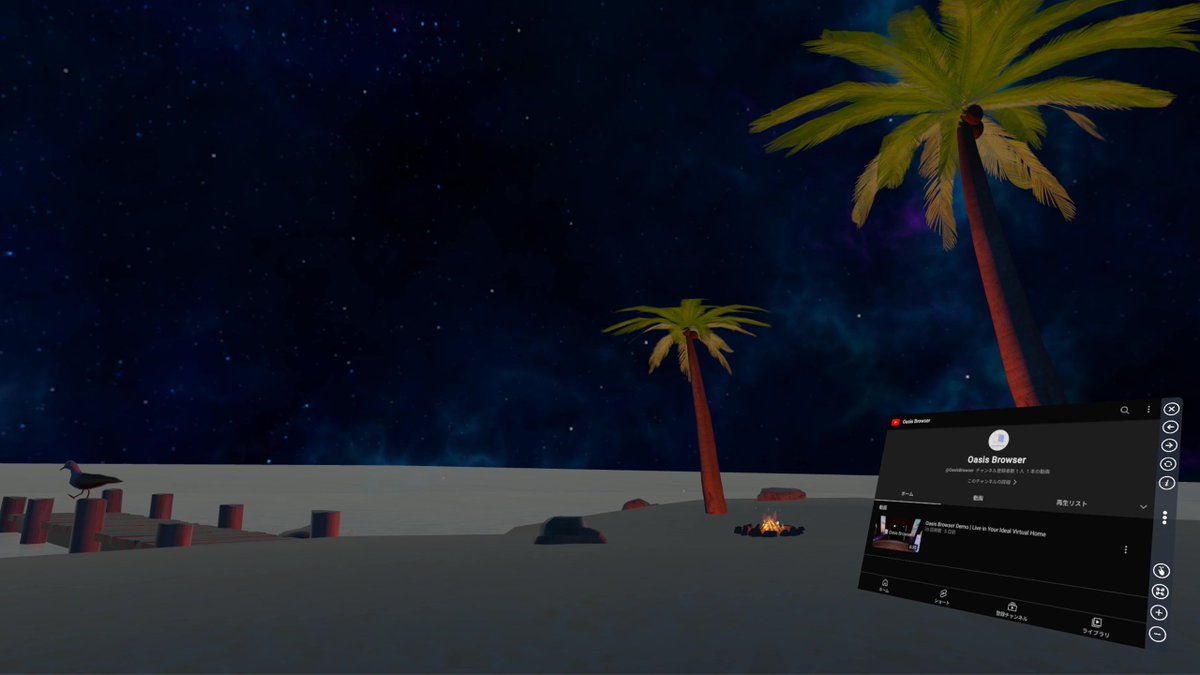
The 'Oasis Browser' app for Meta Quest 2 and Quest Pro is now available on App Lab! Experience browsing freely in virtual space with hand-tracking. If you're interested, please download it!
App Lab:
https://t.co/HCJwN4pfVe
Version 0.7.0 Released!
- You can now use tabs in the browser.
- You can now place downloaded images, videos, and 3D objects into the space (experimental).
@ToonageMe When using the controller on Quest 2 and Quest 3, pressing the Y or B button will bring up the menu. From this menu, you can change the room. If you have any questions, please feel free to contact us again.
The 'Oasis Browser' app for Meta Quest 2 and Quest Pro is now available on App Lab! Experience browsing freely in virtual space with hand-tracking. If you're interested, please download it!
App Lab:
https://t.co/HCJwN4pfVe
Version 0.5.0 Released!
Enjoy a more intuitive spatial browsing experience on Meta Quest. We will continue to update with a focus on improving user operability.
@SarooAhmed68098 Thank you for your valuable feedback! I've decided to start working on improving window resizing immediately. I plan to roll out an update by end of February. I will also consider mouse support, including the feasibility of implementing such features.
Version 0.4.0 released!
Improvements to the interface and added controller support!
We plan to continue regular updates aimed at improving usability. Please feel free to send us your requests and suggestions.
How to Use the Oasis Browser Part 3: Relaxation
Choose your favorite space and indulge in a rich relaxation experience by enjoying visuals, music, and more within it.
How to Use the Oasis Browser Part 2: Work and Learning Efficiency
By arranging multiple browsers within the space, you can streamline your work or study like you have a multi-monitor environment, maximizing productivity.