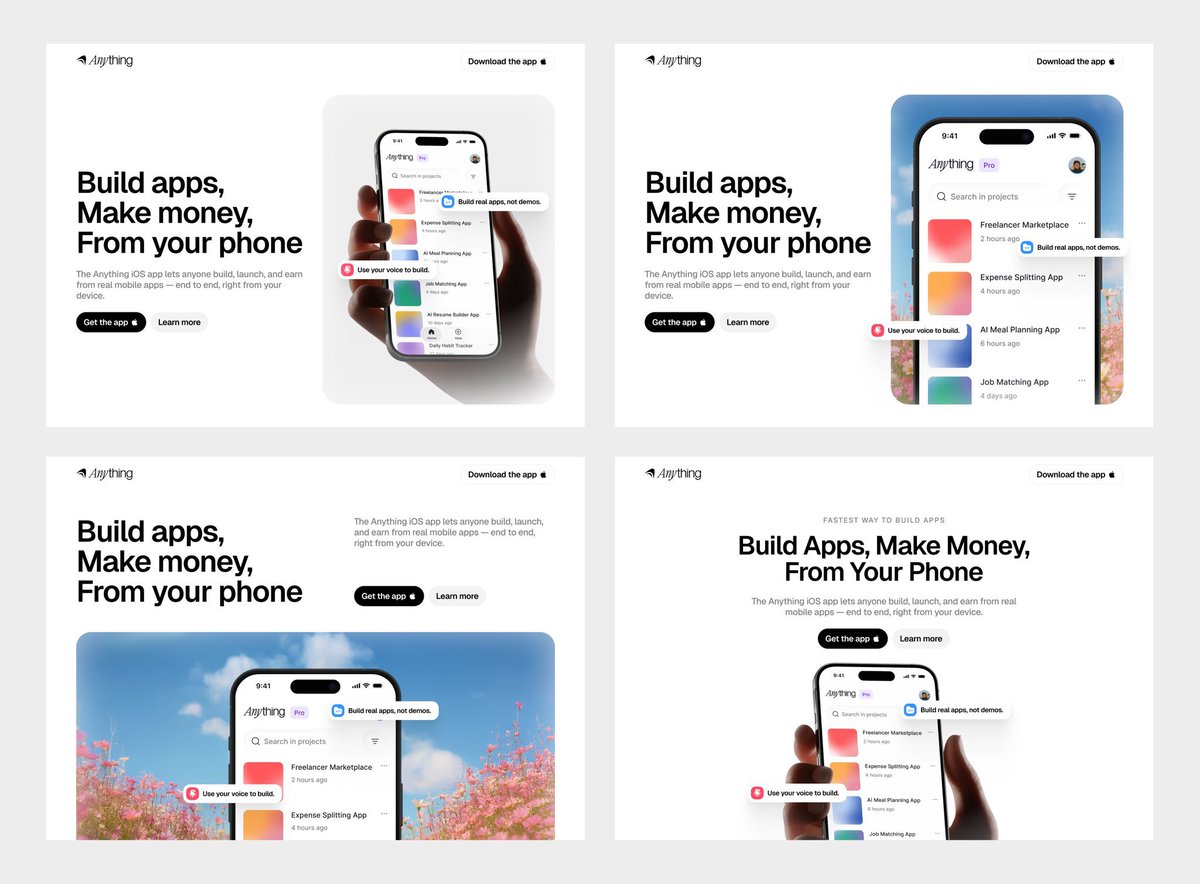
ANTHROPIC ACABA DE MATAR EL “AI SLOP” EN DISEÑO WEB
Se llama Frontend Design.
• 167.000 estrellas en GitHub.
• 758.000 instalaciones.
• open source y mantenida por Anthropic.
El problema que resuelve es común:
Le pedías una web a la IA y siempre salía lo mismo.
→ Inter como fuente
→ gradiente morado
→ layout genérico de startup
→ el mismo hero de siempre
Frontend Design lo corta de raíz.
Obliga al modelo a comprometerse con una dirección estética ANTES de escribir una sola línea de código.
y ahí cambia todo.
le puedes pedir:
→ brutalista
→ editorial
→ retro-futurista
→ lujoso
→ maximalista
→ orgánico
Y te devuelve HTML, CSS, JS, React o Vue listos para producción.
Tipografía, color con variables CSS, motion y composición coherentes entre sí.
Cómo instalarla:
1.npx skills add https://t.co/5Wb06JODE6 --skill frontend-design
2.describe la web o componente
3.elige la dirección estética
4.Claude monta el sistema visual completo
Una instalación. disponible en todas tus sesiones.
Funciona en Claude Code, Codex, Cursor, Gemini CLI, OpenCode y más.
758.000 instalaciones dicen más que cualquier review.
Enlace al repositorio abajo👇
3D collectible achievement badge / GPT Image [dir. v7]
3-variable prompt system, turns any brand into an ornate collectible 3D badge
Prompt 🔽
Grow faster in AI: https://t.co/3SoykWUSTd
saw this cool effect recently for holographic / foil stickers, and put together a little site to have fun with it.
its open source and live: https://t.co/JHHr4p5Ea3
https://t.co/Io8SHq9IMB
🚨EL WEB SCRAPING HA MUERTO🚨
Han creado PixelRAG.
Un sistema open source que pasa de parsear HTML.
En vez de convertir una web en texto...
hace una captura de pantalla.
Y luego un modelo vision-language lee la respuesta directamente desde los píxeles.
Brutal.
Porque el scraping tradicional rompe muchísima información:
→ tablas
→ gráficos
→ layouts
→ columnas
→ botones
→ PDFs
→ páginas mal estructuradas
Todo eso se pierde cuando conviertes una web en texto plano.
PixelRAG hace algo mucho más simple:
indexa la página tal y como la ve una persona.
El equipo ha creado un índice visual de Wikipedia entero:
+30 millones de screenshots.
Y aun así supera al mejor RAG basado en texto por un 18,1% en QA.
Tiene también un plugin para Claude Code.
Básicamente le da ojos a Claude.
Le pasas una URL, un paper de arXiv o tu web local…
y Claude no scrapea el DOM.
La mira.
Cómo funciona:
→ renderiza webs, PDFs e imágenes en tiles
→ los embebe con Qwen3-VL-Embedding
→ construye un índice FAISS
→ busca visualmente sobre píxeles
Todo open source bajo Apache-2.0.
Link al repo en los comentarios 👇🏻
Imagine a world where you could copy/paste websites into editable Figma layers (jk you don’t have to imagine you can do this now with our Chrome extension)
🎨 웹사이트 디자인을 DESIGN.md로 뽑아주는 크롬 확장 프로그램
> DesignMD Style Extractor
https://t.co/MrrLO5ySrn
마음에 드는 웹사이트 스타일, 그냥 냅다 뽑아버리세욧!
Claude Code.. 어디든 디자인 맥락 잡을 때 이렇게 편하게 시작할 수 있네요!
바로 설치해서 써보니 너무.. 편함..
폰트가 뭔지, 색상 코드가 뭔지, 간격이 어떻게 되는지 확인할 필요 없어요.
버튼 하나로 지금 보고 있는 사이트의 디자인 시스템을 자동으로 분석해서 DESIGN.md 파일로 뽑아줍니다.
그리고 SKILL.md 이것도 바로 옆에서 뽑아주네요??
Claude Code, Codex, Google Stitch 같은 AI 에이전트에 바로 던져주면 그 사이트 느낌 그대로 UI를 만들 수 있죠.
뭘 추출하냐면:
- 타이포그래피 > 폰트 패밀리, 사이즈, 자간, 행간
- 컬러 > 주요 색상, 배경, 텍스트, 포인트 컬러
- 간격 & 레이아웃 > 패딩, 마진, 그리드 시스템
- 모서리 반경 > 버튼이나 카드가 얼마나 둥근지
- 그림자 & 모션 > 호버 효과, 트랜지션 느낌
그리고 이걸 그냥 수치만 나열하는 게 아니라, AI가 읽기 좋은 구조로 정리해줘요.
미션, 브랜드 무드, 디자인 원칙, Do/Don't 가이드까지 포함된 마크다운 문서가 나옵니다.
아까도 얘기했듯이 SKILL.md 형식도 지원해서 Claude Code 스킬 파일로도 바로 쓸 수 있어요.
레퍼런스 사이트 찾아서,, 이 느낌으로 만들어줘요~~ 하는 워크플로우 생각하시는 분들에게는..
이거 하나면 디자인 컨텍스트 세팅이 훨씬 빠르게 될 듯?!
> use Claude Code
> no plugins
> "I don't need extensions"
> install one plugin out of curiosity
> it does in 2 seconds what took you 30 minutes
> install second plugin
> same thing
> you mass typed what a plugin does in one click for months
OpenScreen : alternative open source et gratuite à Screen Studio pour créer des démos vidéo. Recording d'écran, zooms auto, annotations, effets — sans watermark, utilisable commercialement
https://t.co/VDSqYcNBVx
I created a Claude Skill that make beautiful slides on the web. The world hasn't woken up to the fact that code can create much better slides than most PPT tools.
- Claude interviews you first about aesthetics, then generate a few directions to "show not tell", and you can pick your favorite
- Cool transitions and animations
- Interactive hover states and cursor effects
- Auto-fits on any screen
- Supports converting existing PPTX files to web-based slides; preserves original images and brand assets
I asked Claude to make a slide show about this skill to showcase what it can do.
Link to skill below
New side project: a tiny Chrome extension to Slooow down and capture any web animation.
I never open the animation devtools, but I always want to see how far a team pushed their polish.
0.1x turns every interface into a motion design critique — you see things you’d normally miss.
I'm seeing more studios and in-house teams building brand-specific visual tools.
They generate on-brand backgrounds, illustrations, and compositions. Custom outputs that feel native to the identity.
This fractal glass effect generator by Studio Justified for Indicium AI is a good example.
I'm also seeing designers creating these for their own workflow or sharing them with the community.
Currently collecting the best ones for a new project. If you've made one or came across something interesting, drop it below!
`tabular-nums` should be the default for any number that updates ( timers, counters, prices, percentages, scores, live data etc ).
you can enable this tnum OpenType feature using the CSS property `font-variant-numeric`.
.tabular-nums {
font-variant-numeric: tabular-nums;
}


![AmirMushich's tweet photo. 3D collectible achievement badge / GPT Image [dir. v7]
3-variable prompt system, turns any brand into an ornate collectible 3D badge
Prompt 🔽
Grow faster in AI: https://t.co/3SoykWUSTd](https://pbs.twimg.com/media/HPI7Z7FWgAA7A0r.jpg)
![AmirMushich's tweet photo. 3D collectible achievement badge / GPT Image [dir. v7]
3-variable prompt system, turns any brand into an ornate collectible 3D badge
Prompt 🔽
Grow faster in AI: https://t.co/3SoykWUSTd](https://pbs.twimg.com/media/HPI7Z7EXMAASthZ.jpg)
![AmirMushich's tweet photo. 3D collectible achievement badge / GPT Image [dir. v7]
3-variable prompt system, turns any brand into an ornate collectible 3D badge
Prompt 🔽
Grow faster in AI: https://t.co/3SoykWUSTd](https://pbs.twimg.com/media/HPI7Z7DWYAAnT7k.jpg)




![AmirMushich's tweet photo. 3D collectible achievement badge / GPT Image [dir. v7]
3-variable prompt system, turns any brand into an ornate collectible 3D badge
Prompt 🔽
Grow faster in AI: https://t.co/3SoykWUSTd](https://pbs.twimg.com/media/HPI7Z7PWEAAlwHE.jpg)