💡 How often do you check your server stats?
Drop your answer below & tell us which Statbot feature you can’t live without! 👀
#DiscordStats#CommunityGrowth
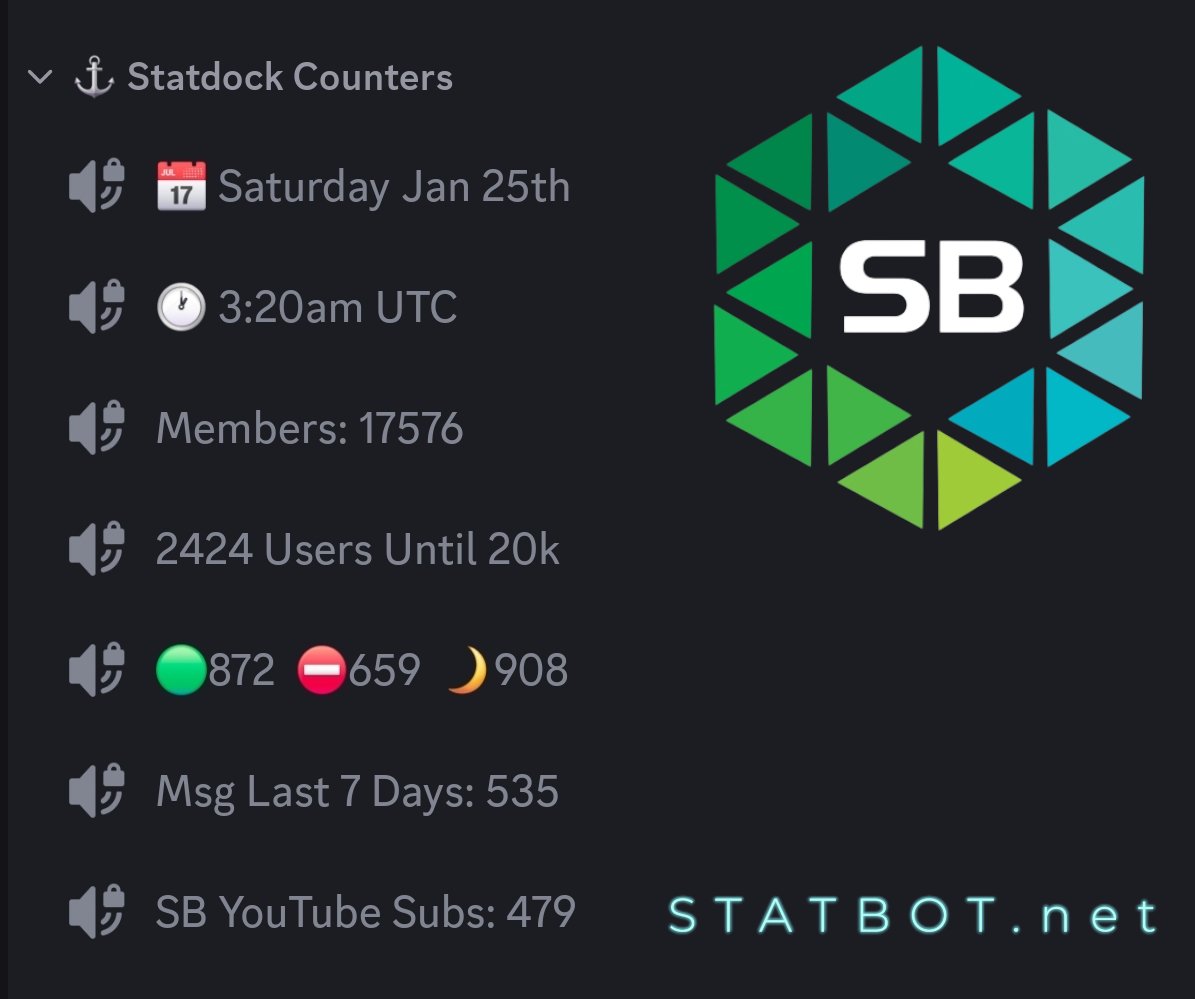
Curious how Discord servers track stats like members, activity, or milestones? Meet Statbot—the ultimate Discord analytics tool! From live counters to detailed insights, Statbot has it all!
Learn more at https://t.co/ldgwjnfOiP and start growing smarter!
#Discord#Analytics #Statbot
Hey @MrBeast, I think your Discord servers could benefit from a trusted statistics bot that delivers the essential data your team needs to keep growing! #Discord#MrBeast#Statbot
Want a more engaged Discord server? Start by understanding your members. From active times to popular channels, data offers the roadmap to success. Let Statbot show you where to focus for maximum impact! #Discord#Community#DataDriven
Unlock the full potential of your Discord server with @OfficialStatbot! 🧑💻📊 Track messages, voice activity, member growth, and more with real-time insights. 💡 From detailed leaderboards to member reports, Statbot’s got you covered! #DiscordGrowth#Statbot#CommunityBuilding
📈Advanced Member Growth Tracking is now live for everyone!
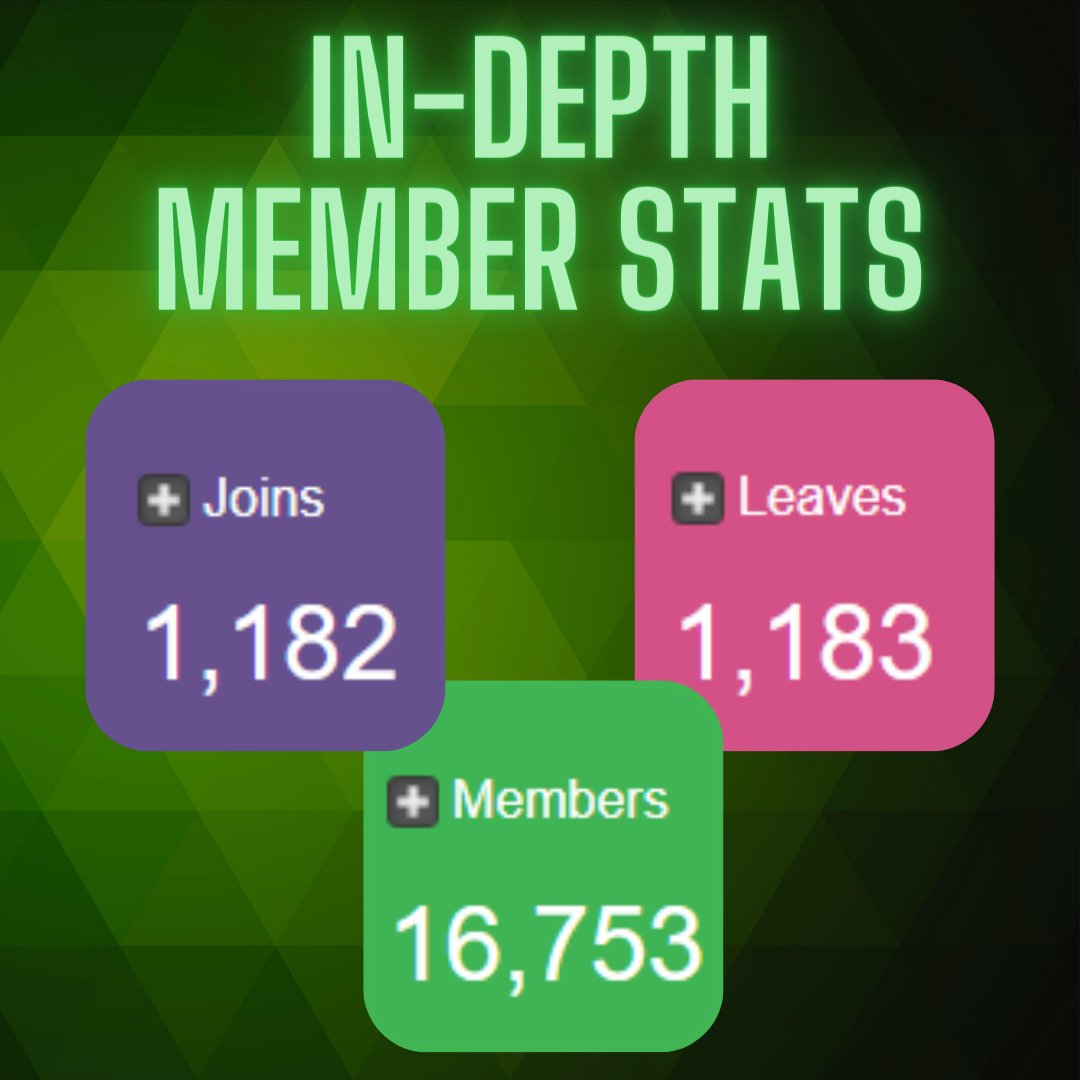
Tracking member growth can help a community determine what works and what doesn't, with the return of Joins and Leaves tracking this process has been made a whole lot easier.
Your overview page on your server dashboard will show the total current members, the number that has joined and the number that has left within your set lookback. You can also enable chart lines to compare Joins vs Leaves or view each stat separately.
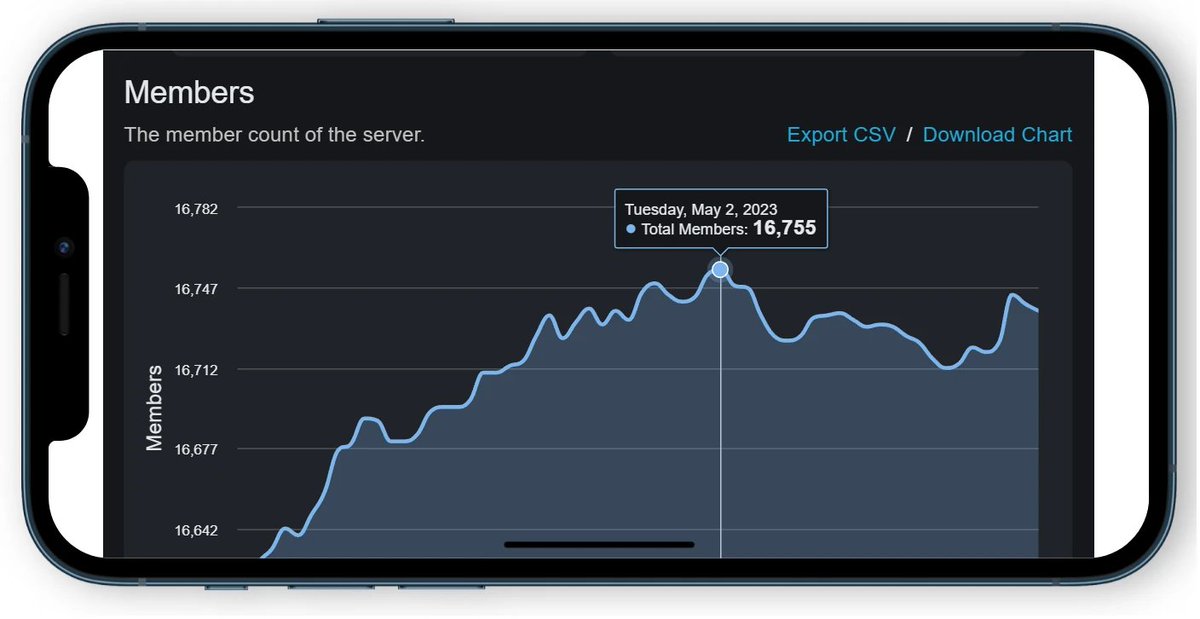
Additionally, you can view Joins and Leaves along with member growth on a well designed graph via the /chart member command.
Head over to our website right now to check it out!
Note: Due to how they are tracked, Joins / Leaves may not always perfectly reflect changes in member count.
No data? No problem! You can now sync untracked message data with the Message History Sync feature!
Have you ever wanted to have all your message data from before Statbot joined your server? We've now got the solution for you!
Today we launch our Message History Sync feature. This long-awaited feature lets you sync your server's message history to Discord, including message data from before you started using Statbot!
Message History Sync uses a credits system. Each use of the feature uses 1 credit; however, you can select any channels and any duration no matter how far back. This means most servers will only need that 1 credit.
- All active premium servers will get 5 credits to use right now.
- A server's first purchase of the History premium upgrade will receive 1 credit.
Want to know more about our premium upgrades? Check out what we have to offer here! https://t.co/Hq6Fjsxa4a
If you already have History, head over to your server's dashboard Settings > Stats page and scroll down to Sync Message History to retrieve your hard-earned stats now!
Documentation: https://t.co/fIFg6bRAjM
Do you want to make branded or stylized Statrole notifications for your server? Now you can! With the addition of https://t.co/DTbH58cjQ9 we are now able to offer embedded Statrole notifications for your server. This will allow you to setup fully custom notifications for when users receive or lose a Statroles, but wait! There's more!
- You can now DM users instead of sending the notification to a channel. Note that a fallback channel ahs to be setup for it.
- A setting has been added to suppress the mention of a user so they do not get pinged.
- When more than one user receives or loses a role you can now group the notification into one message instead of multiple notifications.
- The notifications have been moved into their own tab, but the legacy notification system is still available with no plans of depreciating it!
Note: The new notification system requires you to setup and save a message via the https://t.co/DTbH58cjQ9 website before it will show in the Statrole menu to select.
Visit Statbot's website to check it out! https://t.co/vsf0n83jUs
We're excited to announce our brand new Webhook Sending service https://t.co/DTbH58cjQ9 Sending, editing and saving your own embeds have never been easier! https://t.co/DTbH58cjQ9 provides all the frills of an easy to use embed editor and sender, but with a whole lot more features.
Our real-time preview allows you to see exactly how your embed will look once sent.
- Importing your own JSON embed code makes it easy to switch from other alternatives.
- Save your custom messages to your Discord account or a Discord server allowing you access them from anywhere.
- Sharing and editing with other staff in your server has never been easier. All saved messages can be viewed and edited by anyone with the administrator permission.
- No need to invite a bot if all you want is a message sender.
Note: The bot is only required to see your server emojis, all your webhooks and other Quality of Life features. You do not have to invite it to use the website.
With a custom message sender you can make your server branded or stylized in any possible way you want. So what are you waiting for? Go check out https://t.co/DTbH58cjQ9 today!
We're excited to announce our brand new Webhook Sending service https://t.co/DTbH58cjQ9 Sending, editing and saving your own embeds have never been easier! https://t.co/DTbH58cjQ9 provides all the frills of an easy to use embed editor and sender, but with a whole lot more features.
Our real-time preview allows you to see exactly how your embed will look once sent.
- Importing your own JSON embed code makes it easy to switch from other alternatives.
- Save your custom messages to your Discord account or a Discord server allowing you access them from anywhere.
- Sharing and editing with other staff in your server has never been easier. All saved messages can be viewed and edited by anyone with the administrator permission.
- No need to invite a bot if all you want is a message sender.
Note: The bot is only required to see your server emojis, all your webhooks and other Quality of Life features. You do not have to invite it to use the website.
With a custom message sender you can make your server branded or stylized in any possible way you want. So what are you waiting for? Go check out https://t.co/DTbH58cjQ9 today!
We are investing in more ways to support families as they work together on building better digital safety habits.
Below is a 🧵on updates to help keep our younger users safe.
One of our most request features is in development!📊
Knowing how many users are in your server is important, but being able to see the exact number of Joins and Leaves can help you determine your true growth and find ways to improve it!
That's why our developer is working in the background to bring back the Joins and Leaves data set that will be viewable on the Overview tab of your server. This will work similar to all our other graphs, allowing you to turn on and off what you want to see.
We don't want to give it all away, so below we have a small sneak peak of this feature.
#discord
You asked and we answered! Instagram Statdocks are now available for Statbot!
Want to show off how many Insta followers you have right in your Discord server? Now you can!
All servers that have the Statdocks+ premium upgrade can head to our website right now to add the new Instagram Statdock.
Check out our video below for a quick guide on how to set it up!
Docs: https://t.co/qkZl23elag
Website: https://t.co/fwx2S2f9Zn
#Discord #discordbot #instagram
🚨New Button In the App Alert🚨
Say goodbye to those 89 friend requests living in your inbox after you joined that random roblox server with a click of a button.
Some data-mining solutions can get quite expensive and fees from multiple add-ons stack quickly. A great free compromise is @OfficialStatbot
Even on the free tier, this bot is a goldmine. It offers insights like activity, growth statistics, and customizable reports.