You can now build your own fund on @AmalInvest
From scratch or starting from an existing one. Screen it against our compliance rules, see it fully charted, even build it from hand-picked individual stocks.
Your basket, your rules.
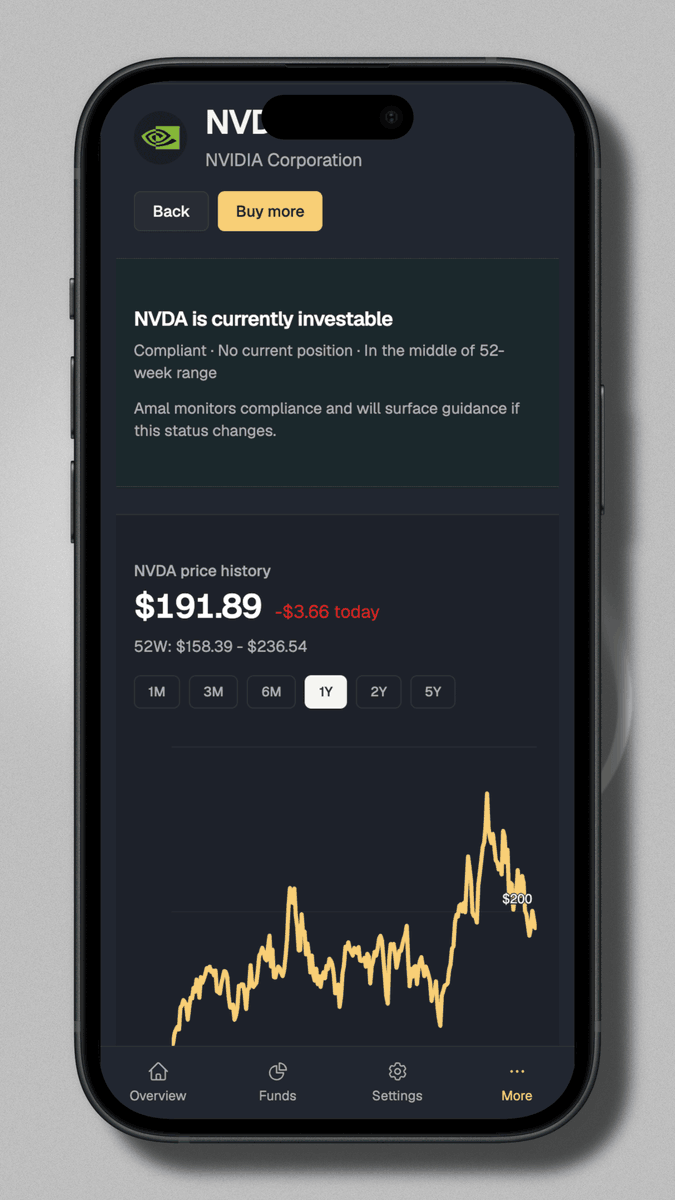
We also rebuilt single-stock pages around one question: should I own this?
A clear eligible/blocked verdict up top, ongoing monitoring that flags you if status changes, your position and buy markers on the chart, and only the fundamentals that matter.
To turn it on:
Account settings → Security → Enable 2FA
Scan the QR with any authenticator app (Google Authenticator, 1Password, Authy), save your backup codes, enter the 6-digit code, done.
MFA + single login now works across Alpaca and Trading 212 integration on @AmalInvest
If you're on Standard or Pro, sign in once and switch between both apps. No second password, no separate API keys to juggle.
We also added optional two-factor authentication.
If you like locking things down with an authenticator app, you can now add 2FA on top of your password.
Takes a minute to setup:
5/ We've adopted Stripe checkout sessions. By simply passing a flag from the frontend, we can handle both subscription and one-time payments. Utilizing webhooks for database updates simplifies the process, everything syncs up perfectly with minimal code changes.
1/ A simple task like adding a payment flow can be a good problem solving lesson when you tackle the implementation in the context of your app. We've recently added a Stripe payment flow to @fundpurifier, and here are a few lessons learned along the way. #Stripe#WebDev
4/ On the backend, @Prisma helped us structure our data effectively. Enums for statuses and types made our database queries cleaner and more predictable. have a backup, and test changes until you reach the desired solution. Prototyping couldn’t be simpler! #Prisma