A friend of Packaroo recently completed this amazing kangaroo stuffed animal, complete with branded bandana! Currently on a grand road trip with Sue, living on the edge.
Meanwhile, we're getting close on a not-so-secret new feature (trip sharing & device sync)
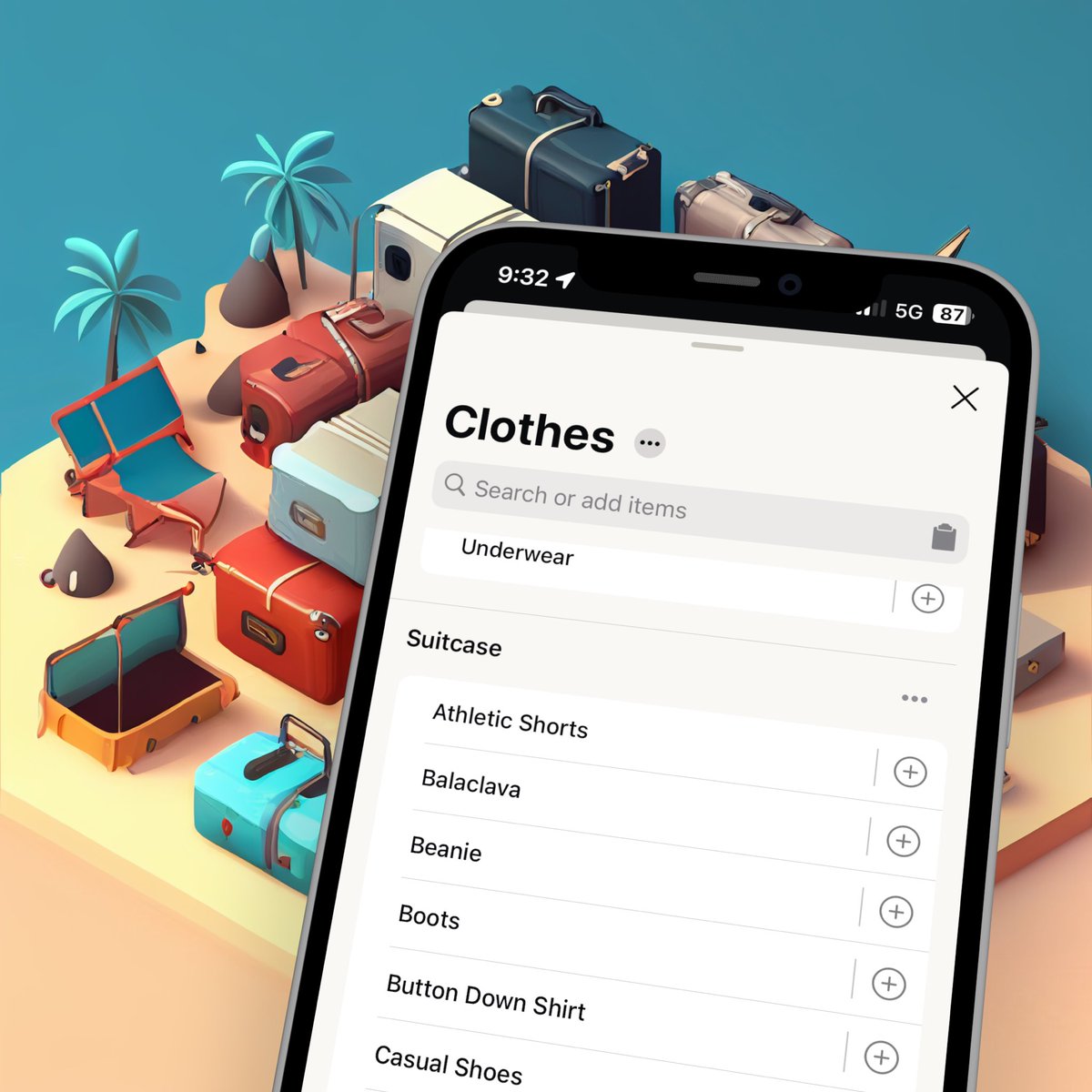
How to add your specialized gear to Packaroo:
1. Tap the target Collection
2. Tap the Clipboard button
3. Paste the items on the clipboard, tap Done
Now your pack lists can include all the clever, and frankly bizarre, gear you carry on your travels. #PackarooApp#TravelReady
Did you know that you can reuse your previous trips on Packaroo?
Save time packing for similar trips by reusing trips. In our latest YouTube video (link in bio), Sue shows how you can curate your lists over time and build rock solid lists that can be reused over and over again.
How to use bundles in Packaroo …
1. Tap the target Collection
2. Tap “+ Bundle”
3. Give it a name - Camera Bag, Toiletry Kit, Tackle Box, etc.
Think through once the items that you bring in bags and containers, then reuse the bundles on all of your future trips. #PackarooApp
Check out our YouTube channel (link in bio) where we have a growing library of how-to videos. The latest post shows how we like to use Bundles to craft lists that match the bags and containers we use on our travels
How to think through & keep track of each person’s items without mixing them into one long list:
1. Tap … from the upper right corner of your pack list
2. Tap “Add another pack list”
3. Give it a name
Now you can swipe back & forth between each person's list.
#PackarooApp
Rename default collections in 3 simple steps:
1. Tap on the collection that you want to rename
2. Tap … next to the name, then tap 'Edit collection'
3. Choose a name you fancy
Bonus points if you come up with something better than ‘Miscellany’ #PackarooApp#ChaosCleared
It's easy to reorder collections in your pack list:
1. Tap … from the top of the catalog
2. Choose “Reorder collections”
3. Drag them into the order that makes sense to you
Who needs alphabetical order when you have your own brand of chaos? #PackarooApp#KangarooLevelPacking
New in Packaroo 2.6: You can now reorder your catalog in a way that works best for you and your trips, and the ordering will automatically be reflected in your pack list. Plus, change the order of your pack lists on a trip!
#Packaroo#TravelApp#ProductRelease
🎺Introducing To Do Lists! If you’re like us, you’ve got one eye on packing and the other on all the things that need doin’ before leaving on your trip. That’s why we’ve added a place for you to capture those trip related tasks right inside Packaroo. Set a reminder and relax.
The latest feature for our Pro users, declutter your pack lists by showing only those items that still need to be packed. When you set your pack lists to hide packed items, you can see the items disappear as you check them off your pack list.
New in V2.4
Planning more than one trip at a time? Now you can set trip dates by editing trip details. After that, dates display on the trip list by start date.
With Custom collections you can break away from chunking (breaking things down by item type). Why would you want to do that? Because you’re packing for a long trip in a sailboat, RV, or sea plane. 🧠
#packinglists#packingtips
One of the most powerful capabilities that comes with Packaroo Pro is the ability to create bundles of items that match the real world - A toiletry kit, a camera bag, etc.
Chunking is the best way to turn large, seemingly icongruent, lists into something you can wrap your head around.
We’ve written a new blog article to help - link in bio.
New in 2.3.1 is the ability to hide collections. Why stare down 13
collections in your Packaroo
catalog when you know that
you’ll only use 8 of them? 🙈