The creator terminal. Launch a pack, run your coin, read anyone else's with Skyline. Market maker, holder rewards, a wallet tracker bot - all on chain.
Limit orders on Packed, step by step.
This is the full guide to setting up limit orders: every step, from start to finish.
What's new: drag your buy and sell orders to a new price, and place several orders in a row to build a ladder, one under the other.
How to set one up:
- open any Robinhood Chain coin and press Limit
- press Create a trading wallet: Packed makes one for you in your locker
- add ETH: Send from your wallet and confirm it, or send ETH on Robinhood Chain to the address in Locker, Wallets
- in From, pick that wallet
Placing orders:
- Buy: drag the Limit Order Target line under the price, or type the price as a market cap or a coin price
- type how much ETH, or press Max, and you see about how many coins you get
- Place order shows where it fills, then Confirm
- Sell works the same way, above the price
- Buy & sell: two lines, buy down and sell up. Press Place, and Confirm places the pair
- Then sell at a higher price: when your buy fills, the coins go up for sale at your price by themselves
- A ladder: place buys one after another, each lower. In our Telegram bot, a Ladder button places a set together
Your orders sit on the chart. Drag one to a new price and press Move it: the same amount waits there, in one press. Press the cross to cancel and get your ETH or coins back.
Packed takes 0.1% of what fills, and nothing if you hold PACKD.
https://t.co/I0DbCwgoxn
@ToonCrypto Thanks Toon, means a lot! And it stays free. We're already working on the next part, more languages and currencies, a one-click PDF and a yearly report that counts every coin you traded.
On the site and in Skyline.
- Supertrend and OBV on the chart, and a cleaner coin page in separate cards
- Create a pack, price one in the locker or set up the market maker before you connect a wallet
- The biggest coins now get a risk score and show their own logo
- A ticker search puts the real coin first
Plus dozens of fixes and speed-ups, and automated visitors can no longer slow the site down for people.
Everything, day by day: https://t.co/1Zs8XPsylQ
More ways to trade from Telegram.
- A stop loss that sells only when a 1h, 4h or daily candle closes under your line, with a wider emergency stop
- 1-2-3: a third of your amount now, two thirds on dips
- Coins in Uniswap v2 and v3 pools can be bought and sold, by DCA and Copy Trading too
- Sell 25%, 50%, 75% or All in one tap
A bank, a landlord or an accountant asks you to prove you have the money. Your money is in a crypto wallet. Now you can show it.
Statement on Packed makes a document that proves what your wallets hold:
- Balance now: what you hold today, in each coin and in dollars
- History: like a bank statement, every payment in and out with its date
- Over an amount: proves you hold more than a sum you pick, without showing the total or the wallets
How it works: add up to 5 wallets on Robinhood Chain, Ethereum, Arbitrum or Solana. Each one signs a short note to prove it is yours. It is free, there is no transaction and your money never moves.
You get a link and a PDF with a QR code. Whoever receives it scans the code and sees it is real.
You choose how long the link works, from 7 to 180 days, then the numbers are deleted. No name, no email, no account.
https://t.co/ek3i1t24vO
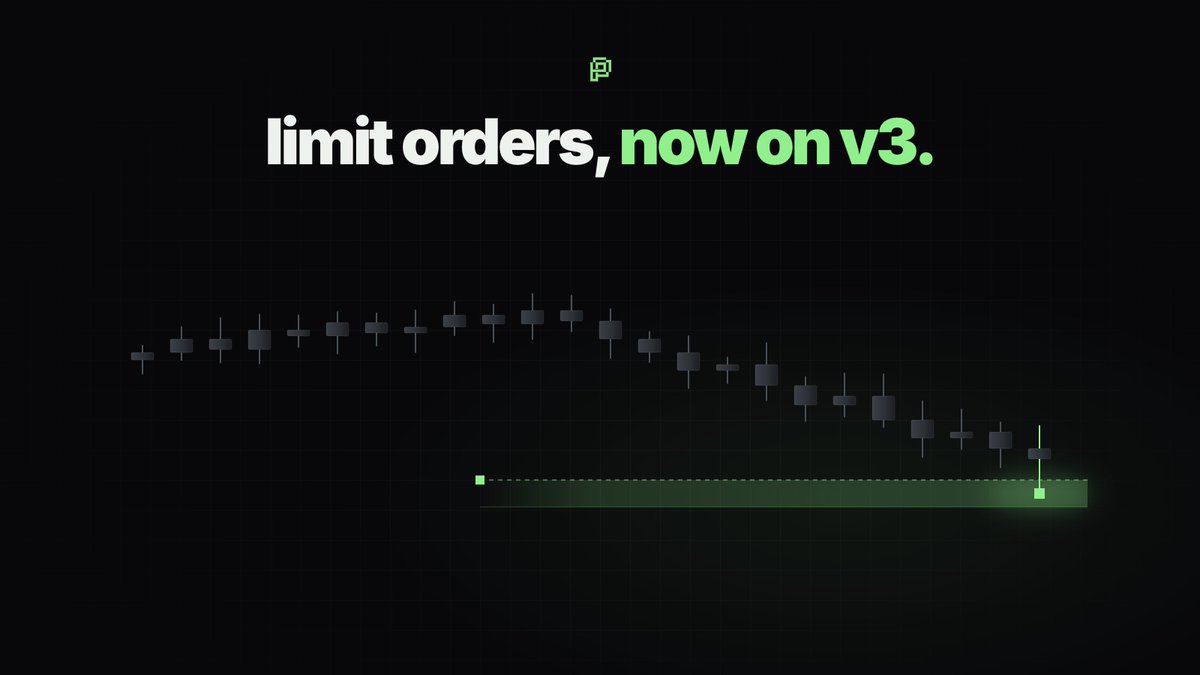
Limit orders on Packed worked on v4 pools. Now they work on Uniswap v3 too.
That opens them up to the bigger Robinhood Chain coins that trade in v3 markets, not only launchpad coins.
- Buy under the price, sell over it, or both in one press
- Split one order into several parts
- When it fills, the coins land in your wallet on their own
- While it waits, your order earns the pool's trading fee
- A Telegram message the moment it fills
And you can place them straight from Skyline now: open any coin, Trade → Limit. In the bot: Orders.
Also today: logos and a risk score for the biggest coins on Skyline, a cleaner trade window, panels that stay on top, a smoother replay for big coins.
Everything: https://t.co/AwEGtgTVkd
New in the Packed bot: 1-2-3.
Buy a coin in three parts. A third now, the other two thirds wait lower, at levels you pick.
Then set one line under them. If a candle closes below it, the plan is broken: the buys that haven't filled are cancelled, and only what the plan bought is sold. Coins you held before are never touched.
No averaging down into a setup that already failed.
Open any coin in the bot, press Orders, then 1-2-3.
Burn #9.
Picture robinhood:0x853e1a36876cc4538be636b78e7b2bd0aabc0ded supply as 1,000 squares, a million coins each. 30 of them are gone now. 3 went today.
3,003,603 robinhood:0x853e1a36876cc4538be636b78e7b2bd0aabc0ded bought back with what Packed earns and sent to 0x…dEaD.
29.93M burned in total - 2.99% of the supply, about $8.8K today. No new robinhood:0x853e1a36876cc4538be636b78e7b2bd0aabc0ded is ever minted, so the squares only go one way.
Quiet market. We keep building and we keep burning.
Every number is on chain: https://t.co/HLQ5WMcudF
tx: https://t.co/NEd1zCI4gt
Who is worth copying? The Packed bot now shows you a wallet's record before you copy it.
In the bot, open Copy Trading. From there:
Find a trader. Paste any wallet on Robinhood Chain. The bot shows the profit it took in the last 24 hours, 7 days and 30 days, how often it won, how many trades it made, and the coins it traded lately.
Top traders. The wallets that took the most profit in the last 24h, 7d or 30d, opening with a picture of the top five. Launch buyers and bot-traded coins are left out, so the list is traders you could really follow, not launch groups or volume bots. Open any row for the full record.
Biggest takers. One press away, right under the 24h / 7d / 30d row. It shows who took the most money out of coins, launch groups included, each group as one row, and names a coin's creator by the coin they made.
Copy. On any trader's card, press Copy and say how much goes on each trade, from $1. The rest is set for you and shown before you start, and you can change each part.
My copies. For every copy you run: what it paid, what it still holds, what that is worth now, and the profit taken.
A good month is not a promise of the next one. Look at how many trades stand behind the profit and when the wallet last traded, and keep the amount small while you watch.
https://t.co/fH0AsYJyLN
Sell without the pool tax, a little above today's price.
New on the coin page's Limit tab:
Next buy puts your sell order at the closest price it can rest at. It fills with the next buys, and a limit order pays no pool tax.
Split into cuts your order into 2-10 parts, one step apart. One big order only completes when buyers take all of it at once. Split, the first part fills even with a small buy, and every filled part stays sold, even if the price comes back. You get out step by step without dumping the price.
The same works for buying: Next sell and Split buy on the way down, part by part.
Only our 0.1% applies and PACKD holders pay none.
You asked, we built it.